FIDE Chess Olympiad 2026: Watch Every Gambit, Every Strategy, Across All Streams Simultaneously
FIDE Chess Olympiad 2026 is a multi-stream event — here's how to watch every official live stream at once in one grid.
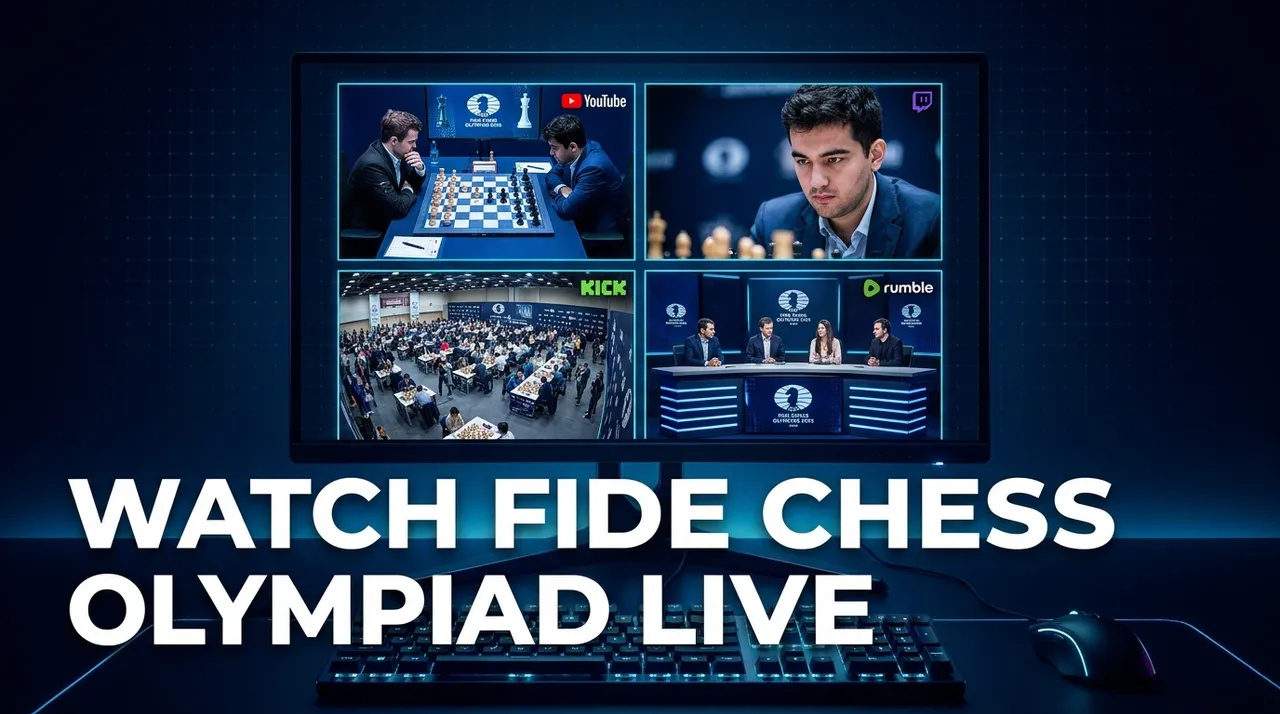
The world of competitive chess is unlike almost any other sport. When the FIDE Chess Olympiad 2026 kicks off, it won't be a single match or a linear tournament bracket with one clear focus. Instead, it will be an incredible spectacle featuring hundreds of games played simultaneously across many boards, creating a rich tapestry of strategic battles unfolding all at once. For fans, this presents both an exciting opportunity and a significant challenge: how do you follow all the action, the key games, the different commentators, and the various perspectives when everything is happening at the same time?
Trying to keep up with such a sprawling event using just one browser tab is like trying to watch a dozen different chess matches through a single peephole. You'll miss critical moments, alternative analyses, and the vibrant community reactions. Official live broadcasts are expected on FIDE's YouTube channel, often including multiple language commentaries, and other platforms like Twitch and Kick will also host streams from various angles – from official secondary feeds to dedicated community watch-alongs and expert analysis channels. This multi-faceted streaming landscape demands a multi-faceted viewing solution.
This is where a dedicated multi-stream viewer becomes indispensable. Imagine being able to set up your own control center, bringing together all the streams that matter most to you onto a single screen. No more frantic tab-switching, no more missing crucial plays because you were on the wrong commentary feed. Just pure, unadulterated chess action, tailored to your preferences, all in one place.
What's Happening and When: The FIDE Chess Olympiad 2026
Get ready for an unparalleled display of chess brilliance. The FIDE Chess Olympiad 2026, a premier event in the world of sports, is scheduled to run from September 15, 2026, to September 27, 2026. For nearly two weeks, the global chess community will be captivated by the highest levels of strategic play, tactical masterpieces, and the intense drama that only a team-based international chess tournament can provide. This event is a Category 4 sports spectacle, promising non-stop action and countless narratives.
With so many games taking place concurrently, from the opening moves to the decisive checkmates, the sheer volume of content available across various live stream platforms like YouTube, Twitch, and Kick will be immense. Whether you're following a specific team, a rising star, or simply want to absorb as much high-level chess as possible, the ability to view multiple streams side-by-side will transform your viewing experience.
Build Your FIDE Chess Olympiad 2026 Grid in 60 Seconds
Watching the FIDE Chess Olympiad 2026 with a multi-stream viewer is incredibly easy and quick. You don't need to sign up for anything, and it works directly in your browser. Here’s how you can set up your personalized chess command center in just a few simple steps:
- Open the Multi-Stream Viewer: Head over to viewgrid.tv in your browser. You'll be greeted by a clean, intuitive interface ready for your streams. No downloads, no installations, just immediate access.
- Pick Your Layout: ViewGrid offers flexible grid layouts. For an event like the FIDE Chess Olympiad, where you want to keep an eye on several key broadcasts, a 4-slot layout is often the sweet spot. It provides enough simultaneous feeds without overwhelming your screen, allowing you to focus on the most important action. However, you can go up to 20 streams on desktop or 6 on mobile if you're feeling ambitious!
- Add Your Streams: This is where the magic happens.
- * Click on an empty slot in your grid.
- * A prompt will appear, giving you options to "Add Stream."
- * You can then either search directly for live content on YouTube, Twitch, or Kick by typing keywords like "FIDE Chess Olympiad 2026 live" or "chess stream." This is perfect for finding official broadcasts or popular community channels.
- * Alternatively, if you already have a specific stream in mind (e.g., FIDE's official YouTube channel URL or a favorite Twitch commentator's link), you can simply paste the URL directly into the input field. The player will instantly load the official embedded stream.
- Repeat for All Slots: Continue adding streams to fill your chosen layout. Mix and match official broadcasts with community watch-alongs or analytical feeds to create your perfect viewing array.
- Unmute Your Primary Focus: Once all your streams are loaded, you'll likely want to hear the commentary from one primary broadcast. Simply click the speaker icon on that specific stream to unmute it. All other streams will remain muted, allowing you to switch audio focus with a single click whenever you desire.
- Share Your Grid (Optional): Found a great combination of streams? ViewGrid generates a unique URL for your specific grid configuration. Copy this link and share it with friends, fellow chess enthusiasts, or your online community. They can open your curated grid and instantly join your multi-stream experience, no setup required on their end!
It's that simple. In under a minute, you can transform your viewing experience from a chaotic scramble of tabs to a streamlined, comprehensive overview of the FIDE Chess Olympiad 2026.
Your Ultimate FIDE Chess Olympiad 2026 4-Slot Plan
To give you an idea of how to maximize your viewing experience, here's a suggested 4-slot setup for the FIDE Chess Olympiad 2026. This plan helps you cover the core official content while also tapping into community insights and broader event coverage, all within official embedded players:
| Slot | Stream Type | Why It's Essential |
|---|---|---|
| 1 | Main Official Broadcast | This is your primary window into the event. Look for the official FIDE YouTube channel's main broadcast, which will likely feature expert grandmaster commentary, high-quality production, and coverage of the most critical games. This stream provides the authoritative perspective and essential updates. You might choose to keep this one unmuted for most of the event, ensuring you catch the primary narrative and professional analysis. |
| 2 | Alternate View / POV / Specific Board Focus | With hundreds of games happening, the main broadcast can only show so much. This slot is for a secondary official stream, perhaps focusing on a particular board, a specific team, or offering an alternate language commentary. Many events provide dedicated feeds for top players or key matchups that aren't always the central focus of the main broadcast. This allows you to dive deeper into a game of particular interest. |
| 3 | Community Co-stream or Watch-along | Chess has a vibrant online community. Many popular streamers, content creators, and chess personalities on platforms like Twitch and Kick host "watch parties" or co-streams, offering their own real-time reactions, insights, and often more informal or humorous commentary. This adds a layer of community engagement and can provide fresh perspectives, making the viewing experience more interactive and social. It's a great way to feel connected to fellow fans. |
| 4 | News, Recap, or Secondary Analysis Channel | Beyond the live games, understanding the broader context, daily standings, and post-game analyses is crucial. This slot can be used for a channel dedicated to event news, daily recaps, interviews, or deeper tactical breakdowns. This could be another official channel or a popular independent analyst on YouTube. It allows you to stay informed about the tournament's overall progression, key upsets, and standout performances without leaving your grid. |
This configuration allows you to follow the main story, dive into specific games, engage with the community, and keep up with the overall tournament narrative – all from one convenient screen. You'll truly feel immersed in the FIDE Chess Olympiad 2026 experience.
FIDE Chess Olympiad 2026 Multi-Stream FAQ
Is ViewGrid free to use?
Yes, absolutely! ViewGrid is completely free to use. There's no cost, no hidden fees, and no premium features locked behind a paywall. Just open your browser and start building your grid.How many streams can I watch at once?
You can watch up to **20 live streams simultaneously** on a desktop browser. If you're using a mobile device, the platform supports up to **6 streams** at once, ensuring a smooth and enjoyable experience even on smaller screens.Does ViewGrid work on phones and tablets?
Yes, it does! ViewGrid is designed to be fully responsive. The layout automatically adapts to your device's screen size and orientation, whether you're viewing in portrait or landscape mode on your phone or tablet. This means you can take your multi-stream chess experience with you wherever you go.Which streaming platforms does ViewGrid support?
ViewGrid supports all the major live streaming platforms. You can embed and watch live streams from **YouTube, Twitch, Kick, and Rumble**. This ensures you have access to a vast array of official broadcasts and community content for the FIDE Chess Olympiad 2026 and other sports events. You can explore more at our dedicated [sports hub](/watch/sports).Does watching streams on ViewGrid benefit the creators?
Absolutely. ViewGrid uses each platform's **official embedded player**. This means ViewGrid does not host or re-stream any video, and each platform's own ads and view-counting rules apply. It's a win-win for both viewers and content creators.Get Ready for the Ultimate Chess Experience
The FIDE Chess Olympiad 2026 is set to be a monumental event, showcasing the pinnacle of strategic brilliance. Don't let the sheer volume of simultaneous games overwhelm you. With ViewGrid, you have the power to curate your own ultimate viewing experience, bringing together all the official broadcasts, expert analyses, and community reactions onto one screen. It’s free, easy to use, requires no signup, and ensures creators get the credit they deserve. Mark your calendars for September 15, 2026, and prepare to immerse yourself in the world's most prestigious team chess event like never before. Start building your perfect grid and get ready for two weeks of unparalleled chess action!
Ready to try multi-stream viewing?
Watch YouTube, Twitch, Kick & more — all on one screen.
Open ViewGridOr start with Sports multi-stream page — the page built for exactly this.
Related Articles
Premier Padel Rotterdam P2 2026: Multi-Court Viewing Guide
Premier Padel Rotterdam P2 is a multi-stream event — here's how to watch every official live stream at once in one grid.
streaming guideRothesay County Championship Final Round 2026: Watch Every Wicket Live with a Multi-Stream Viewer
Rothesay County Championship Final Round 2026 is a multi-stream event — here's how to watch every official live stream at once in one grid.
streaming guideDon't Miss a Single Kick: Watch Every Karate1 Youth League Guadalajara 2026 Stream Simultaneously
Karate1 Youth League Guadalajara 2026 is a multi-stream event — here's how to watch every official live stream at once in one grid.
streaming guideAsian Games 2026: Free Official Streams and Multi-Stream Guide
Asian Games 2026 coverage belongs to rights holders in each country. Here is the free official stream we could confirm on YouTube and how to line it up with commentary streams in one grid.