Gamescom 2026: Watch Every Official Live Stream at Once with ViewGrid
Gamescom 2026 is a multi-stream event — here's how to watch every official live stream at once in one grid.
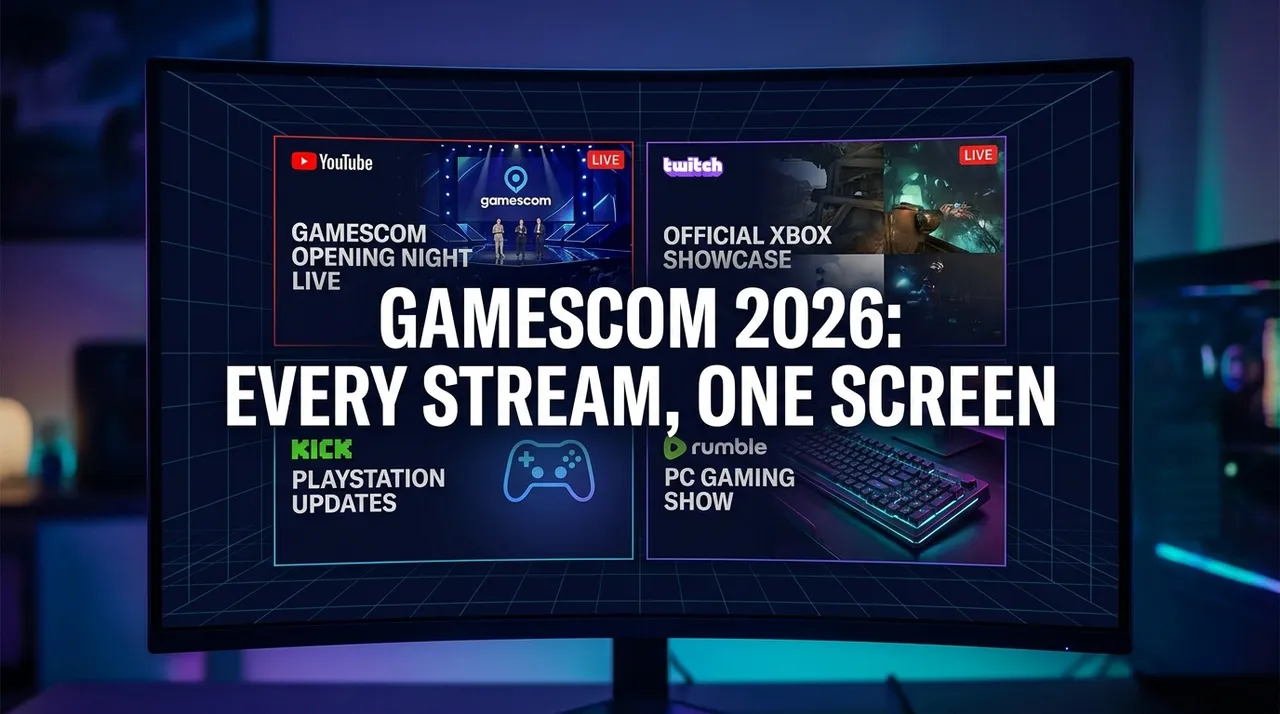
Gamescom, the world's largest computer and video game trade show, is an event of unparalleled scale, attracting millions of viewers worldwide. As a premier tech event, Gamescom 2026 promises to be no different, delivering a deluge of announcements, showcases, and developer insights. What makes an event of this magnitude truly challenging for fans, however, is the sheer volume of live content. Official broadcasts often run concurrently across multiple platforms, offering different perspectives, language options, and dedicated streams for various showcases. Trying to keep up with just one stream means you're almost certainly missing out on crucial reveals, expert commentary, or the buzz from a co-streamer you follow. Juggling multiple browser tabs, each vying for your attention, quickly becomes a frustrating and fragmented experience. This is precisely where a dedicated multi-stream viewer becomes indispensable, transforming chaos into a comprehensive, synchronized viewing experience.
What's Happening and When at Gamescom 2026
Get ready to mark your calendars, as Gamescom 2026 is set to kick off on August 25, 2026, and run until August 30, 2026. The excitement begins immediately with Opening Night Live on August 25th, historically the epicentre for major game reveals and world premieres. This initial broadcast alone typically draws massive viewership and sets the tone for the entire week. Throughout the following days, a packed schedule will feature developer interviews, gameplay demonstrations, panel discussions, and competitive showcases, all contributing to the dynamic landscape of the tech and gaming industry. Given its status as a pivotal event in the gaming calendar, you can expect an array of official channels across platforms like YouTube, Twitch, and Kick to carry the main broadcasts, along with various regional and specialized streams. Each day will bring new content, ensuring a constant flow of engaging material for every enthusiast. Keeping track of which stream is showing what, and when, can be a full-time job in itself, making a synchronized viewing solution a must-have tool for any serious attendee.
Build Your Gamescom 2026 Grid in 60 Seconds
Imagine having every crucial Gamescom 2026 live stream – from the main stage to a developer deep-dive – neatly arranged on one screen, allowing you to switch focus effortlessly. This isn't a pipe dream; it's the reality offered by a sophisticated multi-stream viewer. Setting up your personalized Gamescom command centre is incredibly straightforward, taking less than a minute. Here’s how you can prepare for an unparalleled viewing experience:
- Open the Multi-Stream Viewer: Start by navigating to the ViewGrid website. This is your blank canvas, ready to be filled with the best of Gamescom 2026. The platform is designed for instant access – no signup, no downloads, just immediate streaming power.
- Pick Your Perfect Layout: Once you're on the site, you'll be presented with various grid layouts. While you can go big with up to 20 streams on desktop, we recommend starting with a 4-slot layout as the sweet spot for major events like Gamescom. It provides ample space for core content without overwhelming your screen, giving you a comprehensive yet manageable overview of the event. This configuration allows you to monitor key broadcasts simultaneously, ensuring you don't miss a beat.
- Add Your Gamescom Streams: This is where the magic happens. For each slot in your chosen layout, simply click "Add Stream." You can then either search directly for live Gamescom broadcasts on platforms like YouTube or Twitch using keywords, or, if you have a specific official channel's URL, paste it directly into the input field. The multi-stream viewer supports live streams from YouTube, Twitch, Kick, and Rumble, giving you comprehensive coverage. Whether it's the main Gamescom channel on YouTube, a popular Twitch co-stream, or a regional Kick broadcast, adding them is seamless.
- Unmute Your Primary Focus: With your chosen streams now populating your grid, you'll want to prioritize audio. By default, all streams will be muted to prevent a cacophony of sound. Simply click the speaker icon on the stream you want to hear, designating it as your primary audio feed. You can switch this at any time, allowing you to jump between different commentary or announcement feeds without disrupting your visual overview.
- Share Your Ultimate Grid: One of the most powerful features of the multi-stream viewer is the ability to share your custom grid. Once you've perfected your Gamescom 2026 setup, simply copy the unique URL from your browser's address bar. Share this link with friends, fellow gamers, or your community. They can then open your exact multi-stream layout, complete with all your chosen channels, instantly joining your personalized viewing party. It's a fantastic way to coordinate group viewing and discuss the event in real-time.
Your Suggested 4-Slot Gamescom 2026 Viewing Plan
For an event as sprawling and dynamic as Gamescom 2026, a well-planned multi-stream grid isn't just a convenience – it's a strategic advantage. Here’s a suggested 4-slot layout that maximizes your coverage and ensures you capture every angle of the action, leveraging the diverse content available from official sources on YouTube, Twitch, and Kick:
| Slot | Stream Type | Why It's Useful |
|---|---|---|
| 1 | Main Broadcast (Official English) | This is your primary window into Gamescom 2026. This slot should host the main, official Gamescom stream, typically featuring the Opening Night Live, major announcements, and primary stage presentations. It ensures you catch all the critical, official information and world premieres as they happen, usually with professional commentary and high production value. |
| 2 | Alternate View / Regional Broadcast | Gamescom is a global event. This slot can be dedicated to an official alternate perspective, perhaps a developer-focused stream providing deeper dives into specific games, or a regional broadcast (e.g., German, French, or Spanish) that might offer unique commentary or insights tailored to a specific audience. This allows for a richer understanding and different perspectives on the same events, or a look at content not covered by the main English feed. |
| 3 | Community Co-Stream / Watch-Along | Elevate your viewing experience by tuning into a popular community co-streamer or a watch-along hosted by a gaming personality you admire. Many creators on Twitch and YouTube officially co-stream major events, offering real-time reactions, insightful commentary, and engaging discussions. This slot adds a social, interactive layer to your viewing, making you feel more connected to the broader gaming community as events unfold. |
| 4 | News/Recap Channel (Live) | The sheer volume of information at Gamescom can be overwhelming. Dedicate this slot to a live news or recap channel. Many gaming news outlets run live commentary or mini-recap shows throughout the day, providing context, breaking down announcements, and interviewing attendees or developers. This ensures you're not just watching the event, but also understanding its implications and staying abreast of the latest analyses and discussions as they happen. |
This layout ensures you have a comprehensive grasp of Gamescom 2026, from the official announcements to community reactions and expert analysis, all without missing a beat or juggling multiple browser windows.
Gamescom 2026 Multi-Stream FAQ
Navigating a massive event like Gamescom with a new viewing tool might raise a few questions. Here are some common queries about using ViewGrid for your multi-stream experience:
Is using ViewGrid for Gamescom 2026 live streams free?
Absolutely! ViewGrid is a completely free browser-based service. There's no cost to watch any of the official Gamescom 2026 live streams on YouTube, Twitch, Kick, or Rumble. You don't need to sign up for an account, provide any personal details, or deal with subscriptions. Just open your browser, go to ViewGrid, and start building your multi-stream layout instantly. This commitment to free access ensures that every fan can enjoy Gamescom 2026 without barriers, focusing solely on the excitement of the event.
How many Gamescom 2026 streams can I watch at once?
ViewGrid is designed for flexibility and power. On a desktop computer, you can simultaneously watch up to 20 different live streams, allowing for an incredibly comprehensive overview of Gamescom 2026. This means you could monitor multiple official channels, different language broadcasts, various developer presentations, and several community co-streams all at once. For mobile devices, the experience is optimized for smaller screens, supporting up to 6 simultaneous streams, ensuring you can stay connected to the event even on the go without sacrificing performance. The platform dynamically adjusts to your device's capabilities and screen size, providing the best possible viewing experience.
Does ViewGrid work on phones and tablets for Gamescom 2026?
Yes, ViewGrid is fully responsive and works seamlessly across various devices, including smartphones and tablets. The layout automatically adapts to both portrait and landscape orientations, ensuring an optimal viewing experience regardless of how you hold your device. While the number of simultaneous streams is capped at 6 for mobile to maintain performance and readability, this still provides ample capacity to follow key Gamescom 2026 broadcasts. This flexibility means you can catch up on Gamescom announcements from your couch, during your commute, or anywhere else with an internet connection, always having the control you need at your fingertips.
Which platforms does ViewGrid support for Gamescom 2026 live streams?
ViewGrid proudly supports official embedded players from the most popular live streaming platforms. For Gamescom 2026, you can bring together live streams from YouTube, Twitch, Kick, and Rumble. This comprehensive support ensures that no matter where an official Gamescom broadcast or a community co-stream is hosted, you can integrate it into your personalized multi-stream grid. It's important to remember that all streams play using each platform's official embedded player, so each platform's own ads and view-counting rules apply. This commitment to official players also guarantees a reliable and high-quality viewing experience, free from unofficial or pirated content.
As Gamescom 2026 approaches, the sheer volume of content promises to be both exciting and overwhelming. Don't let the multi-channel nature of this premier tech event dilute your experience. With ViewGrid, you have the power to curate your ultimate viewing dashboard, ensuring you catch every major announcement, every insightful commentary, and every exciting moment without compromise. Take control of your Gamescom 2026 experience, eliminate the tab-juggling headache, and immerse yourself fully in the world's largest computer and video game trade show. Get ready to watch Gamescom 2026 like never before – open ViewGrid, build your perfect layout, and prepare for an unparalleled multi-stream journey.
Ready to try multi-stream viewing?
Watch YouTube, Twitch, Kick & more — all on one screen.
Open ViewGridOr browse all multi-stream categories.
Related Articles
Don't Miss a Single Moment: Watch Every Apple Event "Surprise and shine" Stream Simultaneously!
Apple Event "Surprise and shine" is a multi-stream event — here's how to watch every official live stream at once in one grid.
streaming guidePremier Padel Rotterdam P2 2026: Multi-Court Viewing Guide
Premier Padel Rotterdam P2 is a multi-stream event — here's how to watch every official live stream at once in one grid.
streaming guideFortnite FNCS Global Championship 2026: How to Watch Every Stream
Fortnite FNCS Global Championship 2026 is a multi-stream event — here's how to watch every official live stream at once in one grid.
streaming guideAll Things Go Festival 2026: Is There a Livestream?
No official livestream has been announced for All Things Go 2026. What streamed in 2025 and where to check for a last-minute announcement.