Tomorrowland 2026 Weekend 2: Multi-Stream Viewing Guide
Tomorrowland 2026 — Weekend 2 is a multi-stream event — here's how to watch every official live stream at once in one grid.
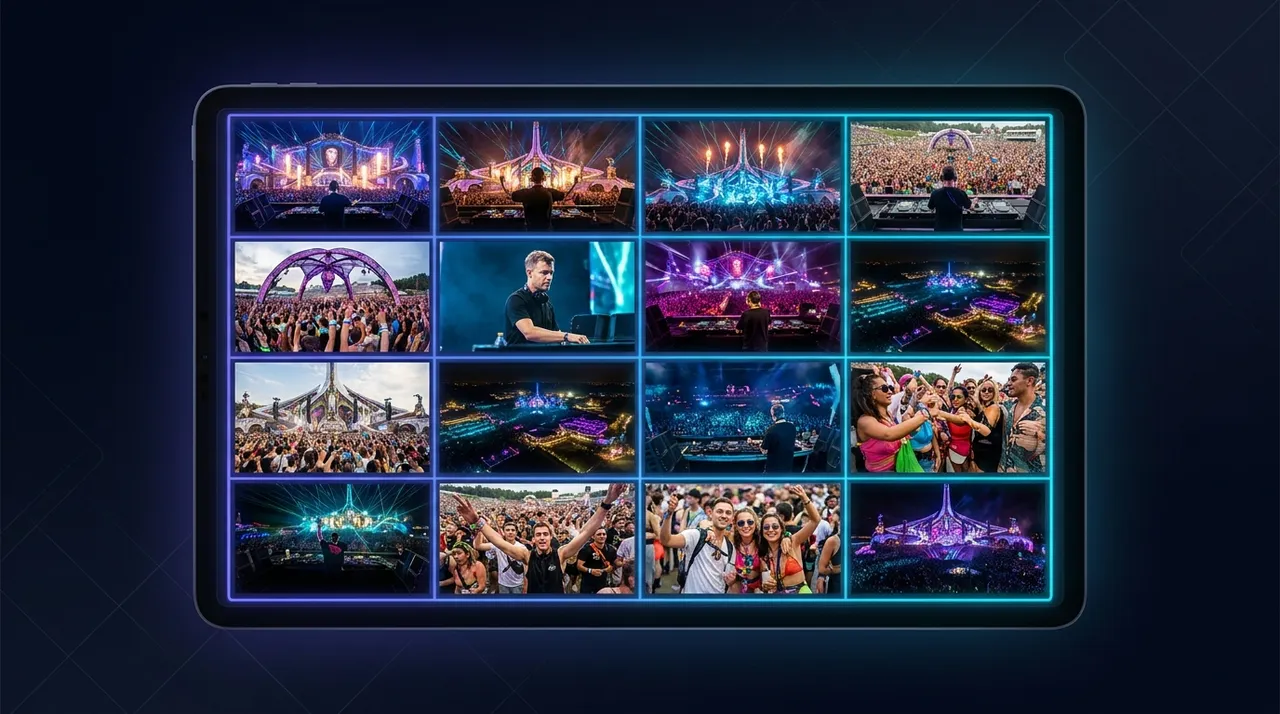
Update, October 2026: Tomorrowland 2026 Weekend 2 finished on July 26, 2026. The guide below is kept for reference. For what is live now and coming up, see the event calendar.
Tomorrowland isn't just a festival; it's a global phenomenon, a vibrant spectacle of music, artistry, and shared moments. For those who can't be there in person, the official live streams offer an incredible window into the magic. But with multiple stages, simultaneous performances, and a rich ecosystem of fan co-streams and behind-the-scenes content, how do you catch every beat without constantly juggling tabs?
The reality of a major music event like Tomorrowland 2026 — Weekend 2 is that a single live stream only tells part of the story. Imagine trying to choose between the colossal Mainstage and the immersive Freedom Stage when both are hosting incredible acts at the exact same moment. Or perhaps you want to watch the official broadcast while also following a popular co-streamer's reactions or a channel providing live updates and artist interviews. A single browser tab simply isn't enough to capture the full, dynamic experience. This is precisely where a multi-stream viewer like ViewGrid becomes essential, transforming your viewing experience from a series of compromises into a symphony of simultaneous perspectives.
What's Happening and When: Tomorrowland 2026 — Weekend 2
Prepare for an unforgettable journey as Tomorrowland 2026 — Weekend 2 takes over from July 24 to July 26, 2026. This iconic music festival, celebrated worldwide for its unparalleled atmosphere and world-class lineups, promises three days of non-stop energy.
The lineup for Weekend 2 features an incredible roster of artists, including global superstars like Calvin Harris, Martin Garrix, Armin van Buuren, Hardwell, Chase and Status, Lost Frequencies, Alesso, and Amelie Lens. Each day promises a diverse range of sounds and performances across multiple stages, ensuring there's something for every electronic music enthusiast.
Crucially for online viewers, official live streams will be available directly on the Tomorrowland YouTube channel. These official streams kick off at 2 p.m. CEST each day, offering a consistent schedule for you to plan your viewing. What makes this particularly exciting is that the Mainstage and Freedom Stage will be streamed SIMULTANEOUSLY. This means two major, official broadcasts running at the same time, giving you double the action and double the choices. Beyond the official channels, you'll also find a wealth of community-driven content, watch-alongs, and fan streams across platforms like YouTube, Twitch, and Kick, all contributing to the vibrant online atmosphere of Tomorrowland 2026 — Weekend 2.
Build Your Tomorrowland 2026 — Weekend 2 Grid in 60 Seconds
Ready to become the conductor of your own festival experience? Setting up your personalized multi-stream grid on ViewGrid is incredibly fast and intuitive. Here’s how you can create your ultimate Tomorrowland 2026 — Weekend 2 viewing hub in just a few simple steps:
- Open the Multi-Stream Viewer: Start by navigating to ViewGrid's multi-stream viewer. This is your canvas for building the ultimate festival experience. You'll instantly see a clean interface designed to make multi-stream viewing effortless, whether you're on a desktop or mobile device.
- Pick Your Layout: Once you're on the ViewGrid homepage, you'll be prompted to choose a layout. While ViewGrid supports up to 20 streams on desktop and 6 on mobile, a 4-slot layout is often the sweet spot for a festival like Tomorrowland. It allows you to simultaneously follow the main action, a secondary stage, a community co-stream, and perhaps a news channel without feeling overwhelmed. This layout provides an immersive experience, ensuring you don't miss any critical moments from the various facets of the festival.
- Add Your Streams: This is where the magic happens. For each slot in your chosen layout, click the "Add Stream" button.
- * Official Streams: For Tomorrowland's official Mainstage and Freedom Stage streams, you can either search directly for "Tomorrowland live" on YouTube within ViewGrid's search bar, or copy and paste the direct URL from the Tomorrowland YouTube channel once the streams go live. Remember, these official streams start at 2 p.m. CEST daily!
- * Community Streams: For Twitch or Kick watch-alongs, simply search for popular streamers covering the music category live, or paste their channel URL. ViewGrid integrates seamlessly with YouTube, Twitch, Kick, and Rumble, allowing you to pull in any live content.
- * Crucial Detail: ViewGrid uses each platform's official embedded player. This means ViewGrid does not host or re-stream any video, and each platform's own ads and view-counting rules apply. You're supporting the artists and content creators directly, just as if you were watching on their native platforms, but with the added benefit of multi-stream functionality. This ensures a legitimate and ethical viewing experience for everyone involved.
- Unmute Your Primary Stream: With multiple streams playing, you'll want to focus on one audio feed. Click the speaker icon on your preferred stream (likely the Mainstage or Freedom Stage official broadcast) to unmute it. You can easily switch between audio feeds at any time by simply clicking another stream's speaker icon, allowing you to follow the commentary or music that matters most to you in that moment.
- Share Your Grid: Once your perfect Tomorrowland 2026 — Weekend 2 grid is set up, ViewGrid generates a unique, shareable URL. Copy this link and send it to your friends! Now, everyone can join your customized viewing party, experiencing the festival together, even if you're miles apart. It's the ultimate way to replicate the shared festival vibe from the comfort of your home.
Your Suggested 4-Slot Plan for Tomorrowland 2026 — Weekend 2
With the Mainstage and Freedom Stage streaming simultaneously, and a plethora of community content available, a 4-slot grid is perfect for capturing the essence of Tomorrowland 2026 — Weekend 2. Here’s a suggested setup to maximize your viewing experience:
| Slot | Stream Type | Why it's a great choice for Tomorrowland 2026 — Weekend 2 |
|---|---|---|
| 1 | Official Mainstage Broadcast (YouTube) | This is the heart of Tomorrowland, featuring the biggest headliners like Calvin Harris and Martin Garrix, and showcasing the festival's most iconic stage design and pyro effects. Watching this ensures you don't miss the flagship performances and the most breathtaking visual spectacle. |
| 2 | Official Freedom Stage Broadcast (YouTube) | Running simultaneously with the Mainstage, this official stream brings you the high-energy sets from another major stage, potentially featuring artists like Amelie Lens or Alesso. It's essential for catching incredible performances you'd otherwise have to choose between, allowing you to jump between audio of two official streams effortlessly. |
| 3 | Community Co-stream / Watch-along (Twitch / Kick) | Immerse yourself in the shared excitement of the festival by tuning into a popular streamer's watch-along. These streams offer real-time reactions, insightful commentary, and a sense of community. It's like experiencing the festival with a group of friends, adding a social layer to your solo viewing. |
| 4 | Festival News / Backstage / Recap Channel (YouTube) | Go beyond the main performances with a channel dedicated to Tomorrowland updates, artist interviews, or behind-the-scenes content. This slot lets you delve deeper into the festival's culture, catch highlights, or get a different perspective on the event, potentially even covering artists like Armin van Buuren or Hardwell as they prepare for their sets. |
This setup ensures you get the official festival experience, the vibrant community interaction, and exclusive insights, all within a single browser window. Remember to use the official Tomorrowland YouTube channel for the Mainstage and Freedom Stage broadcasts, starting at 2 p.m. CEST each day!
Frequently Asked Questions (FAQ)
Q: Is ViewGrid free to use?
A: Yes, ViewGrid is completely free to use, with no signup or account creation needed. You can jump straight into building your multi-stream layout for Tomorrowland 2026 — Weekend 2 without any barriers.
Q: How many streams can I watch at once?
A: On desktop, ViewGrid allows you to watch up to 20 live streams simultaneously. For mobile devices, the layout is optimized for up to 6 streams, ensuring a smooth and enjoyable experience on the go.
Q: Does ViewGrid work on phones and tablets?
A: Absolutely! ViewGrid is fully browser-based and responsive. The layout automatically adapts to your device's screen size and orientation (portrait or landscape), making it perfect for watching Tomorrowland 2026 — Weekend 2 on your phone or tablet.
Q: Which streaming platforms does ViewGrid support?
A: ViewGrid supports live streams from the most popular platforms: YouTube, Twitch, Kick, and Rumble. This means you can easily combine official festival broadcasts with community co-streams and other related content, all in one grid.
Don't Miss a Single Drop: Experience Tomorrowland 2026 — Weekend 2 Like Never Before!
Tomorrowland 2026 — Weekend 2 is an event that demands to be experienced in its full glory, and with simultaneous official broadcasts and a thriving online community, a single stream simply won't cut it. ViewGrid empowers you to curate your own ultimate festival experience, bringing together the Mainstage, Freedom Stage, fan reactions, and exclusive content into one dynamic, personalized view.
Remember, ViewGrid uses each platform's official embedded player, so each platform's own ads and view-counting rules apply. You're supporting the ecosystem while enjoying an unparalleled viewing experience. Dive into the world of multi-stream viewing for Tomorrowland 2026 — Weekend 2. Explore the possibilities at our music hub and start building your perfect festival grid on the multi-stream viewer today! The beats are calling – answer them all.
Ready to try multi-stream viewing?
Watch YouTube, Twitch, Kick & more — all on one screen.
Open ViewGridOr start with Music multi-stream page — the page built for exactly this.
Related Articles
All Things Go Festival 2026: Is There a Livestream?
No official livestream has been announced for All Things Go 2026. What streamed in 2025 and where to check for a last-minute announcement.
streaming guideCreamfields 2026: Catch Every Beat, Every Stage, All At Once with ViewGrid's Multi-Stream Power
Creamfields 2026 is a multi-stream event — here's how to watch every official live stream at once in one grid.
streaming guidePremier Padel Rotterdam P2 2026: Multi-Court Viewing Guide
Premier Padel Rotterdam P2 is a multi-stream event — here's how to watch every official live stream at once in one grid.
streaming guideFortnite FNCS Global Championship 2026: How to Watch Every Stream
Fortnite FNCS Global Championship 2026 is a multi-stream event — here's how to watch every official live stream at once in one grid.