US Open 2026: Multi-Stream Every Match & Court
Don't miss a single volley at the US Open 2026! Learn how to multi-stream every match and court with ViewGrid.tv, your ultimate tennis multi-view solution. Get ready to watch multiple courts simultaneously.
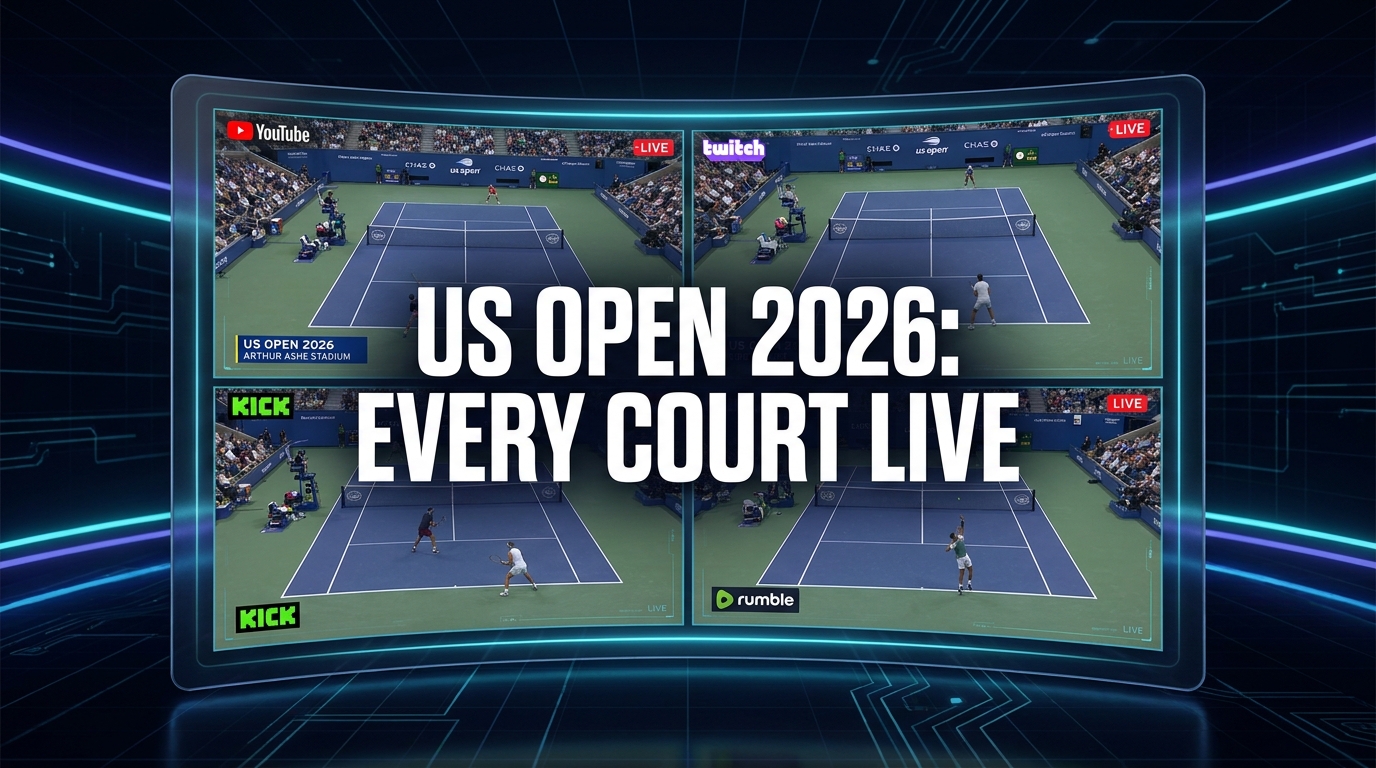
Alright, so picture this: it's the US Open, late August. The sun is blazing down on Arthur Ashe, but over on Court 17, some unseeded phenom is absolutely blistering a top-ten player, and on Louis Armstrong, a legendary veteran is fighting tooth and nail in what could be their last Grand Slam. You're glued to the main broadcast, maybe ESPN or whatever, and they're focused on Ashe. Great. But you know that real tennis drama? It's often happening simultaneously on three, four, maybe even five other courts. It’s a constant battle for attention, a fear of missing out on that truly incredible upset or a match point that leaves you gasping. This is exactly why I've been obsessing over how to best utilize us open 2026 multi stream capabilities – because just watching one feed feels like a crime against tennis fandom.
I mean, honestly, who among us hasn't been stuck during a major, flipping channels frantically, trying to catch a glimpse of every single match? It's a nightmare. The main feed jumps around, giving you snippets, teasing you with scores, but never letting you truly immerse yourself in the simultaneous action. That's not how I want to experience one of the biggest tournaments in tennis. I want to be the director of my own experience, picking and choosing which narratives unfold before me. And trust me, by 2026, with even more streaming options and channels, this ability to watch multiple courts simultaneously is going to be less of a luxury and more of an absolute necessity for anyone who truly loves the sport.
The US Open Dilemma: So Much Tennis, So Little Time
The US Open, held annually at the USTA Billie Jean King National Tennis Center in Flushing Meadows, is a beast of a tournament. We're talking 17 courts, sometimes more if you count practice courts that occasionally get a camera, all buzzing with intense competition for two full weeks. From the qualifying rounds leading up to the main draw, to the juniors, the legends, the mixed doubles – there’s just so much tennis. And for a true fan, every single match has the potential for something historic. Last year, I was watching the main broadcast, completely engrossed in a Federer match (a pipedream now, I know, but you get the idea), only to find out later that some incredible five-setter had just concluded on an outer court, a match that everyone was talking about the next day. I felt like I'd missed the memo, you know? Like I'd been at the same party but in a different room.
This is the core problem that anyone trying to watch us open multiple courts faces. Traditional television broadcasts are designed to cater to a broad audience, meaning they prioritize the marquee names, the biggest stadiums, and often, American players. And hey, I get it. That's good business. But what about the hardcore fan who wants to see the future stars battling it out on Court 10, or wants to keep an eye on a doubles match while still tracking a major singles contest? The broadcast schedule is rigid, the commentators often talk over crucial points happening elsewhere, and you're just left feeling like you're only getting a fraction of the story. It's frustrating, plain and simple.
And it’s not just about upsets, though those are thrilling. Sometimes, you just want to track a particular player's progress through the draw, no matter which court they're on. Maybe you’re a superfan of a less-heralded doubles team, or you just appreciate the pure, unadulterated grind of a qualifier trying to make it into the main draw. These stories often happen away from the primetime slots, tucked away on courts like 5, 8, or 13. To truly appreciate the scale and the depth of the US Open, you need more than one window into the action. You need a full panoramic view.
Why Multi-Streaming Isn't Just for Gamers Anymore
For years, when I mentioned multi-streaming, most people immediately thought of Twitch streamers collaborating, or esports commentators dissecting multiple live game perspectives. And yeah, that's where it really took off – watching a pro gamer’s POV while also seeing their face cam and the main broadcast of the game. It was, and still is, an incredible way to consume live content. But the principles? They apply perfectly to live sports, especially something as sprawling and simultaneous as a Grand Slam tennis tournament.
Imagine your favorite pro gamer streaming Call of Duty, and you can see their screen, their teammate’s screen, and maybe even a third screen showing the official tournament broadcast. That's basically the same idea as having Arthur Ashe, Louis Armstrong, and Grandstand all in view for the US Open. It’s about control, really. It's about personalizing your viewing experience instead of being spoon-fed a single narrative. This isn't just about watching more; it's about watching smarter. It's about actively engaging with the event rather than passively consuming whatever the network decides to show you.
The traditional "one screen, one game" approach feels so antiquated when you consider the sheer volume of high-quality content available now. With multiple feeds, you can create your own personalized tennis multi-view experience. You can decide which matches are most important to you at any given moment. Maybe one match is a blowout, so you shrink it down and focus on the nail-biter on another court. Or maybe you're really into the tactical nuances, so you have two similar styles of play side-by-side to compare. The flexibility is immense, and once you try it, going back to a single stream feels like watching TV through a keyhole. It's a mild opinion, maybe even a hot take for some, but I genuinely believe that anyone serious about following a major tournament like the US Open in 2026 will need a multi-streaming setup. It's not just for the tech-savvy anymore; it's for the truly passionate fan.
Your Essential Toolkit for US Open 2026 Multi-Stream
Okay, so you're convinced. You want to ditch the FOMO and embrace the full chaos and beauty of the US Open. What do you need to make your us open 2026 multi stream setup a reality? It's probably less complicated than you think, but a little preparation goes a long way.
What You'll Need
First off, let's talk hardware. You don't need a supercomputer, but a decent setup definitely helps.
A Solid Internet Connection: This is non-negotiable. You're going to be pulling multiple HD video feeds simultaneously. A stable, high-bandwidth connection (think fiber optic if you can get it) is paramount. Nothing kills the vibe faster than constant buffering across all your screens. Trust me, I've been there, screaming at my router during a crucial point.
Screen Real Estate: This is where things get fun.
One large monitor: If you're on a budget, a single 32-inch or larger monitor can easily be split into four quadrants.
Multiple monitors: My personal preferred setup is two 27-inch monitors. This gives me ample space for 4-6 streams comfortably, plus a chat window or a scoreboard app if I'm feeling fancy. Some friends even run a three-monitor setup for ultimate immersion, but that might be overkill for just tennis.
A powerful enough computer: Again, not a supercomputer, but a modern CPU (Intel i5/Ryzen 5 or better) and a dedicated graphics card (even an older GTX 1060 or RX 580) will handle multiple browser tabs playing video without breaking a sweat. If you're using a laptop, make sure it has enough RAM (16GB recommended) and a decent processor.
Audio Solutions: This is trickier and we'll delve deeper into it later, but generally, good headphones are a must. Or, if you're in a private space, a soundbar or decent speakers can work if you're only prioritizing one stream's audio.
Now, for the software. This is where ViewGrid.tv comes into play, but before we get there, you need the source streams. For the US Open, broadcast rights are usually pretty locked down. In the US, ESPN typically holds the exclusive rights, distributing across ESPN, ESPN2, ESPN+, and sometimes ABC. Globally, it varies wildly. You'll likely need:
A streaming service subscription: This could be ESPN+ (for all the court feeds), YouTube TV, Hulu + Live TV, Sling TV, or a similar service that carries ESPN channels. By 2026, I expect even more direct-to-consumer options from the USTA itself, potentially offering their own multi-court pass.
An official US Open app: Often, the official app will have live feeds of every court, though sometimes they require a TV provider login.
* A VPN (Virtual Private Network): If you're traveling or want to access broadcasts from other countries (which might offer different court selections or commentators), a VPN can be invaluable. Just be aware of the terms of service for your streaming provider. I use NordVPN sometimes when I'm out of the country, and it usually works like a charm for accessing my home region's services.
The Power of ViewGrid
This is where the magic really happens for your us open 2026 multi stream experience. Once you have your sources – whether that's four different ESPN+ tabs, or two YouTube TV feeds and two official US Open app browser windows – you need a way to consolidate them, arrange them, and manage them without your browser tab bar looking like a chaotic mess. That's exactly what ViewGrid.tv is designed for.
ViewGrid is, for lack of a better term, your ultimate control panel. Instead of wrestling with individual browser windows, resizing them manually, and dealing with conflicting audio, ViewGrid provides a clean, intuitive interface where you can drop in multiple stream URLs. It handles the layout, the synchronization, and gives you granular control over each feed. It supports streams from virtually anywhere – Twitch, YouTube, Kick, ESPN+, whatever gives you a public URL for the video feed. I use it constantly for watching different parts of a gaming marathon, or even just keeping an eye on a couple of different news channels during a major event, so it's a natural fit for sports. It's essentially the ultimate ViewGrid multi-stream viewer.
It cuts out all the fiddly bits of trying to arrange windows yourself, which always ends up with one window slightly overlapping another, or weird aspect ratio issues. ViewGrid just works, letting you focus on the tennis, not on window management.
How to Set Up Your Ultimate US Open 2026 Multi-Stream Command Center
Alright, let's get down to brass tacks. You've got your hardware, your subscriptions, and you're ready to dive into the full US Open experience. Setting up your multi-stream command center with ViewGrid is surprisingly straightforward.
- Identify Your Stream Sources: This is the first, crucial step. For the US Open 2026, you'll primarily be looking at services that carry ESPN (like Sling TV, YouTube TV, Hulu + Live TV) or, more specifically, ESPN+. ESPN+ is usually the key because it often offers dedicated feeds for every single court. Check the official US Open website closer to the tournament dates for specific broadcast partners in your region. You might find direct links to court streams from the USTA or their official app.
- Open Each Stream in a Separate Browser Tab: Before you even think about ViewGrid, you need to make sure each stream you want to watch is accessible and playing in your web browser. This means logging into your ESPN+ account, or your YouTube TV, etc., and navigating to the specific court feed you want. For example, open a tab for Arthur Ashe Stadium, another for Louis Armstrong, one for Grandstand, and maybe one for a promising match on an outer court. Make sure they are actually playing before moving on.
- Copy the Stream URLs: This is critical. For each active stream playing in its own browser tab, copy the full URL from the address bar. It'll look something like
https://plus.espn.com/watch/event/_/id/12345678orhttps://www.youtube.com/watch?v=abcdefg. This is the link ViewGrid needs. - Head Over to ViewGrid.tv: Open a new browser tab and go to ViewGrid multi-stream viewer. You’ll see a clean interface ready for you to input your stream URLs.
- Paste Your URLs into ViewGrid: There will be input fields for each stream. Paste the first URL into the first slot, the second into the next, and so on. You can usually add up to four or six streams comfortably, depending on your screen size.
- Arrange and Customize: Once you've pasted your URLs, ViewGrid will load the streams. You can then drag and drop the stream windows to arrange them in your preferred layout. Want Arthur Ashe big in the top left, with three smaller feeds below it? Go for it. You can adjust sizes, mute individual streams (essential for audio management!), and even pop out a stream if you want to give it full focus for a moment. This flexibility is what makes it so powerful for creating your perfect tennis multi-view.
Pro Tip: Don't try to cram too many streams onto one screen if you can't comfortably see the ball. Four solid streams on a single large monitor, or six across two, is usually the sweet spot. Any more, and you're just creating a blurry mess. Trust your eyes!
Navigating Broadcast Rights
One thing that really bugs me about sports streaming is the insane labyrinth of broadcast rights. It’s not always straightforward. What's available in the US might be totally different in Canada, the UK, or Australia. You might have ESPN+ in the States offering every court, but in another country, it might be Eurosport, Sky Sports, or a local network, and their digital offerings for individual courts can vary wildly.
For the US Open 2026, be prepared to do a little research. A few weeks before the tournament starts, always check the official US Open website for a list of international broadcasters. This is where a VPN can be handy if you're trying to access a specific international feed, though again, check the terms of service for any streaming provider. It's a bit of a cat-and-mouse game sometimes, but the payoff of getting those multiple court feeds is totally worth the effort for me. And remember, platforms like Watch multiple Twitch streams, Watch multiple YouTube streams, or Watch multiple Kick streams might not be the primary source for the official US Open feeds (though sometimes smaller content creators will illegally restream, which I absolutely do not recommend), but they are fantastic for general multi-streaming. I typically use Twitch for watching specific gaming events, like when Ludwig did his Subathon back in 2021—you needed a multi-view to keep track of everything!
For official details on streaming the US Open, it's always best to check the official source, like the USTA's own page for broadcasters, which will eventually be updated for 2026. For now, you can generally get an idea of how global rights work by looking at past tournaments on the official US Open site (e.g., https://www.usopen.org/en_US/connect/broadcasters.html).
Maximizing Your Tennis Multi-View Experience
So you've got your multi-stream setup running on ViewGrid. Awesome! But how do you really squeeze every ounce of enjoyment out of it? It’s more than just having streams open; it’s about intelligent management.
First off, your arrangement matters. I usually dedicate the largest window to the "main event" – whatever match is currently the most compelling, or perhaps a player I'm particularly invested in. The other windows, typically smaller, are for monitoring. I'll have one on a match that's close to finishing, another on a rising star, and maybe a fourth just scanning for potential upsets. This way, I'm never missing the big moments, but I'm also staying informed about the broader narrative of the tournament. It's like being a tennis analyst in your own living room!
Another thing I've found incredibly useful is creating different "profiles" or layouts. For the early rounds of the us open 2026 live streams, when there are a ton of matches going on, I might have a 4-window grid, prioritizing variety. But as we get into the quarterfinals and semifinals, when there are fewer, higher-stakes matches, I might switch to a 2-window layout, giving each match more screen real estate, or even a 3-window setup with one main match and two smaller ones for news feeds or player interviews.
Audio Strategy is Key
Here’s a big one: audio. If you have four streams playing simultaneously, you're going to get a garbled mess of grunts, ball thwacks, and four different commentators talking over each other. It’s a sensory overload nightmare. You must have an audio strategy.
My go-to is usually to pick one stream's audio as primary. This is typically the "main event" or the match I'm most focused on. I'll mute all the other streams within ViewGrid, or at least turn their volume way down. But here’s a neat trick: if you're using a gaming headset with a mixing dial (like my trusty SteelSeries Arctis Pro Wireless), you can sometimes dedicate one audio channel to your main browser/ViewGrid and another to a separate device, like a tablet or phone playing a secondary stream with its own audio. This is probably overkill for most, but for the truly obsessive, it’s a game-changer. Alternatively, if you're using a PC, you can use software like EarTrumpet (for Windows) to control individual application volumes, letting you fine-tune the audio from different browser tabs or even different ViewGrid stream windows if they register as separate audio sources. It's all about making sure you can actually hear what you want to hear.
Beyond the Courts: News and Analysis
And don't forget, the US Open isn't just about the matches. There's so much happening off-court: press conferences, player interviews, expert analysis, highlight reels, and general sports news. When you're using a multi-view setup, you can dedicate one of your smaller windows to a relevant news channel. Maybe it's ESPN News, or a YouTube channel dedicated to tennis analysis, or even Twitter (X) for live updates. This keeps you in the loop without having to switch tabs or pick up your phone. I often have Watch multiple news channels running in a corner during major events, just to catch headlines or breaking stories. It rounds out the experience.
Beyond 2026: The Future of Live Sports Streaming
The way we consume live sports is constantly evolving. Think about how much has changed even in the last five years! Gone are the days when you had to be in front of a specific TV at a specific time. Now, everything is on demand, on mobile, on whatever device you choose. And the trend towards personalized, interactive viewing experiences is only going to accelerate. By the time the us open 2026 live streams roll around, I wouldn't be surprised if broadcast partners are offering even more robust multi-view options directly within their own apps – though probably still with limitations.
This is where platforms like ViewGrid.tv become not just convenient, but essential. They are platform-agnostic, meaning they aren't tied to ESPN, or YouTube, or any single broadcaster. As long as you can get a public stream URL, ViewGrid can handle it. This future-proofs your setup. If Wimbledon decides to put all their court feeds on a new proprietary streaming service, or the French Open partners with someone else entirely, you'll still be able to pull those streams into your ViewGrid setup and watch them alongside your US Open feeds, or even some watch multiple esports streams if you're into that after the tennis.
We're already seeing sports leagues experimenting with different camera angles, player-specific feeds, and interactive overlays. Imagine not just watching four courts, but having the option to overlay real-time stats, player tracking, or even listen to a specific player's on-court audio (within reason, of course!). The potential for customizability is endless, and tools that allow you to curate that experience will be king. Whether it's the US Open, or watch multiple sports streams from different leagues, the ability to pull in diverse content and organize it how you want it is the true power.
Why ViewGrid.tv is Your MVP for Every Major
Look, I'm a tennis fanatic. I watch the Australian Open, the French Open, Wimbledon, and of course, the US Open every single year. And for every single one of those majors, the biggest frustration is always the same: not being able to see everything I want to see. The sheer amount of simultaneous action is both the beauty and the curse of Grand Slam tennis. That's why I'm such a proponent of multi-streaming, and why ViewGrid.tv has become an indispensable part of my streaming setup.
It's not just a tool; it's an enabler. It lets me be the director of my own tennis experience. I can keep an eye on Carlos Alcaraz on Arthur Ashe while simultaneously cheering for Iga Świątek on Louis Armstrong, and monitoring a potential upset brewing on Court 12. It gives me control, flexibility, and most importantly, it eliminates that nagging feeling that I'm missing out on crucial moments of the tournament. It's intuitive, it's reliable, and it just makes sense for anyone who takes their live sports viewing seriously. So, when the US Open 2026 rolls around, do yourself a favor. Don't just watch one match. Command your courts. You can do it all with the ViewGrid multi-stream viewer. It's truly the best way to immerse yourself in the world of professional tennis.
Ready to try multi-stream viewing?
Watch YouTube, Twitch, Kick & more — all on one screen.
Open ViewGridOr start with watch multiple Tennis streams at once — a ready-made grid for exactly this.
Related Articles
Valorant Champions 2026: Every Angle, One Screen
Get ready for Valorant Champions 2026! Learn how to set up your ultimate multi-stream command center to catch every player POV, watch party, and official broadcast moment for VCT Champions 2026.
streaming guideDon't Miss a Single Kick: Watch Every Karate1 Youth League Guadalajara 2026 Stream Simultaneously
Karate1 Youth League Guadalajara 2026 is a multi-stream event — here's how to watch every official live stream at once in one grid.
streaming guideWTA 125 Singapore Tennis Open: Your Ultimate Multi-Stream Guide to Catch Every Court Live!
WTA 125 Singapore Tennis Open is a multi-stream event — here's how to watch every official live stream at once in one grid.
streaming guideWatch Every Angle of the WTA 125 Korea Open: Your Ultimate Multi-Stream Viewing Guide
WTA 125 Korea Open is a multi-stream event — here's how to watch every official live stream at once in one grid.