Valorant Champions 2026: Every Angle, One Screen
Get ready for Valorant Champions 2026! Learn how to set up your ultimate multi-stream command center to catch every player POV, watch party, and official broadcast moment for VCT Champions 2026.
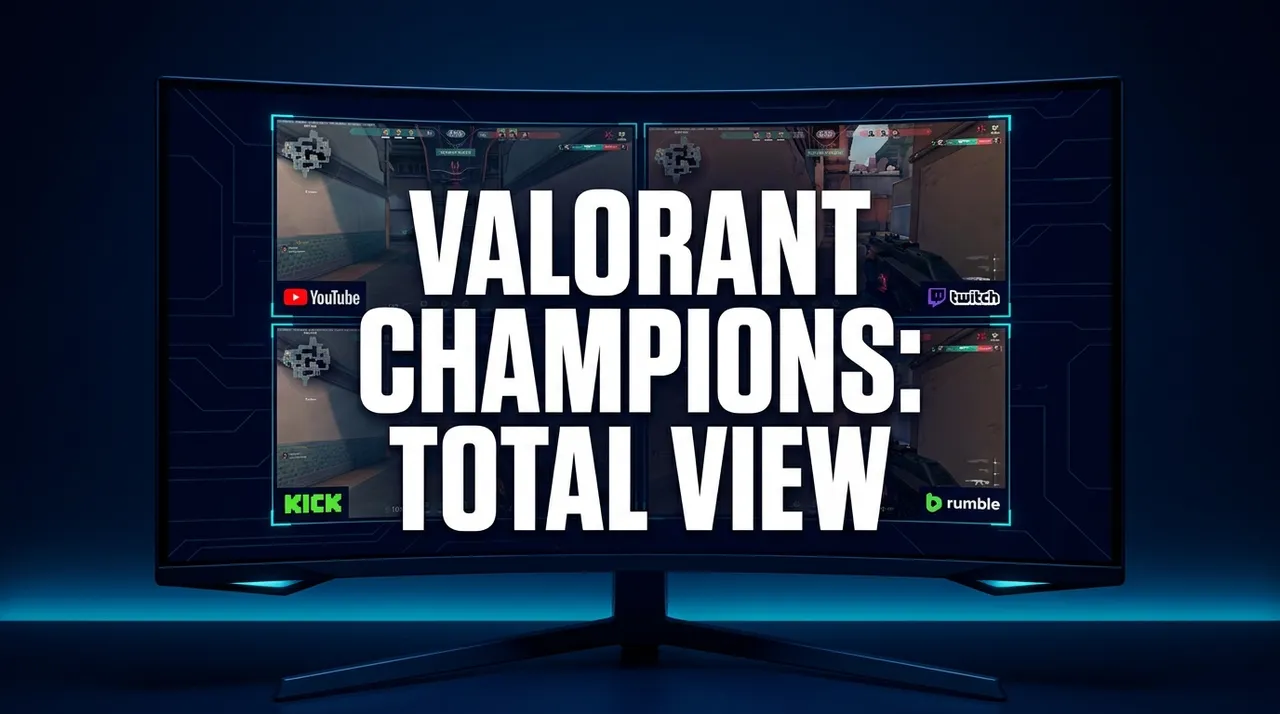
The sheer electricity of Valorant Champions 2026 is already buzzing in the air, isn't it? Even though it's still a ways off, my brain's already in planning mode – figuring out the absolute best way to watch every single second of the action. And, let's be real, for a tournament of this magnitude, just watching the main broadcast isn't going to cut it. You've gotta go full command center. You need a valorant champions 2026 multi stream setup.
I mean, remember Champions 2023? That grand finals between EG and Paper Rex was insane, right? My heart was pounding out of my chest. Then, last year, seeing Gen.G pull off that crazy run? Every time something like that happens, I'm just glued to my screen. But also, I'm always thinking, "Man, I wish I could see what something was doing right then," or "What was s0m's reaction to that clutch?" It’s a constant struggle between wanting the official, polished broadcast and craving all those raw, behind-the-scenes moments. And that, my friends, is exactly why the multi-stream approach isn't just a luxury anymore — it's a necessity for any serious fan.
We're talking about the pinnacle of Valorant esports here. The best teams, the biggest plays, the most intense rivalries. Missing a key moment because you were stuck on one perspective? Unthinkable. Absolutely criminal. This isn't just another VCT Masters event; this is the one. The big one. So, yeah, my strategy for Valorant Champions 2026 is already locked in: I'm going to soak in every single angle available.
Why Just One View Isn't Enough Anymore
Okay, look. The official Valorant broadcast team? They're incredible. Seriously. The production value, the replays, the analysis from people like Mimi or Sideshow – it's top-tier stuff. You get the main narrative, the overarching story of the match, the big picture. They do a fantastic job of capturing the flow of the game, the key rounds, and the overall team strategies. You'll see the flashiest plays, the biggest ult combos, and the post-match interviews that give you a taste of the emotion.
But Valorant is so much more than just the main narrative. It's a game of intricate details, split-second decisions, and individual brilliance that often gets lost in the wide-angle shots. Think about it: when Sentinels are executing a perfect A-site rush on Ascent, and TenZ pops off for a triple kill, the main broadcast usually shows you the chaotic overview, or maybe zooms in for a quick kill feed. But what if you wanted to see his crosshair placement? His utility usage? How he actually cleared angles, rather than just the result? You can't get that from the main feed. That's where valorant champions player povs come in, and they're game-changing.
And then there are the community elements. The energy of watching a huge match alongside your favorite streamer, hearing their live reactions, their unfiltered takes – it adds an entirely different layer to the experience. Sometimes, the official commentators are a bit too reserved for my taste. I want to feel the raw hype, the frustration, the joy, right alongside someone who gets it. That's why valorant champions watch parties have become such an integral part of the viewing experience for so many of us. You get the tactical breakdown, sure, but you also get the memes, the chat interactions, and that shared sense of community. It's like being in a virtual living room with thousands of your closest friends.
The Official Broadcast vs. Everything Else
So, the official broadcast is your anchor. It’s what everyone’s watching, what most of the conversation is centered around. It’s polished, professional, and crucial for understanding the overall context of the game. You're getting the best camera angles, the highest quality audio, and those slick transition packages. It's the baseline, the foundation.
But, oh, the things you miss if that's all you're watching. You miss the subtle mind games played by a specific player, the way a controller like Boostio uses smokes to perfection, or the exact moment a duelist like ZmjjKK decides to wide-swing. You miss the raw emotion of a valorant champions watch party, where the streamer might be yelling at the screen just like you are, completely unscripted. You miss the tactical insights a coach might offer on their own stream, breaking down team compositions or specific setups. The "everything else" is where the true depth of the viewing experience lies. It's like reading the novel versus watching the movie – both are great, but the novel gives you so much more detail. And in this case, the "novel" is made up of all those supplementary streams.
The Power of Player POVs
This is where my personal viewing preference really kicks in. For Valorant, seeing a player's perspective – their exact crosshair, their screen, their utility buttons – is invaluable. Especially for a team like Paper Rex, where their aggressive style is so unique, watching someone like f0rsakeN or mindfreak execute their plays from their POV is like getting a masterclass in aggressive entry fragging or clutch control. You see their thought process, their movement, their spray control.
Last year, I spent a good chunk of my VCT viewing trying to juggle the main broadcast with a specific player's POV. If it was a clutch round, I'd immediately jump to the duelist's stream, or maybe the lurker's, just to see their decision-making. How did Leo manage to stay alive for so long? What was Aspas looking at when he got that insane flick? It's not just about the flashy kills; it's about understanding the why behind their actions. Their positioning, their micro-adjustments, their timing – it all becomes so much clearer. And trust me, if you want to improve your own game, there's no better way to learn than by watching how the pros operate in real-time. It’s like having a private coaching session, but it’s free. And you’re watching the best of the best.
Unlocking the Full Experience with a Valorant Champions 2026 Multi Stream Setup
Alright, so you're convinced you need more than one screen. Awesome. Now, how do you actually do it without turning your desk into a spaghetti-bowl of cables and browser tabs that crash your PC? This is where a dedicated multi-stream tool becomes your best friend. Seriously, it's not just about opening 50 tabs – that's a recipe for disaster. We're talking about a seamless, controlled experience. For Valorant Champions 2026 multi stream, you need a hub.
I've been experimenting with different layouts for years, ever since I started getting really into esports. The first time I tried to watch multiple League of Legends games at once, I had browser windows overlapping, audio clipping, and my laptop sounded like a jet engine. It was a mess. That's why I'm such a huge advocate for platforms designed specifically for this. They centralize everything, giving you control over each stream's volume, layout, and even chat. You get to curate your ultimate viewing experience, not just accept whatever the default is.
The real magic of a multi-stream setup is the ability to customize. You're not just throwing videos onto a screen; you're building a personalized dashboard of information. You can prioritize what you want to see and hear. Maybe for a particular match, you really want to focus on a new agent pick, so you have the main stream, a player POV using that agent, and a tactical analyst's stream all going at once. Or perhaps it's a super intense grand final, and you want the main broadcast, a hyper-energetic watch party, and a quieter, more analytical stream for perspective. The possibilities are endless, and they're all about enhancing your personal enjoyment of the tournament.
Step-by-Step: Building Your Ultimate VCT Champions 2026 Multi Stream Command Center
Okay, let's get down to brass tacks. This is how I usually set up my command center, and it works like a charm. You can adapt it to your own preferences, of course, but this is a solid starting point for your vct champions 2026 multi stream setup.
- Identify Your Key Streams: Before you even open a single link, think about what you want to watch.
- * The Official Broadcast: Non-negotiable. You'll find this on the official Valorant channels on Twitch, YouTube, or sometimes even Kick depending on partnerships. (You can check the official Valorant Esports page on Riot Games for broadcast schedules and links)
- * Your Favorite Watch Party: Who do you enjoy watching with? Tarik is always a popular choice, but maybe you prefer s0m, prod, or even some of the pro players who stream their reactions. Find them on Twitch or YouTube Gaming.
- * Player POVs: This might be tougher to find live, as not all players stream every match. Keep an eye on specific team channels or individual player streams on Twitch or YouTube. Sometimes, VODs are uploaded later if a live stream isn't available.
- * Bonus Stream: This could be a tactical analysis stream (like AverageJonas or someone doing live breakdowns), a second watch party for a different vibe, or even a stats tracker website.
- Open Your Multi-Stream Tool: This is where ViewGrid.tv shines. Instead of dealing with individual browser tabs, you open one page and manage everything from there. You can create a custom layout or use a pre-set one.
- Add Your Streams: Copy the URLs of your chosen streams (Twitch, YouTube, Kick) and paste them into the designated spots on your multi-stream interface. ViewGrid handles embedding them cleanly, so you don't have to wrestle with pop-outs or weird player controls. I usually start with the main broadcast in the biggest slot, then add my watch party, and finally any player POVs.
- Arrange and Resize: This is the fun part. Drag and drop your stream windows. Resize them to fit your preference. Want the watch party big and loud? Go for it. Prefer the player POV to take center stage? You can do that too. My personal setup usually has the main broadcast as the largest window, occupying about 60% of my primary monitor, with two smaller streams stacked vertically next to it. For a really intense match, I might even use a second monitor and dedicate it entirely to player POVs.
- Audio Management: This is crucial. You don't want 20 different audio tracks blasting at once. Most multi-stream platforms, including ViewGrid, let you control the audio for each individual stream. I usually have the official broadcast audio on, then I'll either mute the watch party or keep it at a low level so I can hear their reactions without it overpowering the official commentary. For player POVs, I often mute them entirely unless I'm specifically trying to hear their comms.
- Personal Tips for Optimization:
- * Good Internet is Key: Multiple high-quality streams demand bandwidth. Make sure your connection is up to snuff.
- * Close Unnecessary Apps: Free up your RAM and CPU. You don't want stutters during a crucial 1v3 clutch.
- * Experiment with Layouts: Don't be afraid to try different arrangements. What works for one match might not be ideal for another. Maybe for a lower-stakes group stage match, you want more watch parties. For the grand finals, you might want to focus on tactical depth.
- * Use the Chat Features: Most multi-stream setups let you access the chat for individual streams. This means you can participate in your chosen watch party's chat without having to switch tabs.
My Personal Valorant Champions 2026 Multi Stream Layout
Alright, since we're talking about it, let me walk you through what my ideal setup for a Champions grand final looks like. It’s a little intense, but it covers all my bases.
On my primary ultrawide monitor (which is a 34-inch beast, by the way), I dedicate about 60% of the screen real estate to the official VCT broadcast. This is my main audio source, my big picture. It's high quality, it's got the replays, it's the professional package.
To the right of that, stacked vertically, I'll have two smaller windows. The top one is almost always my favorite Valorant Champions watch party – usually Tarik's or s0m's, depending on who's streaming. Their energy is just infectious, and hearing their raw, unedited reactions just adds so much. I keep their audio at about 30-40% volume, just enough to catch their shouts and laughs. Below that, I'll have a specific player POV. If a duelist like Zekken or something is absolutely popping off, that's where their stream goes. I'll usually have this muted unless I'm really trying to focus on their comms or specific in-game sounds.
Then, on my second, smaller monitor – a 27-inch secondary screen – I run a couple more things. I'll often have a live stats tracker open, something like The Spike.gg or VLR.gg, just to keep an eye on individual player stats, agent picks, and economy. Sometimes, I'll even throw up a Twitter feed on that monitor, filtered for #VCTChampions2026, just to catch all the live reactions and memes as they happen. If there's a particularly interesting tactical stream (maybe a coach breaking down plays live), that'll take precedence over Twitter.
It sounds like a lot, right? But once you get it set up, it becomes this incredibly immersive experience. You're not just passively watching; you're actively engaging with the event on multiple levels. You're getting the big picture, the individual brilliance, the community hype, and the statistical breakdown, all at once. And that, for me, is the ultimate way to consume Valorant esports. It really elevates the whole experience.
Dive Deeper: Valorant Champions Watch Parties and Player POVs
Let's really dig into these two aspects because they're pivotal for taking your viewing from "good" to "unforgettable."
The rise of Valorant Champions watch parties has been one of the best developments in esports viewing in recent years. It's not just about watching someone else watch the game; it's about shared experience, community, and often, some truly hilarious commentary you wouldn't get from the official desk. Think about the energy in Tarik's chat when a clutch happens, or s0m's deadpan reactions to a silly mistake. These streamers aren't just broadcasting; they're hosting a massive digital gathering.
These watch parties offer a totally different kind of analysis too. Professional players, even retired ones, often host these streams, and their insights are priceless. They understand the meta, the micro-plays, the agent matchups in a way few others do. They can point out a specific utility placement or a crucial crosshair angle that the official broadcast might miss. And let's be honest, sometimes you just want to scream at the screen with someone else, right? That's what a good watch party offers – a feeling of camaraderie, even if you're thousands of miles away from other viewers. They capture the raw, human element of competitive gaming.
Then there are the Valorant Champions player POVs. This is where you get a masterclass in gameplay. As someone who plays Valorant regularly (and probably spends too much time in Deathmatch), seeing how the pros actually play is eye-opening. You can watch a duelist like Demon1 and see how he peeks, how he uses his Jett dash, how he prioritizes targets. Or you can watch a controller like nAts and observe his incredible smoke timings and lurking routes. It’s like getting a direct feed into the mind of a top-tier athlete.
It's also fascinating for understanding different roles. You might watch a sentinel like Less from LOUD and see how he sets up his traps and plays retake, or an initiator like crashies and observe his precise recon dart placements. Every player has a unique style, and their POV reveals the nuances of their decision-making. Are they aggressive? Passive? Are they pre-aiming common angles? What kind of utility do they use to clear specific spots? These are the kinds of details that can actually help you improve your own game, far beyond just watching the kill feed. You gain a deeper appreciation for the individual skill required at this level.
Beyond Valorant: The Versatility of Multi-Streaming
Now, while we're super hyped about Valorant Champions 2026 multi stream, it's important to remember that this isn't just a Valorant-specific hack. This approach is incredibly versatile. Once you get the hang of setting up your ultimate viewing station, you'll find yourself applying it to so many other events.
Think about traditional sports. I'm a huge football fan (the American kind, sorry to my European friends!), and on a big Sunday of NFL games the game itself stays on my TV, because the broadcasts and RedZone are paid services that can't be added to a grid. What I run next to it is a multi-stream setup with two or three watch-alongs and a fantasy football stream in smaller windows. It's a different way to follow the day, and it means the reactions to every big play are already on screen. You can really maximize your weekend sports viewing.
Or consider news coverage. During a major breaking event, I often pull up three or four different news channels – maybe CNN, Fox News, BBC, and Al Jazeera – all at once. It gives you immediate access to different perspectives, different reporting styles, and helps you form a more balanced understanding of what's happening. You can quickly see if one channel is reporting something differently, or if another has an exclusive angle. It's a fantastic way to cut through potential biases and get a broader picture.
And of course, other esports benefit massively. During a League of Legends Worlds tournament, I might have the main broadcast, a specific player's POV (if available), and a popular co-streamer like Caedrel all running. For CS2, you could watch the main match, an individual player's perspective, and maybe a tactical map overlay from a community caster. The principle is the same: the more information you can access simultaneously, the richer your viewing experience becomes. It truly broadens your horizons across all kinds of live content. This kind of flexibility really makes you wonder how you ever managed with just a single stream before, doesn't it?
Don't Miss a Single Moment with ViewGrid.tv
So, if you're anything like me – a streaming fanatic who hates missing anything – then getting your multi-stream setup ready for Valorant Champions 2026 is non-negotiable. It's the only way to genuinely immerse yourself in the highest level of Valorant competition. You get the official narrative, the individual brilliance, the community hype, and all the tactical insights you could ever want. It's like having the director's cut, the behind-the-scenes, and the live commentary track all playing at once.
And that's exactly why we built ViewGrid.tv. We wanted to solve the problem of browser tab hell, of trying to juggle multiple players, of missing those crucial moments because you were fumbling with windows. We wanted to create a streamlined, intuitive platform that empowers you to curate your perfect viewing experience. Whether you're chasing every valorant champions player pov, soaking in the vibes of a valorant champions watch party, or just want to make sure you catch every single angle of the grand finals, ViewGrid.tv has your back.
It’s easy to use, highly customizable, and designed by people who actually watch streams, just like you and me. You can build your ideal layout in minutes, save it, and then load it up every time a big match drops. No more fumbling around, no more missed plays. Just pure, unadulterated Valorant Champions action, exactly how you want to see it. So, as we get closer to 2026, start planning your ultimate viewing setup. Head over to ViewGrid multi-stream viewer and get ready to experience Valorant Champions like never before. You won't regret it. You really won't.
Ready to try multi-stream viewing?
Watch YouTube, Twitch, Kick & more — all on one screen.
Open ViewGridOr start with watch multiple Valorant streams at once — the page built for exactly this.
Related Articles
How to Set Up a WoW Forever Beta Multi-Stream
To watch a WoW Forever Beta multi-stream, you can use a tool like ViewGrid to combine several Twitch, YouTube, or Kick streams into a single browser window. This lets you follow different player perspectives, compare how
streaming guideUS Midterms 2026 Election Night: Watch Networks Side by Side
Polls close from 18:00 ET (23:00 UTC) on 3 November 2026. Here is which networks streamed election night free on YouTube in 2024, a poll-closing timetable in ET and UTC, and how to compare their coverage side by side.
streaming guideWomen's Football Free on YouTube: WSL2, WSL, Liga MX Femenil
Every Barclays WSL2 match and selected Liga MX Femenil matches stream free on the leagues' own YouTube channels; top-flight WSL depends on your country. Here is where each one is open, and how to watch a whole round side by side.
streaming guidePGL Masters Bucharest 2026: How to Watch Both Streams
PGL Masters Bucharest 2026 runs 24-31 October with two English streams on Swiss days: Stream A on PGL's Twitch and Stream B on PGL_CS2. Here are the daily slots, the clock-change catch, and how to keep both matches on one screen.