BlizzCon, ALGS Finals: Today's Esports Grid
Dive into today's epic esports grid with BlizzCon's Overwatch World Cup and WoW AWC Finals, plus the Apex Legends Global Series. Learn how to multi-stream like a pro!
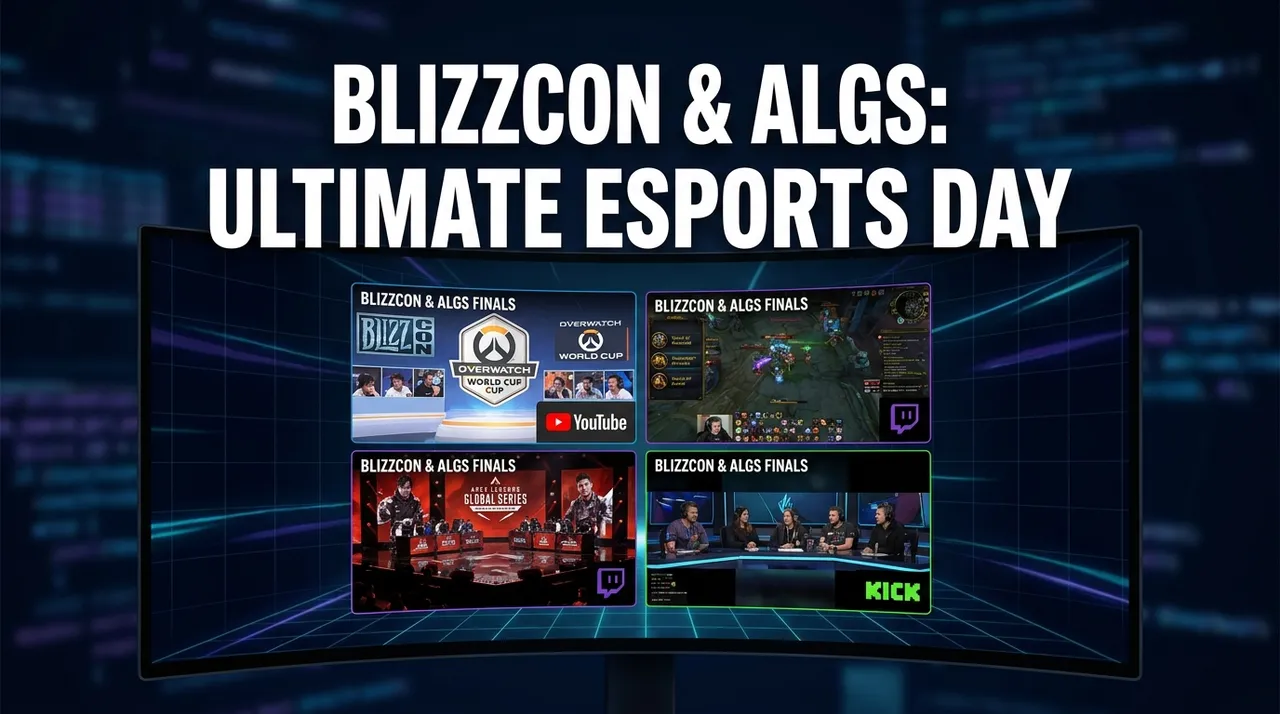
Man, what a day to be an esports fan! Seriously, September 14, 2026, is just absolutely stacked. I'm talking BlizzCon ALGS Finals multi-stream levels of stacked. Right now, as I type this, my second monitor is practically screaming with action from two of the biggest names in competitive gaming, plus a whole bunch of other wild stuff happening on Twitch. It’s the kind of day that makes you glad you’ve got a solid setup for catching everything. You try to keep up with the Overwatch World Cup while simultaneously tracking the WoW AWC Finals and the Apex Legends Global Series, and your brain just melts without some help. That's where a good esports multi-view really shines.
Today is an absolute masterclass in why we need tools to watch multiple streams. BlizzCon is in full swing, bringing us top-tier Blizzard esports, and then there’s the nail-biting conclusion of the ALGS Finals. My schedule for the day? Fully booked watching professionals click heads and cast spells.
BlizzCon 2026: Overwatch, WoW, and the Battle for Your Attention
Blizzard knows how to put on a show, but they also know how to make you choose between your babies. I mean, come on, World of Warcraft Arena World Championship finals and Overwatch World Cup finals running concurrently? It’s a classic Blizzard move, isn't it? They give you so much good stuff, you almost don't know where to look.
The WoW AWC Finals: Gators Back vs Echo
Right now, the Warcraft channel is pulling in over 40,000 viewers, all glued to the AWC 2026 Grand Finals between Gators Back and Echo. If you've ever watched high-level WoW arena, you know it's a completely different beast from raiding or questing. It's fast, it's brutal, and the decision-making under pressure is just insane. I've always had a soft spot for arena — the first time I properly got into it was during Wrath of the Lich King, and the skill ceiling just blew me away. Seeing these teams execute perfect CC chains and burst windows is just a spectacle. You really appreciate the nuance, the team synergy. It's not just about big damage numbers; it's about positioning, cooldown management, and knowing exactly when to go all-in or play defensively. It's a mental chess match, honestly.
But I can't just stick to WoW. Nope. There's another giant staring me down.
Overwatch World Cup 2026: Finals Day 2
Over on ow_esports, the Overwatch World Cup is absolutely dominating with over 131,000 viewers! That's massive. And it's Day 2 of the finals, so you know things are heating up. I’ve been following the World Cup for ages, ever since the early days of Overwatch League, and the national pride aspect just adds another layer of hype. You get to see some truly unexpected compositions and meta shifts because these players aren't always on the same pro teams throughout the year. It's fresh.
And let's not forget the drops! Both ow_esports and Warcraft have drops enabled, which means if you're watching, you're potentially snagging some sweet in-game loot. That adds an extra incentive, doesn’t it? I saw Emongg, a fantastic Overwatch streamer, also co-streaming the OWWC finals with drops enabled, pulling in another 14,000+ viewers. There's owBRAIN too, with their own stream for the finals, offering rare packages and 40 prizes. This is where a BlizzCon ALGS Finals multi-stream setup really becomes indispensable. You want to catch the main event, maybe a co-streamer's reaction, and still keep an eye on the WoW AWC Finals to make sure you don't miss a clutch play. It’s a lot to juggle.
Apex Legends Global Series (ALGS) Finals: Watch Parties Galore
Switching gears from Blizzard's universe, we've got the Apex Legends Global Series finals happening, and the watch party culture around it is just phenomenal. This is something I've seen explode over the last few years — streamers hosting official or unofficial watch parties for huge esports events.
Take NiceWigg, for example. He's streaming his "NA ALGS FINALS WATCH PARTY" and he's got over 20,000 people tuned in. That's a serious number for a watch party! It just goes to show you how much people value the commentary and reaction of their favorite streamers during intense competitive moments. The official ALGS stream is great, of course, but sometimes you want that more relaxed, personality-driven experience. You want to hear a pro player's live analysis, their hype, their frustration. It adds a layer of engagement that you don't always get from just the main broadcast. I usually have the official stream on one screen for the raw action and then a watch party on another for the personality. It’s the best of both worlds, really. The energy in NiceWigg's chat right now is just wild, everyone's reacting to every knock and every squad wipe. This kind of event is practically begging for an esports multi-view.
Beyond the Big Leagues: What Else Is Popping on the Grid?
While the BlizzCon and ALGS action is intense, Twitch never sleeps, right? There's always a parallel universe of chaos and entertainment running alongside the main events. And today is no exception. My multi-stream setup isn't just for esports; it's for keeping tabs on the vibrant ecosystem of Twitch itself.
xQc is doing his usual thing, absolutely crushing it in Grand Theft Auto V with over 43,000 viewers. His title is a novel in itself: "🎒LIVE🎒LOCK IN🎒GTA V🎒NOPIXEL RP🎒DRAMA🎒NEWS🎒STUFF🎒IMPORTANT🎒DAY🎒PULL UP🎒". You just know it's going to be something chaotic and entertaining. I've tuned into xQc so many times just for that pure, unfiltered energy. He's a phenomenon.
Then there's Lacy, who's out there in New York, live streaming "🏈 COWBOYS vs. GIANTS IRL 🏈 WE IN NEW YORK 🏈 NFL TOUR WEEK 1 🏈 AMERICAN DREAM". Over 32,000 viewers are watching her IRL adventures. That's a whole different vibe, completely removed from the high-octane esports, but equally engaging in its own way. It's about shared experience, about feeling like you're right there with them.
zackrawrr is having a "BIG DAY HUGE DRAMA" playing Onimusha: Way of the Sword, with over 27,000 viewers. His title also mentions being "UNBANNED BLIZZCON TODAY NEW GAMES BIG NEWS". That sounds like a story and a half! This is the kind of organic, streamer-driven content that defines Twitch for so many of us. You never know what you're gonna get.
And shoutout to summit1g and shroud, both playing WARDOGS. Summit has 17,000 viewers, and shroud has 16,000. It's interesting to see two major streamers on the same, perhaps newer, title. It always makes me wonder if it's a sponsored play or if they genuinely found a new game they enjoy. Either way, their combined viewership shows the power of top-tier FPS talent. Last week I was watching summit playing something completely different, so it's cool to see him dabble in new stuff.
This is the beauty of ViewGrid.tv, really. You can have your Overwatch World Cup up there, your WoW AWC Finals beside it, maybe NiceWigg's Apex Legends Global Series watch party, and still throw in xQc or Lacy or zackrawrr to keep tabs on the wider Twitch universe. It's about curating your perfect stream experience, not being limited to one window.
My Personal Multi-Stream Setup & Workflow: How I Stay Sane
Okay, so with all this action, how do I actually manage it without my brain turning into scrambled eggs? Simple: I use ViewGrid.tv. And honestly, it’s changed my streaming game completely. I used to open like five separate tabs, and my browser would just die a slow, painful death. Not to mention the audio nightmare.
Here’s my step-by-step process for getting my perfect BlizzCon ALGS Finals multi-stream going:
- Identify the Must-Watch Streams: First, I figure out what are the absolute non-negotiables. Today, that's definitely the official ow_esports for the Overwatch World Cup and Warcraft for the WoW AWC Finals. I also want NiceWigg's Apex Legends Global Series watch party.
- Open ViewGrid.tv: I head straight to the site. It’s clean, it’s fast.
- Add Streams: I usually start by searching for the channels directly. For example, I’d type "ow_esports" into the search bar, click on it, and it pops right up. Then I'd do the same for "Warcraft", then "NiceWigg".
- Arrange and Resize: Once they're all loaded, I drag and drop them into the layout I prefer. For esports, I often go for a 2x2 grid, or sometimes a 1+2 layout if one stream is more critical. You can resize each window individually, which is crucial. I like to make the main Overwatch World Cup stream a bit bigger, then have WoW and NiceWigg side-by-side below it.
- Audio Control: This is HUGE. ViewGrid lets you easily mute individual streams or set one as the primary audio. For a BlizzCon ALGS Finals multi-stream, I’ll usually have the ow_esports audio as primary, then mute Warcraft but keep an eye on the action, and then maybe have NiceWigg’s audio at a lower volume or mute him too and just watch his reactions. No more jarring audio clashes!
- Add Complementary Content: Once my core esports lineup is set, I might throw in something completely different just to have it on. Maybe a news channel from ViewGrid's news section if I'm feeling extra ambitious, or just a chill Just Chatting stream. Today, I might add zackrawrr just to see what the "HUGE DRAMA" is all about, muted, of course.
- Save as a Live Preset: This is a lifesaver. Once I've got my ideal layout, I save it to my saved grids. That way, if my browser crashes (it happens), or I want to come back to the exact same setup later, it's just one click. I have presets for "Morning Coffee Streams," "Evening Gaming Sessions," and of course, "Major Esports Day." It’s an absolute time-saver.
- Explore Specific Categories: Sometimes, I'm not looking for a specific streamer but a category. I'll just go to Watch multiple Twitch streams, or Watch multiple YouTube streams, or even Watch multiple Kick streams if I'm exploring. For today, the Watch multiple esports streams page is my jam, letting me quickly find other competitive streams I might have missed.
It's not just about watching more; it's about watching smarter. It's about being able to experience the full breadth of what's happening without sacrificing performance or sanity. Honestly, it's made my viewing experience so much richer.
Don't Miss a Beat: Upcoming Action on the ViewGrid Horizon
And just when you thought today was peak streaming, hold onto your hats because the next few days and weeks are just as packed. This is why having a plan, and a good multi-stream tool, is essential.
Starting tomorrow, September 15, we've got the FIDE Chess Olympiad 2026 kicking off. Chess might not have the explosions of Apex Legends, but the mental fireworks are just as intense. We’ve got a full guide for that, of course, over at /blog/fide-chess-olympiad-2026-multi-stream-guide. And for the octane addicts, the Rocket League World Championship 2026 also starts tomorrow. That game is pure, unadulterated chaos and skill. I'll definitely be setting up an esports multi-view for that one. Check out our guide at /blog/rocket-league-world-championship-2026-multi-stream-guide.
Then, just a couple of days later, on September 17, the PGL Wallachia Season 9 (Dota 2) begins. Dota 2 majors are always legendary, with some of the highest prize pools and most dedicated fanbases in esports. If you're into MOBAs, you know this is a must-watch. Our full guide is at /blog/pgl-wallachia-season-9-dota-2-multi-stream-guide.
But it’s not just esports! The music and sports worlds are also going wild:
iHeartRadio Music Festival (starts Sept 18)
Asian Games 2026 (starts Sept 19) – You can bet there will be some incredible sports streams here. Might even make a sports multi-view.
Sea.Hear.Now Festival (starts Sept 19)
UFC 331: Van vs. Pantoja 2 (starts Sept 19) – For combat sports fans, this is a huge one.
* Ultra Japan (starts Sept 19)
It's a whirlwind, honestly. Trying to keep track of all this manually would be impossible. My personal hot take? The sheer volume of high-quality live content available today is both a blessing and a curse. A blessing because, well, content! A curse because FOMO is real, and without a platform like ViewGrid, you'd constantly feel like you're missing out.
Why I Swear by ViewGrid.tv for Days Like These
So, yeah, today is a prime example of why I rely so heavily on ViewGrid.tv. From the intense strategy of the WoW AWC Finals to the explosive teamfights of the Overwatch World Cup, and the frantic rotations of the Apex Legends Global Series, it’s all happening. And that’s just the competitive stuff! Add in the wild variety of individual streamers, and you've got a content smorgasbord.
The ability to create my own custom BlizzCon ALGS Finals multi-stream layout, manage audio effortlessly, and save it all to my saved grids isn't just a convenience – it's a necessity for someone like me who practically lives on Twitch and YouTube. It lets me be in multiple places at once, soaking in all the action, without needing a supercomputer or a degree in audio engineering. It’s intuitive, it's powerful, and frankly, it just makes streaming better. Whether you’re a hardcore esports fan or just someone who enjoys having a few different streams on for background noise, the ViewGrid multi-stream viewer genuinely enhances the experience. It helps you tame the beautiful beast that is live streaming.
Ready to try multi-stream viewing?
Watch YouTube, Twitch, Kick & more — all on one screen.
Open ViewGridOr start with the Twitch multiview page — the page built for exactly this.
Related Articles
New Game Drop: Mortal Shell 2 & WARDOGS POVs
New game launches are here! Mortal Shell II & WARDOGS are dominating streams. Discover how multi-view gaming lets you catch all the action from multiple POVs on ViewGrid.tv.
newsStreamer Collab: WARDOGS Live POVs
Don't miss a second of the WARDOGS streamer collab! Learn how to multi-stream TimTheTatman WARDOGS, Shroud WARDOGS, and more POVs live with ViewGrid.tv. Get the full picture of epic gaming events.
newsParty Chaos: Cinna's Pool, Sophie's E-Date POVs
Ever tried to watch Cinna's pool party & Sophie Rain's e-date at the same time? It's chaos. Learn how multi-streaming offers every POV for streamer collabs & events.
newsEWC 26: RL Finals & CS2 – Track The Chaos Live
Don't miss a beat of EWC 26! Dive into Rocket League Championship Sunday and CS2 EWC group stage with a multi-stream setup. Learn how ViewGrid.tv enhances your esports live viewing experience.