EWC 26: RL Finals & CS2 – Track The Chaos Live
Don't miss a beat of EWC 26! Dive into Rocket League Championship Sunday and CS2 EWC group stage with a multi-stream setup. Learn how ViewGrid.tv enhances your esports live viewing experience.
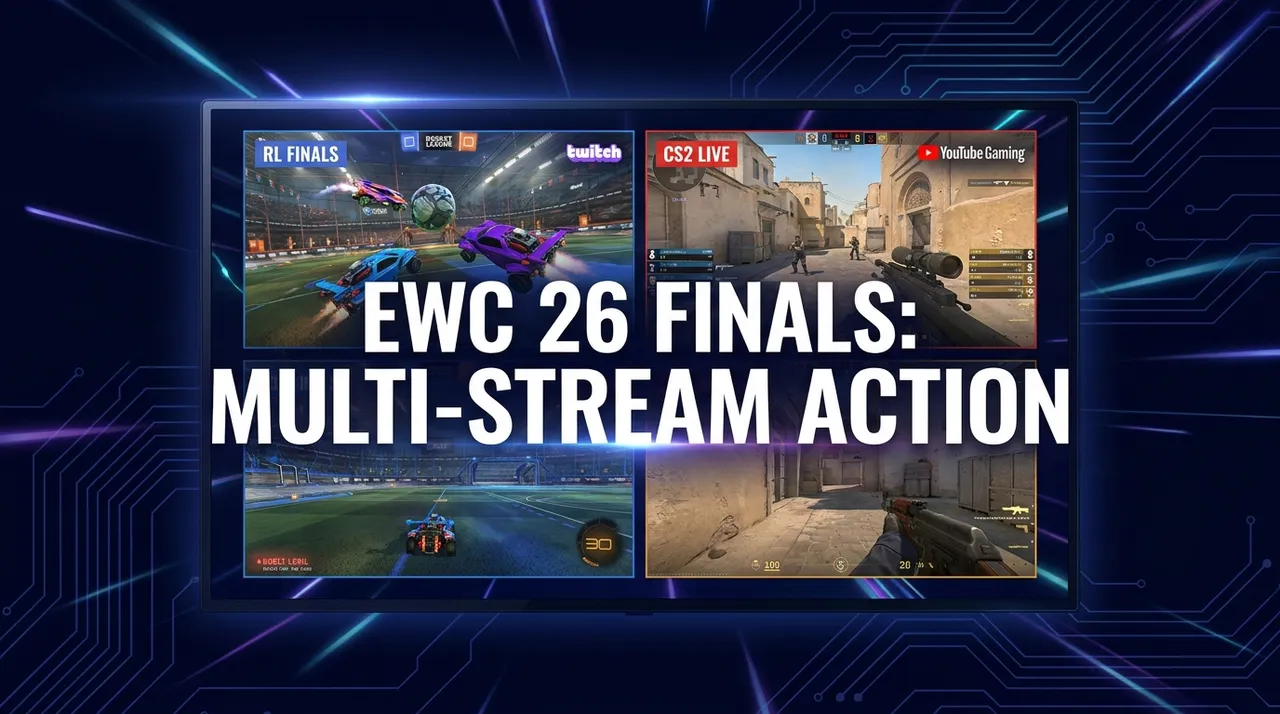
Alright, buckle up, fellow stream addicts! What a weekend we're diving headfirst into — especially if you're like me and have about five different tournaments, a couple of variety streamers, and maybe a chill Just Chatting session all vying for your precious screen real estate. This August 16th, 2026, is shaping up to be one of those days, you know? The kind where your mouse cursor is just a blur, hopping between tabs, trying desperately not to miss that clutch play or that hilarious chat interaction. Seriously, it's exhausting trying to keep up with everything. That's why I've been living and breathing the EWC 26 live multi-stream experience, and let me tell you, it's a lifesaver.
EWC 26: The Ultimate Esports Weekend Demands More Screens
Okay, first things first: the Esports World Cup 26. Is anyone else absolutely buzzing for this? It feels like the culmination of so much talent, so many storylines. We’ve got some absolutely massive games going down right now, and if you're not splitting your screen, you're missing out on half the story, maybe more. I mean, how are you supposed to choose between a nail-biting Rocket League Championship Sunday and the intense CS2 EWC group stage matches? It's like asking me to pick my favorite child – impossible, and frankly, a bit rude.
For me, the EWC has always been about that pure, unadulterated competitive energy. The raw skill, the strategic depth, the emotional highs and lows – it's all there. But it’s also everywhere at once, isn't it? We're talking about global events, different streams, different casters, sometimes even different platforms. Trying to follow it all on a single tab? That's just masochism. You'd be pulling your hair out, refreshing pages, cursing buffering, and generally having a less-than-stellar time. Trust me, I've been there. My early days of esports live viewing were a frantic mess of open browser windows, each one screaming for my attention. It was a digital cacophony, and honestly, my poor old PC sounded like a jet engine trying to keep up.
This year, though, with the EWC hitting us with back-to-back heavy hitters, you have to get smart about how you consume it. We're talking about the biggest names in esports battling it out, and the stakes are incredibly high. Every single match, every round, every goal, every frag matters. So, how do you make sure you're soaking up all that glorious competitive action without getting completely overwhelmed? Well, that's where the magic of a proper EWC 26 live multi-stream setup comes in. It's not just about convenience; it's about optimizing your entire viewing experience.
Rocket League: Championship Sunday – Who Takes the Crown?
Let's talk Rocket League. Oh man, Rocket League. If you've ever seen a car fly through the air, perfectly connect with a ball, and score an impossible aerial goal, you know the hype. It's truly something else. And today, August 16th, 2026, is Championship Sunday for the Esports World Cup featuring Rocket League. My heart is already pounding just thinking about the potential plays. The official RocketLeague Twitch channel is showing all the action, pulling in a solid 29,754 viewers right now. That's a huge crowd for a reason – this is where legends are made.
I usually have this stream front and center on my main monitor, because, let's be honest, those goals deserve full attention. But then, I'm also looking for alternative perspectives. Sometimes you want to hear different casters, or maybe a watch party with a streamer reacting to the plays. Last year, during the RLCS World Championship, I remember missing a phenomenal double-tap because I was toggling between tabs. Never again. Now, I can have the main RocketLeague stream going, and then maybe Gotaga's watch party – he's got 18,591 viewers watching "🏆 EWC ROCKET LEAGUE - CHAMPIONSHIP SUNDAY (sans nous)" right now – running right next to it. It's incredible to see his reactions, even if he's not in the tournament this time around. That's the beauty of it. You get the official broadcast, the expert analysis, and then the raw, unfiltered fan reactions, all at once. It really enriches the whole experience.
CS2: Group Stage Grind – Astralis vs. NiP and Beyond
But hold on, we can't forget Counter-Strike 2. The EWC 26 isn't just about high-flying cars; it's about tactical precision, lightning-fast reflexes, and incredible teamwork in CS2. The group stage for CS2 is currently underway, and believe me, it's just as intense. Right now, EWC_Plus_EN is streaming "Astralis vs. Ninjas in Pyjamas eStar | CS2 at EWC 26 - Day 5 - Group Stage - Str" with over 29,123 viewers. Astralis versus NiP? That's a classic matchup, isn't it? Two legendary organizations, duking it out. You can't just not watch that.
The group stage is brutal – every round counts for seeding, for momentum, for staying in the tournament. These early games often set the tone for who's going to make a deep run. I find myself constantly trying to evaluate team strategies, new meta developments, and individual player performances. It's a cerebral game, CS2, and watching multiple perspectives, or just having it on a second screen while Rocket League explodes on the first, gives you such a richer understanding. You can catch a crucial clutch play in CS2 that you might have missed if you were solely focused on the Rocket League Championship Sunday drama. This is why having a dedicated setup for esports live viewing becomes less of a luxury and more of a necessity for serious fans. It's about being present for all the action.
Why You Absolutely Need an **EWC 26 Live Multi-Stream** Setup
Look, I've been there. You're trying to watch League of Legends LEC, maybe a G2 vs FNC match that Caedrel is reacting to (he's got 68,654 viewers glued to "🔴LEC G2 VS FNC🔴" right now, by the way), and keep an eye on Rocket League, and maybe check out what MontanaBlack88 is doing on his "IRL Stream aus HAMBURG mit REDOs LAMBORGHINI REVUELTO". It's a lot. And before I discovered the true power of a multi-stream setup, it was a constant battle of opening new tabs, resizing windows, muting and unmuting, and generally feeling like I was losing the war against digital FOMO.
The biggest pain point? Performance. My browser would chug. My internet would weep. And then there's the audio. Oh, the audio! Trying to listen to two different game commentaries at once is a quick trip to headache city. A proper multi-stream viewer fixes all of this. It centralizes everything. It gives you control over what's playing, what's muted, and how much screen space each stream gets. For big events like the EWC 26, this isn't just a nice-to-have; it's essential.
### Pro Tip for Ultimate Esports Viewing:
Don't just settle for one screen. Use a multi-stream tool to bring all the action into one unified interface. You'll gain control, reduce lag, and never miss a beat across different games and perspectives.
Think about it: you want to catch that incredible CS2 comeback, but you also don't want to miss the final moments of a Rocket League overtime. With a multi-stream setup, you can have both side-by-side. Or maybe you're really invested in one specific Rocket League match, but you want to keep an eye on the overall tournament bracket progress, which might be on a different stream or even a stat tracker. This is where the ability to easily configure and switch between multiple streams becomes invaluable. It's about empowering you, the viewer, to craft your ideal esports live viewing experience.
Building Your Command Center: A Quick Guide to ViewGrid Multi-Streaming
So, how do you actually get this magical multi-stream setup going? It's easier than you think, especially with tools like ViewGrid.tv. I remember the first time I tried to manually arrange multiple browser windows – it was a disaster. Uneven sizes, accidental closes, sound issues... never again. Now, I just head over to ViewGrid and build my custom layout.
Here’s a quick run-through for getting your EWC 26 live multi-stream setup ready to rock:
- Identify Your Must-Watch Streams: For EWC 26, this means the main RocketLeague channel, EWC_Plus_EN for CS2, maybe a few official team streams if they're doing watch parties, or even a community caster. Don't forget popular streamers like Gotaga who might be co-streaming or doing their own commentary.
- Grab Those URLs: Copy the direct link for each stream you want to include. Whether it’s from Twitch, YouTube, or Kick, ViewGrid handles them all.
- Head to ViewGrid.tv: Open up the ViewGrid multi-stream viewer. You'll see a clean interface ready for you to paste those links.
- Add Your Streams: There's usually a clear input box or button to "Add Stream." Paste one URL, hit enter, then paste the next, and so on. As you add them, you'll see them appear on your screen, automatically arranging themselves.
- Arrange and Adjust: This is where the magic happens. You can drag and drop streams to change their positions. Want Rocket League bigger on the left? Drag it there. Want a smaller CS2 overview on the right? Adjust its size. It's totally intuitive. You can even swap audio between streams with a single click – a godsend, seriously.
- Save Your Layout (Optional, but Recommended!): If you've got a killer setup you'll want to use again, ViewGrid lets you save your configuration to your saved grids with a free account. This is a game-changer! Imagine clicking one button and instantly having your EWC 26 setup – Rocket League, CS2, and maybe ibai's League of Legends stream (he's got 26,397 viewers on "MKOI vs NAVI | TODO O NADA | SI PERDEMOS ESTAMOS FUERA | NO ME BAJARÉ DE ESTE BA" right now) – all ready to go. It makes jumping into the action so much faster. I've got presets for different games, different tournaments, even just a "chill Sunday" preset with my favorite variety streamers.
It's really that simple. No more wrestling with browser windows. No more missed clutch plays. Just pure, unadulterated esports live viewing goodness, tailored exactly to your preferences. My personal setup usually involves two main streams taking up most of the space, and then 2-3 smaller ones arranged around them for background noise or quick glances. It's like having a control room for your entertainment.
Beyond the Arena: What Else is Blowing Up on Twitch (Right Now!)
While the EWC 26 is definitely the main event for many of us, it's not the only thing happening in the vast universe of live streaming. Not by a long shot! This very moment, on August 16th, 2026, there's a huge variety of content dominating Twitch, and it just goes to show how dynamic the streaming world is.
For example, Just Chatting is absolutely massive. buster is pulling in a whopping 79,521 viewers with "WINLINE KING PONG 🏓 ПРИЗОВОЙ ФОНД 5.000.000 РУБЛЕЙ 🏓 LOVV66 vs ЛИТВИН 🏓 !сетк". That's a lot of people watching Pong! And dangerlyoha isn't far behind with 38,399 viewers on his "24 чясовая клоунада (24 hour stream)." You've also got Rubius with 25,491 viewers doing "⚡DOMINGO MASIVO⚡VARIEDAD EXTREMA⚡GAMING RADICAL⚡CLICKBAIT EXAGERADO⚡". These guys are just interacting, telling stories, playing casual games, and they're pulling in numbers that rival some major esports events. It highlights the power of personality in streaming, doesn't it?
Then there's the gaming variety. We've got Caedrel and ibai both deep into League of Legends, as I mentioned earlier, but also Papaplatte playing "Ore Factory Squad" for 35,737 viewers. I've never even heard of that game, but hey, it's popular! LVNDMARK is doing his thing in Escape from Tarkov with 22,667 viewers, complete with drops. And LIRIK is on Pax Autocratica for his "SUB SUNDAY HERE WE GO" stream with 17,959 viewers. It’s wild how many different niches exist and thrive.
And don't even get me started on the IRL streams. MontanaBlack88 is cruising in "IRL Stream aus HAMBURG mit REDOs LAMBORGHINI REVUELTO" for 33,848 viewers – who wouldn't want to see a Lamborghini Revuelto? And byilhann is doing a "LIVE IRL 72H TROC" with 20,740 viewers. People love to see real-life adventures, and these streams prove it.
The point is, even when esports like EWC 26 are dominating the headlines, there's a whole world of other content to explore. A multi-stream setup isn't just for competitive gaming. It's for keeping up with your favorite Just Chatting personalities while you grind in Minecraft on fps_shaka's stream (18,494 viewers, by the way), or monitoring a breaking news event while watching a sports match. It's about versatility. ViewGrid helps you blend all these experiences into one cohesive viewing session. You can mix and match streams from Twitch, YouTube, Kick – whatever you want. It's your personal media center.
The Future is Multi-Streamed: What's Next on ViewGrid's Radar?
The world of live events doesn't stop, and neither should your viewing capabilities. We're always looking ahead, and thankfully, there are some absolutely massive events coming up that are going to demand some serious multi-streaming skills.
Just around the corner, we've got the Formula 1 Heineken Dutch Grand Prix 2026 kicking off on August 21st. If you're an F1 fan, you know the race itself is on F1 TV or your local broadcaster and can't be added to a grid; the grid is for the watch-alongs and analysis streams around it. Luckily, we've already got a full guide ready for you over at /blog/formula-1-heineken-dutch-grand-prix-2026-multi-stream-guide. You'll definitely want to have that open for race day!
Then, just a couple of days later, the US Open Tennis starts on August 23rd. Tennis fans know the drill: multiple courts and matches at the same time, all on the official broadcasters, with the grid as a second screen for commentary and watch-along streams. Again, we've got you covered with a guide at /blog/us-open-tennis-multi-stream-guide.
And it keeps coming! Gamescom 2026 is set for August 25th – a huge event for game announcements and reveals. You'll want to have multiple developer streams, press conferences, and maybe a few content creators reacting to the news. After that, the FIBA Women's Basketball World Cup 2026 starts on September 4th, followed by the Formula 1 Pirelli Gran Premio d'Italia 2026 on the same day. All of these are prime candidates for enhanced multi-stream sports viewing or multi-stream esports viewing.
My point here is simple: whether it's the intense action of the EWC 26, the high-speed drama of F1, the strategic battles of tennis, or the latest gaming news, the best way to experience it all is with a dedicated multi-stream setup. It takes the stress out of keeping up and lets you truly immerse yourself in the content you love. You can even mix in a news channel or two if something major is happening in the world.
So, as you dive deeper into the EWC 26 live multi-stream chaos this weekend, remember that ViewGrid.tv is here to help you conquer it. Stop juggling tabs, start enjoying every single moment of the action. Your eyes – and your sanity – will thank you.
Ready to try multi-stream viewing?
Watch YouTube, Twitch, Kick & more — all on one screen.
Open ViewGridOr start with watch multiple Esports streams at once — the page built for exactly this.
Related Articles
BlizzCon, ALGS Finals: Today's Esports Grid
Dive into today's epic esports grid with BlizzCon's Overwatch World Cup and WoW AWC Finals, plus the Apex Legends Global Series. Learn how to multi-stream like a pro!
newsNew Game Drop: Mortal Shell 2 & WARDOGS POVs
New game launches are here! Mortal Shell II & WARDOGS are dominating streams. Discover how multi-view gaming lets you catch all the action from multiple POVs on ViewGrid.tv.
newsParty Chaos: Cinna's Pool, Sophie's E-Date POVs
Ever tried to watch Cinna's pool party & Sophie Rain's e-date at the same time? It's chaos. Learn how multi-streaming offers every POV for streamer collabs & events.
newsStreamer Collab: WARDOGS Live POVs
Don't miss a second of the WARDOGS streamer collab! Learn how to multi-stream TimTheTatman WARDOGS, Shroud WARDOGS, and more POVs live with ViewGrid.tv. Get the full picture of epic gaming events.