New Game Drop: Mortal Shell 2 & WARDOGS POVs
New game launches are here! Mortal Shell II & WARDOGS are dominating streams. Discover how multi-view gaming lets you catch all the action from multiple POVs on ViewGrid.tv.
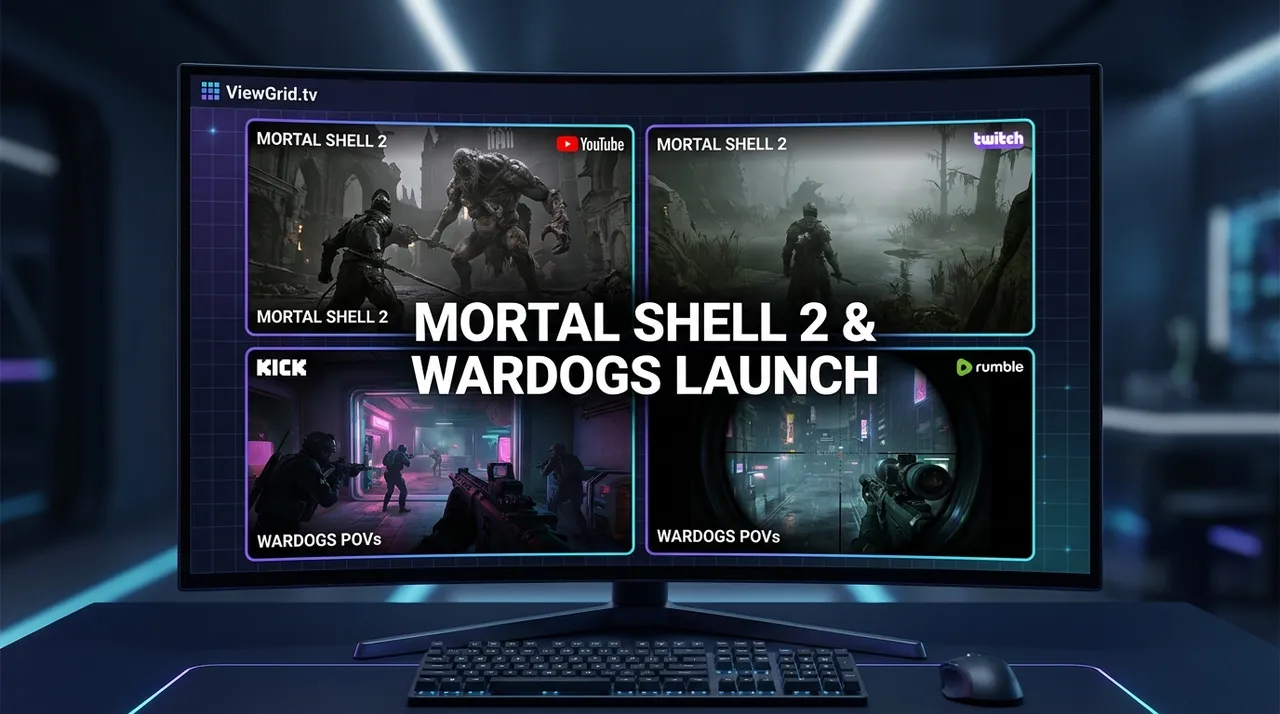
It's August 24, 2026, and if you're like me, your eyeballs are probably glued to a screen. Or, let's be real, multiple screens. Because how else are you supposed to keep up with everything? Especially when we get those glorious, chaotic moments of multi-stream new game launches. Today is one of those days, folks, and it's a wild one.
I'm talking Mortal Shell II and WARDOGS hitting the airwaves, immediately dominating my Twitch feed. The hype is real, the streamers are going hard, and honestly, trying to pick just one perspective is like trying to choose your favorite child. Impossible. And why would you want to, anyway?
The Thrill (and Chaos) of New Game Launches
There’s nothing quite like the energy of a fresh game dropping. It’s this collective rush, everyone diving in at the same time, exploring new mechanics, discovering secrets, and inevitably, running into hilarious bugs. From the moment the embargo lifts, or the servers go live, Twitch and YouTube become this incredible, global water cooler. Everyone's talking about it, everyone's playing it, and everyone's got an opinion.
I remember when Elden Ring first dropped. My entire Discord was just links to different streamers, all screaming in different languages as they got stomped by Margit for the hundredth time. It was glorious. But also, a little overwhelming, right? You want to see how Asmongold is handling a boss, but also how your favorite indie streamer is reacting to the lore. You want to see the pros dissecting the meta, but also the casual player just having a laugh. This is exactly where the power of watching multi-stream new game launches really shines. You get to be everywhere at once, soaking in all that beautiful, raw, first-playthrough content. It’s like being in a dozen different living rooms, all at the same time, without having to awkwardly explain why you brought your own snacks to their couch.
Diving Deep: Mortal Shell II Streams
Alright, let's talk about Mortal Shell II. If you played the first one, you know it's a soulslike through and through—dark, punishing, and utterly atmospheric. And seeing it launch today? Oh boy. I usually gravitate towards these kinds of games; they scratch that specific itch for challenge and lore. But let's be honest, they're also incredibly frustrating. I'm a huge fan of Soulslikes, but I'm also terrible at them, so watching someone else struggle, then overcome, is a cathartic experience for me.
Right now, zackrawrr is deep into Mortal Shell II, pulling in a cool 24,252 viewers. His stream title, "[DROPS ON] UNBANNED BIG DAY HUGE DRAMA MORTAL SHELL 2 TODAY NEW GAMES TODAY BIG ", tells you everything you need to know about the energy. It’s pure, unadulterated launch day chaos. What makes watching multiple Mortal Shell II streams so compelling is the sheer variety of approaches. One streamer might be painstakingly exploring every nook and cranny, looking for hidden items and lore. Another might be speed-running through areas, trying to optimize boss fights. You'll see different builds, different combat strategies, and wildly different levels of frustration (and triumph).
Maybe zackrawrr is going for a tanky shell, while another streamer you like is trying a nimble, dodge-heavy build. You can compare their progress, their skill, even their sanity levels side-by-side. For a game like Mortal Shell II, where every decision matters and every fight is a test of will, having those different perspectives enriches your own understanding and appreciation of the game. It’s not just about watching someone play; it’s about witnessing the game unfold through multiple lenses, simultaneously. You can catch all these Twitch streams, and more, on our Watch multiple Twitch streams page.
All-Out Warfare: WARDOGS Gameplay
Then we pivot from the brooding atmosphere of Mortal Shell II to what sounds like pure, unadulterated mayhem: WARDOGS. The name alone suggests a high-octane, probably military-themed, possibly squad-based shooter. And who better to give us a first look than shroud, pulling in 20,857 viewers, with Rubius right there with 20,803? Shroud's title, "stream stops when my bank account hits 0$", is classic shroud – understated humor masking absolute dedication. Rubius's, "🪖 fake taxi de la guerra 🪖", well, that's Rubius for you, always entertaining.
WARDOGS gameplay is probably a completely different beast to multi-stream than Mortal Shell II. With a shooter, especially a new one, you're looking for different things. How do the guns feel? What are the maps like? Are there any broken mechanics? Watching shroud, you’re obviously there for the crisp aim and tactical prowess. You want to see him dismantle the opposition, understand his positioning, and maybe even pick up some tips. But then you switch over to Rubius, and you're there for the sheer entertainment, the wild plays, the unexpected moments of chaos.
I've always admired shroud's precision, but Rubius has that unpredictable, chaotic energy that's just magnetic. Seeing them tackle the same game, maybe even the same map, offers such a fantastic contrast. One is analyzing, executing, and dominating. The other is probably laughing, making questionable decisions that somehow work out, and generally causing a spectacle. For multi-view gaming of a title like WARDOGS, it's less about comparing builds and more about contrasting playstyles and personalities. Are they playing different modes? Are they in different teams? The questions are endless, and the answers are right there, side-by-side on your screen.
Why Multi-View Gaming is Your Secret Weapon
Let's be real, in today's streaming world, single-stream viewing is kind of… quaint. Like using a flip phone. It still works, sure, but you're missing out on so much! Multi-view gaming isn't just a gimmick; it’s genuinely transformative. It lets you curate your own, personalized broadcast experience.
Think about it beyond just new game launches. I've used it extensively for esports events. Last week I was watching some Apex Legends — ImperialHal__ and NiceWigg were both on, pulling in 13,033 and 12,931 viewers respectively, watching ALGS Pro League Day 3. Seeing their different approaches to the same lobby was fascinating. Hal, the IGL, making calls, directing his team. Wigg, casting and hyping up the plays. It gives you a complete picture, a 360-degree view of the action that a single broadcast simply can't provide. You can follow the main broadcast, but then also jump to a specific player’s POV, or even a watch party from another streamer. It’s truly next-level consumption.
And it’s not just for competitive stuff. Sometimes, I just want to chill. Maybe I've got Emiru playing Moonlighter (she's got 11,822 viewers right now, by the way) alongside a Just Chatting stream like Lacy's or Adapt's. It's like having a group of friends hanging out, each doing their own thing, and you get to dip in and out of their conversations. Or, if you're really into the variety streamers, you can have Tumblurr's "Jeopardy" mini-marathon going next to Jynxzi's "League of Legends" gauntlet. The possibilities are genuinely endless. For multi-stream new game launches, it's about not missing any of the first impressions, the raw reactions, or the emergent gameplay that makes those first few days so special.
How to Set Up Your Ultimate Multi-Stream New Game Launches Hub
Okay, so you’re convinced. You want to immerse yourself in the simultaneous glory of Mortal Shell II streams and WARDOGS gameplay (and maybe a bit of Jeopardy for good measure). How do you actually do it? It's surprisingly easy, especially with ViewGrid.tv. This isn't some super-technical setup that requires multiple monitors and a degree in IT. It's designed for streamers and viewers alike to get more out of their content.
Here’s a quick rundown – a practical step-by-step to get your multi-view gaming hub up and running for any new game launch:
- Identify Your Targets: First, figure out which games you want to watch and, more importantly, which streamers. Are you going for different POVs of the same game, like zackrawrr and another streamer for Mortal Shell II? Or are you mixing it up, like shroud's WARDOGS alongside an entirely different game? Make a mental list.
- Head to ViewGrid.tv: Open up your browser and navigate straight to our homepage. It's built for exactly this kind of flexible viewing.
- Add Your Streams: This is the fun part. You can either paste the direct URL of each stream you want to watch, or, even easier, just use the search bar to find streamers by name or game. Once found, click to add them to your layout. You'll see them pop up.
- Arrange Your Layout: ViewGrid.tv gives you total control. Drag and drop those stream windows until they’re in a configuration that works for you. Want one big main stream and a few smaller ones? Go for it. Prefer an even grid? You got it. You can even swap them around on the fly, depending on who's doing something epic.
- Master the Audio: This is crucial for multi-stream new game launches. You don't want a cacophony of sound. ViewGrid lets you easily control the audio for each stream. I usually pick one primary stream to listen to, and then keep the others muted or at a very low volume. This way, if something exciting happens on a secondary stream, I can quickly unmute it without having to scramble.
- Save as a Live Preset: This is where the magic really happens. Once you’ve got your perfect layout and audio mix for watching Mortal Shell II streams or whatever your current obsession is, save it to your saved grids. Give it a catchy name like "WARDOGS Launch Day" or "Soulslike Struggle Bus." The next time you want to watch that exact combination of streams, one click and you're back in action. It's a massive time-saver, especially for recurring events or your go-to streamer groups.
Pro Tip for New Game Launches: Create a preset specifically for each major game release. That way, as new streamers pick up the game, you can quickly add them to your existing layout or swap them out, all while keeping your core viewing experience consistent. It makes following the hype train so much easier.
Using the ViewGrid multi-stream viewer is genuinely a game-changer. It's about empowering you, the viewer, to consume content exactly how you want to. No more tab-hopping, no more missing out. Just pure, unadulterated streaming goodness, tailored to your preferences.
Beyond the Hype: What Else Is Brewing on ViewGrid Right Now?
It’s not just about the big multi-stream new game launches like Mortal Shell II and WARDOGS. The streaming world is a constant, churning ocean of content, and ViewGrid helps you navigate it all.
Looking at the top live Twitch streams right now, beyond our new game heroes, there’s a ton of variety. Tumblurr is making us think with "Jeopardy", rocking over 41,000 viewers. Jynxzi is deep in "League of Legends" with nearly 40,000. And of course, the ever-present World of Warcraft Race to World First is still going strong with Maximum and TeamLiquid. Even Emiru is getting some love with Moonlighter. It's a vibrant snapshot of what's keeping thousands of people engaged this very minute.
But the future is always coming, right? And ViewGrid is perfect for keeping an eye on it. We've got some massive events just around the corner, and guess what? We've got guides for them already!
Gamescom 2026 kicks off tomorrow, August 25th. If you're a gamer, you know this is huge for announcements, trailers, and new game reveals. You bet I'll be watching multiple channels for all the major press conferences and showcases. Check out our full guide at /blog/gamescom-2026-multi-stream-guide to get ready.
Then, for the music lovers, Creamfields 2026 starts on August 27th. Get ready for some epic sets. Find your multi-stream setup at /blog/creamfields-2026-multi-stream-guide.
For the science and space enthusiasts, we've got a Partial Lunar Eclipse on August 28th (guide here: /blog/partial-lunar-eclipse-multi-stream-guide) and the incredible Falcon Heavy | Nancy Grace Roman Space Telescope Launch on August 30th (guide here: /blog/falcon-heavy-nancy-grace-roman-space-telescope-launch-multi-stream-guide). Imagine watching different camera angles of the launch, or multiple commentators, all at once! That's how I'll be doing it, for sure.
And looking slightly further ahead, September is packed! We've got the F1 Italian Grand Prix and the FIBA Women's Basketball World Cup 2026 both starting on September 4th. Then another F1 race, the Formula 1 Tag Heuer Gran Premio de España 2026, on September 11th. The races and games themselves are on the official broadcasters and can't be added to a grid; what the grid adds is the second screen, with watch-alongs and commentary streams side by side. You can track the racing calendar on Wikipedia's F1 season page and see what a sports second screen looks like in our Watch multiple sports streams section.
Whether it’s the intense drama of new Twitch new games or the global spectacle of an F1 race, ViewGrid.tv is your command center.
My Take: The Future of Stream Watching Is Multi-View
Honestly, anyone still watching just one stream during a major event, be it a new game launch or an esports final, is missing out on half the fun. We've moved beyond the era of passive consumption. We have the technology, we have the platforms, and ViewGrid.tv brings it all together in one easy-to-use package.
The first time I tried watching multiple streams, I was hooked. It was an LCS final, and I had the main broadcast, an analyst desk, and a player cam all going at once. The level of immersion, the understanding you gain, the sheer fun of it – it’s unparalleled. And it’s not just for the hardcore. It's for anyone who loves streaming and wants to get more out of it.
So, whether you're debating which of the Mortal Shell II streams to follow closely, or you're trying to catch every bit of WARDOGS gameplay chaos, or even if you just want to keep an eye on the news alongside a gaming stream, ViewGrid.tv is the place to be. It's about curating your own experience, tailoring it to your interests. Go ahead, try building your own custom layout – you'll wonder how you ever watched streams any other way. We support Watch multiple Twitch streams, Watch multiple YouTube streams, Watch multiple Kick streams, Watch multiple esports streams, Watch multiple sports streams, and even Watch multiple news channels. The world of streaming is vast; let ViewGrid help you explore it all, simultaneously.
Ready to try multi-stream viewing?
Watch YouTube, Twitch, Kick & more — all on one screen.
Open ViewGridOr start with watch multiple Twitch streams side by side — the page built for exactly this.
Related Articles
BlizzCon, ALGS Finals: Today's Esports Grid
Dive into today's epic esports grid with BlizzCon's Overwatch World Cup and WoW AWC Finals, plus the Apex Legends Global Series. Learn how to multi-stream like a pro!
newsStreamer Collab: WARDOGS Live POVs
Don't miss a second of the WARDOGS streamer collab! Learn how to multi-stream TimTheTatman WARDOGS, Shroud WARDOGS, and more POVs live with ViewGrid.tv. Get the full picture of epic gaming events.
newsParty Chaos: Cinna's Pool, Sophie's E-Date POVs
Ever tried to watch Cinna's pool party & Sophie Rain's e-date at the same time? It's chaos. Learn how multi-streaming offers every POV for streamer collabs & events.
newsEWC 26: RL Finals & CS2 – Track The Chaos Live
Don't miss a beat of EWC 26! Dive into Rocket League Championship Sunday and CS2 EWC group stage with a multi-stream setup. Learn how ViewGrid.tv enhances your esports live viewing experience.