ViewGrid.tv
comparison16 min read·August 9, 2026

Multi-Stream: Browser Extension or Web App?

Which is better for multi-streaming? We break down the multi-stream browser extension vs web app debate, highlighting performance, flexibility, and why web apps win for serious streamers.

multi-streambrowser extensionweb appstreamingTwitchYouTubeKickesportstech comparison
Multi-Stream: Browser Extension or Web App?

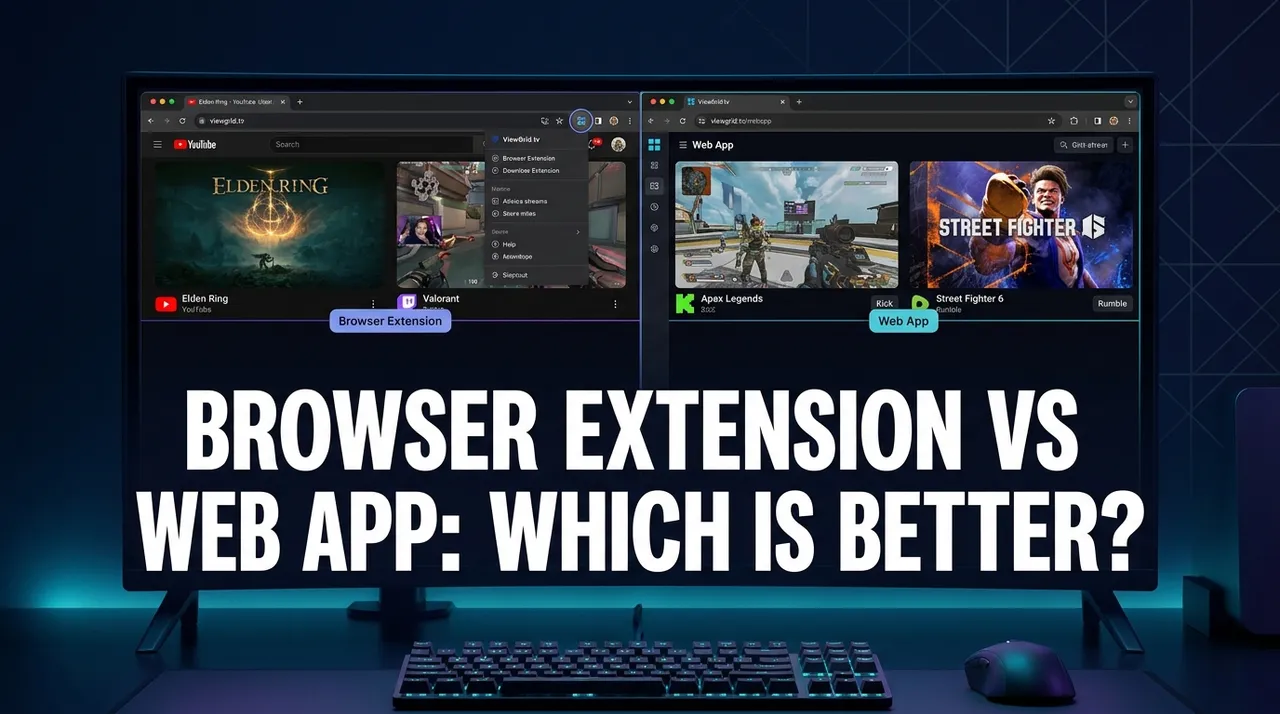
Alright, let's talk multi-streaming. If you're anything like me, your browser tabs are a sprawling metropolis of live content – one minute it's Ludwig's Subathon, the next it's a Valorant VCT match, then maybe some IRL shenanigans from Emiru, and oh, look, Hasan Piker just went live with some breaking news. It's a lot to juggle, right? And for years, we've had two main contenders battling it out for the title of "best way to watch everything at once": the multi-stream browser extension vs web app.

I've been in this game for a long, long time. I remember the early days, trying to manually arrange Twitch pop-out players on my second monitor, a chaotic mess of overlapping audio and frantic alt-tabbing. It was... not ideal. So when the first proper multi-stream solutions started popping up, I jumped on them faster than MoistCr1TiKaL can rate a weird snack. But the question always lingers: which approach actually works best? Is it a neat little addition to your browser, or a dedicated website doing all the heavy lifting? Let's get into it.

The Allure of Browser Extensions: A Quick Fix?

Okay, so the initial appeal of a browser extension for multi-streaming is obvious. You're already in your browser, you're already on Twitch or YouTube. Why not just add a little tool that lets you watch multiple streams right there? It sounds so convenient, doesn't it? And for a while, I was all-in on extensions. I mean, my browser is practically an operating system at this point – what's one more extension, right?

The first time I really started playing with these, probably back in 2018 or 2019, I was mostly trying to keep up with competitive Overwatch. There'd be multiple regional league games happening simultaneously, or maybe I wanted to watch the main broadcast and a specific player's POV stream. Extensions like "MultiTwitch" (or various iterations of that idea) promised exactly what I needed. You'd click an icon, punch in a few streamer names, and boom – suddenly you had a grid of streams. It felt like magic. And yeah, for those casual moments, where I just wanted to quickly throw up two streams, maybe a friend's stream and my favorite main channel, they could be pretty decent. They often integrated directly with Twitch's API, which meant chat was sometimes an option, or you could toggle between different audio feeds easily.

Some extensions even offered picture-in-picture modes or quick layout switches, which seemed super handy at first glance. You didn't have to leave the Twitch ecosystem, everything felt seamless. And that's the hook, isn't it? The idea that you're not adding another thing to your workflow, but rather enhancing the one you already have. It felt native, almost like a feature Twitch itself should have provided. I remember trying one that even let me quickly swap the main audio focus with a hotkey, which was genuinely cool. But then, as my streaming habits grew, and my desire to watch more simultaneously intensified, the cracks started to show.

Where Extensions Start to Grumble: The Hidden Costs

Look, I'm not saying browser extensions are inherently bad. For certain tasks, they're fantastic. But for serious, consistent multi-streaming, they often hit a wall. And that wall usually has "PERFORMANCE" spray-painted all over it.

The biggest issue, bar none, is resource consumption. You're essentially asking your browser – which is already probably running a dozen other tabs, your email, your Spotify, whatever – to also render multiple high-definition video streams within its own process. That's a huge ask. I can't tell you how many times I've tried to load three or four Twitch streams via an extension, only for my CPU fan to kick into overdrive, my frame rate on my main game to drop, or the streams themselves to stutter and freeze. Last week, I was trying to keep up with a few different creators during the big "Creator Clash 2" event, using an extension I hadn't touched in a while. My browser – bless its cotton socks – nearly melted. It was just too much, too many processes trying to share the same browser memory and CPU threads. It was a classic case of browser extension multi-stream drawbacks rearing their ugly head.

Then there's the security and privacy aspect. Extensions need permissions. Sometimes a lot of them. They can read your browsing history, inject scripts, or access data on the pages you visit. While most reputable extensions are fine, you're essentially putting a lot of trust in a third-party developer. And if that extension isn't regularly updated or maintained, it could become a vulnerability. Plus, how many of these smaller extensions actually get audited for security? It's something I think about more and more, especially with how much time I spend online. You really have to vet what you're installing.

Another point: platform specificity. A lot of these extensions are built specifically for Twitch. If you want to watch a YouTube stream alongside a Kick stream, or maybe an independent streamer on their own site, most extensions just throw their hands up. They're designed for one platform, and that's it. This really limits your options when you're trying to follow, say, a major esports tournament that's broadcasting on Twitch, while a specific team's POV is on YouTube, and a commentator you like is doing a watch party on Kick. You're stuck opening separate browser windows anyway, which defeats the entire purpose of having the extension. It's a pain, especially if you're trying to follow something like the League of Legends World Championship, where official broadcasts and community co-streams are everywhere.

And don't even get me started on breaking changes. Twitch updates their site, YouTube changes their player API, and suddenly your favorite multi-stream extension stops working. Or it works, but half the features are broken. You're left waiting for the developer to push an update, which might take days, weeks, or never happen at all. It's a constant cycle of hoping and praying, and for someone who relies on multi-streaming daily, that kind of instability just doesn't cut it. It's a real bummer when you're hyped for a big event, like a new game launch that multiple creators are playing, and your setup is suddenly crippled.

The Rise of the Multi-Stream Web App: A Dedicated Solution

This is where the multi-stream web app truly shines, and honestly, it's where I've landed for my everyday viewing. Instead of trying to bolt multi-streaming onto your existing browser session, a web app provides a dedicated environment for it. Think of it like a specialized command center just for your streams.

The core difference is fundamental: a web app is a separate website you visit. It runs its own processes, loads its own players, and manages its own layouts. It's not trying to piggyback on your already overloaded primary browser window. This distinction is crucial for understanding why they often offer a superior experience. When I'm gearing up to watch a big event, say, a multi-day charity stream or a major esports playoff bracket, I don't want any uncertainty. I want something that's built from the ground up to handle multiple video feeds without breaking a sweat.

One of the biggest advantages right off the bat is platform agnosticism. A good web-based multi-stream viewer isn't tied to Twitch. It's not tied to YouTube. It's designed to pull streams from any supported platform. This means I can easily throw a popular streamer from Twitch into the mix with a VOD I'm catching up on from YouTube, and maybe even check out what's happening on Kick all within the same interface. This flexibility is non-negotiable for me now. I need to be able to mix and match. Last month, I was watching a new game reveal on YouTube, while simultaneously keeping an eye on a few of my favorite variety streamers who were reacting to it live on Twitch. Impossible with most extensions, a breeze with a web app.

These web apps are also typically designed with the user experience firmly in mind. They focus on clean layouts, intuitive controls for resizing streams, adjusting audio for individual players, and often integrating chat in a manageable way. They're built for this specific purpose, not as an afterthought.

Why Web Apps Often Win: Performance, Flexibility, and Sanity

Let's dive deeper into why web apps have become my go-to.

First up, performance. This is huge. Because a web app runs in its own tab, or even its own browser window (which I often do, dedicating a separate browser profile just for ViewGrid.tv, for example), it isolates the resource strain. My main browser, with its 50 open tabs and extensions, isn't bogged down. The multi-stream web app can dedicate its resources to rendering those video feeds efficiently. This means smoother playback, less stuttering, and a much happier CPU. I've noticed a significant difference, especially when watching 3+ streams in 1080p. My computer runs cooler, my games perform better, and the streams themselves are more stable. This is a primary multi-stream web app advantage that you simply can't ignore if you're serious about multi-tasking your streaming.

Then there's flexibility. I touched on platform agnosticism, but it goes beyond that. Web apps usually offer much more robust layout customization. I can drag and drop streams, resize them precisely, save custom layouts for different scenarios (my "esports grid" vs. my "chill background streams"), and really tailor the experience. I can also easily manage audio – muting one stream, boosting another, or using the global volume control. This granular control is something extensions rarely offer with the same polish. For watching multiple esports streams, where you might have the main broadcast, a B-stream, and a specific player cam, this level of control is essential.

Stability is another massive win. Because web apps aren't messing with your browser's core functionality or trying to inject scripts into other sites, they're generally far less prone to breaking when browser updates roll out, or when streaming platforms change their internal code. They fetch streams like any other website player would, but then arrange and manage them in their own controlled environment. This separation means fewer conflicts, fewer unexpected crashes, and a much more reliable viewing experience. I've had web apps running for hours, even overnight, without a hitch. That kind of reliability is golden.

Finally, the dedicated features are often superior. Many web apps will include integrated chat for each stream, making it easy to participate or follow along. They might have options for quick reordering, picture-in-picture modes that work across all streams, or even unique features like synchronized playback (though that's rarer). Some even offer features for watching multiple news channels, which is incredibly useful during major global events. It’s a holistic approach to multi-streaming, rather than a tacked-on extra.

A Practical Look: When to Use What?

So, who should use what? It really boils down to your personal use case and how deep you want to go into the multi-streaming rabbit hole.

If you're a super casual viewer, someone who maybe occasionally wants to throw up two Twitch streams for half an hour – like a friend's stream and your main squeeze – and you don't really care about performance hiccups or limited options, a simple browser extension might suffice. It's a quick, low-commitment way to dip your toes in. But be warned: you'll likely run into the limitations pretty fast. You'll hit that CPU wall, or wish you could add a YouTube video, or get frustrated when an update breaks it.

But if you're like me – a dedicated streaming enthusiast, someone who regularly watches multiple concurrent streams, whether it's for gaming, sports, news, or just keeping up with your favorite creators – then a web-based multi-stream viewer is the undisputed champion. It's an investment in your viewing experience. My setup usually involves a dedicated browser window for ViewGrid.tv, often on a secondary monitor, allowing me to keep my main browser clean for work, browsing, or even gaming without any performance hitches. This separation is key.

Consider your hardware, too. If you're on an older machine with limited RAM and a weaker CPU, asking an extension to handle multiple video feeds within your main browser is a recipe for disaster. A web app, even if it's still using browser resources, tends to manage them more efficiently because it's purpose-built. It's like asking a general-purpose screwdriver to do a specialized job versus using the right tool for the job.

My personal journey has definitely evolved. I started with the extensions, tried a bunch of them, got frustrated, and then discovered the world of web apps. The difference was night and day. It was like going from dial-up to fiber internet, or from blurry VHS to crystal-clear 4K. The stability, the control, the sheer ability to watch what I want, from wherever it is, without my computer screaming in protest – that's what hooked me.

Setting Up Your Ultimate Multi-Stream Layout

Alright, let's get practical. If you're ready to ditch the extension headaches and embrace the web app life, here's a rough idea of how I approach setting up a multi-stream session. This is generally how these web apps work, and it's super intuitive once you get the hang of it.

  1. Open Your Web App: First things first, head over to your preferred multi-stream web app. (Hint: I usually go straight to the ViewGrid multi-stream viewer homepage – it's just so easy). I usually do this in a fresh browser window or even a different browser entirely if I'm trying to conserve resources on my main one.
  2. Add Your Streams: This is where the magic begins. You'll typically find an input box where you can paste the URLs of the streams you want to watch. This could be a Twitch channel link, a YouTube live stream link, or a Kick channel. Some apps even let you just type in the streamer's name, which is super convenient. I usually start with my main focus stream, then add others around it. For instance, if I'm watching a major competitive match, I'll add the official broadcast, then maybe a particular player's POV if they're streaming it, and finally, a friend's co-stream.
  3. Choose Your Layout: Most web apps offer various pre-set layouts – 2x2, 1 large + 2 small, horizontal stacks, vertical stacks, etc. – or even a freeform drag-and-drop system. Experiment! Find what works for you. For esports, I like a main central stream with two smaller ones flanking it. For chill background streams, a 2x2 grid is often perfect.
  4. Manage Your Audio: This is crucial. You'll want to quickly identify which stream's audio you want to listen to. Web apps almost always have individual volume controls for each player, plus a master mute/unmute. This is a huge improvement over extensions that sometimes only let you toggle audio globally or require tricky browser-level muting. I usually mute all but my primary focus stream, then slowly bring up the others to see if I want to casually listen to them too.
  5. Integrate Chat (Optional): Many web apps offer ways to integrate chat for specific streams. Some will pop out a chat window next to the stream, others will embed it directly. If you're trying to engage, this is a must-have.
  6. Save Your Layouts: Some advanced web apps let you save your preferred layouts. This is a lifesaver if you have specific configurations for different types of content – say, one for watching multiple sports streams and another for following multiple gaming channels.

It's a straightforward process, but the level of control and the resulting stability is what makes it such a superior experience for me. You're not fighting against the browser; you're working with a tool designed for this exact purpose.

My Personal Hot Take on the Multi-Stream Showdown

Okay, I'm just gonna say it. While browser extensions sound good on paper, they're mostly a gimmick for serious multi-streaming. There, I said it. For actual, sustained, reliable watching of multiple streams across different platforms, web apps are the only way to go.

I know, I know, some people swear by their extensions. And for simple, two-stream Twitch-only setups, they might be fine. But the minute you want to expand, to add a YouTube feed, or mix in Kick, or simply not have your browser constantly threatening to spontaneously combust, extensions fall apart. They're a compromise, and frankly, a compromise I'm no longer willing to make. I've spent too many hours debugging, clearing caches, and restarting my browser because an extension decided to throw a fit. My time is too valuable for that kind of nonsense, and so is yours.

The performance hit alone is enough for me to dismiss them for anything beyond a quick, momentary peek. Why hamstring your entire system just for the sake of keeping something inside your main browser window? It just doesn't make sense when there are far more robust, dedicated solutions available. This isn't just about convenience; it's about efficiency and a significantly better viewing experience.

The Future of Watching All The Things

The streaming landscape is only getting more fragmented, more diverse, and more exciting. We're seeing more platforms, more creators, more events – from massive esports tournaments like the LEC or LCS, to independent content creators doing their own thing, to 24/7 news channels covering global events. The days of simply opening one Twitch tab and being done are long gone.

This means the need for robust, flexible, and high-performing multi-stream solutions isn't going anywhere. In fact, it's only going to grow. We're not just watching games anymore; we're watching podcasts, live concerts, cooking shows, educational content, political commentary, and so much more. Being able to curate your own personal viewing dashboard is becoming less of a luxury and more of a necessity for staying informed and entertained.

And that's precisely why platforms like ViewGrid.tv exist and continue to evolve. They understand that viewers want control, flexibility, and performance. They're built from the ground up to solve the challenges of multi-streaming, not just patch over them. Whether you're a hardcore esports fan trying to catch every angle of a major match, a news junky following multiple developing stories, or just someone who loves the chaos of watching a handful of their favorite variety streamers simultaneously, a dedicated web app is the way to unlock that ultimate viewing experience.

If you haven't tried a dedicated web-based multi-stream viewer yet, I genuinely urge you to give it a shot. You might be surprised at how much smoother and more enjoyable your multi-stream sessions become. It's a game-changer for anyone serious about consuming a lot of live content. For me, ViewGrid.tv has been the answer to those frustrating days of trying to herd cats with browser extensions. It just works, and lets me focus on the actual content, which is what we're all here for, right? You can check out the ViewGrid multi-stream viewer yourself and see what I mean.

Ready to try multi-stream viewing?

Watch YouTube, Twitch, Kick & more — all on one screen.

Open ViewGrid

Related Articles