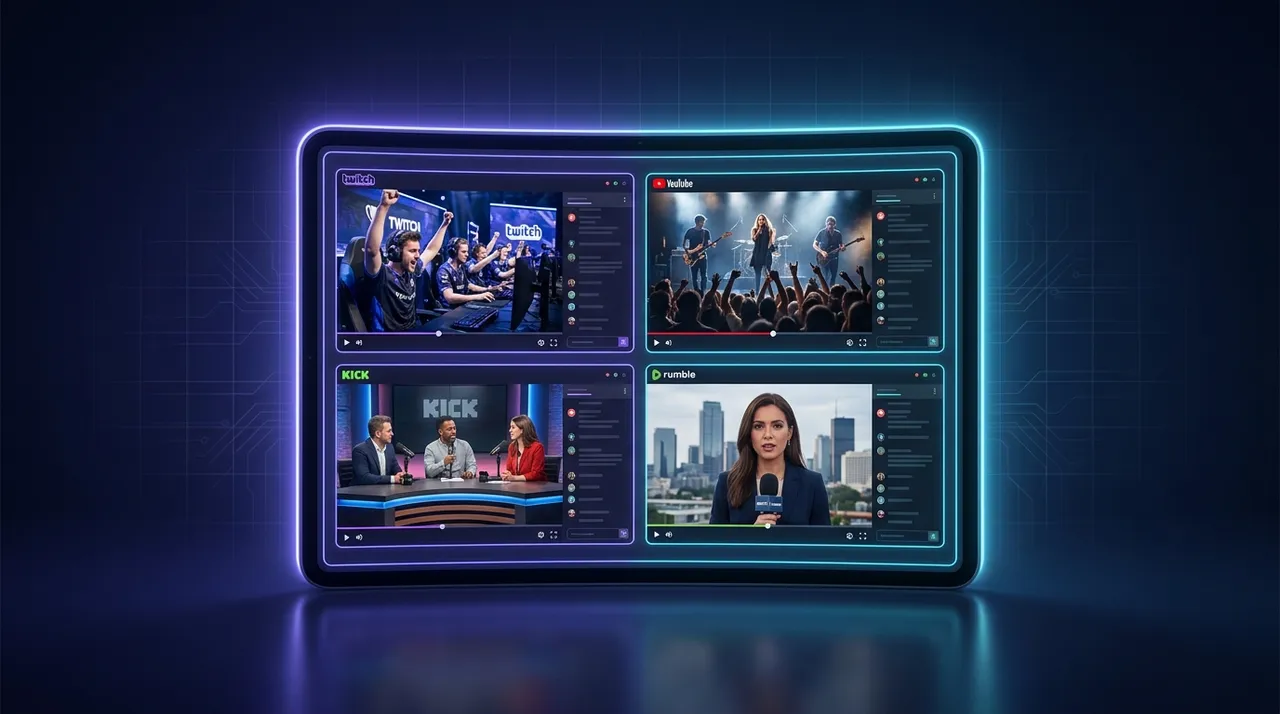
Best Multi Stream Viewer for YouTube, Twitch, Kick & Rumble
Tired of juggling tabs? Find out what makes the best multi stream viewer shine. I break down essential features, share personal experiences, and guide you to an ultimate multi-platform setup.
Alright, let's talk streams. Seriously, if you're like me – which, let's be real, you probably are if you're reading this – you've been there. It's Friday night, or maybe a slow Tuesday afternoon, and you're trying to keep up with everything. Maybe your favorite variety streamer is doing a wild cooking segment on Twitch, but then a huge esports tournament is in its clutch moments on YouTube, and then your buddy just went live on Kick trying out that new survival game. Trying to juggle all those tabs? It's a nightmare. Your browser sounds like a jet engine, your desktop looks like a digital hoarder's paradise, and you're constantly fumbling with audio. You miss key moments, you're always a second behind – it's just not the vibe.
That's precisely why I started my hunt for the best multi stream viewer. And let me tell you, it's been a journey. I've tried everything from just opening a bunch of browser windows and meticulously arranging them (terrible idea, don't recommend) to clunky desktop apps that felt like they were designed in 2005. But the goal is simple: I want to [watch multiple streams] from different platforms, all at once, with minimal fuss. I want to be immersed, not stressed. And trust me, once you find a good one, you'll wonder how you ever lived without it.
Why Even Bother with a Multi Stream Viewer? My Personal Struggle (and Triumph!)
For a long time, I was a tab warrior. You know the type. Chrome with 15 tabs open, six of them streaming something, two more are VODs I meant to watch, and the rest are Reddit threads I never finished. My CPU fan was constantly screaming a lament, my RAM usage looked like a financial crisis, and my internet felt like it was trying to sip from a firehose. It was chaotic. I'd miss crucial calls in a competitive Valorant match on one stream because I was laughing at something goofy on another. Or, even worse, I'd be trying to follow two different perspectives in a major League of Legends final – say, the main broadcast and a specific player's POV – and constantly alt-tabbing. The frustration was real.
Think about it: the whole point of live streaming is liveness. You want to be there, in the moment. If you're constantly switching contexts, fiddling with audio, or refreshing a frozen tab, you're not in the moment. You're fighting with your tech. And that, my friends, defeats the whole purpose. My viewing experience, which is supposed to be relaxing or exciting, became another chore. That’s why, for me, finding a reliable multistream app wasn't just about convenience; it was about reclaiming the joy of watching.
I remember last year during Twitch Rivals, there was a Minecraft event, and literally everyone I watched was participating. I had my core group, like xQc and Sodapoppin, but then friends like Hasan and Myth were also playing, each with their own unique chaos. Trying to follow all those storylines across separate windows was just... impossible. I ended up just picking one and feeling like I missed half the fun. That was one of the big catalysts that sent me down this rabbit hole. I knew there had to be a better way to [watch multiple Twitch streams] simultaneously without losing my mind.
The Core Features That Make a Multi Stream Viewer Shine
Okay, so what separates a truly great multi stream viewer from just, well, a glorified collection of embedded players? It comes down to a few key pillars. These are the things I actively look for, and the non-negotiables if you want a smooth, enjoyable experience.
Seamless Platform Integration: Twitch, YouTube, Kick, and Beyond
This is a big one. It's not enough to just handle Twitch. Or just YouTube. The streaming world is fragmented, and that's just a reality we live with. Your favorite streamer might be a Twitch main, but then they'll dabble on YouTube for specific series, or do a big charity event on Kick. And let's not forget Rumble, or even niche platforms for specific communities. If your multi stream viewer can't pull from all these sources effortlessly, it's missing the point. You need to be able to [watch youtube and twitch together], of course, but also throw in a Kick stream, or maybe an obscure independent broadcast without breaking a sweat.
The best tools understand the quirks of each platform. Twitch's chat, for example, is notoriously lively and has its own emotes and features. YouTube's live chat can be fast-paced but also integrates super chats differently. A good viewer doesn't just display the video; it integrates the platform experience. This means reliable embeds that don't constantly buffer, proper sound control, and ideally, some form of chat display, even if it's just a compact version. It's about pulling disparate pieces into one cohesive whole. I've seen some apps that struggle with Kick streams, for instance, or have weird playback issues with YouTube Live. That immediately gets a hard pass from me.
Layout Flexibility and Customization
This is where the magic really happens. We all watch differently, right? Sometimes I want a perfectly symmetrical 2x2 grid, each stream given equal weight. Other times, I need one main stream to be big and prominent – maybe the LoL finals – with three smaller, picture-in-picture style streams off to the side, like my friends' POVs or a news update. The ability to drag, drop, resize, and snap streams into various configurations is absolutely critical.
Some viewers offer preset layouts, which are fine, but I much prefer the ones that give me total control. I want to decide if I'm watching four streams in a square, three in a column, or one big one with two small ones stacked. And crucially, I want to be able to change this on the fly. Maybe the main event finishes, and now one of the side streams becomes the focus. Rejigging the layout shouldn't feel like an engineering project. It should be intuitive, almost playful. If it's not, you'll just revert to tab-hopping because it's less effort, even with its downsides.
Audio Control and Sync
Hands down, this is the most important feature that people often overlook until it's too late. Imagine trying to watch four streams at once without individual volume controls. It's a cacophony. A nightmare. You'll have three different game sounds, four different voices, and maybe two different background music tracks all fighting for your eardrums. It's an instant headache.
A truly excellent multi stream viewer needs to offer granular control over each stream's audio. Mute individual streams with a single click. Adjust the volume slider for Stream A independently of Stream B. Some even offer a "focus" mode where one stream's audio is boosted while others are subtly lowered, which is a godsend during crucial moments. The first time I tried a basic multi-stream setup without this, I literally had to mute my speakers and just watch the visuals. That's not watching, that's just... observing. And don't even get me started on audio sync. If one stream is a whole second behind another, especially in a competitive setting where you're comparing plays, it's just disorienting. A good tool manages to keep things relatively in step.
Chat Integration: A Necessary Evil (or Good Thing?)
Okay, I have a confession: I'm not a huge chat person when I'm watching multiple things. If I'm deep into one stream, sure, I'll hang out in chat. But when I'm watching three or four at once, trying to follow multiple chat feeds is just sensory overload. That said, for many, chat is an integral part of the streaming experience. So, a good multi stream viewer needs to offer options.
Ideally, you want the ability to:
Display chat for individual streams in a compact, readable format.
Toggle chat on/off for each stream.
* Maybe even a consolidated chat feed, though I've personally found those to be more confusing than helpful unless it's a very specific, curated experience.
For me, if the chat is taking up too much screen real estate or making the interface cluttered, I'm just going to hide it. But I appreciate that the option is there for those who want it. Some of the simpler viewers just don't have chat at all, which can be a deal-breaker for community-focused viewers. It's a delicate balance, and the best multi stream viewer provides that flexibility without forcing a particular chat experience on you.
The Contenders: My Experience with Different Multistream Apps
When I first started looking for a multi-stream solution, the landscape felt a bit like the Wild West. You had a bunch of small, independent websites, some slightly more polished browser extensions, and a few dedicated desktop applications. Each had its pros and cons, and none felt like a complete package immediately.
Browser extensions were often lightweight, but they were limited by the browser's capabilities and tended to struggle with resource management, especially when you tried to push past two or three streams. They'd often bog down my system, and frequently, I'd run into issues where one stream would randomly drop or refuse to load properly. Plus, they were usually platform-specific – a Twitch multi-viewer, or a YouTube one, but rarely something that truly let you [watch youtube and twitch together] seamlessly. That was a non-starter for me. I needed cross-platform action.
Then there were the desktop apps. Some of these offered more robust features, better performance, and more control over layouts. But they often came with a clunky interface, required installations (which I'm always a bit wary of for niche software), and sometimes had subscription fees for features that felt basic. I remember trying one that had amazing layout options, but its platform support was spotty – it would sometimes refuse to load certain Kick streams, or YouTube streams would constantly buffer even on my fiber connection. The promise was there, but the execution often fell short. Plus, having another app running in the background, especially one that's streaming multiple video feeds, can really tax your system.
And let's not forget the native solutions. Twitch has "Squad Streams," which is cool in theory. It lets up to four streamers broadcast together, and you can watch them all on one page. But it's limited to Twitch, it requires the streamers to opt-in and be in a squad, and you can't just pick any four streams you want. It's great for specific scenarios, but it's not a universal multistream app. YouTube doesn't really have an equivalent built-in feature for arbitrary streams. So, while these native options exist, they don't solve the core problem of being able to pick any stream from any platform and watch them together. This is why a dedicated third-party solution is so essential.
One thing that always bugged me with many of these solutions was the lack of consistency. I'd set up a perfect layout, then refresh the page or come back the next day, and it would be gone. Or the audio settings would revert. Small things, but they add up to a frustrating experience. For something to be the best multi stream viewer, it needs to be reliable, persistent, and respectful of my time and preferences.
How to Get Your Ultimate Multi-Stream Setup Running (A Quick Guide)
Alright, enough lamenting the past. Let's talk about how to actually set this up and make it work for you. Because once you find a good tool, the process becomes surprisingly simple and incredibly rewarding.
- Identify Your Streams: This is the fun part! What are you watching today? Maybe it's a huge CS2 tournament where you want to watch the main broadcast, an A-streamer's POV, and the analyst desk. Or maybe you're trying to keep up with breaking news across three different [watch multiple news channels]. Or perhaps it's a chill night, and you're just monitoring your favorite variety streamers on different platforms. Get those URLs ready.
- Choose Your Layout: Most good multi stream viewers will let you start with a blank canvas or offer some basic presets (like 2x2, 1x3, etc.). Don't be afraid to experiment. If you're following a main event, make one panel larger. If you're just passively monitoring, an equal grid might be better. This is where you leverage that layout flexibility we talked about earlier.
- Add Your Stream URLs: Simply paste the URLs for your chosen streams into the input fields. The viewer should automatically detect the platform (Twitch, YouTube, Kick, etc.) and embed the video. This is usually very straightforward. If you're using a tool like the ViewGrid multi-stream viewer, you'll find this process incredibly intuitive, designed specifically for this kind of cross-platform action.
- Fine-Tune Your Audio: Immediately after the streams load, address the audio. Mute everything and then selectively unmute the streams you want to hear, adjusting their individual volumes. This prevents the immediate sensory overload and lets you focus on one audio source, or carefully blend a few. If your viewer has a "focus" mode for audio, use it!
- Manage Chat (Optional): Decide if you want to see any chats. If so, enable them for the relevant streams and place them where they won't obscure the video. If not, hide them all and enjoy the clean interface. Seriously, sometimes a quiet viewing experience is the best viewing experience.
- Save Your Layout (If Possible): The absolute best multi stream viewers will let you save your current layout, including the streams you've added. This is a massive time-saver for recurring events or if you have a go-to setup. Imagine being able to just click a bookmark and have your whole [watch multiple esports streams] setup instantly load. That's the dream, and it's totally achievable with the right tool.
- Enjoy the Show! Once everything is set, lean back and enjoy the spectacle. No more tabbing, no more fumbling. Just pure, unadulterated multi-stream goodness. If you're following a big Rocket League tournament and want to see the main broadcast alongside a caster's POV, or maybe an official B-stream, this setup is invaluable. You're no longer missing anything.
My Hot Take: Why Dedicated Multistream Viewers Win Over Tab-Hopping
Okay, here's my hot take, and I'm not backing down from this one: If you're a serious streamer-watcher – and I mean, you watch multiple hours a day, follow different communities, or track specific events – then relying on multiple browser tabs is an act of self-sabotage. It's inefficient, it's resource-intensive, and it actively detracts from your viewing pleasure.
Think about it: Every open browser tab is consuming CPU cycles, RAM, and network bandwidth. Multiple active video streams in separate tabs are a huge drain. Your computer will heat up, your battery life will plummet, and you'll likely experience more stuttering and buffering. A dedicated multistream app, especially a well-optimized one, is designed to manage these resources more efficiently. It's built specifically for this purpose, not as a general-purpose web browser trying to do something it wasn't really optimized for.
Beyond the technical performance, there's the sheer user experience. Having one unified interface to control all your streams – play, pause, volume, layout changes – is just infinitely superior to hunting for the right tab, clicking on a tiny volume icon, or trying to drag browser windows around to line them up perfectly. It's like comparing a custom-built gaming PC to trying to play Cyberpunk on a netbook. One is designed for the task, the other is just... trying its best, bless its heart.
For instance, I was watching the Apex Legends Global Series last month. There were so many different POV streams on Twitch, plus the main broadcast on YouTube. Trying to keep up with the overall game state from the main stream, while also peeking at my favorite player's perspective to see their decision-making, would have been impossible with just tabs. The ability to quickly swap audio focus, resize one stream to temporarily be bigger, and then revert, all within a single interface, made all the difference. This isn't just about convenience; it's about elevating your entire viewing experience. It allows you to truly [watch multiple streams] without compromise.
Finding Your Perfect Match: The ViewGrid.tv Advantage
So, you've heard me ramble about the struggles and the triumphs, the features that matter, and why you really, really need a dedicated solution. Now, let's talk about where all this personal experience and research has led me: to tools like ViewGrid.tv.
After trying countless options, I found that the ViewGrid multi-stream viewer ticks almost all the boxes I've been shouting about. It's a web-based solution, which means no clunky downloads or installations – you just open your browser, go to the site, and you're ready to roll. That's a huge win for accessibility and convenience.
But more importantly, ViewGrid excels at the core features. Its platform integration is stellar. I've effortlessly pulled in streams from Twitch, YouTube, Kick, and even some smaller sources without a hitch. This means I can easily [watch multiple Twitch streams] when my favorite content creators are doing different things, or seamlessly [watch multiple YouTube streams] during a big gaming convention. And yes, it handles [watch multiple Kick streams] reliably too, which is something many other services stumble on.
The layout flexibility is another standout. You get full drag-and-drop customization. You want a 2x2? Done. Three vertical panels? Easy. One massive stream dominating the screen with a couple of smaller ones off to the side, maybe for [watch multiple sports streams] if you're tracking different games at once? Absolutely. You have the power to arrange your viewing experience exactly how you want it, and crucially, it's responsive and smooth. No janky resizing or awkward gaps.
And the audio? Spot on. Individual volume controls for each stream, mute toggles – everything you need to keep your ears happy and your focus sharp. This means you can have the main audio from your [watch multiple esports streams] while having the other POVs on low, or muted completely, until you need to check them.
For me, ViewGrid.tv represents what a truly best multi stream viewer should be: simple to use, powerful in its capabilities, and reliable across the fragmented world of live streaming. It genuinely enhances the experience, allowing you to immerse yourself in multiple events, compare perspectives, and stay on top of everything that's happening, whether it's breaking news on [watch multiple news channels] or the final moments of a gaming tournament. It truly puts the control back in your hands, letting you build your ultimate viewing dashboard without the headaches. Give it a shot – you might just wonder how you ever watched streams any other way.
Ready to try multi-stream viewing?
Watch YouTube, Twitch, Kick & more — all on one screen.
Open ViewGridRelated Articles
Multitwitch Alternative: Seamlessly Multi-Stream All Platforms
Tired of browser tab chaos? ViewGrid.tv is the ultimate multitwitch alternative, letting you effortlessly watch multiple Twitch, YouTube, and Kick streams. Explore flexible layouts & cross-platform viewing!
comparisonBest Multi Stream Viewer: Unify All Live Platforms
Tired of juggling tabs? Find the best multi stream viewer that lets you watch multiple streams from Twitch, YouTube, and Kick all in one place. Say goodbye to FOMO!
comparisonYour New Multitwitch Alternative: ViewGrid.tv
Tired of juggling tabs? ViewGrid.tv is your new go-to multitwitch alternative. Learn how this multi-stream viewer simplifies watching all your favorite streamers across platforms.
comparisonViewGrid: The Ultimate MultiTwitch Alternative
Tired of clunky multi-stream viewers? ViewGrid is the ultimate multitwitch alternative, offering seamless cross platform streaming for Twitch, YouTube, Kick, and more. Get full control over your live viewing experience!