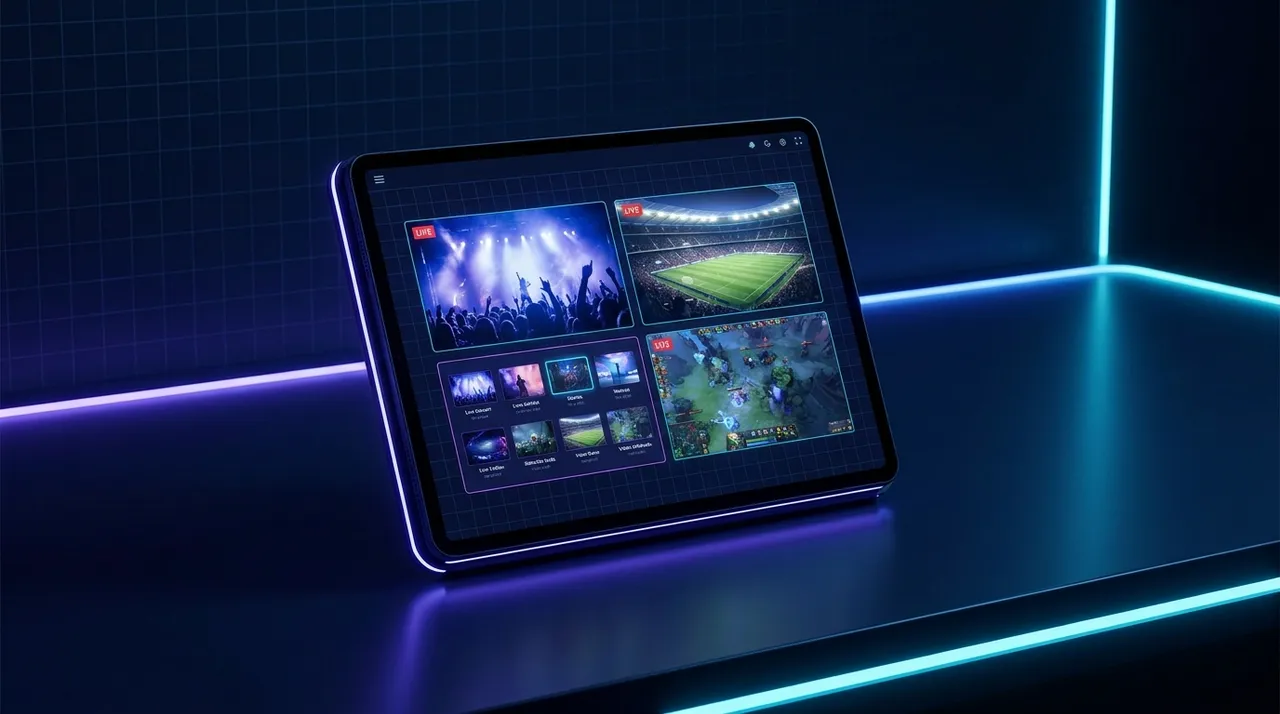
ViewGrid.tv
comparison16 min read·July 7, 2026

Best Multi Stream Viewer: Unify All Live Platforms

Tired of juggling tabs? Find the best multi stream viewer that lets you watch multiple streams from Twitch, YouTube, and Kick all in one place. Say goodbye to FOMO!

multi stream viewerwatch multiple streamstwitch youtube multiviewstreaming toolslive streaming
Best Multi Stream Viewer: Unify All Live Platforms

Okay, let's be real for a second. You know that feeling, right? That absolute, gut-wrenching FOMO when there are three — no, wait, four — must-watch streams happening right now? Maybe it's a major esports final, like when Cloud9 was battling fnatic at IEM Katowice, and your favorite streamer is co-streaming, and there's a huge variety streamer doing something wild, and your buddy just went live on Kick for the first time. It's a nightmare scenario for any dedicated viewer, a logistical puzzle that usually ends with frantic alt-tabbing, half-missed moments, and an audio landscape that sounds like a cacophony of digital chaos.

I've been there, more times than I care to admit. For years, my setup involved an absurd number of browser tabs open, each one a tiny window into a different universe, all fighting for CPU cycles and my attention. It was inefficient, it was frustrating, and honestly, it felt like I was doing it wrong. There had to be a better way to keep up with the sheer volume of amazing content out there, especially when I wanted to watch multiple streams from different platforms. That's why finding the best multi stream viewer isn't just about convenience; it's about reclaiming your sanity and maximizing your live viewing experience.

The Old Way: Browser Tabs & Split Screens – A Painful History

Look, we all started somewhere. Before dedicated solutions, it was a wild west of workaround tactics. I remember trying to follow the League of Legends Worlds tournament a few years back – like, really follow it. Not just the main broadcast, but also a few of the official language streams and maybe a pro player's co-stream. My desktop looked like a chaotic mosaic of chrome windows. I'd drag them around, trying to resize them into neat quadrants, but it was always a mess. One would overlap another, the aspect ratios would be all wrong, and then, inevitably, one of them would freeze because my browser was begging for mercy.

And the audio! Oh, the audio was a special kind of hell. Muting tabs, unmuting tabs, trying to find that one rogue ad playing at full volume. It was an exercise in futility. You'd get one audio source dialed in, then switch focus, and suddenly you're blasted by another. Forget trying to follow distinct conversations or game sounds across multiple windows. It just didn't work. For casual browsing, sure, it's fine. But for really watching multiple streams, trying to track concurrent events, or just soaking in different vibes at once? Absolutely not. It's a resource hog, a patience killer, and frankly, a relic of a bygone era. We've moved past that, and if you're still doing it, you're missing out on how much smoother things can be.

Platform-Specific Solutions: Good, But Not Enough

Alright, so the individual tab method is out. What about the solutions that some of the big platforms offer themselves? They've definitely tried to address this problem, but their attempts, while appreciated, usually fall short of a truly universal solution.

Twitch Squad Stream: A Step in the Right Direction, But Limited

Twitch rolled out its Squad Stream feature a while back, and I remember being pretty stoked about it. The idea is brilliant: up to four streamers can go live together in one combined stream, showing all their POVs simultaneously. When it works, it's great! I've seen some fantastic collaborations using it, like when Myth, Pokimane, and a couple of others were playing Among Us or something. You get to see everyone's reactions, hear their comms, and it's all integrated right there on Twitch.

But here's my hot take: Squad Stream is a fantastic collaboration tool, not really a multi-viewer in the sense that most people need. You can't just pick four random streams you like and slap them into a squad. The streamers themselves have to initiate it, they have to be playing together, and they all have to be on Twitch. That's a huge limitation. What if I want to watch Shroud on Twitch and Valkyrae on YouTube? What if I want to follow a Valorant match on the official Twitch channel and also see Tarik's co-stream, and keep an eye on a friend who just hopped on Kick? Squad Stream doesn't help me there. It's a closed ecosystem, perfect for its niche, but it certainly isn't the best multi stream viewer for general use. It only solves a very specific segment of the "watch multiple streams" problem.

YouTube Multiview: Sports-Focused and Restrictive

YouTube has also dabbled in multi-view, particularly for live sports and some gaming events. If you've got a YouTube TV subscription, you might have seen their "Multiview" option pop up for NFL games, NBA playoffs, or even some major esports finals. It's pretty slick – YouTube does the heavy lifting, presenting you with multiple simultaneous feeds, often with synchronized audio options. Last year, during the NFL season, I definitely appreciated being able to track multiple games at once without having to flip channels constantly.

The problem, though, is similar to Twitch Squad Stream, but arguably even more restrictive. YouTube's Multiview is almost exclusively curated by YouTube itself. You don't get to choose which streams to put in there. You can't decide, "Hey, I want to watch this Minecraft stream alongside this cooking channel and a political debate." It's "here are the four NFL games we've decided you can watch together," or "here's the main stage of this gaming event and two side channels." You absolutely cannot watch YouTube and Twitch together using their native Multiview. It’s a great feature for the specific content it's designed for, absolutely. For someone like me, who wants total control over my viewing dashboard across platforms, it just doesn't cut it.

Kick, being a newer platform, hasn't really rolled out anything comparable yet. They're still building out their core features, focusing on creator tools and a competitive sub economy. Maybe someday they'll have something similar, but for now, if you want to mix Kick streams with Twitch or YouTube, you're definitely looking at third-party solutions.

The Rise of Dedicated Multi-Stream Viewers: A New Era

This is where the real magic happens, folks. The limitations of browser tabs and platform-specific features paved the way for dedicated multi-stream viewers. These aren't just glorified browser windows; they're purpose-built applications or web services designed from the ground up to handle the complexities of simultaneous live streaming.

The first time I really dug into one of these, I felt like someone had handed me the cheat codes to live content. No more endless tab juggling. No more audio confusion. Just a clean, customizable interface where I could drop in URLs from Twitch, YouTube, Kick, even obscure platforms, and have them all play nicely together. It was liberating. Suddenly, tracking multiple perspectives during a big event became effortless. Following an Apex Legends tournament with the main cast, NICKMERCS' co-stream, and a smaller pro's perspective? Easy. Keeping up with a major breaking news story across several different channels? Totally doable. (You can check out how useful this is for news at Watch multiple news channels.)

These apps—or web services, which many prefer for ease of access—are about empowering the viewer. They understand that our attention spans are divided, that the content landscape is fragmented, and that we demand flexibility. The best multi stream viewer isn't just about throwing streams on a screen; it's about giving you control over your viewing experience. It's about letting you decide what's important, what deserves your focus, and how you want to consume it.

Key Features to Look For in a Streaming Multi View App

So, if you're like me and you're ready to ditch the chaos, what should you actually look for in a good streaming multi view app? Not all of them are created equal, trust me. I've tried quite a few, some clunky, some buggy, some surprisingly brilliant.

Cross-Platform Compatibility: This is non-negotiable. If it can't handle Twitch, YouTube, and Kick (at a minimum), then it's not truly a multi-viewer. We live in a multi-platform world, and your viewer needs to reflect that. Some even pull in streams from smaller platforms or even direct RTMP feeds, which is super cool for niche content.
Intuitive Layout and Customization: You should be able to easily add, remove, and rearrange streams. Drag-and-drop functionality is a huge plus. Can you resize individual stream windows? Can you choose different grid layouts (2x2, 1 large + 2 small, etc.)? Some even offer picture-in-picture modes, which are great for keeping a main stream prominent while monitoring others.
Superior Audio Management: This might be the single most important feature after multi-platform support. You need granular control. Mute individual streams, adjust volume independently, or quickly solo one stream's audio while muting the rest. There should be a clear visual indicator of which stream's audio is currently active. Trust me, bad audio management is a dealbreaker.
Performance and Stability: Running multiple video feeds simultaneously is resource-intensive. A good multi-viewer should be optimized to run smoothly without significant lag or stuttering, even on moderately powerful machines. It shouldn't crash your browser or hog all your RAM. Stability means you can set it and forget it, knowing your streams will keep playing.
Chat Integration (Optional, But Nice): Some multi-viewers try to integrate chat for each stream. While this is a nice idea, it can clutter the interface quickly, especially with several chats going at once. Personally, I usually prefer to keep my main chat open in a separate tab or on a second monitor if I want to interact. But for some, having a tiny chat window alongside each stream is a bonus. It really depends on your viewing style.
Ease of Use / Low Barrier to Entry: You shouldn't need a degree in computer science to figure out how to add a stream. A simple copy-paste of the stream URL should be enough. The interface should be clean, straightforward, and get you watching quickly.

My Setup & How I Use a Multi-Viewer (Practical Example)

Let me tell you, a good multi-viewer has become an indispensable part of my daily routine. My personal setup involves a pretty standard gaming PC with two monitors. One is usually dedicated to whatever my main focus is – maybe a game I'm playing, or a full-screen movie. The other monitor, however, is almost always my multi-stream hub.

Here's how it plays out for me:

In the mornings, while I'm having coffee, I'll often have a couple of news channels going. One might be a national broadcast, another a local news source, and maybe even a C-SPAN feed if something interesting is happening in government. It's really useful for getting different perspectives on breaking stories simultaneously. For this, I'm usually at Watch multiple news channels on ViewGrid.tv.

During the day, if I'm working from home, I might have some chill background streams going. Maybe Ludwig's latest YouTube upload (if it's a VOD I'm catching up on, or a live event), alongside some lofi music stream, and perhaps a small Twitch streamer I like supporting. It's low-key, but it keeps the room feeling alive.

But the real power comes out during major events. Take, for instance, a big esports tournament. Last month, during the Valorant Champions playoffs, I was glued. I'd have the official Riot Games Twitch stream up as the main focus. Simultaneously, I'd usually have Tarik's co-stream going alongside it – his analysis and reactions are just unmatched, and it's a completely different vibe than the official broadcast. Sometimes I'd even sneak in a third window for another pro player's watch party, like Shroud's, if he was live. Being able to toggle audio between the main cast for clutch plays and Tarik for the hype and breakdown was a game-changer. It makes you feel like you're truly embedded in the event, getting all the angles. This is where a streaming multi view app truly shines, and ViewGrid.tv is perfect for it. You can literally just drop in URLs from different sources and build your own esports command center. You can even check out Watch multiple esports streams for more tips.

Or, what if I'm trying to watch YouTube and Twitch together for something totally different? Let's say I'm following a big charity event. Often, these events span multiple platforms, with different creators doing their part. I could have DrLupo's Twitch stream, Markiplier's YouTube stream, and maybe even a smaller creator raising money on Kick, all going at once. It’s powerful for seeing the collective impact and feeling part of a larger community effort. It really emphasizes how much content is out there and how a unified viewer can help you take it all in.

Setting Up Your Ultimate Multi-Stream Hub (How-To)

Okay, so you're convinced. You need a better way to watch multiple streams. How do you actually do it? It's surprisingly straightforward with a good best multi stream viewer. Here's a quick run-through of how you'd typically get started, using ViewGrid's intuitive approach as an example:

  1. Open Your Chosen Multi-Viewer: First things first, head over to the ViewGrid multi-stream viewer page. Since it's a web-based service, there's no software to download, no installation headaches. Just open your browser, and you're ready to go.
  2. Find Your Stream URLs: This is pretty simple. Go to the Twitch stream you want to watch, copy the URL from your browser's address bar. Do the same for a YouTube stream, a Kick stream, or any other platform. Just grab the link.
  3. Add Streams to Your Layout: On ViewGrid, you'll see a clear input field. Paste one of your copied URLs into it. Hit enter or click 'Add Stream'. Boom! The first stream pops up. Repeat this for your second, third, and fourth streams. The layout will automatically adjust to accommodate new windows.
  4. Arrange and Customize: Now comes the fun part. You'll likely see options to click and drag the stream windows around. Want a big main screen and two smaller ones below it? Go for it. Prefer a neat 2x2 grid? Easy. You can resize individual streams to give more screen real estate to the one you're most interested in at that moment. ViewGrid makes this super simple, allowing you to tailor the view precisely to your needs.
  5. Manage Your Audio: Remember that audio hell I talked about earlier? This is where a good multi-viewer saves you. Each stream window should have its own mute button and volume slider. You can mute everything except your main focus, or carefully balance the audio levels if you want to hear a bit from a couple of sources. Many services, including ViewGrid, also offer a "solo audio" feature, which instantly mutes all other streams and focuses sound on your selected window. This is gold when a big moment happens in one stream.

It's really that simple. In minutes, you can go from scattered tabs to a perfectly organized, personalized streaming command center. No more missed moments, no more frustrating tech issues – just pure, unadulterated multi-stream viewing pleasure. And hey, you can even save your layouts for next time if you've got a favorite combination of streams!

The ViewGrid.tv Difference: My Go-To for Watching Multiple Streams

Alright, so I've talked a lot about what makes a best multi stream viewer, and I've hinted at it, but let's be direct. For me, ViewGrid.tv has become the definitive streaming multi view app. It ticks all the boxes I just laid out and then some, providing a truly unified, hassle-free experience for any viewer, regardless of their preferred platforms.

First off, the cross-platform support is excellent. I've thrown everything at it – Twitch, YouTube, Kick, even some obscure regional sports streams, and it just works. This is crucial for me because my viewing habits are all over the map. One moment I'm watching a major Fortnite tournament on Twitch (Watch multiple Twitch streams), the next I'm catching up on a new video essay on YouTube (Watch multiple YouTube streams), and then I might pop over to a new streamer I found on Kick (Watch multiple Kick streams). ViewGrid handles it all seamlessly.

The layout customization is incredibly fluid. I can dynamically resize windows, drag them into any position, and create exactly the viewing environment I want. Sometimes I want one massive stream with two tiny ones for peripheral monitoring. Other times, it's an even 2x2 grid when I'm tracking multiple esports matches simultaneously, or trying to catch snippets from different news channels. The responsiveness of the interface is something I truly appreciate – it feels snappy, not sluggish, even with four HD streams running. And yes, the audio controls are exactly what you need: individual volume sliders, mute buttons, and that all-important solo function.

It’s about more than just functionality though. It's about the experience. Using ViewGrid.tv feels like the future of live streaming. It’s not just about watching multiple things; it’s about experiencing the live content landscape without compromise. It empowers you to be your own producer, your own director, curating exactly what you want to see and hear. When there's a big sporting event on, like the Olympics or a major soccer match, and I want to watch the main broadcast while also seeing a dedicated player cam or an alternative commentary, ViewGrid makes it possible. (Check out how it helps for sports at Watch multiple sports streams). The way it handles these different sources and brings them all into one coherent view is truly impressive.

It really is the best multi stream viewer I've found because it understands the modern viewer's dilemma and offers a robust, user-friendly solution. It doesn't try to lock you into one platform or one type of content. Instead, it respects your diverse interests and gives you the tools to explore them all, simultaneously, without the headache. If you’re serious about your live content consumption, or even if you just want to avoid the tab-juggling nightmare, you owe it to yourself to check out the ViewGrid multi-stream viewer. It's been a game-changer for my own viewing habits, and I truly believe it will be for yours too.

Ready to try multi-stream viewing?

Watch YouTube, Twitch, Kick & more — all on one screen.

Open ViewGrid

Related Articles