Multitwitch Alternative: Seamlessly Multi-Stream All Platforms
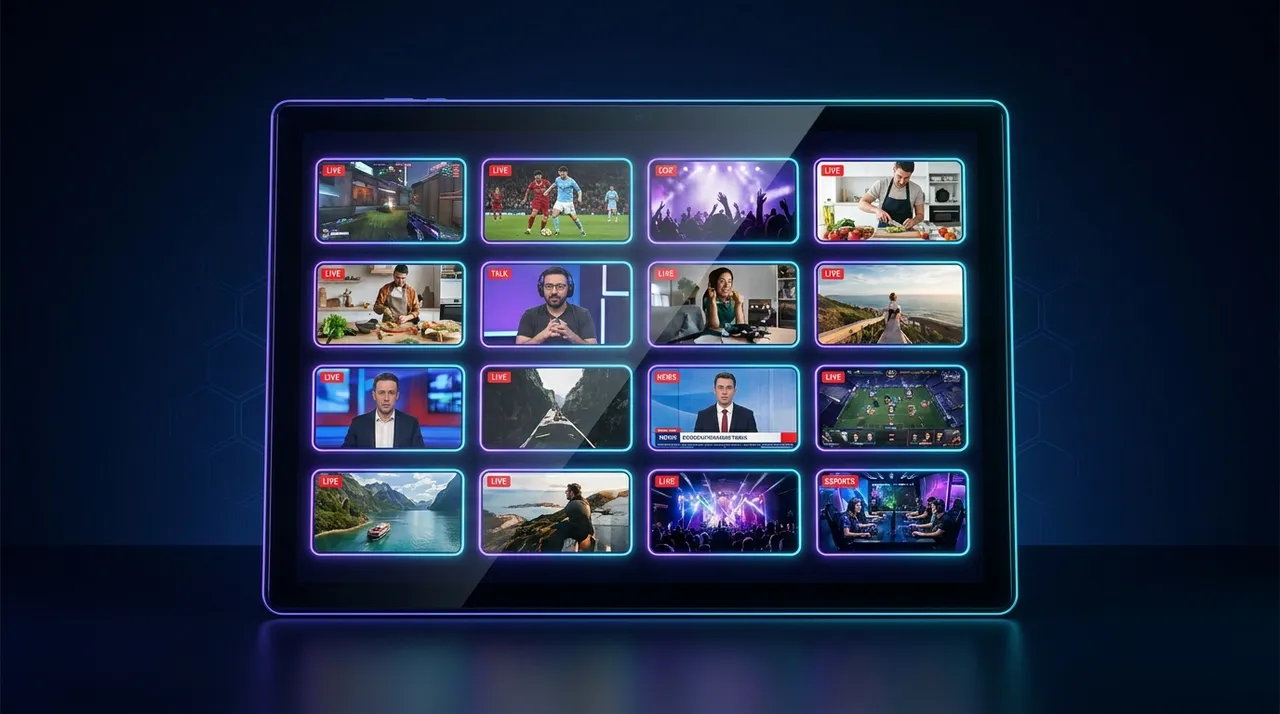
Tired of browser tab chaos? ViewGrid.tv is the ultimate multitwitch alternative, letting you effortlessly watch multiple Twitch, YouTube, and Kick streams. Explore flexible layouts & cross-platform viewing!
Man, sometimes I wonder how we even survived the early days of streaming without proper multi-stream setups. I mean, remember the absolute chaos of trying to keep up with more than one event at a time? It felt like a digital juggling act with a dozen flaming torches and a unicycle. Back then, if you wanted to keep tabs on, say, Shroud playing Valorant and DrLupo doing some Escape From Tarkov — all while tracking the LCS playoffs on a third screen — your browser would just collapse into a sobbing mess. And your PC? Forget about it.
That’s where the OG multitwitch alternative tools started popping up, attempting to solve this very real problem. And let me tell you, as someone who pretty much lives on ViewGrid.tv and has more monitors than sense, I've tried all of them. From opening 10 separate Twitch tabs (RIP RAM) to the clunky, often broken third-party sites, I’ve seen it all. But the landscape has changed dramatically in the last few years, especially with streamers hopping platforms like it's a game of hopscotch. Twitch, YouTube, Kick — you name it, they're streaming there.
The Old Guard: Why "Multitwitch" Isn't Enough Anymore
So, let's talk about "multitwitch" itself for a second. For years, when people said that, they usually meant a dedicated website or tool specifically designed to pull multiple Twitch streams onto one page. And don't get me wrong, it was revolutionary for its time! It allowed you to lay out a few streams, adjust volume, and just generally pretend you were a NASA control room operator.
But here's the thing: it was, almost without exception, Twitch-only. And what if Pokimane was on Twitch, but Valkyrae was doing a stream on YouTube? Or maybe a new game dropped, and your favorite variety streamer was on Kick, while another was on Twitch, and a third was just chilling on YouTube Live? The old "multitwitch" concept just couldn't keep up. It was like trying to watch the Olympics if all the events were happening in different countries, and you only had a TV that showed one country's broadcast. It simply didn't work for my viewing habits, and I'm guessing it doesn't work for yours either.
And let's be real, the official options from the platforms themselves weren't much better.
Twitch Squad Streams: A Good Idea, But So Limited
Twitch tried to tackle this with Squad Streams, which was a cool concept. Streamers could group up and broadcast together, and viewers would see all their POVs. I remember watching some Apex Legends pros doing this a few years back, and it was genuinely awesome to see the different perspectives in real-time.
But the limitations! Oh, the limitations. First off, the streamers have to initiate it. You, the viewer, can't just decide "I want to watch these four streamers together." Nope. They have to be in a squad, they have to be streaming at the same time, and they all have to be on Twitch. What if only three of your squad-mates want to stream, and the fourth is on an alt-account on another platform? Or what if you want to follow a streamer who isn't officially part of their squad, but is in the same game? You're out of luck. It's a curated experience, not a personalized one. And for a power-viewer like me, that's just not enough.
YouTube Multiview: Mostly for Sports, Not for Creators
YouTube also has its own version, often seen during big sports events or specific collaborations. They'll sometimes offer a multiview option where you can pick different camera angles or watch multiple games. This is great for something like the Super Bowl or a Formula 1 race, where you might want to see the main broadcast, an in-car cam, and a pit lane view all at once.
But again, it's not truly customizable for the average user watching creators. You can't just pick five different YouTube streamers and throw them into a multiview layout yourself. It's usually a platform-curated, temporary feature for specific events. So if I want to watch multiple YouTube streams of different artists doing a drawing challenge, or a few different gaming channels reacting to a new trailer, YouTube's native tools leave me hanging.
And then there's the old-school, "just open a bunch of tabs" method. Yeah, I’ve done it. We’ve all done it. Your browser looks like a cyberpunk city at night with all those little stream icons. You spend half your time muting and unmuting tabs, trying to figure out which audio is coming from where. Your CPU fan sounds like a jet engine taking off. It’s a mess, and frankly, we deserve better in 2024.
What Defines a *Truly Great* Multitwitch Alternative in 2024?
Okay, so the old ways are out. What do we actually need from a modern multitwitch alternative? What makes a tool actually useful for today's diverse streaming landscape? I've got some strong opinions here, because I've spent countless hours tweaking my setup, fighting with lag, and just generally trying to optimize my multi-stream experience.
The core of it, for me, comes down to a few critical factors: cross-platform compatibility, performance, customization, and a frankly delightful user experience. If a tool nails those four things, it's probably going to be my go-to.
Cross-Platform Compatibility: The Absolute #1 Priority
This isn't even a debate. If a multi-stream tool only supports one platform, it's inherently limited. Streamers are dynamic. They sign deals, they try new things, they get frustrated with one platform and jump to another. Just last month, I was trying to keep up with a few streamers during a big Helldivers 2 surge. Some were on Twitch, some were doing exclusive streams on YouTube, and a couple of newer creators I found were building their community on Kick. Trying to keep track of that across separate windows was a nightmare.
A true multi-stream solution has to let me pull streams from Twitch, YouTube, Kick, and whatever else pops up next, all onto one screen. It’s not just about convenience; it’s about not missing out. It's about letting me decide who I want to watch, regardless of where they're broadcasting. I mean, imagine being locked into only watching one sports league when you love basketball from all over the world. That's what single-platform multi-streaming feels like to me.
Performance: No More Jet Engines!
My PC is decent, but it's not a supercomputer. Opening multiple browser tabs, each running a video player, chat, and various extensions, can quickly bog down even a beastly rig. I want a multitwitch alternative that's lightweight. It needs to handle multiple video feeds without making my CPU scream for mercy or turning my graphics card into a toaster. Lagging streams or stuttering audio? Instant turn-off.
I usually have a few other applications running in the background — my coding editor, Discord, Spotify — so adding heavy browser processes just isn't an option. The best tools are optimized to load streams efficiently, manage resources, and provide a smooth viewing experience. I don't want to choose between watching my streams and being able to quickly alt-tab to check my email.
Customization: My Streams, My Rules
This is where the user experience really shines. I don't always want a rigid 2x2 grid. Sometimes I want one main stream big in the middle and two smaller ones on the side, like a co-op commentary setup. Other times, for esports events, I might want four equally sized streams.
What does this customization look like?
Flexible Layouts: Drag-and-drop is a must. Resizing individual stream windows.
Individual Audio Control: This is huge. I often want one stream to be my primary audio source, with others muted or very low in the background. My personal preference is usually one main stream at 100% volume, another at like 30%, and the rest muted unless I need to quickly check something. Last week, I was watching a new game launch and had the main dev stream audible, but also had a couple of my favorite content creators muted, ready to unmute if they said something interesting.
Chat Access: While it's hard to integrate all* chats into one window seamlessly, the ability to pop out individual chats or easily switch between them is crucial. Sometimes I'm just there for the vibes, other times I want to be active in chat.
User Experience: It Just Needs to Work
This might sound obvious, but it's often overlooked. A tool can have all the features in the world, but if it's clunky, confusing, or constantly breaking, nobody's going to use it. I need something intuitive. Adding a stream should be as simple as pasting a URL. Arranging streams should be drag-and-drop, not a confusing menu of presets. And it needs to be reliable. Nothing worse than setting up a perfect multi-stream, only for one of the feeds to randomly cut out.
The first time I tried a truly well-designed multi-stream tool, it felt like a revelation. It wasn't just about watching multiple streams; it was about enhancing the entire viewing experience. It made me feel like I was in control, which, let's be honest, is what every streamer and viewer wants.
ViewGrid.tv: A Deep Dive into the Modern Multitwitch Alternative
Alright, so you know my gripes, you know my wish list. Now let's talk about a solution that actually delivers on these promises: ViewGrid.tv. This is where I spend a huge chunk of my viewing time, and for good reason. It's built from the ground up to be the ultimate multitwitch alternative, but for all the platforms.
This isn't just another website that slaps a few Twitch embeds on a page. ViewGrid feels like a dedicated application, even though it runs in your browser. It’s slick, it's powerful, and it addresses every single pain point I've ranted about so far.
How to Build Your Custom Multi-Stream View on ViewGrid
One of the things I love is how straightforward it is. No obscure settings, no convoluted menus. You want to watch multiple streams? Here's how I usually set up my grid:
- Head to the Site: Just open your browser and go to ViewGrid.tv. You'll land on a pretty clean interface, ready for you to start adding streams. You can even check out some pre-made grids if you're looking for inspiration or just want to quickly watch multiple esports streams or perhaps a few news channels.
- Add Your First Stream: See that big input box or the "Add Stream" button? That's your starting point. You can paste a stream URL directly from Twitch, YouTube, Kick, or pretty much any other major platform. I usually start with my primary stream, say, a big League of Legends match from the LEC on Twitch. I'll paste the Twitch URL right in there.
- Keep Adding: Don't stop there! Paste another URL. Maybe I want to follow a specific player's POV on YouTube Gaming, so I'll grab their YouTube stream link. Or perhaps a commentator is doing a watch-party on Kick, and I want to tune into that. Just keep pasting those links. The platform automatically recognizes them. This is the beauty of a truly cross-platform tool — you can easily watch multiple Twitch streams, watch multiple YouTube streams, and yes, even watch multiple Kick streams all at once.
- Arrange Your Layout: This is where the magic happens. ViewGrid gives you total control. You can drag each stream window around. Want one big stream and three smaller ones? Just drag and resize! You can create a 2x2, a 1x3, a 3x1, or whatever crazy custom layout your heart desires. It's incredibly intuitive — just click, drag the edges to resize, or drag the whole window to reposition. I often find myself tweaking layouts mid-event if one stream becomes more interesting than another.
- Master Your Audio: Crucial, absolutely crucial. Each stream window on ViewGrid has its own individual volume control. Just hover over the stream, and you'll see a little speaker icon. Click it to mute, or drag the slider to adjust the volume. This means I can have my main Call of Duty tournament stream loud and clear, a secondary streamer on low volume for background commentary, and another one completely muted until something visually interesting happens. No more browser tab audio roulette!
- Save Your Layout (Pro-Tip!): If you create a layout you particularly love, or one for a recurring event (like a specific esports league or a daily morning news roundup), you can save it! This is a fantastic feature. The next time you want to watch that specific combination of streams, you just load your saved layout, and bam, you're good to go. This makes it super easy to jump into my preferred setup for, say, the Overwatch League playoffs or when I'm just chilling and watching multiple variety streamers.
It's genuinely that simple. The interface is clean, uncluttered, and focuses purely on the viewing experience. This is why I consider it the definitive ViewGrid multi-stream viewer. It takes the hassle out of multi-streaming and lets you just watch.
Why Cross-Platform Is the Only Way Forward
My hot take, if you haven't gathered it already, is that any multi-stream tool that isn't fully cross-platform in 2024 is basically obsolete. It's like having a universal remote that only works on your TV, but not your sound system or your streaming box. What's the point?
The streaming world is fractured, and that's not necessarily a bad thing. Competition often drives innovation, and it gives creators more options. But it also means viewers have to work harder to follow their favorite personalities or events. ViewGrid bridges that gap.
Think about it:
Creator Exclusivity Deals: Streamers like DrLupo and TimTheTatman have moved between Twitch and YouTube over the years. Others, like xQc, have signed massive deals with Kick while still maintaining a presence elsewhere. If your multi-stream tool only works with one platform, you'd have to choose which streamer to watch, or resort to multiple browser windows.
Diverse Content: I might want to watch a gaming stream on Twitch, a live music performance on YouTube, and a podcast recording on Kick all at the same time. These aren't just hypotheticals; these are my actual viewing habits.
* Breaking News/Live Events: During major news events, I'll often have a few different news channels up to get varied perspectives. But some news organizations stream primarily on YouTube Live, others on Twitch, and traditional broadcasters might have their own feeds. A cross-platform tool lets me bring them all together. You can literally create your own dynamic news desk!
The ability to seamlessly pull from different sources is not just a feature; it's a fundamental requirement for any serious streamer or viewer in today's ecosystem. It's about freedom and choice, something the old "multitwitch" sites simply couldn't offer.
Beyond Gaming: The Versatility of Multi-Streaming
While gaming streams are a huge part of the multi-stream world, especially for a site called ViewGrid, the utility of a powerful multitwitch alternative stretches far beyond just watching your favorite gamers. I find myself using it for all sorts of content, and it truly opens up new ways to consume media.
Esports: The Ultimate Multi-POV Experience
This is a no-brainer. Esports was practically made for multi-streaming. Imagine watching the final match of the LEC playoffs. You could have:
The main broadcast on Twitch, with casters and overall gameplay.
A specific player's POV on YouTube, focusing on their micro-movements and decisions.
Another team's POV on Kick, maybe one of the losing teams doing a watch party.
A community caster's analysis on another platform.
Being able to arrange these streams, focus on the main one, but quickly glance at a player's screen during a crucial team fight? That's an unparalleled viewing experience. It's like having director's access to the action. If you're into competitive gaming, exploring multiple esports streams this way is a game-changer. You catch so much more nuance.
Live Sports: Different Angles, Different Games
Just like esports, traditional sports benefit immensely. My dad, who is not a tech-savvy guy, actually uses a version of multi-streaming (though not ViewGrid yet, I'm working on him!) when multiple football games are on simultaneously. He flips channels like a madman.
With a tool like ViewGrid, you could:
Watch two different football games happening at the same time.
Focus on one game, but have a "red zone" channel or a specific player cam open.
* During a big racing event, have the main broadcast, an onboard camera, and a pit lane feed.
It’s about immersing yourself more deeply or simply keeping up with everything that matters to you. And yes, you can absolutely watch multiple sports streams from official broadcasters if they have publicly available streams.
News and Current Events: Your Personalized Control Room
This is one of my favorite non-gaming uses. When a major news story breaks, or during a big political event like an election, I want to get as many perspectives as possible. Relying on a single news source is… well, it's just not ideal for getting a full picture.
With ViewGrid, I can load up:
A major news channel's live broadcast from YouTube.
An independent journalist's live stream from Twitch or Kick.
* A feed from a local news outlet covering the on-the-ground situation.
This lets me compare reporting, see different angles, and get a much more comprehensive understanding of what's happening. It turns me into my own news editor, essentially. If you're someone who likes to stay informed, checking out multiple news channels in a grid is incredibly powerful. You can see how different outlets frame the same story in real-time.
My Personal Multi-Stream Setup & Workflow
Okay, confession time: my multi-stream setup is probably a bit excessive for most people, but it works for me. I run a dual-monitor setup. On my main, larger monitor, that's where my primary game or work content lives. But my second monitor? That's almost exclusively dedicated to ViewGrid.tv.
I usually have a default layout I load up in the mornings: a couple of news channels, maybe a chill "lo-fi study beats" YouTube stream, and if there's a big event happening overseas (like a European esports match), that'll be my main focus.
During peak gaming hours, things get interesting. Let's say a new game like Elden Ring: Shadow of the Erdtree drops. I'll inevitably have three or four streamers up:
1. Main Stream: My absolute favorite streamer, maybe someone like Myth or shroud, playing the game. This one's full screen on ViewGrid, with audio up.
2. Comparison Stream: Another popular streamer, perhaps xQc on Kick or a smaller, more analytical streamer on Twitch, playing the same game. This one's usually a bit smaller, audio low, so I can quickly compare their progress or reactions. I love seeing different playstyles side-by-side.
3. Community Hub: Sometimes I'll throw up a stream that's just a "chatting" stream from a community I'm part of, or a friend's stream, just to keep tabs on what they're up to. This one's often muted until I see some interesting chat interaction or a title change.
I find myself constantly resizing and adjusting volumes. If Shroud gets into a crazy boss fight, his stream goes big. If my friend makes an insane play, I'll quickly unmute their stream for a moment. This dynamic adjustment is what makes ViewGrid so powerful for me. It’s not a static viewing experience; it’s an interactive one.
And sometimes, I just use it for pure background noise. I'll have a few muted streams of different categories — a cooking stream, someone just chatting, a travel vlog — while I'm doing chores or reading. It just adds a nice ambiance to the room, and I can glance over if something catches my eye.
The flexibility is truly key. I've tried other solutions, even browser extensions, but they never offer the same level of control, especially over audio and cross-platform integration. Some required specific browser versions, others were super clunky with pop-out players, and almost none of them let me truly mix and match platforms without a fight.
The Future of Multi-Streaming and ViewGrid
Where do we go from here? Honestly, I think tools like ViewGrid are just scratching the surface. I'm excited to see more community features – maybe shared layouts, or the ability to "follow" other users' multi-stream setups. Imagine if I could see what my friends are watching in their grid and quickly join their setup! That would be insane for watch parties.
I also wonder about deeper integration with stream metadata. Could a multi-stream viewer eventually highlight when multiple streamers in my grid are playing the same game? Or perhaps even integrate chat from all streams into a single, unified view, smartly filtering out noise? That's probably a pipe dream given platform restrictions, but a man can dream!
But for now, what we have with ViewGrid is already a massive leap forward. It’s the essential tool for anyone who takes their streaming seriously, whether you’re tracking multiple esports tournaments, keeping up with your favorite variety streamers across different platforms, or just curating your own personalized news desk. It transforms a chaotic, frustrating experience into something smooth, enjoyable, and incredibly powerful.
If you're still wrestling with browser tabs or feeling limited by single-platform solutions, do yourself a favor and check out ViewGrid.tv. It truly is the definitive multitwitch alternative for the modern era, bringing all your favorite content into one seamless, customizable experience. Stop settling for less, and start watching more.
Ready to try multi-stream viewing?
Watch YouTube, Twitch, Kick & more — all on one screen.
Open ViewGridRelated Articles
Your New Multitwitch Alternative: ViewGrid.tv
Tired of juggling tabs? ViewGrid.tv is your new go-to multitwitch alternative. Learn how this multi-stream viewer simplifies watching all your favorite streamers across platforms.
comparisonViewGrid: The Ultimate MultiTwitch Alternative
Tired of clunky multi-stream viewers? ViewGrid is the ultimate multitwitch alternative, offering seamless cross platform streaming for Twitch, YouTube, Kick, and more. Get full control over your live viewing experience!
comparisonBest Multi Twitch Viewer: Elevate Your Live Streams
Tired of tab juggling? Discover how a dedicated multi Twitch viewer can transform your streaming experience. Learn setup tips and why it's essential.
comparisonSplit Screen vs. Dual Monitor Streaming: A Guide
Dive into the world of multi-stream viewing! We compare split screen streaming vs. dual monitor setups, offering tips, personal anecdotes, and how ViewGrid.tv can elevate your viewing experience.