ViewGrid.tv
comparison16 min read·July 24, 2026

Kick Multi-Stream: ViewGrid's Ultimate Viewer

Tired of juggling tabs to watch Kick? Discover how ViewGrid.tv provides the best kick multi stream experience, letting you watch multiple Kick streams and more, all in one place.

KickMulti-StreamStreamingViewGridLive Content
Kick Multi-Stream: ViewGrid's Ultimate Viewer

Okay, let's be real for a second. You know that feeling, right? It's Friday night, you're finally done with whatever adulting needed to happen, and you just want to kick back and watch some streams. But then you run into the eternal dilemma: Trainwreckstv is live with some insane gambling session, xQc is doing a reaction stream to, well, anything, and your favorite smaller creator is grinding a new indie game. How do you choose? Or worse, how do you keep up with all the chaos when they decide to raid each other or do a joint event?

It's a genuine problem in the streaming world today. The F.O.M.O. — the Fear Of Missing Out — is a beast, especially when it comes to platforms like Kick, which have really shaken things up recently. Trying to keep multiple tabs open, fiddling with audio, it's a nightmare. That's why having a solid kick multi stream setup isn't just a luxury anymore, it's practically a necessity for anyone serious about their viewing experience. And let me tell you, as someone who usually has at least two, often three, streams going at any given time, ViewGrid has been a lifesaver.

Why Even Bother with Multi-Streaming? It's Not Just for Esports Nerds

Look, I get it. Some people think multi-streaming is only for the super-hardcore esports fans who need to watch every single player's POV during a Valorant Masters final. And yeah, it's absolutely brilliant for that — catching TenZ's clutch play while also seeing the enemy team's comms, that's next-level viewing. But it's so much more than just competitive gaming.

Think about it: how many times have your favorite streamers collaborated? Maybe Kai Cenat and IShowSpeed are doing some wild IRL stream, but you also want to see a specific perspective, or maybe one of them is just too loud at that moment. With a kick multi stream setup, you can have both open. You can focus on the one with the better angle or the clearer audio, and still have the other one running silently in the background. It's about control, really.

I usually have a few different scenarios where I lean heavily on multi-stream. If I'm watching a big event, like a new game launch with multiple creators playing simultaneously, I'll stack 'em up. I remember when Helldivers 2 dropped, everyone was playing it, and it was fascinating to see how different groups tackled the same missions. Or, more recently, during the Monaco Grand Prix, I was flicking between the official F1 broadcast and some enthusiast channels breaking down the strategy in real-time. It just makes the whole experience richer. You're not just a passive viewer anymore; you're curating your own broadcast.

Another common use for me? Background noise. Sometimes I'm working, or cleaning, and I just want the familiar chatter of a streamer I like. But maybe I also want to keep an eye on a different stream that's doing something more visually engaging. One muted, one with low volume — easy. Without a proper multi-view solution, it's a constant juggling act of tabbing, pausing, and unmuting. It's exhausting, honestly, and it pulls you out of the immersion.

The Rise of Kick and Its Unique Multi-View Challenges

Kick. What a wild ride it's been since its launch in late 2022. It burst onto the scene with some seriously bold promises, especially regarding creator splits (a much more generous 95/5 split compared to Twitch's 50/50 or even 70/30 for larger creators). This immediately attracted some massive names — Adin Ross, Trainwreckstv, xQc, Amouranth, and countless others. It brought a certain kind of energy, too; a more "anything goes" vibe that some viewers definitely prefer.

But here's the thing about new platforms: they don't always have all the bells and whistles of the established players right out of the gate. Kick has been rapidly adding features, improving stability, and generally trying to catch up, which is commendable. However, one area where it (and frankly, most native streaming platforms) still lags is in offering a truly robust, integrated kick multi-view experience.

If you try to watch multiple Kick streams directly on their site, what happens? You open a new tab, right? And then another, and another. Before you know it, your browser is chewing through RAM like it's a five-course meal, your CPU fan sounds like a jet engine, and you're constantly fighting with audio. Who's talking now? Which tab is that coming from? It's a mess. And Kick's chat, while vibrant, can be a lot to keep up with even on one stream, let alone trying to follow conversations across three different channels.

This lack of a native, seamless multi-view option on Kick itself is precisely where a third-party kick streaming solution like ViewGrid becomes not just helpful, but absolutely essential. It's not about criticizing Kick — they're doing a lot right and iterating fast. It's about acknowledging a fundamental viewing need that a platform optimized for broadcasting doesn't always prioritize for consumption in the same way. We, as viewers, want to tailor our experience, and sometimes that means bringing in outside tools.

The kind of content popular on Kick often demands multi-streaming, too. There are a lot of collaborative streams, reaction content where you might want to see the original source alongside the reactor, or even just different perspectives on a high-stakes gambling stream. For instance, if Trainwreckstv is doing a big bonus buy session, you might want to watch his main stream for the reactions and high energy, but also have another creator's stream open who's perhaps doing a more analytical breakdown of the same game. It adds layers to the experience that a single tab just can't provide.

How ViewGrid Solves the Kick Multi-Stream Conundrum

Alright, so we've established why you need to be multi-streaming, especially if you're deep into the Kick ecosystem. Now, let's talk about how to actually do it without pulling your hair out. This is where ViewGrid truly shines as the kick streaming solution. It's not just a collection of embedded players; it's a thoughtfully designed interface that puts you in control.

Forget the days of opening 10 browser tabs and watching your computer chug. ViewGrid optimizes the player embeds, meaning you can have several streams running simultaneously with a significantly lighter impact on your system resources. The difference is night and day. I used to dread trying to watch more than two streams because my laptop would start sounding like it was about to take off. Now, I can comfortably run three or four, sometimes even five if I'm feeling ambitious, without a hitch.

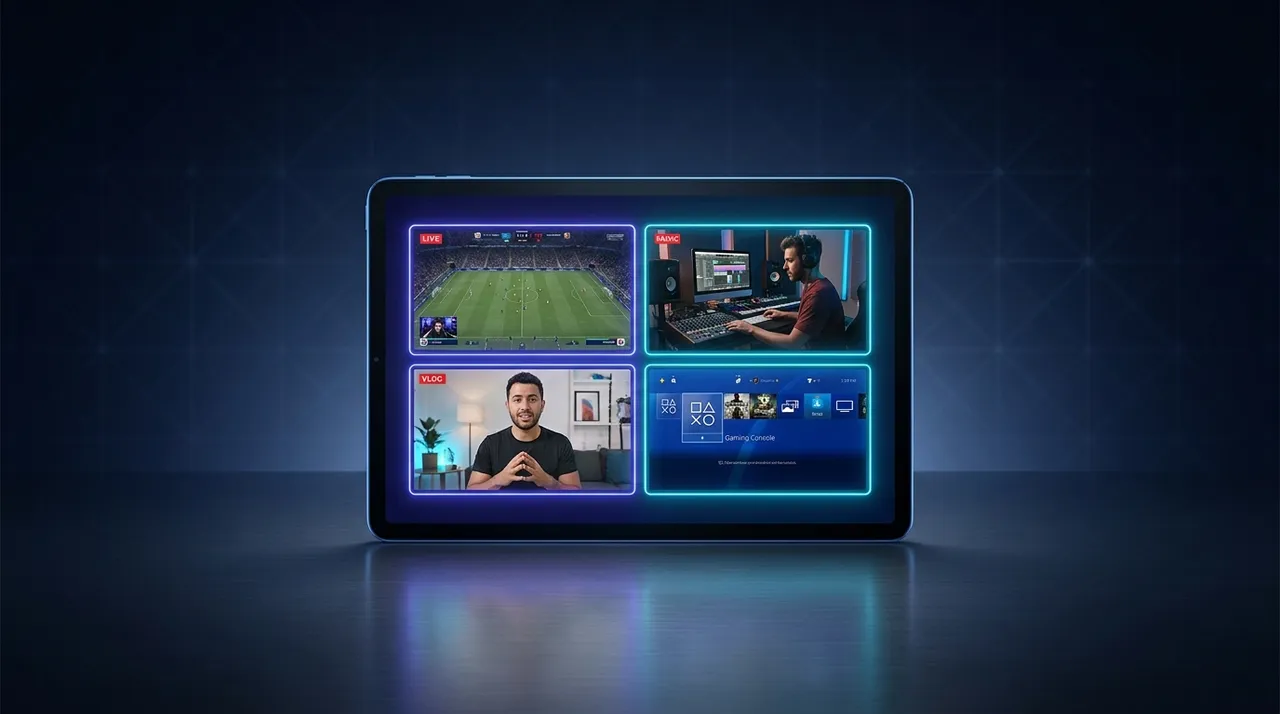
The beauty of ViewGrid lies in its simplicity and flexibility. You just paste in the URLs, and boom — streams pop up. But it's the custom layouts that really make it powerful. You can drag, resize, and arrange your streams however you want them. Want one big main stream with two smaller ones stacked vertically on the side? You got it. Prefer a symmetrical grid of four streams? No problem. This level of customization lets you prioritize what you're watching, making sure your main focus stream is always prominent.

Plus, it integrates the chat. This is huge. Instead of frantically switching tabs to see what people are saying in different chats, ViewGrid often pulls in the respective chats right alongside the streams. You can toggle them on and off, resize them, and even detach them if you prefer. This means you're not just watching; you're still part of the community, even when you're absorbing multiple narratives at once.

If you're wondering how to get started, it's genuinely straightforward. Seriously, it's one of the most intuitive tools I've ever used for this.

Setting Up Your Ultimate Kick Multi-Stream Layout

Here's a quick rundown of how I usually set up my viewing sessions on ViewGrid, especially when I want to watch multiple Kick streams:

  1. Head to ViewGrid.tv: No downloads, no installations, just open your browser and go to the site. It's all web-based, which is super convenient.
  2. Find Your Streams: Open Kick.com (or Twitch, YouTube, etc.) in separate tabs. Navigate to the streams you want to watch. Copy the URL from your browser's address bar for each stream. For example, https://kick.com/adinross.
  3. Add Streams to ViewGrid: Back on ViewGrid.tv, you'll see an input field. Paste one of your copied Kick stream URLs there and hit 'Add Stream'. Repeat this for every stream you want to include. The streams will automatically pop onto your canvas.
  4. Arrange and Resize: This is where the magic happens. Click and drag the edges of each video player to resize it. Click and drag the player itself to move it around the screen. You can literally create any layout you can imagine. I often have one large stream in the main viewing area, then two smaller ones positioned below it or off to the side, almost like picture-in-picture.
  5. Manage Audio: This is probably the trickiest part of any multi-stream setup, but ViewGrid gives you the tools. Each stream player will have its own volume control. You can mute individual streams, or just lower the volume on the ones you're not actively listening to. My usual strategy is to have one "main" stream with full audio and the others completely muted or at a barely audible level. Sometimes, for esports, I'll have two streams with audio: the main broadcast and a specific player POV, but that requires a bit more audio balancing.
  6. Engage with Chat: As I mentioned, ViewGrid often brings the native chat right into the interface. Just click on the chat icon for the stream you want to focus on, and it'll pop up. You can close it, open others, or detach them. It’s perfect for keeping up with the community without losing sight of the action.

It's that simple. Once you've got your layout perfect, you can even save it if you sign up for an account, so you don't have to rebuild it every time. That's a huge time-saver if you regularly watch the same combination of streamers or events. If you're looking for an easy way to watch multiple Kick streams, this is truly it.

Beyond Kick: Mixing and Matching Platforms

One of the truly unsung heroes of ViewGrid is its platform agnosticism. It's not just a kick multi stream tool. Oh no, my friend, it's much, much more versatile than that. This is a game-changer for anyone who watches across the streaming landscape, which, let's be honest, is practically everyone these days.

You see, while Kick has grown exponentially, Twitch is still massive, and YouTube Live is a huge player too, especially for certain types of content or creators who started there. What if your favorite Twitch streamer is collaborating with someone on Kick? Or you want to follow a major esports tournament that's broadcasting on YouTube but also has a co-streamer on Kick?

With ViewGrid, you can seamlessly combine streams from different platforms into one unified viewing experience. I've done it countless times. Last week, I was watching a Rocket League tournament on YouTube's official channel, but then I also had a popular Rocket League analyst's co-stream open on Twitch for the live commentary, and my buddy's Kick stream where he was just chilling and reacting to the same matches. All side-by-side, perfectly synced (as much as the internet allows, anyway), with easy audio control.

This capability is what really elevates ViewGrid from a simple tool to an essential part of my daily streaming routine. It breaks down the platform barriers that often force you to choose or juggle. Whether you want to watch multiple Twitch streams, watch multiple YouTube streams, or any combination, ViewGrid has your back. It gives you the freedom to follow the content you love, wherever it lives, without compromise.

Optimizing Your Multi-Stream Experience: Tips and Tricks

Okay, so you're set up with ViewGrid, you've got your Kick streams (and maybe some others) all laid out. Now, let's talk about squeezing every last drop of goodness out of that experience. Because while ViewGrid makes it easy, there are still a few things you can do to make it even smoother.

First up: Audio management. I've already touched on this, but it bears repeating. This is the biggest hurdle for new multi-streamers. My go-to advice is to pick one primary audio source. That's the stream you're actively listening to, the one you want to follow closely. All other streams? Mute them entirely, or turn their volume down to a whisper. Trying to listen to three different people talking at once is a recipe for a headache and missing crucial details. ViewGrid's individual volume sliders per player are your best friend here. Don't be afraid to experiment. Sometimes, for a group stream, I'll have one person as the main audio, and then a second person's audio just barely audible in the background if they're particularly good at reacting visually. It's an art, not a science.

Next, let's talk about performance considerations. While ViewGrid is optimized, you're still streaming multiple video feeds simultaneously. That's going to use up some of your internet bandwidth and some CPU power. If you're on a slower internet connection, or an older computer, you might need to adjust.
Reduce video quality: Most embedded players (including those on ViewGrid) allow you to manually lower the video quality (e.g., from 1080p to 720p or even 480p) for individual streams. This can drastically reduce bandwidth and CPU usage without necessarily making the stream unwatchable, especially if it's a smaller background stream.
Close unnecessary tabs/apps: Treat your computer kindly. If you're multi-streaming, close down those 30 other Chrome tabs, your open game, or that video editing software. Every little bit helps your browser focus its resources on your multi-stream layout.
* Consider your network: If your Wi-Fi is spotty, try connecting directly with an Ethernet cable. It can make a surprising difference in stream stability and quality. For more general tips on optimizing your browser's performance, checking out resources like Mozilla's support page on Firefox performance can offer some valuable insights that apply broadly to any heavy browser usage.

Finally, there's chat integration. You're watching multiple things, but you're also part of a community. ViewGrid's ability to pull in multiple chats is awesome, but it can still be overwhelming. My strategy? I usually keep the chat open for my main audio stream. That's where I'm most engaged, and that's the conversation I want to be part of. For the secondary streams, I might periodically glance at their chat, or if something particularly interesting is happening, I'll pop it open for a moment. You can even detach a chat into its own window if you have a multi-monitor setup, which is fantastic. It's all about balancing engagement with information overload. Don't feel pressured to read every single message in every single chat. Pick your battles!

The Future of Streaming & Why ViewGrid is Ahead of the Curve

Streaming isn't static. It's constantly evolving, growing, and becoming more complex. What started as just a single person playing a game on a webcam has exploded into massive productions, multi-creator events, cross-platform collaborations, and niche content for every interest imaginable. The single-stream experience, while still foundational, is honestly becoming a bit outdated for anyone who wants to fully immerse themselves in this dynamic world.

Think about it: we consume news from multiple sources, we follow sports from different angles, and we interact with social media feeds that are inherently multi-faceted. Why should live streaming be any different? The demand for simultaneous viewing, for curating one's own personalized broadcast, is only going to grow. Whether it's watching multiple esports streams during a major tournament, keeping tabs on multiple sports streams during a busy Sunday, or even following multiple news channels during a breaking event, the need for a robust multi-view solution is clear.

And this is exactly why ViewGrid is so vital. It's not just reacting to a trend; it's anticipating the future of how we consume live content. It puts the power back in the viewer's hands, allowing us to be the producers of our own ultimate streaming experience. It breaks down the walls between platforms, fosters cross-community engagement, and quite frankly, makes watching streams a whole lot more fun and manageable.

I have a bit of a hot take here, actually: if a platform doesn't eventually offer a comprehensive multi-view experience natively, it's going to fall behind. The viewership landscape is too fragmented, and creator collaborations are too frequent, for single-pane viewing to remain the sole standard. ViewGrid is already filling that gap, making it easier for viewers to navigate this increasingly complex, yet incredibly exciting, world of live content. It's a testament to the idea that user experience should always be paramount.

My Final Thoughts: Why ViewGrid is My Go-To

So, after all that, you might be wondering if I'm just incredibly biased. And yeah, I probably am. But my bias comes from countless hours spent watching streams, from the frustration of managing multiple tabs, and from the sheer relief and enjoyment I've found in using ViewGrid. It genuinely changed how I approach watching live content.

The convenience it offers is unparalleled. The control over my viewing environment — from layouts to audio — is exactly what I, as an avid viewer, always wanted. It's not just about being able to set up a kick multi stream; it's about doing it effortlessly, efficiently, and enjoyably, regardless of what platforms my favorite creators are on.

If you're still fumbling with browser tabs, if your computer fan sounds like a hair dryer, or if you're constantly missing out on incredible moments because you had to pick just one stream, then you owe it to yourself to try ViewGrid.tv. It's the ultimate kick streaming solution, and frankly, the ultimate multi-streaming solution for any platform. Give it a shot. Your viewing experience, and your CPU, will thank you.

Ready to try multi-stream viewing?

Watch YouTube, Twitch, Kick & more — all on one screen.

Open ViewGrid

Related Articles