VCT Masters Madrid 2026: Unify Every Stream with ViewGrid
Don't miss a single clutch play at VCT Masters Madrid 2026. Learn how ViewGrid's multi-stream viewer lets you combine official broadcasts, co-streams, and player POVs for the ultimate Valorant tournament multi-view.
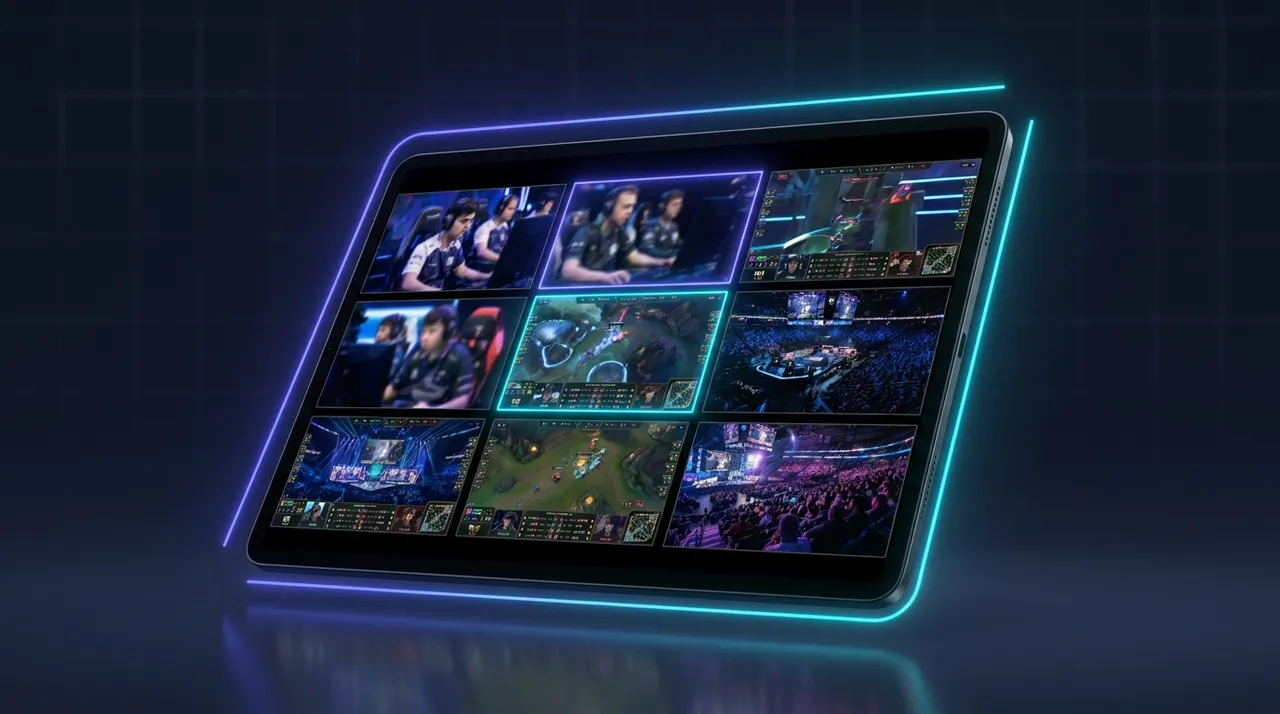
Okay, so VCT Masters Madrid 2026. Just saying it gets me hyped, you know? Madrid, the energy, the top-tier Valorant — it’s going to be absolutely insane. I’m already picturing the clutch plays, the insane utility combos, the crowd roaring. I mean, after the VCT Champions last year, where EG just defied everyone’s expectations, and then the absolute clinic PRX put on in Tokyo, you know Madrid's going to deliver. Every VCT event is a masterclass in strategic FPS, but Madrid, man, it just feels different. The stakes are always through the roof for a Masters event. You're watching the best of the best duke it out for global bragging rights, and a shot at Champions later in the year.
But here’s the thing, and this is where I usually hit a wall: trying to keep up with everything on a single stream? Impossible. You miss so much. Last year, during a crucial round in a Sentinels match (I think it was against LOUD, or maybe NRG?), TenZ went for an aggressive push on A Site, and the official broadcast was focused on the mid-fight. Meanwhile, I knew something was happening back-site, but I couldn't see it. That's when I really felt the pain of the single-view experience. You've got the main broadcast, sure, but then there are the co-streams, the player POVs, the analyst desks... it’s a lot to juggle. This is precisely why a VCT Masters Madrid 2026 multi stream setup isn't just a nice-to-have; it's essential. If you truly want to experience VCT Masters Madrid 2026, you gotta go multi-stream. Trust me on this.
The Chaos of VCT Masters (and Why One Stream Just Isn't Enough)
Valorant isn't just a game; it's a rapidly evolving chess match played at hyper-speed. Every agent, every ability, every pixel-perfect angle matters. You've got initiators setting up plays, duelists getting entry frags, controllers blocking sightlines, and sentinels holding flanks. The official broadcast does a fantastic job — really, they do. Their production quality for VCT events is consistently top-notch. You get replays, analyst insights, slick transitions, and the main story of the round. They follow the spike, they follow the big engagements. It’s polished, it’s professional, and it’s what most casual viewers are probably looking for.
But what if you're not just a casual viewer? What if you're someone like me, who wants to understand why a push failed, or how a clutch happened? You want to see the utility usage from multiple angles. You want to hear the comms (or at least, the simulated comms from a co-streamer reacting). You want to see if that lurking Omen actually got into position, or if a Raze nade was perfectly timed to cut off a rotation. These are the moments that truly define a VCT match, and they're often happening simultaneously across different parts of the map. One stream, even with its fantastic production, simply can't capture it all. This is where the magic of a Valorant tournament multi-view truly shines. You get to be the director of your own VCT experience.
Official Broadcast vs. Co-Streams: A Perennial Debate
This is a discussion that comes up every major tournament, isn't it? On one side, you have the official Riot Games broadcast. This is your high-fidelity, polished, and meticulously curated experience. It’s the closest thing you’ll get to being in the arena, with top-tier casters like Paperthin and Sideshow breaking down the action, and analysts like Mimi and Supamen giving you the post-round dissection. They focus on the overall narrative, the team dynamics, the big picture.
Then, you have the co-streams. Oh, the co-streams! These are a whole different beast. You've got your ex-pros like Shroud, Tarik, sgares, or the current pros who are out of the tournament but still want to watch, like TenZ or Demon1 sometimes. You also have fantastic community streamers like Kyedae, or even just people who are genuinely passionate about Valorant and offer their own flavor of commentary. Their value isn't just in the raw entertainment (which, let's be real, can be hilarious and much more casual), but in the insights. Tarik, for example, will often pause and draw on the screen, explaining exactly why a certain play worked or failed from a pro's perspective. Shroud's calm, analytical breakdown of clutch situations is legendary. Sgares and his brother, mOE_tv, often give you a masterclass in tactical understanding. They see things the official broadcast often can't, or doesn't have time to dwell on. They're watching specific player tendencies, calling out utility usage before it happens, and sometimes even predicting strategies based on team history.
The problem? You can't just pick one. Do you sacrifice the pristine official broadcast with its replays and expert analysis for the raw, unadulterated, often highly informed (and sometimes incredibly funny) commentary of a co-streamer? Or do you stick with the official and feel like you're missing out on a pro's real-time breakdown? It's a lose-lose situation if you're only rocking one monitor, or worse, one browser tab. This is where the solution is obvious, and it involves consolidating all these brilliant perspectives into one central viewing hub.
Unlocking the Full VCT Experience: Player POVs and Deeper Analysis
Okay, let's talk about the real game-changer: watch VCT Masters player POVs. This is where you truly transcend the typical spectator experience. Think about it. You're watching a team like EDG, with their insane duelists like ZmjjKK, or maybe Paper Rex with f0rsakeN and something. You see them get multi-kills on the main stream, and it looks incredible. But what were they seeing? How did they peek that corner? What was their crosshair placement like? When did they decide to use their dash or their Leer?
With player POVs, you're literally in their head. You see their screen, their mouse movements (sometimes), their decision-making process unfold in real-time. This isn't just for entertainment; it's a learning tool. If you play Valorant, watching a pro's POV on a specific agent or map can drastically improve your own game. I remember watching Demon1's POV during a crucial round at Champions, and seeing his methodical clear, his precise pre-aim, his patience — it was like getting a private coaching session. You pick up nuances you'd never catch on the main broadcast, which often cuts away to show the bigger picture.
It's not just about the flashy duelists either. Imagine watching a controller like Less from LOUD, seeing exactly where he places his smokes, how he times them, and how he uses them to support his team's entry or retake. Or an initiator like Boostio, timing his information-gathering abilities perfectly to set up his teammates. These are the subtle, strategic plays that win rounds, and they're almost invisible on a single stream.
The Tactical Edge: What You Miss with a Single View
So, what specifically are you missing when you stick to just one stream? A ton, actually.
Flank Awareness: The main broadcast focuses on the active fight. Meanwhile, a lurking Sova could be pushing through an unexpected angle, completely unnoticed by the primary stream camera. You don't realize it until the casters scream "He's behind them!" and it's too late. With a multi-view, you could have a dedicated stream on that Sova's POV, or a tactical map overview (if available), catching the flank before it happens.
Utility Timings & Combos: Valorant is all about utility synergy. A perfect Breach stun followed by a Raze nade, then a Jett dash-entry. On the main stream, you see the result. On a player POV, you see the individual execute their part perfectly. Or, you might see a player hold their utility, waiting for the exact right moment, which is a strategic decision in itself.
Micro-Adjustments & Crosshair Placement: This is huge for aspiring players. Watching a pro hold an angle, seeing how they adjust their crosshair ever so slightly as an enemy peeks, their reaction time – it's invaluable. You simply can't appreciate this level of detail when the camera is 50 yards back, showing the entire site.
Economy Management: While not a visual "play," understanding a team's economy can dictate their strategy. A co-streamer often discusses this in real-time. You could have the official stream showing the gunfight, and a co-streamer breaking down why one team bought full utility while the other saved for an Op.
* Post-Plant Scenarios: These are often the most hectic and strategic moments. Where is the spike? Where are the defenders pushing from? Which angles are being held? A single stream tries to show it all, but with multiple POVs or a tactical view, you can track every player's movement and understand the full chaotic dance that leads to a defuse or a detonation.
It's about getting the complete picture, not just a curated highlight reel. And for VCT Masters Madrid 2026, where every single round can turn the tide of a match, you don't want to miss a thing.
Your Command Center: How to Set Up Your VCT Masters Madrid 2026 Multi Stream with ViewGrid
Alright, so you’re convinced. You want to ditch the single-stream struggle and embrace the glory of VCT Masters Madrid 2026 multi stream. Excellent decision. Now, how do we actually do it? This is where ViewGrid comes in, and honestly, it’s a game-changer for someone like me who juggles multiple streams daily. The first time I tried it, I was watching a Rocket League tournament, a CS2 match, and a friend's casual stream all at once. The clarity, the control – it was amazing. For VCT, it’s even better.
Here’s a practical, step-by-step guide to setting up your ultimate Valorant command center:
- Identify Your Must-Watch Streams:
- * The Official Broadcast: This is usually on Twitch (ValorantEsports, or individual regional channels like ValorantEsports_LATAM, ValorantEsports_EMEA, etc.) and YouTube (Valorant Esports channel). You'll want this for the main commentary and replays.
- * Your Favorite Co-Streamers: Are you a Tarik fan? A Shroud disciple? Maybe you prefer the tactical breakdown of sgares? Or perhaps someone like Kyedae for a more chill vibe? Find their channels on Twitch or YouTube.
- * Player POVs (if available): Sometimes, official VCT events or individual organizations will provide specific player POVs, often on their YouTube channels or a dedicated Twitch stream. These can be harder to find, but when you do, they're gold. Keep an eye on team social media during the event.
- * Official VCT Tactical Map Stream (if available): Occasionally, Riot provides an overhead tactical map view, which is incredibly useful for understanding rotations and utility. This might be a separate stream or a feature on their website.
- Head to ViewGrid.tv:
- * Open your browser and navigate straight to ViewGrid.tv. You don't need to download anything; it's all browser-based, which I personally love. No extra software slowing down my rig.
- Start Adding Streams:
- * On the ViewGrid homepage, you'll see a clear interface to add stream URLs. This is super intuitive.
- * Copy the URL of your first chosen stream (e.g., the official VCT Twitch broadcast). Paste it into the input box and hit 'Add'.
- * Repeat this for all your desired streams. Want to watch multiple Twitch streams? Just paste their links. Got some on YouTube? Paste those too. Even if your favorite co-streamer is on Kick, ViewGrid handles it. You can mix and match platforms seamlessly, which is a huge benefit over trying to manage separate browser windows. I usually start with the main broadcast, then add Tarik, then maybe a player POV if I'm really digging into a specific match.
- Arrange Your Layout:
- * Once you've added your streams, ViewGrid will automatically arrange them. But the real power is in the customization. You can drag and drop the stream windows to rearrange them into any layout you want. Want the main broadcast big in the top left, with smaller co-streams underneath? Done. Prefer a 2x2 grid? Easy. My preferred layout for VCT is usually the main broadcast taking up the top half, and then 2-3 smaller streams (co-streamer, player POV, maybe a tactical map if I'm lucky) across the bottom.
- * You can also resize each window independently. This is crucial for prioritizing. I'll often make the official VCT stream slightly larger for general viewing, then shrink a player POV down to keep an eye on their mini-map and utility, only maximizing it when there's a specific play I want to analyze.
- Manage Audio:
- This is the critical part for multi-streaming. You don't* want audio from all streams playing at once – that's just chaos. ViewGrid lets you select which stream's audio you want to hear. Usually, I'll have the main VCT broadcast audio playing, or I'll switch to a co-streamer like Tarik when I want his specific insights. You can easily mute/unmute or switch audio sources with a click. Sometimes, if there’s a lull in the main game, I’ll quickly flip over to another stream’s audio just to catch up on what a co-streamer is saying. It's incredibly flexible.
- Full-Screen Your ViewGrid Layout:
- * Once everything is set up to your liking, you can full-screen the entire ViewGrid window. This maximizes your screen real estate and makes it feel like a truly integrated viewing experience. It's like having your own personal control room for VCT Masters Madrid 2026.
This setup isn't just for Valorant, of course. I use my ViewGrid multi-stream viewer for everything from race-weekend watch-alongs to watching multiple esports events simultaneously. It really is the best way to keep tabs on multiple esports streams without tearing your hair out.
Beyond VCT: Why Multi-Streaming is Your New Default
Look, I've been a hardcore streaming enthusiast for years. I remember the days of having 5 different browser tabs open, trying to alt-tab between them, getting frustrated with audio overlaps, and constantly buffering. It was a nightmare. That's why multi-streaming isn't just for big events like VCT Masters Madrid 2026 multi stream; it's genuinely changed how I consume all live content.
Think about it:
Sports: The games themselves stay on TV or in the rights holder's app, since paid broadcasts can't be added to a grid. What the grid adds on a Sunday afternoon is the second screen: a couple of watch-alongs and a fantasy football stream side by side. For competitions that stream free on their official channels, you can line up several of those streams as well. If you're into multiple sports streams, this is a godsend.
News: During major breaking news events, I'll often have CNN, Fox News, and BBC News all running on ViewGrid. It gives you different perspectives, different angles, and helps you get a more complete (and sometimes less biased) picture of what's happening. No more flipping channels, just a quick glance. It's honestly the best way to follow multiple news channels if you want to stay truly informed.
Gaming & Variety: Sometimes, I'm just chilling, and I want to watch my favorite variety streamer, but I also want to keep an eye on a new game release stream from another creator. Or maybe I'm theorycrafting for a new game, and I want to watch two different players try out different strategies simultaneously. It just makes sense.
Community Events: Charity streams, developer showcases, game conventions — these often have multiple stages or concurrent events. Being able to watch the main presentation while also keeping an eye on a Q&A panel or a specific game demo is incredibly useful.
The convenience is unmatched. No more wrestling with separate browser windows, no more CPU-hogging tabs, and definitely no more missing crucial moments because you were focused on one thing. It lets you be incredibly efficient with your viewing time and ensures you're always in the loop. For all esports live streams ViewGrid has become my absolute go-to.
My Personal Setup and Why I Swear by It
My setup is probably fairly standard for a streaming addict, but ViewGrid makes it feel like I'm running a professional broadcast booth. I've got a dual-monitor setup – a main 27-inch 1440p monitor and a secondary 24-inch 1080p. My main monitor is usually where ViewGrid lives during big events like VCT Masters Madrid 2026. I'll split it, probably a 60/40 or 70/30 ratio, main broadcast taking the larger chunk at the top, and then 2-3 smaller windows below it. The secondary monitor? That's for chat, Twitter, Discord, and maybe a game I'm casually playing if the VCT match is between rounds or during a tactical pause.
Audio is key, obviously. I use a good pair of open-back headphones, usually my Beyerdynamic DT 990 PROs, because I like to hear what's going on around me too, sometimes my dog doing something silly. I route all the audio through my GoXLR Mini, which lets me mix and match volumes on the fly. So, I can have Tarik's voice prominent, but still hear the game sounds from the official stream, or quickly mute Tarik if the official casters are making a crucial point. It’s a bit overkill for just watching, I'll admit, but it gives me total control, and that's something I value hugely. The flexibility ViewGrid provides in selecting audio sources is what truly enables this. Without it, I'd be fumbling with browser tab volumes, which is just a pain.
One thing that bugs me sometimes, though, is when a streamer I'm trying to co-stream with has horrible mic quality. It's like, come on, you're getting thousands of viewers, invest in a decent mic! But even then, ViewGrid allows me to quickly adjust their specific audio or just mute them and listen to another stream. It’s not a perfect world, but ViewGrid gives you the tools to manage the imperfections. When I’m watching Valorant specifically, having a Valorant co-stream viewer like ViewGrid allows me to jump between different pro analyses. Sometimes sgares says something super smart, then Tarik drops a funny line, and I can switch between them in seconds. It’s the ultimate form of FOMO prevention. I've tried other multi-view services in the past, even custom browser extensions, but they always felt clunky or limited in the number of streams. ViewGrid is just smooth.
ViewGrid: Your Co-Pilot for Every Stream
So, as we gear up for VCT Masters Madrid 2026, don't just settle for one perspective. Don't miss the tactical brilliance, the clutch moments, the hilarious co-streamer reactions, or the invaluable player POVs. You deserve the full experience, the one where you're in command of your viewing.
ViewGrid.tv empowers you to be your own broadcast director. It’s simple, it’s effective, and it genuinely enhances your streaming experience, whether you're deep-diving into Valorant esports, catching up on multiple news sources, or just watching a few friends play different games. Give it a try for VCT Masters Madrid 2026. You’ll wonder how you ever watched anything any other way. It’s changed how I watch live content entirely, and I'm positive it'll do the same for you. Head over to ViewGrid.tv, punch in those stream links, and get ready for Madrid!
Ready to try multi-stream viewing?
Watch YouTube, Twitch, Kick & more — all on one screen.
Open ViewGridOr start with Valorant multi-stream page — the page built for exactly this.
Related Articles
Valorant Champions 2026: Every Angle, One Screen
Get ready for Valorant Champions 2026! Learn how to set up your ultimate multi-stream command center to catch every player POV, watch party, and official broadcast moment for VCT Champions 2026.
streaming guideUS Midterms 2026 Election Night: Watch Networks Side by Side
Polls close from 18:00 ET (23:00 UTC) on 3 November 2026. Here is which networks streamed election night free on YouTube in 2024, a poll-closing timetable in ET and UTC, and how to compare their coverage side by side.
streaming guideWomen's Football Free on YouTube: WSL2, WSL, Liga MX Femenil
Every Barclays WSL2 match and selected Liga MX Femenil matches stream free on the leagues' own YouTube channels; top-flight WSL depends on your country. Here is where each one is open, and how to watch a whole round side by side.
streaming guidePGL Masters Bucharest 2026: How to Watch Both Streams
PGL Masters Bucharest 2026 runs 24-31 October with two English streams on Swiss days: Stream A on PGL's Twitch and Stream B on PGL_CS2. Here are the daily slots, the clock-change catch, and how to keep both matches on one screen.