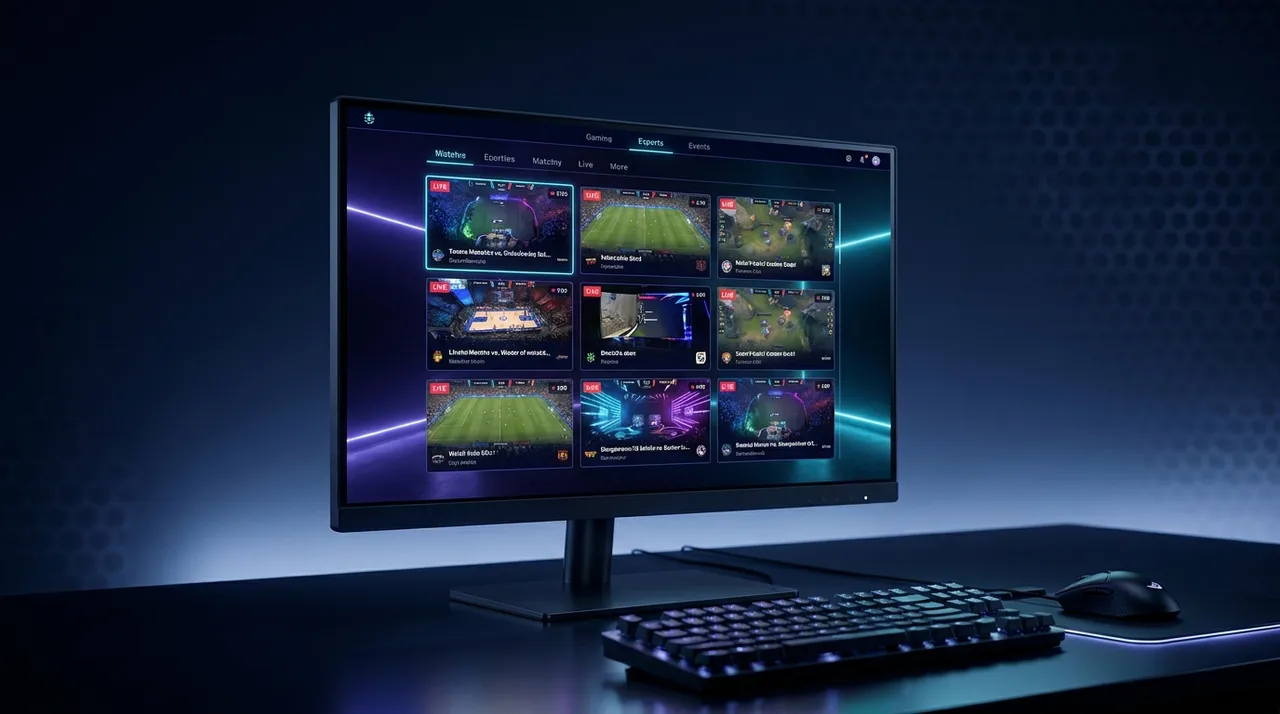
Esports Multi-Stream: Master Pro Play & Gain the Edge
Ready to level up your esports viewing? Learn how multi-stream viewing helps you master pro play, catch all the action, and gain an edge. I'll share my setup, tips, and how ViewGrid.tv makes it easy to watch multiple Twitch, YouTube, and Kick streams.
Alright, let's be real for a second: watching esports is a whole experience, right? It's not just a game; it's strategy, skill, clutch plays, and often, absolute chaos. For years, I was like most of you, glued to the main broadcast, soaking in the director's cut. And yeah, that's fine. It gives you the big picture, the shoutcasters get you hyped, and you see the biggest moments. But if you're like me – someone who actually wants to understand what's happening, to feel like you're actually in the mind of a pro, or even just to catch all the little details the main broadcast misses – then you're missing out on a massive part of the puzzle. That's where esports multi stream comes in, and honestly, once you go multi-stream, you just don't go back.
The first time I tried it, I was watching a Valorant VCT match – I think it was back in 2022, a big Sentinels game, maybe against OpTic. I was trying to keep up with TenZ's insane flicks while also seeing what the IGL, pANcada at the time, was doing with utility. Juggling browser tabs was a nightmare. Tabs crashing, audio overlapping, everything was out of sync. It was messy, but even through the frustration, I saw flashes of brilliance, moments where if I could just see both perspectives clearly, it would unlock so much understanding. That's when I realized, "There has to be a better way to watch these multi view esports scenarios." And boy, was there.
Why You Absolutely NEED to Go Multi-Stream for Esports
Think about any major esports event. Whether it's the League of Legends Worlds Final, Dota 2's The International, a CS:GO Major, or the latest Overwatch League Grand Finals – you get the polished main broadcast. You see the teamfights, the objective captures, the clutch defuses. But what you don't always see is the subtle setup, the individual player's positioning seconds before the action explodes, the mini-map awareness that dictates a rotation, or even just the chat between teammates that might be streaming their own POV. It's like watching a movie trailer and thinking you've seen the whole film. The main broadcast is great, sure, but it's curated. It's a highlight reel, sometimes even before the actual highlights happen.
For me, the biggest draw is understanding strategy. When I'm watching a League of Legends game, the main broadcast often focuses on the mid-lane action or a big teamfight. But what about the top-laner split-pushing, or the jungler tracking the enemy? Or the support player warding perfectly to deny vision? These are critical elements that contribute to the win, and they're often relegated to a tiny mini-map corner or completely ignored for minutes at a time. By setting up an esports multi stream, I can have the main broadcast going, sure, but right next to it, I'll have the POV of a specific player I want to learn from, or a different lane, or maybe even the opposing team's jungler if I can find their stream. It's like having X-ray vision into the game. If you're not doing this, honestly, you're only getting half the story, maybe even less. It's a hot take, I know, but it's true! You're missing out on the true depth of competitive play.
The Director's Cut vs. Raw POV
The director's cut – that's your main Twitch or YouTube stream of an official broadcast. It's got the analysts, the replays, the fancy graphics. It tells you what happened. It's essential for context and the hype factor. But the raw POV? That's the real gold for learning. Imagine watching Faker in League of Legends during a critical skirmish. The main camera will show the explosion of abilities, the health bars dropping. But his POV will show you his cursor movements, his exact spell timings, his camera control, how he tracks multiple enemies at once. You see the micro-decisions he's making in milliseconds. Same for Shroud in a Valorant or CS:GO match – you get to see his crosshair placement, his pre-aim angles, the way he clears corners, the specific sound cues he reacts to. That kind of granular detail is invaluable for anyone trying to improve their own gameplay, or even just appreciating the sheer skill involved.
This is where a good multi stream viewer really shines. You're not just passively watching; you're actively studying. You're comparing the main feed's narrative with the individual player's reality. I remember watching a Dota 2 grand final where the main feed showed a devastating team wipe by one team, but by also watching the enemy support's POV, I could see they had spotted the rotation much earlier and were already positioning to bait the aggression. The main broadcast just showed the outcome; the POV showed the setup and the read. That's the difference, and it's a huge one. It's not just about seeing more, it's about understanding more.
Spotting the Micro-Decisions and Macro-Plays
So, what exactly do you gain by having multiple angles open? It's all about the layers of information. On the micro-level, you can see individual player mechanics up close. How does a Valorant pro like TenZ flick onto heads so consistently? How does a StarCraft II pro manage multiple bases and armies simultaneously? How does a Rocket League player maintain perfect aerial car control? You watch their POV, and you see the inputs, the subtle movements, the timing. You can literally pause and rewind their specific stream if you miss something, something you can't easily do with a main broadcast that's constantly moving.
Then there are the macro-plays. This is where you connect the dots across the entire map. You can have the main broadcast showing the mid-lane push, while another stream shows the top-laner freezing their wave perfectly, denying enemy gold and experience. A third stream might show the jungler clearing camps efficiently, setting up for a gank, or tracking the enemy jungler. You begin to understand the why behind the what. Why did they initiate that fight? Because the other team's ultimate abilities were on cooldown, and their carry just finished a key item. You might see the moment a player spots a misplay on the enemy mini-map, and how quickly they communicate that to their team, leading to a swift rotation and an advantage. It's like being a coach, analyzing every single move. And let me tell you, once you start watching esports this way, going back to a single stream feels incredibly limiting. You realize how much you were truly missing.
My Go-To Multi-Stream Setups & What I've Learned (The Good, The Bad, The Laggy)
Okay, so you're convinced. You want to jump into the glorious world of multi-streaming. Great! But how do you actually do it? My journey started with a messy tab setup, as I mentioned, but it has evolved quite a bit. My current setup involves a pretty robust PC and two monitors – a 27-inch main for the primary POV or the official broadcast, and a smaller 24-inch secondary monitor for 2-3 additional POVs, or for chat if I'm trying to interact. Sometimes, for really big events like the League of Legends Worlds playoffs, I'll even pull out an old laptop to run a fifth stream, just to get every single angle possible. Yes, I'm that deep in.
Initially, I tried just opening multiple tabs in Chrome. It worked for about five minutes. Then my RAM usage would skyrocket, my browser would start chugging, and eventually, one or more streams would just freeze or buffer endlessly. The audio was a chaotic mess of overlapping shoutcasters and in-game sounds. It was a disaster. This is where I learned that while your internet bandwidth is important (and we'll get to that), the tool you use to manage these streams is critical. You can't just rely on raw browser power, especially if you're trying to watch multiple Twitch streams from different channels or throw in a YouTube stream for good measure. Dedicated multi stream viewer applications or web services are designed to handle this load much more efficiently. They optimize video playback, often offer better audio controls, and crucially, prevent your PC from turning into a jet engine.
The Single Monitor Hustle vs. The Dual-Monitor Dream
Let's talk screen real estate, because it's a big one. If you're rocking a single monitor, especially a smaller one, you're going to have to make some tough choices. You can still multi-stream, absolutely! You'll likely use a grid layout with 2-4 streams, making each window smaller. This means you might miss some finer details, but you'll still get the overall picture from multiple angles. For a single monitor, I'd recommend prioritizing one main stream (like the official broadcast) to take up half the screen, and then splitting the other half between two player POVs. It's a compromise, but it's still miles better than just one stream.
The dual-monitor setup, however, is where the magic really starts to happen. My main monitor usually has the primary game feed, often fullscreen or near-fullscreen. On my second monitor, I'll typically have 2-3 player POVs. For Valorant, I love having the main broadcast, then TenZ's POV, and maybe another player from the opposing team like Yay or something. For League, I'd have the main game, then maybe the mid-laner and the jungler's POVs. This way, I can glance between them, easily taking in all the information. The dream setup? Three monitors. One for the main game, one for POVs, and a third for chat, Discord, Twitter, and anything else I need to keep an eye on. But that's a luxury, and two monitors gets you 90% of the way there.
Bandwidth Blues and Audio Awkwardness
Okay, let's talk about the practical stuff that often gets overlooked: internet speed and audio. Running 3-4 high-definition streams simultaneously is no joke for your internet connection. You need solid bandwidth. I have a fiber connection, usually around 500-600 Mbps download, and even then, if my partner is also streaming something or downloading a massive game update, I can sometimes get a tiny buffer or a slight drop in quality on one of my secondary streams. If you're on a slower connection, say under 100 Mbps, you might have to scale back. Try fewer streams, or lower the quality of the secondary streams to 720p or even 480p. It's not ideal, but it's better than constant buffering. Check your internet speed before diving deep – sites like Speedtest.net are your friend.
Then there's the audio, which is probably my biggest pet peeve when multi-streaming. You've got multiple streams, each with its own audio. You can't just have all of them blasting at full volume; it's an incomprehensible cacophony. What I usually do is prioritize the main broadcast's audio – that's where the casters are, telling the overarching story. I'll mute all other streams entirely, or turn them down to a very low level, just enough to catch some subtle in-game sounds if I'm specifically trying to listen for something like footsteps or ability cues. Some multi-stream tools offer better audio management, letting you easily switch between stream audio or even blend them. My advice? Start by muting everything except your primary focus, then carefully bring up the volume on secondary streams if you need specific audio cues. Otherwise, you'll just get a headache. I learned this the hard way during a CS:GO Major, trying to listen to three different player comms and the main broadcast at once. Never again.
A Quick-Start Guide to Your First Esports Multi-Stream
Ready to try it yourself? Awesome! Here’s a basic step-by-step to get you going. It's easier than you think, especially with the right tool.
- Pick Your Game & Event: First off, what are you watching? A League of Legends playoff? A Valorant qualifier? A CS:GO Major? Knowing the event helps you find the official broadcast and potential player POVs.
- Identify Your Streams:
- * Main Broadcast: This is usually the official Twitch channel (e.g., TwitchRivals, RiotGames, ESL_CSGO), YouTube channel (e.g., LoL Esports, Valorant Esports), or sometimes even Kick (though less common for official broadcasts). Find the link! You can often find official esports streams easily by searching for watch multiple esports streams online.
- * Player POVs: This is trickier but super rewarding. Many pros stream their own perspective on Twitch or YouTube, sometimes even during official matches if allowed (check event rules!). For example, if TenZ is playing, search for "TenZ Twitch" or "TenZ YouTube". During big tournaments, the event organizers might even provide dedicated POV streams for popular players. You might also want to watch multiple Twitch streams or watch multiple YouTube streams from different pros. Don't forget, some streamers are even on watch multiple Kick streams now.
- Choose Your Multi-Stream Viewer: This is the most crucial step. Forget opening 10 browser tabs. You need a dedicated platform. There are a few out there, but I've settled on ViewGrid.tv (more on that later). For now, just know you need a platform designed for this.
- Load 'Em Up: Once you're on your chosen multi-stream viewer, you'll typically see input fields or buttons to add stream URLs. Copy and paste the links you found in Step 2.
- Arrange Your Layout: Most multi-stream viewers offer different layout options – grids of 2x2, 1x3, 2x1, etc. Play around with them to find what works best for your screen setup. If you have two monitors, you might arrange 2-3 streams on one monitor's instance of the viewer, and 1-2 on another.
- Manage Audio: This is where you avoid the headache. Mute all secondary streams immediately. Then, carefully unmute or raise the volume on the stream you want to hear most (usually the main broadcast). You can typically switch which stream's audio is dominant with a click.
- Sync (If Needed): Sometimes streams aren't perfectly in sync. Official broadcasts might have a slight delay compared to player POVs, or vice-versa. Good multi-stream platforms offer ways to manually (or sometimes automatically) sync streams. It might take a moment of fiddling, but getting them as close as possible makes a huge difference.
And that's it! You're now multi-streaming like a pro. Seriously, it changes everything.
More Than Just Pros: Multi-Streaming Beyond the Main Event
While the core focus here is esports multi stream and getting that competitive edge, the utility of a multi-stream viewer goes way beyond just watching esports tournaments. I mean, think about it – being able to watch multiple sources at once is just... powerful.
For instance, I sometimes use it to keep up with friends who are streaming different games. Last month, I had one friend playing Baldur's Gate 3, another doing a Minecraft build, and a third trying a new indie horror game – all simultaneously on my second monitor. It's a great way to hang out virtually without having to constantly switch tabs or platforms. Or maybe you're into speedrunning and want to compare multiple runners' progress in real-time, side-by-side. The possibilities are endless.
It's also super handy for news junkies. If a major breaking news event is happening, I'll often set up a multi-stream with CNN, Fox News, BBC News, and maybe a local news channel. You get immediate different perspectives, see how each outlet is covering it, and catch all the developments without frantically flipping channels or refreshing websites. It's an information overload in the best possible way. You can easily do this to watch multiple news channels at once, getting a much broader view of unfolding events.
And sports! Oh man, don't even get me started on sports. If you're a fantasy sports enthusiast, or just love a good Sunday of NFL, imagine watching three different games simultaneously, or even a baseball game alongside a basketball game. You can track your fantasy players, catch all the crucial plays, and not miss a beat. For major sporting events, like the Olympics or even just a busy Saturday in college football, having a setup to watch multiple sports streams is a total game-changer. I usually have a specific multi-stream layout saved just for big sports weekends. It's incredible how much more action you can consume.
Staying Synced & Sane: Tips for a Smooth Multi-Stream Experience
So you've got your streams going, you're learning, you're enjoying the chaos – but how do you keep it from becoming overwhelming? It's a fine line between information advantage and pure sensory overload.
Syncing Streams: This is often the trickiest part, especially when mixing platforms. A Twitch stream might have a slightly different delay than a YouTube stream, or even a different Twitch streamer. Most good multi stream viewer platforms will offer controls to manually adjust the delay on individual streams. My trick? I look for a very clear, timestamped event in the game – like a specific ability going off, or the game clock hitting a whole minute mark – and then I adjust the slower stream until it matches the faster one. It takes a few seconds, but it's worth it for that seamless experience. Some tools even have a "resync all" button, which is a lifesaver, especially if you're pulling from the same source.
Managing Chat: Oh, the chat. If you have four streams open, you have four chats. That's way too much to follow. My advice is simple: pick one stream's chat to actively participate in, usually your main broadcast or a favorite player's stream. For the others, either minimize them, close them, or just let them scroll by in your peripheral vision. Trying to read and respond to multiple chats is a recipe for disaster and will pull your focus away from the actual gameplay. I usually have the main broadcast chat open on my second monitor, tucked into a corner, just for the community vibe.
Prioritizing Audio (Again!): I'm going to reiterate this because it's that important. You simply cannot listen to multiple audio sources simultaneously unless they're mixed professionally. Stick to one primary audio source. If you want to hear a specific player's comms, mute the main broadcast, listen to the POV for a bit, then switch back. Many multi-stream viewers let you click on a stream to make its audio dominant, which is incredibly convenient. Don't be afraid to constantly switch audio focus based on where the action is most intense, or whose perspective you're trying to gain at that exact moment.
Hotkeys and Browser Extensions: If your multi-stream tool supports hotkeys, learn them! Being able to quickly mute/unmute, switch audio focus, or even change layouts with a keystroke makes a huge difference in fluidity. Also, consider browser extensions that help with video performance or ad-blocking if you're not using a dedicated app. Just be mindful that too many extensions can also bog down your browser.
Why ViewGrid.tv is My Secret Weapon for Esports Multi-Stream
Okay, so I've talked a lot about why you need to multi-stream and how to generally approach it. Now, let me tell you about the specific tool that has truly transformed my esports viewing, and honestly, my general streaming consumption: ViewGrid.tv.
I've tried a bunch of different options – browser extensions, standalone apps, other websites. Each had its quirks, its limitations. Some were clunky, some crashed often, some had really restrictive layout options. But ViewGrid.tv? It just works. Seriously, it's become my go-to for pretty much any multi-stream scenario. Whether I'm trying to watch multiple Twitch streams from a specific Valorant match, mixing in a YouTube stream for a different game's official broadcast, or even setting up a quick watch multiple Kick streams grid for some variety, ViewGrid handles it beautifully.
What I love about it is how intuitive it is. You just paste your stream URLs, and it pops them into a clean, customizable grid. The layout options are fantastic – you can resize and rearrange streams to fit your exact screen setup, which is crucial for maximizing screen real estate on a single monitor, or for creating that perfect multi-monitor command center. It remembers my layouts, too, which is a massive time-saver for recurring events or specific player combinations. For me, that means I have a dedicated layout for esports multi stream events, another for general gaming, and even one for news.
The performance is also incredibly stable. I rarely experience the buffering or crashing issues I used to have with other methods. It feels optimized to handle multiple video feeds without turning my PC into a furnace. And the audio controls are simple and effective – easy to switch which stream is dominant, or mute others entirely. That might sound like a small thing, but trust me, it's a huge quality-of-life improvement that keeps the multi-stream experience enjoyable, not just tolerable.
For any serious esports fan, or anyone who just wants to get more out of their streaming experience, checking out the ViewGrid multi-stream viewer is a no-brainer. It takes all the pain points out of juggling multiple streams and lets you focus on what matters: the action, the strategy, and the sheer skill of pro players. It's not just about seeing more; it's about understanding more, and that's an edge you won't want to give up once you've had it. Go give it a shot – you'll thank me later.
Ready to try multi-stream viewing?
Watch YouTube, Twitch, Kick & more — all on one screen.
Open ViewGridRelated Articles
Game Launch Hub: Watch YouTube & Twitch Together
Tired of missing out during game launches? Learn how to watch YouTube and Twitch together, transforming your viewing with a multi stream viewer. Get all perspectives, from esports to news, in one seamless hub.
streaming guideYour Summer of Choice: Watch Multiple Live Streams At Once
This summer, don't miss a beat! Learn how to watch multiple live streams at once with ViewGrid.tv, giving you ultimate live content control over your favorite esports, sports, and variety content.
streaming guideMulti Stream Viewer: Discover Hidden Gems & New Creators
Tired of juggling tabs? A multi stream viewer lets you watch multiple streams at once, discover new creators, and follow esports like never before. Learn how to optimize your viewing.
streaming guideMulti Stream Viewer: Your Live Content Command Center
Tired of tab chaos? Discover how a multi stream viewer can revolutionize your live content experience, letting you watch multiple streams from Twitch, YouTube, Kick, and more, all at once.