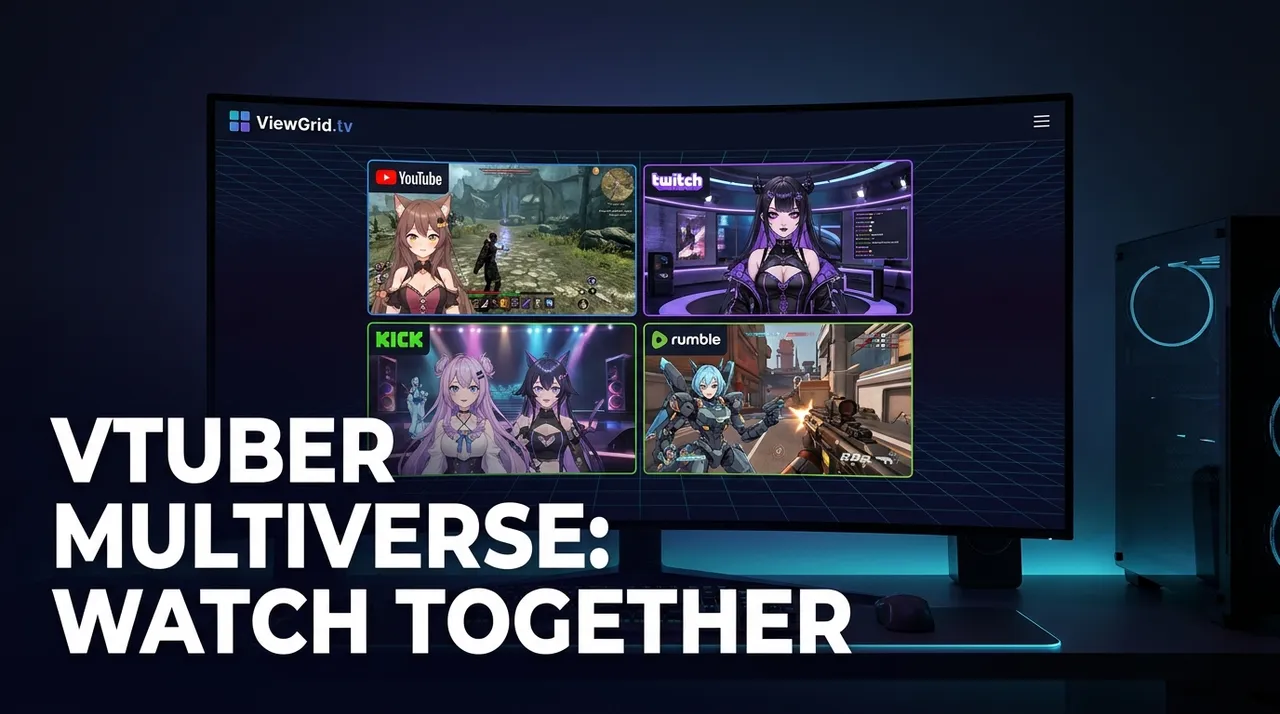
VTuber Multiverse: Multi-Stream Your Favorite Creators
Dive into the VTuber multiverse! Learn why multi-streaming VTuber creators, especially for collabs, is essential. Get tips for your multi-view setup and how ViewGrid.tv enhances your experience.
Alright, let's talk about VTubers. Seriously, if you've been living under a rock, or just exclusively watching, like, competitive StarCraft II for the last five years (no judgment, but come on), you might have missed one of the biggest, most vibrant explosions in online entertainment. I’m talking about virtual YouTubers, virtual streamers—these incredible digital avatars animated by real people, bringing some of the most genuinely engaging, chaotic, and downright hilarious content to Twitch, YouTube, and even Kick these days. And if you're anything like me, a die-hard fan who's always trying to catch every single moment, you've probably run into the ultimate first-world problem: how do you keep up when everyone's doing something amazing at the exact same time? This is precisely why learning to multi-stream vtuber creators isn't just a luxury; it's a necessity.
I mean, really. You blink, and suddenly there are three different Hololive members playing Among Us, two Nijisanji guys doing a horror game marathon, and an indie VTuber you just discovered doing a chill art stream. My brain just can't handle the FOMO. I used to open like five separate browser tabs, try to juggle them, inevitably miss something crucial, and then spend the next hour on Twitter trying to piece together what happened. It was a mess. But then, I discovered the magic, the sheer power, of watching multiple streams at once. It’s a complete game-changer, letting you soak in the full, glorious chaos of the VTuber multiverse without losing your mind.
The VTuber Phenomenon: More Than Just Cartoons
First off, let’s clear the air for anyone who still thinks VTubers are just... well, cartoons. They're so much more than that. We’re talking about highly skilled performers, often with incredible singing voices, comedic timing, gaming prowess, or just genuinely charming personalities, all operating behind a digital avatar. They're not just reading a script; they're reacting, interacting, improvising, and forming real connections with their communities, just like any other streamer. The avatar itself becomes an extension of their persona, allowing for creative expression that traditional face-cam streaming sometimes can't quite capture.
Think about it: they can be a cute anime girl one day, a terrifying demon lord the next, or even a talking piece of bread. The possibilities are endless, and that freedom really lets their personalities shine through in unique ways. I remember the first time I properly watched a Hololive stream—it was Usada Pekora playing Minecraft, and her signature laugh just hooked me. Then I started exploring, finding more and more characters, each with their own quirks and fanbases. It wasn't long before I was fully immersed. The way they interact with each other, too, is a huge part of the appeal. It's like watching a really elaborate, ongoing sitcom, except it's all live and unscripted. And that's where the multi-streaming really comes into its own.
Why VTuber Collabs Demand Multi-View
This is where the rubber meets the road. VTuber collaborations are the absolute pinnacle of their content. Whether it's a group playing a party game, tackling a boss in an MMO, or just chatting, the magic isn't just in what one person is doing—it's in the reactions, the banter, the synchronized (or delightfully desynchronized) chaos across everyone's screen. And to truly appreciate that, you need to be able to watch multiple vtubers simultaneously.
Last week, for instance, there was a big Among Us lobby with members from different Hololive generations. Now, you could just pick your favorite's stream. But then you’d miss the imposter’s POV, the detective’s shrewd observations, or the absolute meltdown of the poor crewmate who gets framed. You'd miss the subtle head tilts of one avatar as another makes a suspicious claim, or the moment two of them bump into each other in a vent. Watching just one stream in a collab like that feels like listening to only one side of a phone call—you get the gist, but you miss all the nuance, all the punchlines, all the genuine surprise. It's like watching a football game but only ever seeing the quarterback; you need to see the whole field to understand the play. That's why a proper vtuber collabs multi-view setup is non-negotiable for me now. It's the only way to get the full story.
The Hololive and Nijisanji Advantage
When you talk about VTubers, you can't not talk about Hololive and Nijisanji. These two agencies basically pioneered the modern VTuber landscape, creating huge rosters of interconnected talent. They’ve built entire shared universes where their characters can interact, form friendships, rivalries, and unforgettable moments. This structure practically begs for multi-streaming.
Take Hololive, for example. They often have entire server events in Minecraft, where dozens of members are online at once, each streaming their own perspective. Imagine trying to follow a massive build project, a group quest, or a prank war by just switching tabs back and forth. You'd be lost! You'd miss the precise moment someone accidentally blows up a meticulously crafted structure from another's POV, or the chase scene as one VTuber tries to escape another's trap. Being able to set up a hololive multi-stream to watch three or four key players, or even just two main protagonists and an observer, dramatically enhances the experience. You get the immediate reactions, the split-second decisions, the unadulterated chaos from every angle. It's like having director's commentary, but live, and from multiple directors all at once. For me, catching a big Hololive Mario Kart tournament from the perspective of the top racers and the hilarious strugglers at the back is just peak entertainment. Without multi-view, you're only getting a fraction of the fun.
Beyond Collabs: Other Reasons to Multi-Stream VTubers
While collabs are the most obvious use case, there are plenty of other situations where multi-streaming VTubers elevates your viewing experience. It's not just about simultaneous interactions; it's about context, comparison, and sometimes just pure choice.
Maybe two of your favorite VTubers, who normally don't interact much, are both having major debut streams—one for a new outfit, another for a new song. You want to be there for both, soak in the excitement, see their reactions to chat, but you can't pick just one! That's a perfect scenario for a split screen. Or maybe it’s a big charity event involving multiple VTuber groups, each running their own segment and fundraising goals. You can easily keep an eye on the main stage while also peeking at the individual fundraising streams to see how they're progressing and what silly incentives they're doing.
There are also those times when you just want to compare. Say two VTubers are playing the exact same new release game, but one is a horror game veteran and the other is famously a scaredy-cat. Watching both at once, side-by-side, can be incredibly entertaining. You get to see the seasoned player calmly dispatching enemies while the other is jumping at every shadow, perhaps even screaming their lungs out. It’s like a split-screen reaction video, but live and completely unedited. That kind of juxtaposed viewing really highlights their unique personalities and playstyles, and honestly, sometimes it’s even funnier than a typical collab. It also means you don’t have to choose between your favorites, which is always a win in my book.
Your Multi-Stream VTuber Creator Setup: From Basics to Brilliance
Okay, so you're convinced. You want to dive into the multi-view life for your favorite VTubers. Awesome! It's actually not as complicated as it might sound, but a few things will make your experience much smoother.
The Hardware: Screens and Specs
First, screens. You don't need a massive multi-monitor setup like a stock trader, but it certainly helps. I started with just one ultrawide monitor, which works surprisingly well for two or three streams side-by-side. Now, I run a dual-monitor setup—my main 1440p monitor for the primary stream or a 2x2 grid, and a secondary 1080p monitor for chat, Twitter, or another couple of streams if things get really wild. More screen real estate means less cramming, and trust me, your eyes will thank you.
As for your PC, you'll need something reasonably capable. Streaming multiple high-definition videos simultaneously uses a good chunk of your CPU, GPU, and especially your internet bandwidth. If your internet connection is flaky or slow, trying to watch four 1080p streams at once is just going to lead to buffering hell. I've got a decent mid-range gaming PC (Ryzen 7, RTX 3070, 32GB RAM) and a fiber internet connection, and I can comfortably handle 3-4 streams without a hitch. If you're on an older machine or a slower connection, you might need to drop the quality a bit, or stick to 2-3 streams. It’s all about finding that sweet spot for your system.
The Software: Browsers and Beyond
You could just open multiple tabs in Chrome or Firefox. I mean, you could. But it's clunky. Each tab has its own overhead, and managing audio becomes a nightmare (more on that later). This is where dedicated multi-stream viewers truly shine. Tools like ViewGrid.tv are designed specifically for this purpose, making it incredibly easy to manage multiple video feeds without all the browser tab shenanigans. They're optimized to reduce resource usage, give you better control over layouts, and most importantly, handle audio intelligently.
How to Multi-Stream VTuber Creators with ViewGrid.tv (A Quick Guide)
Ready to jump in? Here's how I usually set up my multi-stream sessions, often with ViewGrid.tv, to catch my favorite VTuber moments. It's surprisingly simple once you get the hang of it.
- Pick Your Players: First, decide which VTuber streams you want to watch simultaneously. Are they all in a collab? Are they covering the same event? Or are they just your top picks for the day? This step is crucial, as too many streams can get overwhelming, especially if you're trying to follow individual chats. For me, 2-4 streams is usually my sweet spot for a comprehensive, but manageable, experience.
- Grab Those URLs: Navigate to each VTuber's live stream page on their respective platforms—Twitch, YouTube, or even Kick. Copy the full URL from your browser's address bar for each stream you want to include. Make sure they are live streams; you can't multi-stream pre-recorded VODs (unless the VODs are hosted as live premieres, which some VTubers do).
- Head to ViewGrid.tv: Open your browser and go to ViewGrid multi-stream viewer. This is your command center for the VTuber multiverse.
- Paste and Add: You'll see input fields or a main input area. Paste the first stream URL into the designated spot. Then, usually, there's an "Add Stream" button or another input field that appears. Paste your second URL there, then your third, and so on. ViewGrid will automatically fetch and load each stream into its own panel.
- Arrange Your Chaos: Once all streams are loaded, ViewGrid.tv will usually arrange them in a default grid layout. You can often drag and drop panels to rearrange them, change the size of individual streams, or even select different grid presets (like 2x2, 1x3, etc.). I like to put the stream I'm most focused on (the "main character" of the collab, or the one with the most active chat) in a larger panel, with others smaller around it.
- Master the Audio: This is probably the trickiest part of multi-streaming, but ViewGrid.tv makes it a lot easier. Each stream panel should have individual audio controls—a volume slider and a mute button. My strategy? Pick one primary stream whose audio you want to listen to clearly. This is usually the VTuber whose chat I'm also following. Mute all the other streams completely. Then, if there's a particular interaction you want to hear from another stream, you can quickly unmute it for a moment, catch the reaction, and then mute it again. It takes a bit of practice, but it's much better than a cacophony of overlapping voices!
- Chat Integration (Optional but Recommended): While ViewGrid focuses on the video, you'll still want to see chat. Many multi-stream setups allow you to pop out chat windows. I usually dedicate a section of my secondary monitor to multiple popped-out chat windows, or I just keep one main chat open and occasionally check others if I hear something interesting.
- Enjoy the Multiverse: That’s it! You're now a multi-streaming VTuber maestro. You can now effortlessly follow your favorite Watch multiple Twitch streams, Watch multiple YouTube streams, or even Watch multiple Kick streams all from one place. No more tab juggling, no more missing crucial reactions.
Pro Tip: Don't be afraid to experiment with layouts! Sometimes, a 2x1 layout with two equally sized streams is perfect for direct comparisons. Other times, a 3x1 or even 2x2 might be better for a big collab. Play around until you find what works for your specific viewing goals.
Navigating the Audio Maze: My Biggest Headaches (and Solutions)
Okay, let's get real for a second. While the visual aspect of multi-stream vtuber creators is amazing, the audio can be a nightmare if you're not careful. I've had so many instances where I'm trying to listen to three different VTubers all screaming at the same time during a horror game collab, and it just turns into an indistinguishable wall of noise. My ears still haven't recovered from one particularly intense Phasmophobia session.
My hot take? Multi-stream audio is the true test of a viewer's sanity and setup. You can't just have everything playing at once. It's too much. Imagine trying to listen to five different conversations in a crowded room—it’s just noise.
This is where the individual volume controls on ViewGrid.tv become your best friend. My usual strategy involves designating one "main" stream whose audio I'm primarily listening to. This is usually the VTuber whose perspective I care most about, or the one whose chat I'm following closely. All other streams are muted initially. If I see something interesting happening on another screen—a big reaction, a funny interaction, or something in their chat that piques my interest—I'll quickly unmute just that one stream, listen for a few seconds, and then mute it again. It's a dance, really. A very specific, focused dance.
Some people use browser extensions to manage audio per tab, but those can be clunky, and they don't integrate as smoothly as built-in multi-stream controls. Others go hardcore with virtual audio cables and dedicated mixing software like VoiceMeeter Banana, routing each stream's audio to different virtual channels that they can then control with a physical mixer. That's a bit overkill for most casual viewers, but I have a buddy who streams himself watching other streams, and his setup is wild. For us regular folks, though, the simple mute/unmute and volume sliders on ViewGrid.tv are usually more than enough. Just remember: patience and quick reflexes are key to audio multi-tasking. And don't be afraid to just mute everything for a second if it gets too chaotic! Sometimes, just watching the visual reactions is enough, and you can always catch up on the specific audio later if you really need to.
The Future of Virtual Spectating
VTubers aren't going anywhere. In fact, they're only growing, constantly pushing the boundaries of what virtual entertainment can be. We're seeing more complex lore, higher production values for their 3D models and backgrounds, and even massive virtual concerts with tens of thousands of simultaneous viewers. Just look at the Hololive 3rd Fes, or the recent major events from Nijisanji; these are huge productions. As the VTuber landscape continues to evolve, with more creators joining the fray and more elaborate events taking place, the need for efficient ways to watch multiple vtubers will only become more critical.
We might see even more advanced multi-streaming tools emerge, perhaps with integrated AI that can highlight key moments across different streams, or even more seamless audio mixing capabilities. VR integration could become a bigger thing too, allowing you to feel even more immersed in a multi-VTuber event. Imagine being in a virtual space, able to "walk" between different stream feeds, or even watch a multi-view layout in 3D. The possibilities are truly exciting. For now, though, the core experience of simultaneously watching your favorite virtual personalities interact and create is what it's all about, and that's something a good multi-stream viewer handles beautifully. This isn't just a niche; it's a rapidly expanding sector of online media, and being able to observe multiple perspectives at once will give you a significant advantage in soaking it all in.
ViewGrid.tv: Your Command Center for the VTuber Multiverse
So, whether you're a long-time fan of Hololive, a dedicated follower of Nijisanji, someone who loves discovering indie VTubers on Twitch, or just curious about this whole phenomenon, taking the plunge into multi-streaming is the best way to get the full experience. It opens up a whole new dimension of entertainment, allowing you to fully appreciate the dynamic interactions, the simultaneous reactions, and the sheer volume of amazing content these virtual creators put out every single day.
You don't have to miss a moment of the action, or choose between your favorite streamers. With tools like ViewGrid.tv, it’s easier than ever to curate your own personalized viewing experience. You can seamlessly multi-stream vtuber creators from different platforms, arrange them however you like, and manage the audio chaos with precision. It’s simple, effective, and frankly, it’s how these kinds of collaborative, multi-perspective streams are meant to be watched. Head over to ViewGrid multi-stream viewer and transform your VTuber viewing today. Seriously, your brain (and your FOMO) will thank you.
Ready to try multi-stream viewing?
Watch YouTube, Twitch, Kick & more — all on one screen.
Open ViewGridRelated Articles
EVO 2026: Multi-Stream Every Match, Every Angle
Don't miss a single combo at EVO 2026! Learn how to plan, set up, and optimize your multi-stream experience to watch all the action across Twitch, YouTube, and Kick with ViewGrid.tv.
streaming guideEsports Multi-Stream: Master Pro Play & Gain the Edge
Ready to level up your esports viewing? Learn how multi-stream viewing helps you master pro play, catch all the action, and gain an edge. I'll share my setup, tips, and how ViewGrid.tv makes it easy to watch multiple Twitch, YouTube, and Kick streams.
streaming guideYour Summer of Choice: Watch Multiple Live Streams At Once
This summer, don't miss a beat! Learn how to watch multiple live streams at once with ViewGrid.tv, giving you ultimate live content control over your favorite esports, sports, and variety content.
streaming guideMaster IEM Cologne 2026: Multi-Stream Every CS2 View
Don't miss a single frag at IEM Cologne 2026. Learn how to multi-stream CS2 tournaments like a pro with our in-depth guide, covering POV streams, casters, and using ViewGrid.tv.