ViewGrid is now available in 14 languages
You can now find a stream and build a grid in your own language. Here is exactly what changed, what is still English, and how we check the translations.
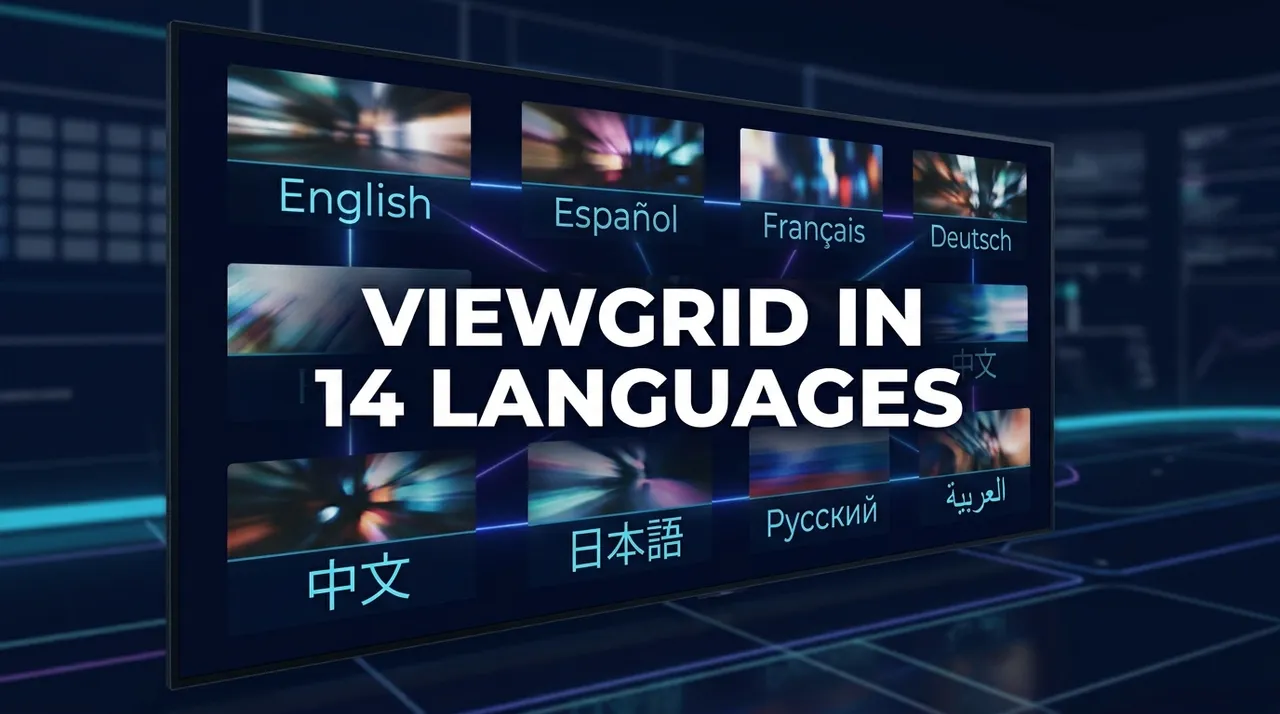
ViewGrid, the multi-stream viewer at viewgrid.tv, now works in 14 languages: English, Spanish, Turkish, Portuguese (Brazil), German, French, Russian, Japanese, Arabic, Korean, Italian, Dutch, Traditional Chinese and Indonesian. You can choose any of these languages from the language menu, or follow the language suggestion when one is offered. Each language has its own address, such as viewgrid.tv/es or viewgrid.tv/ja. English URLs are unchanged.
This post explains what is translated, what is still English, and how the translations are checked before they go live. There are no growth claims here; the point is simpler: you can now find a live stream and build a grid without reading English.
Why languages matter for a multi-stream viewer
A multi-stream viewer is useful when several broadcasts of the same event run at once: an esports tournament with a main stream and player cameras, an election night with public and rolling news channels, a tennis tournament with seven courts playing in parallel. The viewers who want that are spread across countries, and the official streams they look for are often in their own language. A viewer in Brazil who wants to put two Premier Padel courts side by side, when the organiser streams them, should not have to read an English guide to get there.
That is why we translated the parts of ViewGrid that help you find and set up streams, not just the buttons.
What is translated
- The home page, the grid and the mobile grid. Building a grid, muting and unmuting, saving a layout and sharing it as a link all work in your language.
- Discovery. Searching topics, places and channels across Twitch, YouTube and Kick, and adding results to your grid.
- The watch guides at /watch, for example the Twitch, YouTube and football guides, and the comparison pages at /vs.
- The live pages at /live and the ready-made presets.
- Event pages. Each event page explains where the event streams officially, which channels are expected, and opens a grid with those channels. These pages are translated event by event. A language version is published once its translation has passed a separate review step against the English source; until then that language is not offered for that event.
- Account pages and translated legal information are also available.
What is still in English
- The blog, including this post.
- The events calendar page (/events). Individual event pages are translated; the calendar that lists them is not yet.
- Event pages without a reviewed translation. Some archived events are outside the translation scope, and new translations open as they are approved. If an event has no approved translation in your language, no unchecked draft is published; you can use the original English page while a translation is unavailable.
We will update this post when those change.
How the translations are checked
Each page is translated from the English source by a language model, then goes through a separate review step, also done by a language model, that compares the draft with the English source for completeness, accuracy, natural wording and the glossary (product terms such as "Grid" are kept). A translation that fails that check is not published. When the English source of an event page changes, the previous approved translation stays online for the parts that did not change, and the changed parts are retranslated and reviewed again before replacing it.
New event pages are added to the translation queue automatically when they are created, and each language goes live as its translation passes the review.
We know machine translation is not perfect. If you spot a sentence that reads wrong in your language, write to support@viewgrid.tv with the page address and we will fix the source.
Examples: finding streams in your language
- Football in Spanish. Fútbol en varias pantallas explains, in Spanish, which free official streams and watch-alongs you can line up on a match day, and opens the grid from there. The matches themselves stay with the rights holders in each country; the guide says so.
- Election night in Turkish. The US midterm elections page in Turkish describes the US midterm coverage in Turkish: which public and rolling news channels are expected, when coverage starts in UTC, and a grid button that appears when those channels are live.
- Esports in Japanese. The esports guide in Japanese covers tournament broadcasts and player cameras in Japanese, with the same grid behind it.
- Padel in Portuguese. When Premier Padel streams several courts on its official channel, the Portuguese event page lists them and opens them together. Whether a court is live depends on the organiser, not on the page language.
In every case the stream itself plays in the platform's own embedded player, with the platform's own language and advertising. ViewGrid translates the way to the stream, not the stream.
What did not change
- Addresses. English pages keep their URLs. Other languages add a prefix such as /es, /tr or /ja. Links you shared before still work.
- Playback. Streams come from YouTube, Twitch, Kick and Rumble through their official players. ViewGrid does not host or re-stream video, in any language.
- Rights. Where a broadcast belongs to a rights holder in your country, the page says so in your language instead of pretending a stream exists.
- Accounts. Watching does not require an account. Signing in adds saved grids, followed channels and event reminders, as before.
How to use ViewGrid in your language
- Open viewgrid.tv. Choose your language from the language menu, or follow the language suggestion if one is offered.
- Pick an event from the calendar or paste stream links into the grid.
- On an event page, use the grid button when the official channels are live. The page checks the channels while it is open and updates by itself.
- Share your grid as a link; the link works in any language.
Frequently asked questions
Does switching language change which streams I can watch?
No. Streams come from the platforms' official players and depend on the broadcaster and your region, not on the language of the ViewGrid page.Will the English addresses change?
No. English pages keep their current addresses. Other languages use a prefix such as /tr or /ja.Are the translations done by people?
They are produced by a language model and checked in a separate review step against the English source before publication. We also read some Turkish pages ourselves. We fix reported mistakes at the source so every language benefits.Why is an event page missing in my language?
Because its translation has not passed the review yet, or the event is an archived one outside the translation scope. Approved translations stay online; the original English page is always available.Will the blog and the calendar be translated?
The calendar page is next. The blog stays English for now.Ready to try multi-stream viewing?
Watch YouTube, Twitch, Kick & more — all on one screen.
Open ViewGridOr browse all multi-stream categories.
Related Articles
US Midterms 2026 Election Night: Watch Networks Side by Side
Polls close from 18:00 ET (23:00 UTC) on 3 November 2026. Here is which networks streamed election night free on YouTube in 2024, a poll-closing timetable in ET and UTC, and how to compare their coverage side by side.
streaming guidePGL Masters Bucharest 2026: How to Watch Both Streams
PGL Masters Bucharest 2026 runs 24-31 October with two English streams on Swiss days: Stream A on PGL's Twitch and Stream B on PGL_CS2. Here are the daily slots, the clock-change catch, and how to keep both matches on one screen.
streaming guideHow to Watch Worlds 2026 Co-Streams Side by Side
Worlds 2026 starts with the Play-In on 15 October (18:00 UTC) and the Swiss Stage from 23 October. Here is the schedule in UTC and ET, how Riot's invitation-based co-streaming works, and how to keep the official feed, a co-streamer and a language channel on one screen.
streaming guideHow to Watch NoPixel RP with a Multi-POV Setup
To watch NoPixel RP from a multi-POV (point of view) setup, you can use a tool like ViewGrid to combine several Twitch, YouTube, or Kick streams onto a single screen. This lets you see the action from different character