Esports Multi Stream: Gain the Competitive Edge
Tired of missing critical plays in esports? Learn how esports multi stream helps you watch multiple POVs, analysis, and broadcasts simultaneously for a deeper understanding of the game.
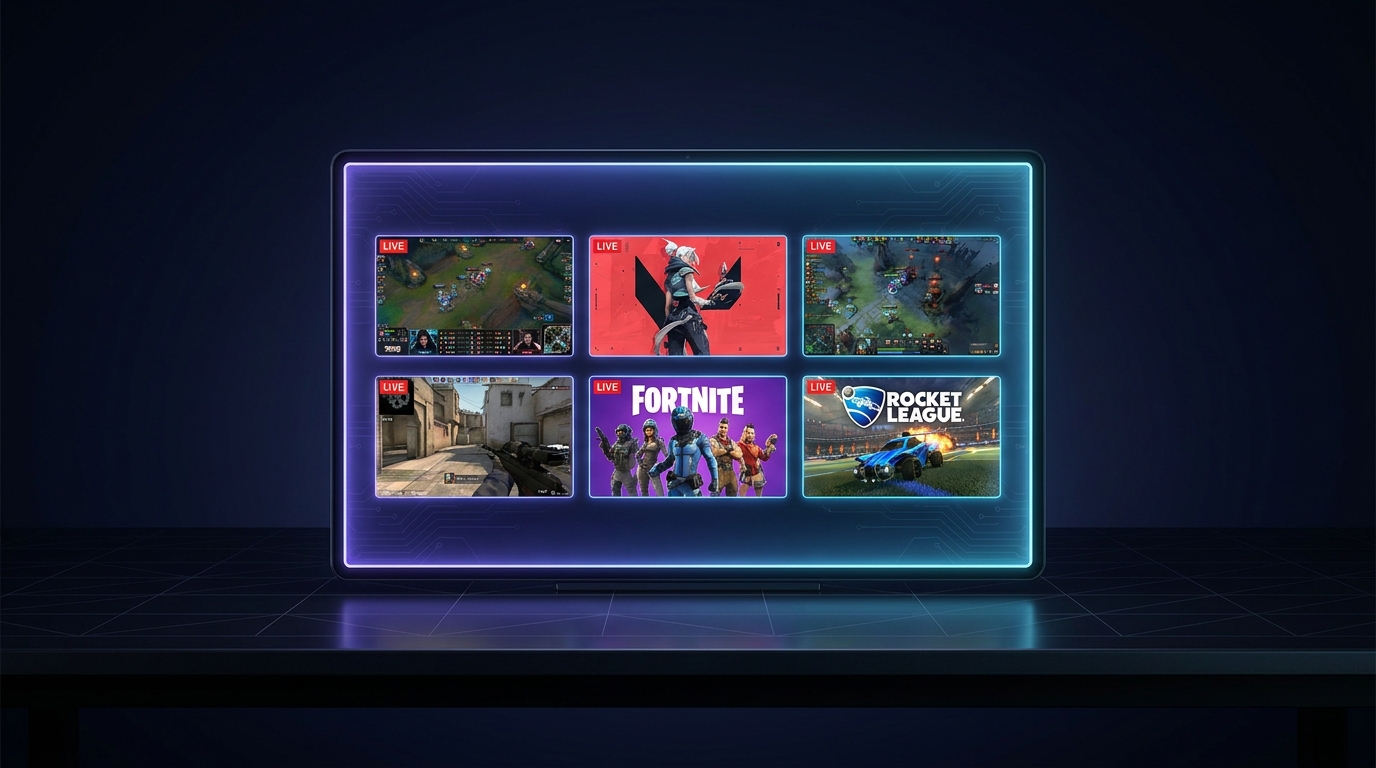
You know that feeling, right? It’s the final round, the clutch moment in a Valorant VCT match, maybe a crazy team fight erupting in League of Legends Worlds, or a pivotal eco round in CS2 IEM Katowice. Your heart's pounding, the casters are screaming, and you're glued to the main broadcast. But then, a thought creeps in—what if you're missing something? What if the real story is unfolding on another player’s perspective, or the analyst desk has a crucial insight you're not getting? That's the agony of modern esports, and honestly, it’s why a single stream just doesn’t cut it anymore for serious fans. This is where the magic of esports multi stream comes into play. It’s not just a nice-to-have; it’s practically essential if you want to truly understand the game at the highest level.
I've been there, staring at one screen, frantically trying to open another browser tab on my second monitor, only for my PC to chug like an old steam engine. Or worse, missing the perfect replay because I was trying to switch tabs and caught a black screen. It's frustrating. We're living in an era of unprecedented access to esports content, but that access comes with a paradox: the more there is, the harder it is to consume it all effectively. You want to see the main objective, sure, but you also want to see the flank, the ward placement, the individual mechanical outplay that sets up the big play. How do you do it? How do you keep up? That’s what we’re diving into today, because trust me, once you go multi-stream, you won't ever want to go back.
Why Just One Stream Isn't Enough Anymore (The FOMO is Real)
Alright, let's get real. The days of just sitting back and watching a single broadcast feed for an entire esports tournament are, for me anyway, pretty much over. I mean, sure, it's fine for casual viewing, for just soaking in the hype. But if you're like me, someone who really wants to understand what’s happening, to peel back the layers of strategy and individual brilliance, then one screen is a straight-up handicap. The esports tournament viewer of today needs more. They need context, they need simultaneous perspectives, they need to see the whole picture, not just the curated one.
Think about it: in a major Dota 2 International match, there are ten players on two teams, each with their own hero, their own items, their own unique role in the game. The main broadcast does an incredible job – don't get me wrong – of showing the big team fights, the Roshan kills, the base pushes. They follow the action. But what about the offlane player who's meticulously denying creeps and getting crucial experience? Or the support player who's been setting up wards in enemy territory for minutes, creating map vision that’s invisible to the main camera? You miss that. You miss the quiet brilliance that often dictates the later stages of the game. That's why I started dipping my toes into watching multiple esports streams at once.
It's not just about missing plays, though. It’s about missing narratives. Every player has a story unfolding in real-time. Maybe one player is on a redemption arc after a tough season. Another is known for their incredible micro-management. Seeing their individual perspective, even for just a few key moments, adds so much to the experience. It makes the game feel more personal, more human. Plus, let's be honest, sometimes the main broadcast gets stuck on one player for too long, or misses a crucial moment on the opposite side of the map. You just know there’s something else happening, and with a multi-stream setup, you're not left wondering. You're seeing it.
The Caster vs. POV Dilemma
This is a classic argument in the esports community, isn't it? Do you go for the polished, professional main broadcast with the engaging casters breaking down the action, providing hype and analysis? Or do you opt for a player's raw, unfiltered Point-of-View (POV) stream, seeing exactly what they see, hearing their comms (if available), and watching their mouse clicks and keyboard presses?
For years, it was an either/or situation. You picked your poison. I remember during the early days of StarCraft II tournaments, I'd often struggle with this. Did I want to hear Artosis and Tasteless go wild over a sick build order, or did I want to watch Bomber's hands fly across his keyboard as he microed his Terran army? It was a tough choice. Each offered something unique. The main broadcast gave me the overarching story and emotional impact. The POV stream gave me the intimate, technical details that helped me understand how the pros did what they did.
The beauty of esports multi stream is that you don't have to choose anymore. You can have both. I usually set up the main broadcast on my primary screen – or the largest panel in my multi-stream layout – with the audio on. Then, I'll pull up a couple of key player POVs, maybe the star Jungler in League of Legends or the AWPer on FaZe Clan in CS2, in smaller windows. This way, I get the hype and the high-level analysis from the casters, but I also have the option to glance over and see exactly how a specific player is positioning, or what their decision-making process looks like in a crucial moment. It’s a game-changer for someone who wants to learn from the best. You're getting the best of both worlds, truly.
The Pro Gamer Stream Setup: What You Can Learn (Even If You're Not a Pro)
You ever see those photos of pro gamers or esports analysts in their setups? It's not just one giant monitor, is it? More often than not, it's a spread of multiple screens, sometimes three or even four, all displaying different feeds, maps, or data points. These folks – the pros, the coaches, the dedicated analysts – they live and breathe this stuff. They need to see everything. They use these elaborate multi-monitor setups because that competitive edge, that millisecond of information, can mean the difference between winning and losing. A pro gamer stream setup isn't just for showing off; it's a tool for optimal performance and analysis.
They're not just watching the main stream; they're dissecting it. They’re watching enemy rotations on one screen, their own team’s resource management on another, and maybe a player’s POV on a third. This kind of setup allows them to process vast amounts of information simultaneously, leading to better in-game decisions or more accurate post-match analysis. For a pro, knowing where the enemy Jungler is at all times, even if they’re not on the main broadcast, can be the key to avoiding a gank or setting up a counter-play. For an analyst, comparing how two different teams approached the same objective in a Dota 2 series, side-by-side, is invaluable.
And we, as viewers, can tap into a similar power without needing a massive desk and three expensive monitors. While a physical multi-monitor setup is certainly awesome (and I'll get to mine in a bit), the core benefit comes from the ability to view multiple esports streams at once, regardless of your hardware. It’s about leveraging technology to simulate that pro-level information advantage. You can pick up on subtle cues, understand macro-level strategy better, and generally just get more out of every single broadcast. It’s about training your eye to see more, to process more, and ultimately, to appreciate the game’s intricacies far more deeply.
My Experience with Multi-Monitor Madness
Okay, so I’m not a pro gamer – far from it! My peak CS2 rank is, well, let’s just say it’s not what it used to be. But I am a dedicated fan and content creator, and over the years, my setup has definitely evolved. I started with a single 1080p monitor, like most people. Then I got a second, smaller one, because, you know, Discord and chat. But then came the realization: watching just one Twitch stream while trying to keep an eye on a crucial YouTube VOD, or even another competitive match, was a pain.
My current setup is pretty sweet, if I do say so myself. I've got a main ultrawide monitor – a beautiful 34-inch beast – and then a vertical 27-inch monitor off to the side. For the longest time, I'd have the main esports broadcast on the ultrawide, maybe Twitch chat or Twitter on the vertical, and then if I really wanted to see another POV, I'd awkwardly try to resize browser windows on the main screen. It was clunky. It ate up CPU resources like crazy, slowing everything down, and the audio was always a mess. Half the time, I'd miss a crucial moment because one browser tab decided to stutter or, worse, crash.
That's why I started looking for better solutions, which eventually led me to platforms designed specifically for multi-streaming. It was like going from dial-up to fiber optic, honestly. Suddenly, I could dedicate my main screen to a custom layout of multiple streams without the performance hit, and use my vertical monitor for additional info or even more streams. It felt like I’d unlocked a secret level of viewership. I remember watching the LoL LEC Spring Finals earlier this year and having the main English broadcast, a specific player POV, and the French broadcast (because I like hearing the different casting styles!) all running smoothly. It changed everything. No more frantic tabbing, no more missed clutch moments because my PC decided to take a nap.
Unlocking Deeper Understanding: Esports Analysis Tool in Your Pocket
This is where the real competitive edge comes in for us, the viewers. When you can watch multiple esports streams simultaneously, you're not just consuming entertainment; you're essentially using an advanced esports analysis tool. You're becoming your own analyst, your own coach, even if you’re just doing it for the sheer joy of understanding the game more profoundly.
Consider a complex team fight in League of Legends. On the main broadcast, you see the flashes, the ultimate abilities, the health bars dropping. It’s intense. But with a multi-stream setup, you can have that main broadcast, sure, but you can also have the top laner's POV, the jungler's POV, and maybe even the support's POV all running at the same time. While the main broadcast focuses on the overall chaos, you can glance at the top laner's screen to see when they decided to flank, how they positioned themselves for their ultimate, or why they chose to target a specific enemy. You see the setup, the execution, and the follow-through from multiple angles. It's like having instant replay, but live, from four different cameras.
Or think about CS2. You’re watching an intense clutch situation. The main stream follows the last player alive, meticulously clearing angles. But what about the information that led to that clutch? What was the enemy team doing? Were they trying to push a different site? Were they rotating? With an esports multi stream setup, you can have the main player POV, and maybe the overall map view from another stream, or even the POV of a player who just died, showing you how the intel was gathered (or missed). You can compare the enemy team's crosshair placement with your favorite player's, or see how different teams execute the same utility usage on a map like Inferno. This kind of simultaneous viewing isn't just cool; it fundamentally alters how you perceive the flow of the game, the decision-making process, and the sheer skill involved. It lets you spot patterns, understand strategies, and even predict outcomes with a level of insight that a single stream simply cannot provide. It’s like getting to watch a sports match with access to all the coaches' and players' individual cameras, and even an overhead tactical view, all at once.
This deeper level of understanding extends beyond just individual plays. It helps you grasp the overarching meta, the team compositions, and the strategic differences between regions. You can compare how T1 plays League of Legends against Gen.G, or how G2 Esports executes a pistol round in CS2 compared to Team Liquid, by having their respective games or VODs running side-by-side. It's an invaluable tool for anyone looking to go beyond surface-level viewing and truly appreciate the strategic depth of modern esports. For a deeper dive into the world of esports itself, including its analytical aspects, you can check out the Wikipedia page on Esports.
Beyond Just Watching: Becoming a Better Fan (or Even a Better Player)
When you're actively engaging with multiple streams, you're not just a passive viewer anymore. You're participating in the analysis, even if it's just in your own head. This enhances your appreciation for the game in so many ways. You start to notice the subtle movements, the strategic delays, the counter-plays that you'd completely miss otherwise. You become a more informed, more engaged fan.
And for those of us who still dabble in competitive gaming, whether it's climbing the ranked ladder in Overwatch 2 or trying to hit Global Elite in CS2, multi-streaming can actually make you a better player. By observing multiple pro perspectives simultaneously, you start to internalize optimal positioning, clutch decision-making under pressure, and efficient resource management. You can compare your own thought process in a similar situation to that of a pro. I remember watching a specific pro's Valorant stream alongside the main broadcast during a VCT Americas match. The way they used their utility, the angles they held, their crosshair placement – it was all so deliberate. Being able to see that in real-time, while also understanding the broader game state from the main feed, was incredibly educational. It wasn't just entertainment; it was a masterclass. You start recognizing patterns, understanding the "why" behind their actions, and that knowledge naturally translates into your own gameplay. It's like having a dozen coaches whispering strategies in your ear, all at once.
How to Set Up Your Own Esports Multi Stream (The Easy Way)
So, you're convinced, right? You want to dive into the world of multi-streaming, but you're probably thinking, "My PC can barely handle one stream, let alone three!" I hear you. For a long time, the traditional method was a nightmare. You'd open multiple browser tabs, maybe drag them to different monitors, fight with audio sources, and constantly battle performance issues. Your CPU usage would spike, your internet bandwidth would scream, and your fans would spin up like a jet engine preparing for takeoff. It was a messy, frustrating experience that often deterred people from even trying.
But here's the good news: it doesn't have to be that way anymore. Thanks to specialized tools, setting up your own powerful esports multi stream is now easier and more efficient than ever. You don't need a supercomputer or a degree in IT to get that pro-level viewing experience. You just need the right platform, and I’m going to walk you through it using ViewGrid.tv. This is how I watch all my major tournaments now, and it's a huge step up from the old browser tab dance.
Here's a quick, practical guide to getting your multi-stream setup rolling:
- Head over to ViewGrid.tv: This is your command center. It’s designed specifically for multi-stream viewing, which means it handles all the heavy lifting of pulling in multiple feeds, optimizing performance, and giving you an intuitive interface. Go straight to the source, no detours.
- Find Your Streams: This is the fun part! You can search for specific streamers, tournament channels, or even just browse by game. ViewGrid integrates with popular streaming platforms like Twitch, YouTube, and Kick, so you have a huge variety of content at your fingertips.
- Say you're watching the CS2* PGL Copenhagen Major. You can search for "PGL" on Twitch, grab the main stream. Then, you might search for a specific player's POV on YouTube, or an alternate language broadcast on Kick. It's all there.
- * Need to watch multiple Twitch streams? No problem, just add them.
- * Want to mix and match Twitch, YouTube, and Kick? Absolutely, ViewGrid handles it all seamlessly.
- Add Streams to Your Layout: Once you find a stream you want to watch, just click to add it to your custom layout. ViewGrid automatically places it in a grid, and you can add as many as your screen can comfortably fit – or as many as your brain can process! The beauty here is that ViewGrid handles the underlying video player, so you don't have a dozen heavy browser tabs open. It's all optimized.
- Arrange and Customize: This is where you tailor the experience to your preference. Drag and drop streams to rearrange them. Resize individual video panels to make one larger (like your main broadcast) and others smaller (for POVs or analyst desks). You can swap positions, close streams you no longer need, or add new ones on the fly. It's incredibly flexible. You can also adjust individual stream volumes, mute specific feeds, and even toggle chat windows for each stream if you want to follow multiple chats. I usually keep my main broadcast loud and mute the others unless I specifically want to hear a player's comms.
- Syncing and Playback Control: ViewGrid often provides options for synchronized playback, which is incredibly useful for comparing specific moments across different streams. You can pause, play, and scrub through individual streams or even sync them to play simultaneously. This is a huge advantage for in-depth analysis. If you want to dive deeper into how to use our powerful multi-stream features, check out our dedicated guide on the ViewGrid multi-stream viewer. It walks you through everything, step by step. You’ll be building custom layouts like a pro in minutes, whether you're watching multiple Twitch streams, multiple YouTube streams, or even multiple Kick streams.
That’s it. Seriously. No more wrestling with browser tabs, no more CPU spikes. Just seamless, high-performance multi-stream viewing, giving you an unprecedented view of the action.
The Future of Esports Viewing: It's Already Here (and It's Multi-Screen)
The way we consume media is constantly evolving, and esports is no exception. We've moved from grainy 240p streams to crystal-clear 4K, from single-camera angles to elaborate broadcast productions with dozens of observers and replays. The next logical step, the one that’s already here, is the widespread adoption of multi-screen, multi-perspective viewing. The idea of just watching one feed feels almost archaic now, especially for high-stakes tournaments.
This isn't just a niche feature for hardcore fans; I truly believe it's becoming the standard for anyone who wants a complete understanding of the game. Broadcasters themselves are experimenting with alternate feeds, player POVs, and dedicated analyst streams. But the power of a platform like ViewGrid is that it puts you in control of that experience. You're not waiting for the broadcast director to switch angles; you're creating your own personal director's cut, in real-time. It's personalized, interactive, and deeply immersive.
Imagine watching the FIFA World Cup with a multi-stream setup – you could have the main broadcast, a tactical overhead camera, and the POV of a specific player like Messi, all simultaneously. Or following breaking news with multiple news channels, comparing their reporting live. The applications extend far beyond just esports. While we're talking about watching multiple esports streams today, the same principles apply whether you're interested in watching multiple sports streams or even watching multiple news channels. The ability to aggregate and customize your viewing experience is fundamentally changing how we interact with live content. It's not just about seeing more; it's about seeing smarter.
For the serious esports fan, the competitive advantage isn’t just for the pros on stage anymore. It’s for us, the viewers, in our homes. It’s about being able to dissect a crucial round, compare individual performances, and truly appreciate the strategic depth of the games we love. Don't settle for just one window into the action. Open up all the windows, gather all the intel, and elevate your viewing experience to a whole new level.
Ready to try multi-stream viewing?
Watch YouTube, Twitch, Kick & more — all on one screen.
Open ViewGridRelated Articles
Esports Multi-Stream: Master Pro Play & Gain the Edge
Ready to level up your esports viewing? Learn how multi-stream viewing helps you master pro play, catch all the action, and gain an edge. I'll share my setup, tips, and how ViewGrid.tv makes it easy to watch multiple Twitch, YouTube, and Kick streams.
streaming guideYour Summer of Choice: Watch Multiple Live Streams At Once
This summer, don't miss a beat! Learn how to watch multiple live streams at once with ViewGrid.tv, giving you ultimate live content control over your favorite esports, sports, and variety content.
streaming guideHow to Watch All Live Streams at Once: ViewGrid's Method
Tired of juggling tabs? Discover how to effortlessly watch multiple live streams at once across Twitch, YouTube, and Kick with ViewGrid's powerful multi stream viewer. Get your perfect multistream setup today!
streaming guideGame Launch Hub: Watch YouTube & Twitch Together
Tired of missing out during game launches? Learn how to watch YouTube and Twitch together, transforming your viewing with a multi stream viewer. Get all perspectives, from esports to news, in one seamless hub.