EVO 2026: Multi-Stream Every Match, Every Angle
Don't miss a single combo at EVO 2026! Learn how to plan, set up, and optimize your multi-stream experience to watch all the action across Twitch, YouTube, and Kick with ViewGrid.tv.
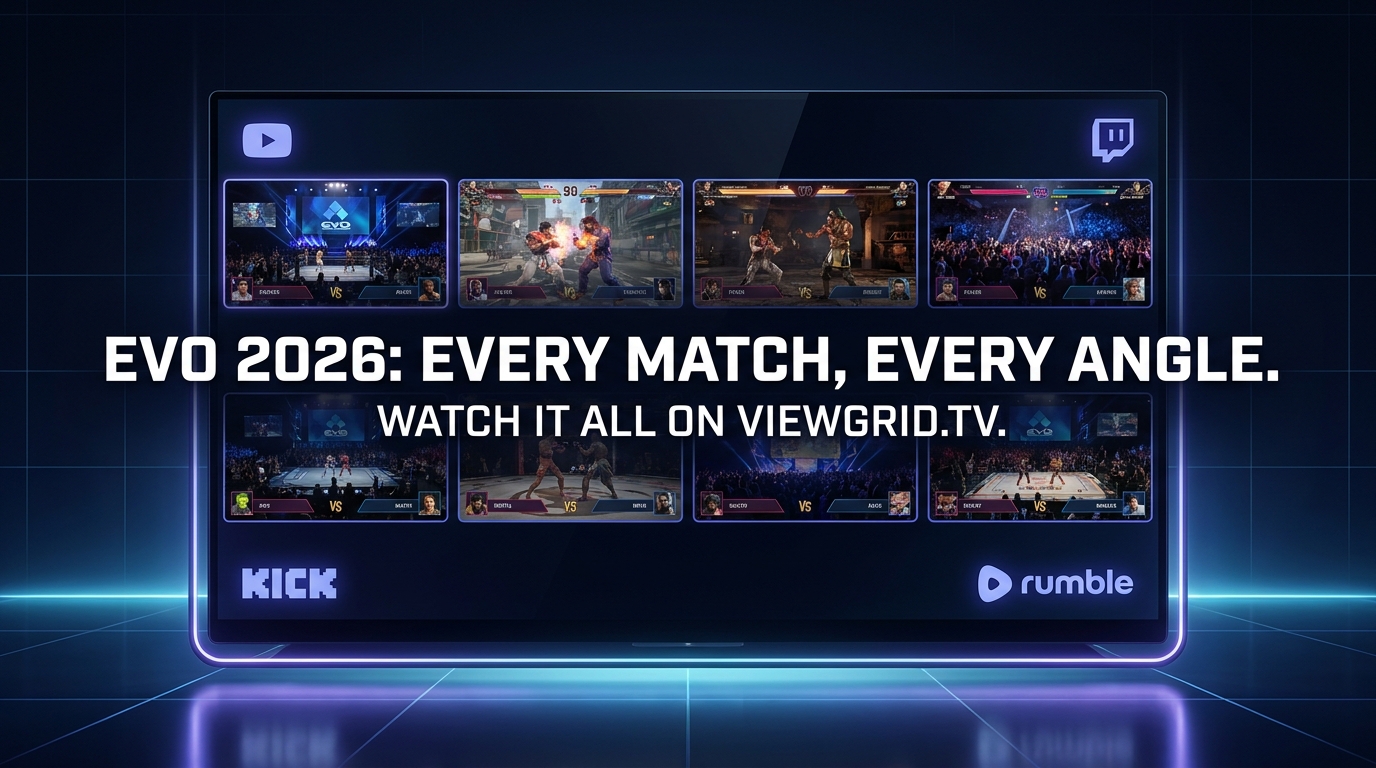
EVO 2026 is still a little ways off, but my mind is already racing. I mean, come on, a full year and a half to strategize the ultimate viewing experience? That's my kind of planning. We're talking about the Olympics of fighting games here – a pure, unadulterated feast of combos, hype moments, and upsets that will leave you gasping for air. And if you're like me, someone who lives and breathes competitive FGC action, you already know the pain: the sheer, crushing reality of missing out. You're glued to the main stage, watching Street Fighter 7 go down, but then you hear whispers, frantic tweets, about some unbelievable comeback happening in Tekken 9 or a bracket reset in Guilty Gear Strive over on a side stream. It’s a nightmare! How do you watch EVO 2026 multiple streams without losing your mind?
That's the million-dollar question, isn't it? For years, I struggled. I had two monitors, sometimes three, trying to juggle browser tabs, twitch.tv windows, YouTube streams, Discord calls, all while my PC fan spun up like a jet engine. My desk looked like a mad scientist's lab, and my brain felt just as scrambled. But over time, I've honed my approach, especially with the tools available today. And let me tell you, when EVO 2026 rolls around, you won't catch me missing a single parry or perfect block. I'm going to be in the zone, every single critical match right there in front of my eyes. And you can too.
The EVO Experience: Why One Stream Just Isn't Enough
Let's be brutally honest: EVO isn't just a tournament; it's a multi-headed beast. It's a convergence of the entire fighting game community – thousands of players, dozens of games, hundreds of setups. You've got the main stage for the grand finals, sure, but then there are the multiple pool streams, the top 8s for each game happening simultaneously, the community tournaments, the casual setups, the developer reveals... it's a sensory overload in the best possible way.
Think about it: Last year at EVO, I was absolutely captivated by the Street Fighter 6 finals. The tension was palpable, the crowd was electric. But then, during a brief lull, my friend in Discord pinged me, "Dude, you HAVE to see this Tekken 8 match! Arslan Ash just pulled off the craziest comeback in Winners' Finals!" And there I was, caught between a rock and a hard place. Do I switch over and risk missing the SF6 post-match interviews or the next player walkout? Or do I stick with the main stream and feel like I missed a historical moment? It’s a classic FGC dilemma, and it happens every single time. It drives me nuts!
This isn't just about FOMO – though, let's be real, a lot of it is about FOMO. It's about getting the full, panoramic picture of what's happening. The narratives building, the rivalries playing out, the sheer skill on display across different games. These are the moments that define generations of fighting games, and they often happen concurrently. To truly appreciate the scope and grandeur of fighting game tournaments multi-stream is practically mandatory. You can't just pick one flavor when the whole buffet is screaming your name.
I've been going to or intensely following EVO for over a decade now. The evolution of the event itself, and how we consume it, is wild. From grainy, single-camera streams back in the day to now having dedicated streams for each game, sometimes even multiple streams per game for different pools. The broadcast quality is insane, the commentators are top-tier, and the hype is constant. But with all that production value comes the problem of choice. How do you make that choice? You don't. You take it all in.
Planning Your EVO 2026 Multi-Stream Strategy
Okay, so you're convinced. One stream is for the casual observer, and you, my friend, are no casual observer. You're a connoisseur of competitive pixel-bashing. So, how do you actually prepare for the multi-stream onslaught that EVO 2026 will undoubtedly be? It starts with a solid plan. You wouldn't go into bracket blind, would you? Same goes for your viewing strategy.
Understanding the EVO 2026 Schedule
This is ground zero. The EVO 2026 schedule will be your bible. As soon as it drops – usually a few weeks to a month before the event – you need to pore over it. I usually print it out, or at least open it on a second screen, and start highlighting.
What am I looking for?
Main Stage Games: Which games get the coveted main stage slots for Top 8s? These are usually broadcast on the primary EVO channel.
Concurrent Top 8s: Which games will have their Top 8s running at the exact same time on different channels? This is where the multi-stream really shines.
Pools for My Favorite Games: Even if I can't watch every single pool match, I want to know when my favorite players are slated to play in the earlier rounds. Sometimes, an early pool match can be more hype than a Grand Finals (looking at you, Daigo vs. Justin, EVO Moment #37!).
Special Events/Announcements: EVO is often where new games, characters, or major updates are announced. I mark those times down because developers usually do big reveals right before or after a main stage Top 8.
I can't stress this enough: The schedule is dynamic. It changes. Matches run long, delays happen. So, you need to be flexible. But having a rough outline helps immensely. Keep an eye on the official EVO website for the most up-to-date schedule. I usually bookmark it directly: Evo Official Website.
Identifying Key Streams
Once you have the schedule, you can start lining up your viewing targets. EVO typically partners with Twitch, YouTube, and sometimes other platforms for their official broadcasts. You’ll usually find:
The Main EVO Channel(s): These carry the biggest events, often rotating between games.
Dedicated Game Channels: For example, a "TwitchRivals" or "CapcomFighters" channel might carry Street Fighter matches exclusively, while "BandaiNamcoEsports" handles Tekken.
Community Streams: These are often smaller, but incredibly valuable. Sometimes, a specific player's stream will feature their POV. Or a commentator you love might be doing their own unofficial commentary with an official feed. These are gold for getting a different perspective or focusing on a specific player's journey through bracket.
Watch Parties: We'll dive into these next, but they deserve a spot on your list too.
My personal preference? I always prioritize the official, high-quality streams first, then layer in the community or POV streams if I have the screen real estate. It's all about balancing the official broadcast experience with those raw, unfiltered community vibes.
Beyond the Main Event: Community Streams and EVO 2026 Watch Parties
Okay, let's talk about the absolute hidden gems of EVO viewing: EVO 2026 watch parties. These aren't always official, but they are often where the real hype lives. Think about your favorite streamers – MaxDood, Lidakor, Jiyuna, Scamby, maybe someone smaller from your local FGC scene. Many of them will host watch parties where they react live to the matches, offer their expert (or sometimes, wildly unhinged) commentary, and interact with their chat.
Now, some people just want the pure, unadulterated game audio. And I get that. But for me, the watch party experience, especially for the earlier pools or even some Top 8s, can be even more entertaining than the official stream. You get that shared experience, the immediate reactions, the inside jokes. It feels like you're in a living room full of your FGC friends, even if you're alone in your setup.
My hot take: Sometimes, a well-run community watch party with genuine reactions and insightful commentary is superior to a sterile, over-produced official broadcast. There, I said it. It brings the FGC back to its roots – just a bunch of people going crazy over sick combos. You might not want it for every stream, but for certain games or specific players, it's absolutely the way to go. Just make sure you're not getting too many overlapping audio tracks – that's a recipe for sensory hell.
The Power of the Multi-View: How to Watch EVO 2026 Multiple Streams
Alright, we've planned our attack. Now, how do we execute? This is where the magic happens, where you transform from a frantic tab-switcher into a zen master of simultaneous streaming. The key is using a dedicated multi-stream viewer. Forget opening 10 separate browser windows; that's amateur hour, and it's a resource hog. You need something purpose-built for this kind of organized chaos.
Setting Up Your Multi-Stream Layout
The first time I tried a proper multi-stream viewer, it felt like unlocking a cheat code. My mind was blown. Instead of fighting with browser tabs, suddenly I had a clean, customizable grid of multiple streams, all playing at once, with easy audio controls. It was a revelation.
Here's a step-by-step guide to setting up your ultimate EVO 2026 multi-stream viewing experience:
- Identify Your Target Streams: Based on your schedule planning, list out the specific stream URLs you want to watch simultaneously. Maybe it's the main EVO Twitch channel, the Bandai Namco YouTube channel, and a popular streamer's Kick watch party.
- Head to ViewGrid.tv: This is your command center. Go to the ViewGrid multi-stream viewer.
- Add Your Streams: You'll see input fields or a clear way to add stream URLs. Simply paste each URL you identified into a new slot. ViewGrid is designed to handle streams from various platforms seamlessly. For example, if you want to watch multiple Twitch streams alongside a YouTube broadcast, you can just drop the links in. Same goes for watch multiple YouTube streams or even watch multiple Kick streams if your favorite FGC personality is over there now.
- Arrange Your Layout: Once your streams are loaded, ViewGrid usually offers intuitive drag-and-drop functionality to arrange them on your screen. Do you want the main stage huge in the middle and smaller side streams around it? Or a symmetrical 2x2 grid? Play around until it feels right for you. I usually put the most important stream (like a Grand Finals) in the biggest slot or the top-left, where my eyes naturally go first.
- Manage Audio: This is crucial. Most multi-stream viewers give you individual volume controls for each stream, plus a master mute/unmute. Decide which stream's audio you want to prioritize. For example, if I'm watching a Tekken Top 8 and a Guilty Gear Top 8, I'll usually have the Tekken audio prominent and the Guilty Gear audio lower, just enough to catch commentator hype. Or, if I'm watching a watch party alongside a main stream, I'll often mute the main stream's game audio and listen to the watch party's reactions to the same game. It's all about what narrative you want to follow.
- Full Screen (Optional): Once your layout is perfect, you can usually go full screen with the entire multi-view, making your monitor feel like a dedicated command center.
It really is that simple. The first time I did this for a major event – I think it was CEO a couple of years ago – I felt like I'd transcended. I was tracking multiple brackets, catching multiple clutch moments, all without having to alt-tab like a madman.
My Go-To Multi-Stream Setup
My personal setup for big events like EVO usually involves two monitors. On my primary, larger monitor, I run a 2x2 grid through ViewGrid.tv. That's usually the main EVO stream, plus two key game-specific streams (like Street Fighter and Tekken), and then maybe a community watch party in the fourth slot. On my secondary monitor, I'll have Discord open, maybe Twitter for live updates, and sometimes a single, less critical stream that I just want to keep an eye on, perhaps a King of Fighters pool that's not getting as much attention.
The audio is always the trickiest part. I usually have my main stream's audio through my headphones, sometimes with a watch party mixed in at a lower volume. Any other streams are either muted or just barely audible, just to catch a sudden cheer or a unique sound effect that might signal something big. It's a delicate dance, but totally worth it. The goal is to feel immersed, not overwhelmed.
Platform Juggling: Twitch, YouTube, Kick, and Beyond
One of the biggest headaches before multi-stream viewers became so good was dealing with streams across different platforms. Twitch has its own player, YouTube has its own, Kick is... Kick. They all have different latency, different chat systems, and trying to get them all to play nice in separate browser tabs was a nightmare.
This is where the power of a tool like ViewGrid.tv truly shines. It acts as a universal player, letting you pull in streams from wherever they are. So, whether EVO 2026 is broadcasting its main event on Twitch, while a specific game's Top 8 is on YouTube, and your favorite player's POV stream is on Kick, you can just drop all those links into ViewGrid. It centralizes your viewing, making it a breeze to follow all the action. I often link directly from ViewGrid to specific platform sections like Watch multiple Twitch streams or Watch multiple YouTube streams when I'm sharing tips with friends, just to show how easy it is to consolidate. No more bouncing between apps or browsers — it's all in one place.
Optimizing Your Multi-Stream Experience (Tech Talk & Tips)
Having the right software is half the battle, but there are other things to consider to make your EVO 2026 multi-stream experience truly frictionless. We're talking about making sure your hardware is up to snuff and tackling the perennial challenge of audio.
Hardware Considerations: Monitors, Internet, and CPUs
Let's be real, running multiple high-definition video streams simultaneously isn't a walk in the park for your computer.
Monitors: This might seem obvious, but more screen real estate is your friend. If you only have one monitor, a 2x2 grid is probably your max before things get too small. With a second monitor, you open up a whole new world. I can't imagine going back to single-monitor streaming for big events. Even a cheap secondary monitor can make a huge difference.
Internet Speed: This is non-negotiable. You need a stable, fast internet connection. If you're trying to stream four 1080p feeds at 60fps, that's a lot of data. If your connection is flaky, you'll experience buffering, drops, and general frustration. I usually run a speed test before a major event just to make sure everything's optimal. Ethernet over Wi-Fi is always preferred, if possible.
* CPU & RAM: Your processor and memory will be working hard. Close unnecessary programs, especially anything that's a resource hog. If your PC is older, you might need to drop stream quality from 1080p to 720p for some feeds to keep things smooth. It's a trade-off, but a stuttering stream is worse than a slightly less crisp one.
Audio Management: The Eternal Struggle
This, for me, is the real final boss of multi-streaming. You've got multiple streams, multiple commentators, multiple game sounds, and potentially a watch party host all trying to talk over each other. It's chaos. Pure, unadulterated, ear-splitting chaos.
My approach:
1. Prioritize: Decide which stream needs to be heard clearly. This is usually the main event stream or a specific watch party I'm focused on.
2. Mute or Low Volume: All other streams either get muted completely or are set to a very low volume. Just enough to catch unique audio cues or the general vibe, but not enough to interfere with my primary audio.
3. Headphones are Key: You need good headphones to really isolate the audio and prevent external distractions. This isn't the time for tinny laptop speakers.
4. Audio Mixer Software (Advanced): If you're serious, look into software like Voicemeeter Banana (for Windows). It lets you route and mix audio from different applications independently. It has a bit of a learning curve, but it offers unparalleled control over your soundscape. I use it to send specific stream audio to different headphones or speakers, sometimes even routing game audio directly to my main headphones and a watch party's commentary to a separate earbud. Overkill? Maybe. Glorious? Absolutely.
Don't underestimate the mental fatigue of bad audio. It can ruin the whole experience faster than any lag spike.
Chat Interaction Across Multiple Windows
You've got streams, you've got audio, but what about the chat? The FGC chat during EVO is an entity unto itself – a glorious, chaotic, emoji-filled maelstrom of hype and salt. Trying to keep up with multiple chats across different stream windows can be tough.
My advice here is to pick your battles.
Primary Stream Chat: If you're heavily invested in one main stream, keep its chat open.
Watch Party Chat: If you're in a watch party, definitely keep that chat open. It's part of the interactive experience.
Secondary Streams: For the less critical streams, you might just keep the chat closed, or minimize it. Trying to engage with four different chats at once is a recipe for carpal tunnel and a severe case of information overload.
Discord/Twitter: These are often better for more focused discussion with friends or for following broader EVO news and highlights. I usually have Discord on my second monitor for this reason.
Remember, you're trying to enhance your experience, not turn it into a full-time job. Be selective about where you put your attention.
The Future of Fighting Game Esports Viewing: Multi-View as the Standard
What we're talking about here, this multi-stream approach, isn't just a niche hack for EVO. It's, in my opinion, the future – and frankly, the current standard – for watching any major esports event, especially esports multi-view fighting games. The nature of tournaments, with their parallel brackets and multiple stages, practically demands it.
Think about other esports. If you're watching a major Valorant tournament, you might want to see the main broadcast, but also a specific player's POV to track their utility usage or crosshair placement. Or for Dota 2, you could have the main observer stream plus a stream focusing on each team's base cam. The possibilities are endless, and the depth of understanding you gain is immense. This isn't just for FGC, though the FGC might be the genre that benefits most immediately because of its simultaneous, individual matches. You can easily adapt this strategy for watch multiple esports streams in general, not just fighting games.
I even use multi-view for non-esports stuff sometimes. If there's breaking news and I want to see how different networks are covering it, I'll pull up watch multiple news channels to get a broader perspective. Or for big sporting events, sometimes they have dedicated camera feeds — a multi-stream viewer lets you be your own director. Seriously, being able to watch multiple sports streams at once, switching between the main broadcast and a specific player cam, or even just different commentators, is pretty sweet.
The days of passively watching a single broadcast are, for the hardcore enthusiast, largely over. The technology exists to put you in control of your viewing experience, to let you curate exactly what you want to see and hear. It's about empowering the viewer to be an active participant in the consumption of live events, not just a recipient. And for something as grand and complex as EVO, that empowerment is everything.
Your Home Base for EVO 2026 and Beyond: ViewGrid.tv
So, there you have it. My manifesto for conquering EVO 2026. From planning your schedule to wrangling your audio, it's a journey, but a deeply rewarding one. And at the heart of it all, for me, is a solid multi-stream viewer.
I've tried a bunch over the years, from clunky browser extensions to dedicated apps, but for sheer ease of use, cross-platform compatibility, and a clean interface, I keep coming back to ViewGrid.tv. It just works. It takes the pain out of juggling sources and lets you focus on what really matters: the hype, the upsets, the insane plays that only happen at EVO.
When those EVO 2026 announcements start rolling in, when the game lineups are confirmed, and when the schedule finally drops, you'll be ready. You won't be scrambling, you won't be frustrated, and you definitely won't be missing those clutch moments. You'll be locked in, fully immersed, enjoying every single second of the world's biggest fighting game tournament. Head over to the ViewGrid multi-stream viewer now, bookmark it, and start dreaming up your ultimate layout. EVO 2026 is going to be epic, and you're going to see it all.
Ready to try multi-stream viewing?
Watch YouTube, Twitch, Kick & more — all on one screen.
Open ViewGridRelated Articles
Esports Multi-Stream: Master Pro Play & Gain the Edge
Ready to level up your esports viewing? Learn how multi-stream viewing helps you master pro play, catch all the action, and gain an edge. I'll share my setup, tips, and how ViewGrid.tv makes it easy to watch multiple Twitch, YouTube, and Kick streams.
streaming guideYour Summer of Choice: Watch Multiple Live Streams At Once
This summer, don't miss a beat! Learn how to watch multiple live streams at once with ViewGrid.tv, giving you ultimate live content control over your favorite esports, sports, and variety content.
streaming guideVTuber Multiverse: Multi-Stream Your Favorite Creators
Dive into the VTuber multiverse! Learn why multi-streaming VTuber creators, especially for collabs, is essential. Get tips for your multi-view setup and how ViewGrid.tv enhances your experience.
streaming guideMaster IEM Cologne 2026: Multi-Stream Every CS2 View
Don't miss a single frag at IEM Cologne 2026. Learn how to multi-stream CS2 tournaments like a pro with our in-depth guide, covering POV streams, casters, and using ViewGrid.tv.