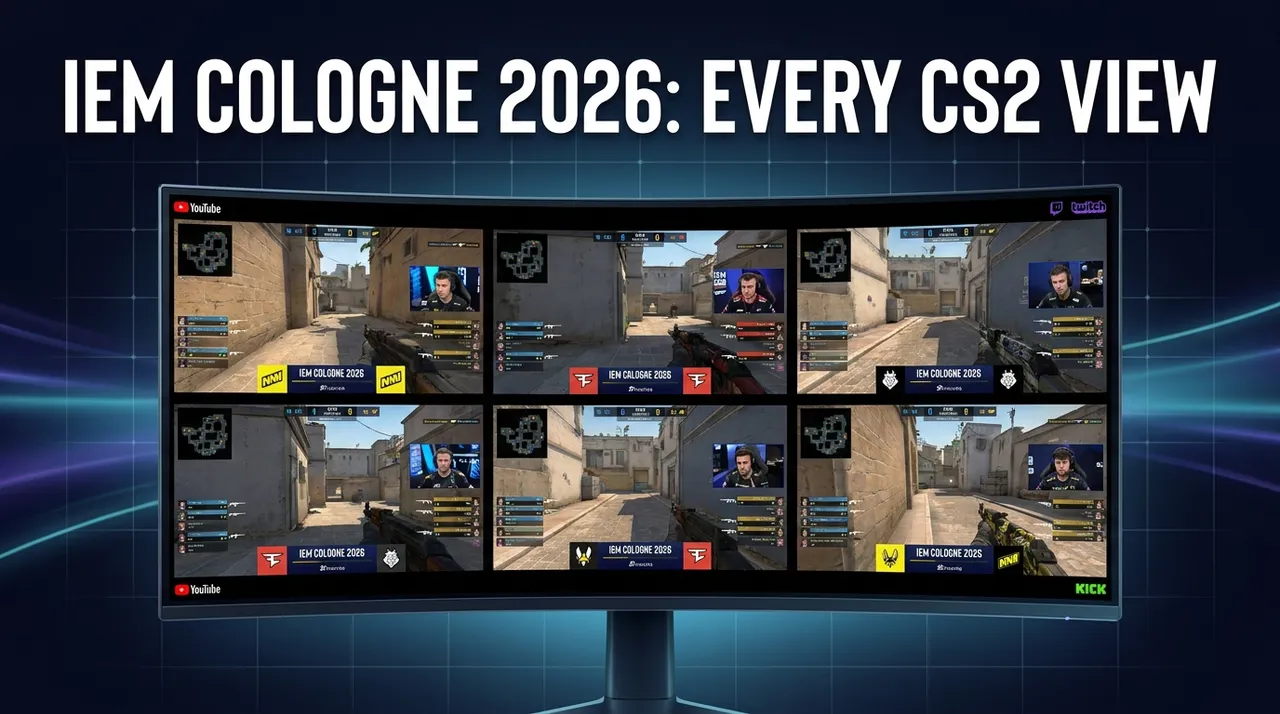
Master IEM Cologne 2026: Multi-Stream Every CS2 View
Don't miss a single frag at IEM Cologne 2026. Learn how to multi-stream CS2 tournaments like a pro with our in-depth guide, covering POV streams, casters, and using ViewGrid.tv.
Okay, so listen, if you're like me — utterly obsessed with competitive CS2 — then you already know that IEM Cologne 2026 multi stream isn't just an option, it's a necessity. We're talking about the Cathedral of Counter-Strike here, the LANXESS Arena, the roar of the crowd, the biggest names in the game battling it out for one of the most prestigious titles. This isn't just another tournament; it's the tournament. And if you're trying to absorb all that glory through a single, solitary stream, well, you're doing it wrong. Plain and simple.
I've been on this streaming journey for years, watching everything from obscure Japanese fighting game tourneys to the biggest esports events on the planet. And over that time, I’ve learned a thing or two about maximizing the viewing experience. Especially for something as fast-paced and strategically deep as CS2. You blink, you miss a crucial peek. You tab out, you miss a clutch 1v3. It's a game of microseconds, and your viewing setup needs to be just as sharp. That's why I'm here to talk about how to truly master IEM Cologne 2026 by embracing the multi-stream lifestyle. Trust me, once you go multi, you never go back.
IEM Cologne 2026: The Beast of the Rhine Demands More Than One Screen
There’s something truly magical about IEM Cologne. Maybe it’s the history, the sheer weight of past champions, or just the incredible atmosphere that permeates the LANXESS Arena. It’s an event where legends are forged, where underdogs rise, and where incredible stories unfold round after round. Think about the epic grand finals we've witnessed — the sheer emotional rollercoaster of a FaZe vs. G2, or a Vitality showing pure dominance. Every single match feels like a main event. Every single player feels like they’re playing for their legacy.
And that intensity, that relentless drive, it translates directly to the game itself. CS2 at this level isn't just about clicking heads; it's about intricate utility usage, perfect timing on rotations, reading your opponents like an open book, and the incredible individual skill of players like m0NESY or ZywOo making impossible plays look routine. One minute you’re watching a perfect execute on A site, the next you’re seeing a lurker pick off three players on the opposite side of the map. It's too much for one camera angle, one set of casters, to ever fully capture.
Honestly, trying to watch a match of this caliber with just one stream feels like trying to listen to an entire orchestra with just one earbud in. You get some of it, sure. You hear the main melody, maybe a drumbeat or two. But you miss the subtle harmonies, the individual instruments, the conductor's cues, the sheer depth of the performance. IEM Cologne is a symphony of strategy and skill, and a single stream simply can't do it justice. We need more eyes, more ears, more context to truly appreciate the genius unfolding before us.
Why Your Single Stream Setup Just Won't Cut It for Elite CS2 Tournaments
I remember watching an IEM event a few years back — I think it was Katowice, actually, but same vibe — and I was trying to keep up with a particularly intense semi-final match between two top-tier teams. My buddy was texting me, "Did you see that flash from X player?" and I was like, "Wait, what flash? The main stream just showed the entry frag." And it hit me then, clear as day: the main broadcast, while fantastic for an overall view, has to make choices. They can't show everything. They can't be everywhere at once.
That's the fundamental problem with a single stream for a game as complex as CS2. You're constantly missing out. You're missing the crucial utility throw that opened up the site. You're missing the player who held a pixel-perfect angle that prevented a re-take. You're missing the comms (even if you can't understand them, seeing the player's reactions tells a story). And when you're talking about IEM Cologne, where every round matters, every decision is scrutinized, every clutch is a potential series-changer, that's just too much to leave on the table.
This is exactly why a multi-stream approach isn't just a luxury; it's an absolute game-changer. It allows you to become the director of your own viewing experience. You get to decide what's important to you in that moment. Do you want to see the overall tactical picture? Great, keep the main stream up. But do you also want to follow your favorite AWPer's angles? Or a rifler's incredible spray control? Or maybe you want to hear a different set of casters provide an alternative perspective? With a proper setup, you can have all of that, often simultaneously. It’s about empowering you to watch IEM Cologne 2026 exactly how you want to.
The Streams You *Need* to Watch: Navigating the IEM Cologne 2026 Multi-Verse
Alright, so you're convinced. One stream is for amateurs, and you're ready to upgrade your life. But what exactly should you be looking for? It's not just about opening multiple tabs and hoping for the best. There’s a method to the madness, a hierarchy of importance, if you will. The kind of streams available for an event like IEM Cologne are varied, and knowing which ones to prioritize can make all the difference in your CS2 tournament multi view setup.
The Main Broadcast vs. POV Feeds: A Holy War (My Take)
This is, for me, the core debate of high-level CS2 viewing. You've got the main broadcast, usually on the official ESL Twitch or YouTube channels, featuring the polished production, expert desk analysis, and the primary caster duo — think SPUNJ and Machine, or moses and Launders, delivering that high-energy play-by-play and insightful analysis. This stream is your anchor. It gives you the full picture, the score, the replays, the overall narrative of the match. It's essential.
But then, oh then, you have the IEM Cologne POV streams. These are, in my humble opinion, where the real magic happens for the discerning viewer. Sometimes they're provided by the tournament organizer, sometimes by individual players or teams through their own channels. These streams follow a single player, showing you exactly what they see, what they hear, and how they react in real-time. Forget the wider map view for a second and just focus on how ZywOo adjusts his crosshair, or how karrigan uses his utility as an IGL, or how a player like Brollan clears corners. This is where you truly understand the nuance of individual skill and decision-making. My hot take? If you're serious about improving your own game, or just appreciating the sheer skill involved, a good POV stream is often more valuable than the main broadcast. You get to learn why they do what they do, not just what they do.
I usually run the main stream as my primary audio source, keeping it slightly larger on my main monitor. But then, on a secondary display, I'll have two or three POV streams running. I’ll toggle their audio on and off rapidly, or keep one player's audio low in the background, just to hear their in-game sounds – footsteps, grenades, everything. It's a bit hectic, sure, but it's an incredible way to truly dissect the game.
Language Barriers and Regional Delights
Another fantastic reason to embrace the IEM Cologne 2026 multi stream life? Language. While I primarily stick to English broadcasts, sometimes it's incredibly fun, and even insightful, to have a different language stream up. The energy from a Brazilian cast, for example, is infectious. Or the tactical depth of a French or Russian broadcast can offer a completely fresh perspective on the same play.
Last year, during a particularly close series, I had the main English stream on, plus a Russian POV stream from a player, and then a Brazilian community cast running quietly in another window. The Brazilian casters were absolutely losing their minds during a clutch round, and even though I only understood a few words, their sheer passion added another layer to the hype. It reminded me that esports is global, and the love for CS2 transcends any single language. Plus, sometimes, a different language stream might just have a slightly earlier feed, giving you a tiny head start on the action – not that I'm encouraging unfair advantages, but hey, every millisecond counts in CS2!
Stats, Interviews, and B-Streams
Beyond the main game action, there's always a wealth of supplementary content during a major tournament like IEM Cologne. You'll often find dedicated CS2 caster streams where they're just reacting to the game, providing deeper analysis without the pressure of live play-by-play. These can be fantastic for post-round breakdowns or just chilling with your favorite analyst.
Then there are the stat-heavy streams or websites – like HLTV.org or similar – that provide real-time statistics for every player, every round. Having this open on a small window allows you to instantly check K/D ratios, ADR, or utility damage without waiting for the main broadcast to show it. It’s like having a personal stats analyst right there with you.
And let’s not forget the possibility of B-streams. Sometimes, especially in the earlier stages of a tournament with parallel matches, ESL will run a secondary stream dedicated to a different match. If you're trying to watch IEM Cologne live and keep tabs on multiple developing storylines, having both A and B streams open is crucial. It ensures you don't miss any major upsets or incredible plays happening concurrently. You can always check the official ESL CS Twitter during the event for links to all available streams.
Getting Your IEM Cologne 2026 Multi Stream Setup Ready: A Step-by-Step Guide
Alright, let's get practical. You're hyped, you're ready, but how do you actually do this multi-stream thing without your computer melting down or your brain exploding? It's easier than you think, especially with the right tools. I’ve refined my process over countless tournaments, and this is pretty much the bulletproof method I swear by.
- Choose Your Platform(s):
- * Twitch: Still the king for live esports. Generally reliable, good quality, and where most official and community streams will be. You'll find the main ESL_CS2 channel here, plus various regional broadcasts and player POVs.
- * YouTube: Often runs parallel to Twitch. Sometimes has slightly better VOD support and rewind features. Quality can be excellent. The official ESL YouTube channel is a must-bookmark.
- Kick: The newer kid on the block. While it’s grown a lot, it might not have as many official* tournament streams as Twitch or YouTube for IEM Cologne, but you might find some community casters or even players streaming there. Worth keeping an eye on, especially for diverse content.
- My advice:* Prioritize Twitch and YouTube. They're usually the most stable and comprehensive for big events. You can often find multiple Twitch streams or multiple YouTube streams for the same event, which is perfect.
- Find the Right Streams:
- * Before the event, or on the first day, scope out the official ESL channels. They usually list all available streams – main, B-stream, and any official POV channels.
- * Check team social media. Sometimes players or teams will announce personal POV streams (if allowed by tournament rules).
- * Look for community casters. Sites like Liquipedia or just a quick search on Twitch will show you who's co-streaming or doing analysis.
- * Don't forget to bookmark everything! Create a folder in your browser specifically for IEM Cologne streams.
- The Multi-Stream Tool: Enter ViewGrid.tv:
- * This is the critical step. Trying to manage multiple tabs, resizing them, dealing with audio echoes – it’s a nightmare. That's where a dedicated multi-stream viewer like ViewGrid.tv comes in.
- * I've been using ViewGrid for ages, and it simplifies everything. You just paste the URLs of the streams you want to watch, and it arranges them neatly in a customizable layout. It keeps things synced, handles the audio, and just makes the whole experience seamless. Head over to ViewGrid multi-stream viewer and give it a try. It’s a lifesaver for events like this.
- Audio Management – The Eternal Struggle:
- * This is probably the trickiest part of multi-streaming. You can't have five streams blasting audio at you.
- My solution:* I usually keep the main broadcast stream (from ESL_CS2 on Twitch or YouTube) as my primary audio source. It's the one that gives you the overall play-by-play.
- For the other streams, like POVs, I mute them by default within ViewGrid or the player itself. Unless* I want to focus on a specific player's in-game sounds or hear their comms (if they're unmuted and speaking English, or if I just want the vibe). Then I'll quickly click to unmute that specific stream.
- * Another trick: Use browser extensions like "Audio EQ" or similar for Chrome/Firefox. These let you manage audio levels for individual tabs, giving you finer control than just mute/unmute.
- Display Setup:
- * Dual Monitors: Ideal. Main broadcast on your primary, larger monitor. POVs, stats, or B-streams on your secondary.
- * Ultrawide Monitor: Also fantastic. You can easily divide your screen into two or three vertical sections, dedicating each to a stream or stat page.
- * Single Monitor: Totally doable, but requires more precise resizing and potentially toggling. ViewGrid helps immensely here by fitting everything into one browser window. You might have one larger main stream and several smaller, muted ones.
My Personal Multi-Viewing Arsenal: Optimizing Your Experience
Let me walk you through my typical IEM Cologne setup. It's evolved over the years, through countless major tournaments, and it’s pretty dialed in for maximum information intake without total sensory overload.
My main monitor is a 27-inch 1440p display. This is where the core action lives. I'll usually have ViewGrid multi-stream viewer open, occupying about 70% of this screen. Within ViewGrid, I’ll typically have a 2x2 grid. The top-left is always the official ESL_CS2 main broadcast – this is my primary audio source, loud and clear. Below that, I’ll often have a player POV stream, maybe from the star AWPer of the team I'm rooting for, or the IGL.
Then, on the right side of my main monitor, I’ll split the remaining space. One window might be another POV, perhaps from the opposing team's star rifler, giving me a glimpse into their defensive setups. The other window is usually HLTV.org or a live score tracker, constantly refreshing with stats, economy, and clutch percentages. I’m a bit of a data nerd, so seeing those numbers pop up in real-time is crucial for my understanding of the flow.
My secondary monitor, a smaller 24-inch, serves a different purpose. This is where I have Twitter open, following key CS2 accounts and casters for real-time reactions and memes. Below that, I usually have Discord open, chatting with friends who are also watching. Sometimes, if there's a B-stream for a concurrent match that's looking spicy, that'll take up prime real estate on my second screen too. It’s all about maintaining situational awareness both in-game and in the wider community discussion.
One thing that bugs me sometimes is when a stream has significantly more delay than another. It can throw off the whole vibe, especially if you see a score update on HLTV before it even happens on your main stream! I usually try to refresh all streams simultaneously if I notice a significant discrepancy, or stick to official streams that tend to be more synchronized. It's a small detail, but for a true enthusiast, it makes a difference. And honestly, for a true IEM Cologne experience, those CS2 caster streams on a side monitor with their unique insights are indispensable.
Beyond the Initial Setup: Advanced Tactics and Troubleshooting
You’ve got your multi-stream setup humming along, IEM Cologne 2026 is underway, and you're feeling like a true esports commander. But what happens when things go sideways? Or how can you squeeze even more out of your setup?
Dealing with Lag and Buffering: This is the bane of any streamer's existence. If one of your streams starts stuttering, first check your internet connection. If that’s fine, try refreshing just that single stream. If it persists, try lowering the quality of the problematic stream (especially for POVs where super high quality isn't always essential). Sometimes switching from Twitch to YouTube (or vice-versa) for that specific stream can help, as their servers might be under different loads. ViewGrid handles stream sources from multiple Twitch streams, multiple YouTube streams, and even multiple Kick streams, so you have options.
Audio Sync Issues: Occasionally, one stream's audio might drift out of sync with its video, or with other streams. Most streaming platforms (and ViewGrid) have a small gear icon or settings menu where you can adjust audio delay. It's usually in milliseconds. A tiny adjustment can fix it. Or, again, a quick refresh.
Browser Extensions for Pop-Out Players: If you're not using ViewGrid for all your streams, consider browser extensions like "Picture-in-Picture" for Chrome or Firefox. These allow you to pop out a video player into a floating, resizable window that stays on top of other applications. Great for having a small POV in the corner of your screen while you do something else.
Keyboard Shortcuts for Quick Switching: Get familiar with your browser's shortcuts. Ctrl+Tab or Cmd+Tab to cycle through tabs, M to mute/unmute on most video players. If you're using ViewGrid, it usually has its own intuitive controls for managing multiple streams. Learning these can save you precious seconds when a clutch is happening and you need to switch audio sources or focus on a different screen.
The Value of a Second Screen for Chat/Twitter: I touched on this, but it bears repeating. Having a dedicated space for social media and community interaction elevates the experience. You can see live reactions, insights from pro players, or just share the hype with fellow fans. It turns a solitary viewing experience into a shared one.
Recording Your Own Multi-View: For the truly dedicated, consider using screen recording software (like OBS Studio) to record your entire multi-view setup. This way, you can go back and re-watch specific rounds from multiple angles, something you just can't do with a single VOD. It's an awesome way to analyze strategy or just relive those incredible IEM Cologne moments. I've done this for particularly epic grand finals, and it's invaluable.
The ViewGrid Advantage: Your Command Center for IEM Cologne 2026
So, we've talked about the "why" and the "how" of mastering IEM Cologne 2026 multi stream. We've delved into the types of streams you need to be watching and the personal strategies I use to keep my head from spinning during intense matches. But at the heart of making all of this manageable, seamless, and actually enjoyable, is a reliable tool. And for me, that tool is ViewGrid.tv.
It's not just a fancy tab manager. It's a purpose-built platform designed specifically for people like us — people who want to watch multiple live events simultaneously without tearing their hair out. Whether you're tracking specific player POVs, keeping an eye on a B-stream during the group stage, or just want to compare how different CS2 caster streams are calling the same play, ViewGrid brings it all together. You can customize your layout, manage audio with ease, and switch between different stream sources (Twitch, YouTube, Kick) all within one clean interface. It turns a potentially chaotic viewing experience into a perfectly orchestrated command center.
Honestly, the first time I tried using ViewGrid for a major esports event, it felt like I'd unlocked a secret level of viewership. Suddenly, I wasn't just watching the tournament; I was immersed in it. I was in control. And for an event as monumental and important as IEM Cologne, that level of control and immersion is absolutely priceless. Don't settle for just catching glimpses of the action. Head over to the ViewGrid multi-stream viewer and set yourself up right. You can even check out our specific pages for watching multiple esports streams to see more examples. Give it a shot, and I promise you, you'll never look at watching CS2 — or any live event — the same way again. It's the way to truly experience IEM Cologne 2026.
Ready to try multi-stream viewing?
Watch YouTube, Twitch, Kick & more — all on one screen.
Open ViewGridRelated Articles
EVO 2026: Multi-Stream Every Match, Every Angle
Don't miss a single combo at EVO 2026! Learn how to plan, set up, and optimize your multi-stream experience to watch all the action across Twitch, YouTube, and Kick with ViewGrid.tv.
streaming guideThe International 2026 (Dota 2): Watch Every Live Stream, Every Angle, All at Once with ViewGrid
The International 2026 (Dota 2) is a multi-stream event — here's how to watch every official live stream at once in one grid.
streaming guideEsports World Cup 2026 (Weekly Finals): Don't Miss a Single Play – Watch All Streams at Once!
Esports World Cup 2026 (Weekly Finals) is a multi-stream event — here's how to watch every official live stream at once in one grid.
streaming guideMultistream: Unleash Your Ultimate Live Viewing Experience
Tired of missing out? Discover the power of multistreaming to watch multiple streams at once. Our guide covers setup, use cases, and why ViewGrid.tv is your go-to multi stream viewer.