Rocket League World Championship 2026: Catch Every Angle with a Multi-Stream Viewer
Rocket League World Championship 2026 is a multi-stream event — here's how to watch every official live stream at once in one grid.
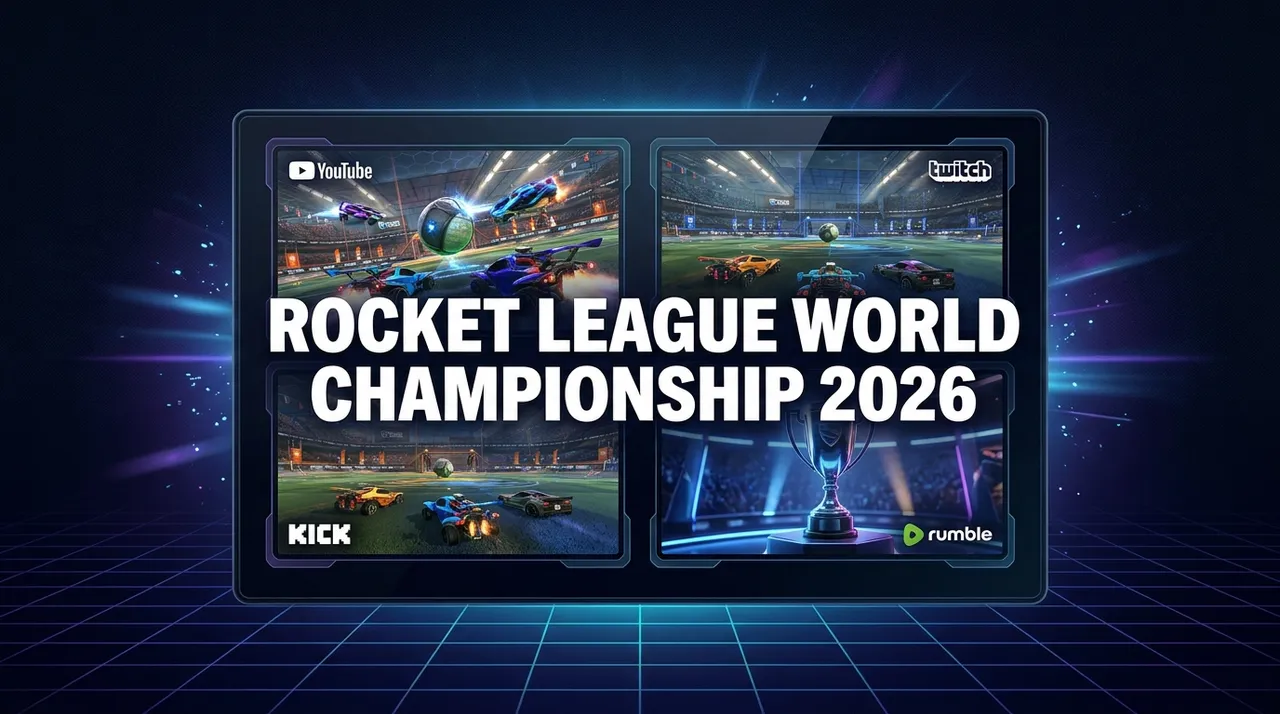
The Rocket League World Championship 2026 is set to ignite the esports world, bringing together top-tier competitors for an electrifying display of aerial acrobatics and precision plays. As one of the most anticipated events in the esports calendar, it's not just about the main broadcast anymore. Modern esports spectacles like this demand a multi-faceted viewing experience, with multiple simultaneous live streams available across various platforms. You'll find a wealth of content ranging from official main feeds to alternate perspectives, player point-of-view (POV) streams, and lively community watch parties. Trying to keep up with all this action by constantly switching browser tabs or juggling multiple devices can quickly become a frustrating juggling act, leaving you feeling like you're missing out on critical moments.
Imagine the high-stakes drama of a crucial goal being scored, while simultaneously wanting to see the replays from a different camera angle, listen to the alternative commentary of your favorite content creator, or track the reactions of a specific pro player. With traditional viewing methods, you're forced to choose, often sacrificing one exciting perspective for another. This fragmented experience can detract from the overall immersion and excitement of such a dynamic event. The good news is, there's a revolutionary way to consume all the Rocket League World Championship 2026 content you crave without missing a beat. ViewGrid, a free browser-based multi-stream viewer, empowers you to create your own personalized viewing hub, bringing all the official YouTube, Twitch, Kick, and Rumble live streams into one cohesive grid. Get ready to witness every boost, every save, and every winning shot from every angle, all in a single, customizable window.
What's Happening and When
Mark your calendars! The Rocket League World Championship 2026 is scheduled to run from September 15, 2026, to September 20, 2026. This six-day esports extravaganza promises non-stop action as teams battle for supremacy. During this period, fans can expect intense competition, incredible skill, and unforgettable moments, all available to watch live across multiple online platforms. Be sure to check the official Rocket League channels on Twitch and YouTube for the exact schedule of matches and broadcasts as the event draws closer.
Build Your Rocket League World Championship 2026 Grid in 60 Seconds
Forget the hassle of endless tabs and missed plays. With ViewGrid, building your ultimate multi-stream setup for the Rocket League World Championship 2026 is incredibly fast and simple. Here's how you can create your custom viewing experience in less than a minute:
- Open ViewGrid: Simply navigate to viewgrid.tv in your browser. No signup is needed, and it's completely free to use. You're instantly greeted with a clean interface ready for your streams.
- Pick Your Layout: ViewGrid offers a variety of grid layouts. For a truly immersive and comprehensive experience during the Rocket League World Championship 2026, we recommend starting with a four-slot layout. This sweet spot allows you to monitor the most crucial streams without feeling overwhelmed, giving you a perfect balance of breadth and detail.
- Add Your Streams: Click on an empty slot in your chosen grid layout. A prompt will appear, allowing you to either search for live streams directly on YouTube or Twitch, or paste a direct URL from any supported platform (YouTube, Twitch, Kick, Rumble). For the Rocket League World Championship 2026, you'll want to add streams from the official Rocket League Twitch and YouTube channels, as well as any other verified live streams you discover. The beauty of ViewGrid is that it uses each platform's official embedded player, so each platform's own ads and view-counting rules apply.
- Unmute Your Primary Feed: Once you have your desired streams loaded into the grid, you'll notice they are initially muted to prevent audio chaos. Simply click the speaker icon on the stream you want to designate as your primary audio source. You can switch this at any time, allowing you to seamlessly transition between main commentary, specific player comms, or community reactions.
- Share Your Grid (Optional, but awesome!): ViewGrid automatically generates a unique URL for your custom grid. Copy this link and share it with friends, family, or your community! They can open your pre-configured grid with a single click, instantly joining you in your multi-stream viewing adventure. It's the perfect way to synchronize your Rocket League World Championship 2026 experience.
That's it! In just a few clicks, you've transformed your viewing experience from a single window into a dynamic command center, ready to capture every facet of the Rocket League World Championship 2026. This streamlined process ensures you spend less time configuring and more time enjoying the high-octane action.
A Suggested 4-Slot Plan for the Rocket League World Championship 2026
To help you get started, here’s a highly effective four-slot plan that will give you a comprehensive overview of the Rocket League World Championship 2026. This setup is designed to maximize your viewing pleasure and ensure you don't miss any critical developments across the tournament. Remember, this is just a suggestion – the power of ViewGrid is in its flexibility, allowing you to customize your setup to match your personal viewing preferences for any esports event. You can explore more strategies and tips on our esports hub.
| Slot | Stream Type | Why You Need It |
|---|---|---|
| 1 | Official Main Broadcast | This is your primary source for the core action. It provides the highest production value, professional commentary, expert analysis, and the overall tournament narrative. You'll get the main match feed, essential for following the flow of the game and understanding key plays. |
| 2 | Alternate View / POV | Many esports events, especially major ones like the Rocket League World Championship, offer alternate camera angles, player-specific POVs, or observer feeds. This slot lets you dive deeper into individual player mechanics, team strategies, or simply enjoy a different visual perspective of the arena. |
| 3 | Community Co-stream / Watch-along | Enhance your viewing experience by adding a popular content creator's co-stream or watch-along. These streams often provide unique, often more casual or humorous, commentary, real-time fan reactions, and a sense of shared viewing excitement that can't be found on the main broadcast. |
| 4 | News / Recap Channel | While the main event is unfolding, dedicate a slot to a channel that provides live updates, news, analysis, or even replays of previous matches from the day. This keeps you informed about the broader tournament context, standings, and allows you to catch up on any key moments you might have missed. |
By combining these different types of streams, you create a dynamic and rich viewing environment that transcends what a single screen can offer. You're not just watching the Rocket League World Championship 2026; you're immersing yourself in it, experiencing every layer of its excitement. The beauty of the multi-stream viewer is that if one stream becomes less relevant, you can instantly swap it out for another with just a few clicks, maintaining full control over your personalized viewing dashboard.
Frequently Asked Questions (FAQ)
Q: Is ViewGrid free to use?
A: Yes, ViewGrid is absolutely free. There's no cost, no hidden fees, and no premium subscriptions required to enjoy its full functionality.
Q: How many streams can I watch at once?
A: You can comfortably watch up to 20 live streams simultaneously on a desktop browser. For mobile devices, the layout adapts beautifully, allowing you to watch up to 6 streams at once, ensuring a smooth experience even on smaller screens.
Q: Does ViewGrid work on phones and tablets?
A: Yes! ViewGrid is designed to be fully responsive. It works seamlessly across all devices, including phones and tablets. The grid layout automatically adapts to both portrait and landscape orientations, ensuring an optimal viewing experience no matter how you hold your device.
Q: Which live streaming platforms does ViewGrid support?
A: ViewGrid supports live streams from the most popular platforms, including YouTube, Twitch, Kick, and Rumble. You can add any public live stream from these services to your personal grid.
Don't Miss a Single Boost or Goal in 2026!
The Rocket League World Championship 2026 is more than just a tournament; it's a multi-faceted spectacle that deserves to be watched in its entirety. From the main stage to the individual player perspectives, the rich tapestry of content available means that a single stream simply isn't enough to capture the full scope of the action. With ViewGrid, you gain the power to curate your ultimate viewing experience, bringing all the official live streams from YouTube, Twitch, Kick, and Rumble into one dynamic, customizable window.
Say goodbye to tab-switching frustration and hello to comprehensive coverage. Build your perfect grid for the Rocket League World Championship 2026, share it with your friends, and immerse yourself in every boost, every save, and every epic goal. ViewGrid is free, requires no signup, and uses official embedded players, so each platform's own ads and view-counting rules apply. Get ready to elevate your esports viewing experience to a whole new level. Visit viewgrid.tv now and start building your grid for the Rocket League World Championship 2026, or explore more content on our dedicated esports hub.
Ready to try multi-stream viewing?
Watch YouTube, Twitch, Kick & more — all on one screen.
Open ViewGridOr start with Esports multi-stream page — the page built for exactly this.
Related Articles
Fortnite FNCS Global Championship 2026: How to Watch Every Stream
Fortnite FNCS Global Championship 2026 is a multi-stream event — here's how to watch every official live stream at once in one grid.
streaming guideEMEA Masters Summer 2026: How to Watch Every Match and Co-Stream
EMEA Masters Summer 2026 is a multi-stream event — here's how to watch every official live stream at once in one grid.
streaming guideDon't Miss a Second: How to Watch PGL Wallachia Season 9 (Dota 2) with Every Stream at Once
PGL Wallachia Season 9 (Dota 2) is a multi-stream event — here's how to watch every official live stream at once in one grid.
streaming guideFlame Fatales 2026: Multi-Stream Viewing Guide
Flame Fatales 2026 is a multi-stream event — here's how to watch every official live stream at once in one grid.