Don't Miss a Second: How to Watch PGL Wallachia Season 9 (Dota 2) with Every Stream at Once
PGL Wallachia Season 9 (Dota 2) is a multi-stream event — here's how to watch every official live stream at once in one grid.
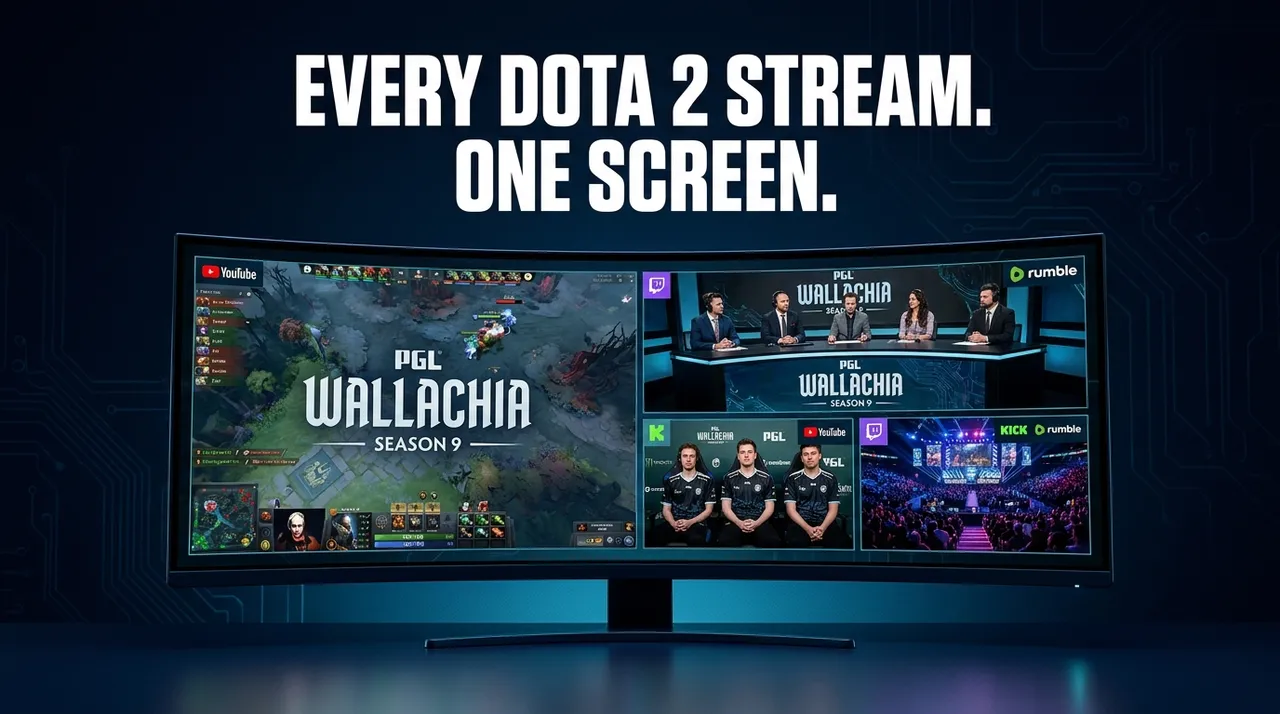
Get ready, Dota 2 fans! PGL Wallachia Season 9 is almost here, bringing with it a torrent of top-tier esports action. But with major tournaments like this, a single stream often isn't enough to capture all the excitement. Imagine trying to follow multiple simultaneous matches, track different regional broadcasts, or even keep an eye on a popular community co-streamer – all at the same time. This is where the magic of multi-stream viewing comes into play, transforming your viewing experience from a single window to an immersive command center.
PGL Wallachia Season 9 is a massive Dota 2 tournament, designed with a two-stage group-to-playoff format. This structure inherently guarantees simultaneous matches during its intense group stages. On top of that, you can expect multiple official language streams, allowing fans from around the globe to follow the action in their preferred tongue. This creates an exciting, but potentially overwhelming, scenario for viewers. How do you keep up with the main English broadcast, a different language stream, and perhaps a beloved community watch-along, all while not missing a single clutch play? Trying to juggle multiple browser tabs, each battling for your audio and attention, quickly becomes a frustrating mess. That's why a dedicated multi-stream viewer like ViewGrid is essential for an event of this scale.
What's Happening and When
PGL Wallachia Season 9 is a premier esports event focused entirely on Dota 2. This highly anticipated tournament kicks off on September 17, 2026, and will run for over a week, concluding on September 27, 2026.
Throughout these dates, the world's best Dota 2 teams will clash, navigating a rigorous group stage before advancing to the high-stakes playoffs. With simultaneous matches being a cornerstone of the group stage format, you'll want a strategy to catch all the critical moments. Prepare for non-stop action as teams battle for supremacy in one of the most prestigious events on the Dota 2 calendar.
Build Your PGL Wallachia Season 9 (Dota 2) Grid in 60 Seconds
Watching multiple PGL Wallachia Season 9 streams side-by-side is incredibly easy with ViewGrid. Our free browser-based multi-stream viewer works with YouTube, Twitch, Kick, and Rumble, using each platform's official embedded player. This means ViewGrid does not host or re-stream any video, and each platform's own ads and view-counting rules apply. Best of all, no signup is needed!
Here’s how to set up your ultimate Dota 2 command center in under a minute:
- Open the Multi-Stream Viewer: Head straight to the multi-stream viewer at viewgrid.tv. You'll be greeted with a blank canvas, ready for your custom stream layout.
- Pick Your Layout: On the left side of the screen, you'll see various layout options. For PGL Wallachia Season 9, especially during simultaneous group stage matches, a four-slot grid is often the sweet spot. It provides enough screen real estate to follow multiple perspectives without feeling too crowded, but you can choose from up to 20 slots on desktop, or 6 on mobile, to suit your preference.
- Add Your Streams: This is where the magic happens. Click on any empty slot in your chosen layout. A pop-up will appear with an "Add Stream" option.
- * Search Live: You can use the search bar to find live streams directly on YouTube or Twitch by typing in relevant keywords like "PGL Wallachia," "Dota 2 live," or the official PGL channels.
- * Paste a URL: If you already know the exact URL of a specific YouTube, Twitch, Kick, or Rumble stream you want to watch (perhaps an official language broadcast or a popular co-streamer's channel), simply paste it into the provided field. Repeat this step for each slot until your grid is full.
- Unmute One Stream (or more!): By default, all streams will play silently to prevent an audio cacophony. Click the speaker icon on the stream you want to hear as your primary audio source. You can switch primary audio at any time, or even carefully balance the audio from multiple streams if you prefer.
- Share Your Grid Link: Once your perfect PGL Wallachia Season 9 grid is set up, look for the "Share Grid" button. ViewGrid generates a unique URL for your specific layout, complete with all the streams you've added. Copy this link and share it with your friends, fellow Dota 2 enthusiasts, or on social media. They can open it directly and instantly jump into your personalized viewing experience – no setup required on their end!
It's that simple. In moments, you'll go from a single stream to a comprehensive overview of PGL Wallachia Season 9, ensuring you don't miss a single crucial moment, highlight, or commentary.
Your PGL Wallachia Season 9 (Dota 2) 4-Slot Viewing Plan
For a tournament as dynamic as PGL Wallachia Season 9, a well-thought-out 4-slot grid can significantly enhance your viewing. Here’s a suggestion for how to utilize those four precious slots to maximize your Dota 2 esports experience:
| Slot Number | Suggested Stream Type | Why It's Essential for PGL Wallachia Season 9 |
|---|---|---|
| Slot 1 | Main Official Broadcast (Primary Language) | This will be your anchor. Tune into the primary English (or your preferred language) official PGL Wallachia Season 9 stream on YouTube or Twitch. This stream typically provides the highest production quality, expert commentary, and comprehensive coverage of the most prominent match of the moment. It's where you'll get the main narrative and the core insights into the ongoing games. |
| Slot 2 | Alternate Official Broadcast / POV Stream | During group stages, there will be simultaneous matches. Use this slot for a second official broadcast covering a different live match that's happening concurrently. Alternatively, if official player-perspective (POV) streams become available, this is the perfect spot to follow your favorite pro player's actions live, gaining insight into their individual decision-making and mechanics, which is invaluable for understanding high-level Dota 2 play. Another option is a second official language broadcast if you're bilingual. |
| Slot 3 | Community Co-Stream / Watch-Along | Enhance the social aspect of viewing by adding a popular community co-streamer or a watch-along channel. These streams often provide unique, unfiltered commentary, humorous reactions, and a more relaxed atmosphere. Many streamers have a deep understanding of Dota 2 and can offer different insights or focus on specific aspects of the game that the main broadcast might not cover in detail. It's a great way to feel like you're watching with friends. |
| Slot 4 | Stats / News / Recap Channel or VOD Rebroadcast | This slot can be incredibly versatile. During live play, you might choose a dedicated stats stream or a channel focused on real-time analytics to complement the visual action. If you've missed crucial moments from earlier in the day, or if there's a lull between major matches, this slot is perfect for a news channel providing updates, recaps of previous games, interviews, or even a VOD rebroadcast of a match you couldn't catch live. It keeps you informed and caught up throughout the entire event. |
This setup allows you to keep an eye on the main action, track a secondary high-stakes game or a pro's perspective, enjoy a more casual or in-depth community take, and stay updated on the wider tournament narrative, all without missing a beat.
Frequently Asked Questions about Multi-Stream Viewing with ViewGrid
Q: Is ViewGrid free to use for PGL Wallachia Season 9?
A: Yes, absolutely! ViewGrid is a completely free service. You don't need to pay anything to create and share your multi-stream grids for PGL Wallachia Season 9 or any other event.
Q: How many streams can I watch at once?
A: On desktop, ViewGrid supports watching up to 20 live streams simultaneously. If you're using a mobile device, the experience is optimized for up to 6 streams at once, ensuring smooth performance and readability on smaller screens.
Q: Does ViewGrid work on phones and tablets?
A: Yes, ViewGrid is fully browser-based and responsive. Whether you're on a phone, tablet, or desktop, the layout automatically adapts to your screen size and orientation (portrait or landscape) for the best possible viewing experience. You can take your PGL Wallachia Season 9 multi-stream grid with you wherever you go.
Q: Which streaming platforms are supported?
A: ViewGrid supports live streams from the biggest platforms: YouTube, Twitch, Kick, and Rumble. This means you can combine official broadcasts and community streams from various sources into one unified grid for PGL Wallachia Season 9. Remember, it uses the platforms' official embedded players, so each platform's own ads and view-counting rules apply.
Don't Just Watch PGL Wallachia Season 9 – Experience It All!
PGL Wallachia Season 9 promises to be an unforgettable Dota 2 spectacle, filled with intense competition and nail-biting finishes. Don't let the simultaneous matches and multiple language options limit your experience. With ViewGrid, you gain the power to customize your viewing, ensuring you catch every angle, every highlight, and every crucial moment from this massive esports event.
Harness the full potential of multi-stream viewing. Dive into the world of PGL Wallachia Season 9, track your favorite teams across different broadcasts, or simply enjoy the shared experience with friends through a custom grid. It's free, it's easy, and it puts you in control. For this event and all your future esports viewing needs, make ViewGrid your go-to esports hub. Get ready to immerse yourself in Dota 2 like never before!
Ready to try multi-stream viewing?
Watch YouTube, Twitch, Kick & more — all on one screen.
Open ViewGridOr start with Esports multi-stream page — the page built for exactly this.
Related Articles
Fortnite FNCS Global Championship 2026: How to Watch Every Stream
Fortnite FNCS Global Championship 2026 is a multi-stream event — here's how to watch every official live stream at once in one grid.
streaming guideEMEA Masters Summer 2026: How to Watch Every Match and Co-Stream
EMEA Masters Summer 2026 is a multi-stream event — here's how to watch every official live stream at once in one grid.
streaming guideRocket League World Championship 2026: Catch Every Angle with a Multi-Stream Viewer
Rocket League World Championship 2026 is a multi-stream event — here's how to watch every official live stream at once in one grid.
streaming guideFlame Fatales 2026: Multi-Stream Viewing Guide
Flame Fatales 2026 is a multi-stream event — here's how to watch every official live stream at once in one grid.