ViewGrid.tv
how to18 min read·August 15, 2026

Master Streamer Collabs: Multi-Stream Every POV

Tired of missing out on streamer collab POVs? Learn how to multi-stream your favorite creators from Twitch, YouTube, and Kick to get the full story. Your ultimate streamer event multi view guide is here!

multi-streamstreamer collabsTwitchYouTube GamingKickhow-tostreaming tipsesportscontent creation
Master Streamer Collabs: Multi-Stream Every POV

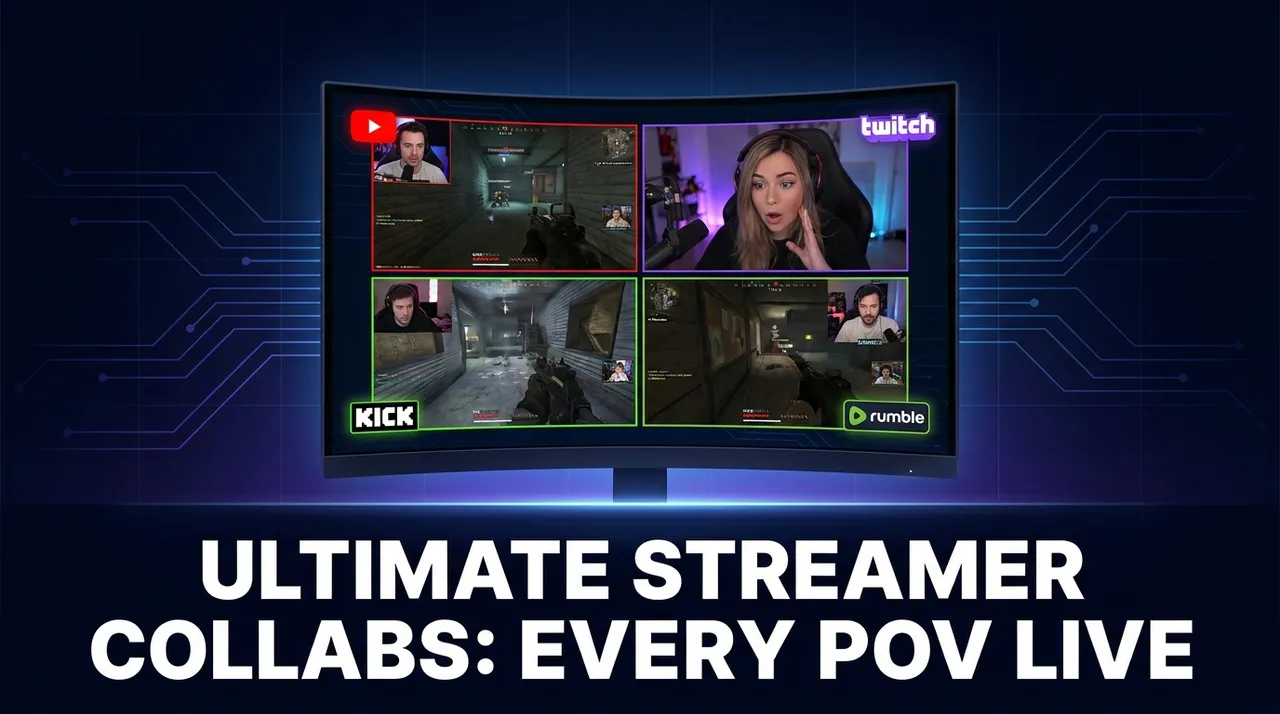
Man, there's nothing quite like it, is there? That feeling when your favorite streamers link up for a session. It could be a chaotic Rust wipe, a tense Valorant stack, or just a chill Minecraft build, but the energy instantly goes through the roof. The problem? You're stuck watching just one perspective, right? You pick your primary POV, and you're constantly wondering what absolute hilarity or clutch play you're missing from the others. It's a real struggle, a constant FOMO generator. That's exactly why understanding how to multi stream streamer collabs is such a game-changer for viewers — it's how you unlock the full experience.

I mean, seriously, how many times have you been watching a stream – let's say Shroud and TenZ are in a Valorant match – and you hear them reacting to something insane happening on another teammate's screen? Your chat explodes, but you're just sitting there, helpless, trying to imagine the chaos. Or during a big charity event, when Ludwig, Valkyrae, and Sykkuno are all playing some party game, and you know they're all saying different, equally hilarious things. You can't just pick one! You need to see it all. That's the whole point of a collab, isn't it? To bring different personalities together, create new dynamics, and tell a story from multiple angles. If you're not seeing those angles, you're only getting half the story. And frankly, that sucks.

Why You *Need* to Watch Multiple Streamer POVs

Look, I've been watching streams for years, since the early Justin.tv days, and the evolution of content has been wild. But one thing that's always been a pain point for viewers is the single-perspective trap. When streamers like xQc, Kai Cenat, and IShowSpeed are all doing something together – maybe a massive "In Real Life" stream or just playing a new multiplayer game – their interactions are the core of the content. You can't fully appreciate the genius of their combined chaos if you're only focused on one camera.

Think about it:
Different Reactions: One streamer might be calm and collected, another screaming their head off, a third just silently plotting. Seeing all those reactions side-by-side? Priceless.
Unique Comms: Who's leading the charge? Who's joking around? Who's making the clutch calls? Hearing the comms from each player's perspective gives you a much deeper understanding of the game or situation. My friend group usually has one super-serious player, one who's just there for the laughs, and one who gets unreasonably tilted. Watching them all play together, you need to see who's who.
* The Full Picture: In games with large maps or complex objectives, like a Rust wipe or a big Minecraft SMP event, what one streamer sees is just a tiny slice of the overall action. Multi-viewing lets you stitch that picture together in real-time. You're basically getting the director's cut, but you're the director.

For me, the first time I really embraced watching multi stream streamer collabs was during a big OfflineTV & Friends Rust server event. There were like ten people online, all building, raiding, and getting into hijinks. I started with Toast's stream, but then I heard someone mention something about LilyPichu getting killed by a bear, and then Abe was doing something sneaky, and then Disguised Toast was laughing about something Sykkuno said... and I just couldn't keep up. My single browser tab felt woefully inadequate. That's when I realized the power of watching multiple streamer POVs simultaneously. It’s not just a nice-to-have; it's essential for getting the full narrative.

The "Official" Multi-Viewing Solutions – And Where They Fall Short

Okay, so streamers and platforms know this is a thing, right? They've tried to build features, but honestly, they often miss the mark for true viewer flexibility.

Twitch Squad Stream

Twitch has its Squad Stream feature, which, on paper, sounds great. Up to four streamers can officially team up, and viewers can watch all four POVs in one integrated player. You get one chat, usually the lead streamer's, and it's pretty seamless.

Pros: It's built right into Twitch, so performance is usually smooth. Chat is unified, which is nice.
Cons:
Limited to four streams. What if there's a group of six playing Among Us? Or ten in a Rust server? You're still missing out.
Streamer dependent. The streamers themselves have to initiate and participate in the Squad Stream. If they don't, you're out of luck. And sometimes, they just forget or don't bother.
Twitch only. If your favorite streamers are on YouTube Gaming or Kick, this is completely useless.
No custom layouts. You're stuck with Twitch's default grid.

I've used Squad Stream plenty of times. It's fine for small groups, like when Shroud, Summit1g, and two others are playing Warzone. But as soon as a fifth person joins, or if one of them is streaming from YouTube, the entire system falls apart. It's a band-aid, not a solution for the kind of large-scale, dynamic streamer event multi view we often see.

YouTube Gaming's Co-streaming and Multistream

YouTube has also been dabbling in this space. They rolled out some co-streaming features, letting creators officially host other streams. It’s still a bit nascent compared to Twitch’s Squad Stream, and not as widely adopted by creators. The idea is there, but the execution and flexibility for viewers just aren't quite there yet. You might see a big esports event offer multiple language streams or different camera angles, which is cool, but that's usually controlled by the event organizer, not for random streamer collabs.

Kick's Multi-kick Feature

Kick, being the new kid on the block, has also implemented a "Multi-kick" feature, which functions similarly to Twitch's Squad Stream. Again, it allows multiple streamers to broadcast together in a single viewer interface. It's a neat addition for their platform, ensuring they keep feature parity with the big players.

Pros: Good for Kick-native collabs, keeps viewers on the platform.
Cons: Same limitations as Squad Stream – limited number of POVs, streamer-controlled, and obviously, only for Kick streamers.

So, you see, while these platform-specific tools are a step in the right direction, they're not the comprehensive answer for someone like me, who wants to watch a mix of streamers across different platforms, or a huge group of friends playing together. They're too restrictive, too reliant on the streamers, and too siloed to one platform. We need something more powerful, more flexible, something that puts you, the viewer, in control of your streamer event multi view.

Your Personal Command Center: Tools for Watching Multiple POVs

This is where the real magic happens. Since the platforms themselves often fall short, it's up to us, the viewers, to take matters into our own hands. For years, my go-to "solution" was just opening a bunch of browser tabs. My PC's RAM would scream, my internet would buckle, and trying to manage audio was a nightmare. I'd have to mute all but one, then switch back and forth, losing context. It was clunky, resource-intensive, and frankly, a terrible experience.

But thankfully, dedicated multi-stream viewers have come a long way. These tools are built specifically for this purpose: letting you aggregate streams from different platforms and manage them all from one interface. They're designed to be more efficient than a dozen browser tabs and give you far more control.

When you're looking for a good multi-stream viewer, you want certain features:
Cross-platform support: Absolutely non-negotiable. You need to be able to pull streams from Twitch, YouTube, Kick, even smaller platforms or specific event streams.
Customizable layouts: Grid views, picture-in-picture, side-by-side – you need options to arrange your streams exactly how you want them.
Independent audio control: The ability to mute, unmute, and adjust the volume of each individual stream, independently. This is probably the most crucial feature for managing the chaos of multiple comms.
Performance optimization: These tools should be designed to use less CPU and RAM than running multiple browser tabs, ensuring a smoother viewing experience, especially if you're rocking a less-than-super-powered rig.
* Chat integration (optional but nice): Some viewers can pull in chats from multiple streams, or at least let you pick one main chat to focus on.

This is where a tool like the ViewGrid multi-stream viewer really shines. It's built from the ground up to solve these problems, giving you that flexibility and performance you need to truly master multi stream streamer collabs. I've been using it myself for a while now, and it's changed how I consume large-scale events.

How to Set Up Your Ultimate Multi-POV Command Center

Okay, let's get down to brass tacks. You want to watch five streamers playing in a Minecraft SMP, two on Twitch, one on YouTube, and two on Kick. How do you do it? This is your step-by-step guide to becoming a multi-POV master.

1. Identify Your Target Streams

First things first, you need to know who's streaming and where. This might seem obvious, but during big events, it can be a bit of a scavenger hunt.

Social Media: Follow your favorite streamers on Twitter, Discord, or other platforms. They'll often announce who they're playing with and where to find their streams.
Friend Lists/Teams: If it's a known group (like OfflineTV, or a specific Valorant team), you can often anticipate who will be live.
Game Categories: On Twitch, YouTube, and Kick, browse the game category they're playing. Look for familiar faces or streams with similar titles that indicate a group activity.
Direct Links: Sometimes streamers will post a multi-stream link directly if they're using an official feature, but you're probably here because that's not cutting it!

Once you have the stream URLs or channel names, you're ready for the next step. For example, if I'm watching a big Warzone tournament, I'll typically grab links for the main broadcast, then maybe Shroud's POV, and then one or two other pro players I like, just to see their individual strategies. That's usually 3-4 streams right there.

2. Fire Up Your Multi-Stream Viewer

This is where your chosen tool comes into play. For this example, we'll talk about using a platform like ViewGrid.

  1. Open ViewGrid.tv: Head over to the website. You'll see a clean interface ready for action.
  2. Add Your First Stream: Copy the URL of your first target stream (e.g., a Twitch URL like twitch.tv/shroud or a YouTube URL like youtube.com/@xqc). Paste it into the input field on ViewGrid and hit "Add Stream" or whatever the equivalent button is. The stream should load up.
  3. Add More Streams: Repeat the process for all the other POVs you want to watch. As you add them, ViewGrid will automatically arrange them in a grid. You can mix and match platforms — add a Twitch stream, then a YouTube stream, then a Kick stream. That's the beauty of it.
  4. Arrange Your Layout: This is key. ViewGrid usually offers several layout options. Maybe you want a 2x2 grid, or one main large stream with two smaller ones on the side. Experiment to find what works for you. I usually put my absolute favorite POV in the main, biggest slot, and then the others around it. This is your command center, so make it yours!
  5. Adjust Audio (Crucial!): This is the make-or-break step. You cannot listen to five streams at full volume simultaneously – it's just noise.
  6. * Pick a Primary Audio Source: Decide which stream's audio you want to hear primarily. This will usually be the streamer whose perspective you care about most, or the one with the most interesting comms. Unmute this stream and set its volume to a comfortable level.
  7. Secondary Audio (Optional/Low Volume): For other streams, you might want to mute them completely, or turn their volume down very* low. Sometimes, I'll keep one or two secondary streams at about 5-10% volume, just to catch background chatter or particularly loud reactions without it overwhelming my primary audio.
  8. * Switching Focus: The beauty of independent audio controls is that you can switch your primary audio focus on the fly. If something wild is happening on another stream, you can quickly mute your main, unmute the secondary, and catch what's going on.

Pro Tip for Audio: For events with many participants, try to pick the streamer who is most likely to be reacting to everyone else, or who has a good balance of game sound and comms. Often, a "support" or "IGL" (in-game leader) player can be a great primary audio source as they're often talking to everyone.

3. Managing Chat and Interaction

With multiple streams, you have multiple chats. This can get overwhelming fast.

Focus on One Chat: Most people pick one stream's chat to actively participate in or read. This will usually correspond with your primary audio stream.
Pop-out Chats: If your multi-stream viewer supports it, or if you're using browser tabs for chat, you can pop out multiple chats and arrange them around your multi-view window. This is for the truly dedicated, though – it can get busy!
* Discord/Social Media: Often, during big collabs, the community will congregate on a Discord server or a Twitter hashtag. This can be a great way to get consolidated reactions and discussions without having to parse 3-5 separate Twitch chats.

Real-World Scenarios Where Multi-Streaming Shines

The applications for a multi stream streamer collabs setup go far beyond just casual gaming. This approach truly enhances some of the most exciting content out there.

Esports Tournaments: Every Angle, Every Player

This is a huge one for me. Watching a Valorant Champions Tour match, a CS2 Major, or a League of Legends Worlds final on a single broadcast is fine, but it's like watching a movie through a keyhole. I want to see how the pros are thinking!

With multi-streaming, you can:
Main Broadcast + Pro POV: Watch the official stream for the overarching narrative and commentary, then add a player's POV to see their individual aiming, utility usage, and comms. Imagine watching TenZ's VCT POV alongside the main broadcast!
Different Casters/Languages: Sometimes an event offers multiple language broadcasts. You can watch the game with your preferred language, and maybe a secondary language to pick up different insights or just for fun.
* Analyst Desk + Game: Keep the analyst desk up in a smaller window while the game is playing, so you can quickly switch focus to their insights during breaks.

This is why I often find myself on ViewGrid multi-stream viewer when a big tournament is happening. It’s perfect for getting that full, immersive esports stream experience. I remember during the last Valorant Masters event, I had the main English broadcast, a specific player's cam, and then the official map view all running. It was glorious.

Large-Scale RP Events & SMPs: Total Chaos Unlocked

Remember that Rust wipe I mentioned? Or any of the big Minecraft SMPs like Hermitcraft or the Dream SMP? These events thrive on emergent storytelling, and that story is happening everywhere at once.

Rust Raids: Watching a raid from both the perspective of the raiders and the defenders is peak content. You see the planning, the execution, the panic, the comms – it's a completely different experience.
NoPixel RP: Grand Theft Auto Roleplay on the NoPixel server is legendary for its intricate stories and character interactions. When characters have a major storyline overlapping, you absolutely need to see it from all sides. If xQc and Summit1g are in a chase, I need to see both.
* Minecraft SMP Lore: When big events are happening, like a war or a major build, you can follow multiple key players to understand the different factions' strategies and reactions.

These are the scenarios where the official multi-view options completely fall short. You'll often have more than four participants, and they might be scattered across different platforms, making a flexible, third-party viewer absolutely essential.

Charity Streams and Special Events: Community at Its Best

Big charity streams, like those hosted by creators for various causes, often feature large groups of streamers collaborating over many hours or even days. These are prime candidates for multi-streaming. You get to see the main host's reactions, individual challenges, and how different groups are interacting, all while contributing to a good cause. Think of a big 'Creator Clash' type event – you'd want to see specific fights, but also the reactions of other creators backstage or in the audience. That's a true streamer event multi view experience.

Just Friends Playing Together: Enhancing the Casual Hangout

Even for smaller, less "event-driven" collabs, multi-streaming enhances the experience significantly. When my go-to group of streamers, who are genuinely friends, link up for a casual game, I still want to see everyone's vibe. It’s like being in the room with them, experiencing their banter and inside jokes from multiple angles. It makes their friendship feel more tangible, more real.

Beyond the Collab: Other Uses for Multi-View

While multi stream streamer collabs are the focus here, the power of multi-view extends far beyond that. Once you get used to having this level of control, you'll find other applications for it in your daily viewing habits.

Sports Broadcasting: Catching multiple sports streams can be a game-changer for sports fans. You can watch the main game, a different camera angle, or even another live game simultaneously. Imagine watching a football game and a basketball game side-by-side, or different perspectives of a NASCAR race. ViewGrid lets you watch multiple sports streams with ease, which is a fantastic utility during busy weekends.
News Coverage: In moments of breaking news, it's incredibly valuable to compare different news channels. You can see how CNN, Fox News, and a local news channel are covering the same event, noticing differences in their focus, tone, or even facts. This is a powerful way to get a more balanced perspective. You can use ViewGrid to watch multiple news channels, which is something I actually do a fair bit during major global events. It's really eye-opening.
Background Noise/Monitoring: Sometimes I just want some background noise. I'll throw up a few chill streams — maybe a coding stream, a crafting stream, and a lo-fi music stream — all at low volume. Or if I'm waiting for a specific streamer to go live, I can have their channel open in a small window alongside my main content, ready to switch.
Tutorials and How-Tos: If you're following a complex tutorial, you might have the main tutorial video open and then a secondary stream of someone else doing the same thing, just to see an alternative approach or troubleshoot.

The flexibility is truly endless once you have a robust multi-stream viewer at your fingertips. It transforms your viewing experience from passive consumption to active curation.

The Future of Watching Streams — It's Multi-View, and ViewGrid.tv is Your Co-Pilot

Let's be real, streaming is only going to get bigger, more interactive, and more collaborative. The days of just passively watching one person on a tiny screen are, for many of us, already over. We crave more context, more angles, more interaction. The official platforms are trying, but they're always going to be limited by their own ecosystems and internal politics. That's why independent, powerful tools are so important.

Being able to effortlessly manage and enjoy multi stream streamer collabs isn't just a niche feature anymore. It's becoming the standard for truly engaged viewers. You shouldn't have to choose just one story when there's an entire universe of concurrent narratives unfolding. You shouldn't have to stress your computer with a dozen browser tabs just to get the full picture.

That's where ViewGrid.tv comes in. We built the ViewGrid multi-stream viewer because we, as viewers ourselves, felt these frustrations. We wanted a solution that was fast, flexible, and platform-agnostic. We wanted to watch our favorite Twitch streamers, YouTube creators, and Kick personalities all in one place, exactly how we wanted. Whether you're trying to catch every moment of a massive streamer event, track multiple esports POVs, or just enjoy a casual collab with your favorite content creators, ViewGrid is designed to give you that control. So, next time your favorite streamers team up, don't miss a beat. Load 'em all up, arrange them perfectly, and immerse yourself in the full experience. It's how streaming was meant to be watched.

Ready to try multi-stream viewing?

Watch YouTube, Twitch, Kick & more — all on one screen.

Open ViewGrid

Related Articles