NFL Multi-Stream: Prepare for Multiple Games
Tired of missing NFL action? Learn how to watch multiple games at once with our multi-stream setup guide for the ultimate sports Sunday. Get ready for kickoff!
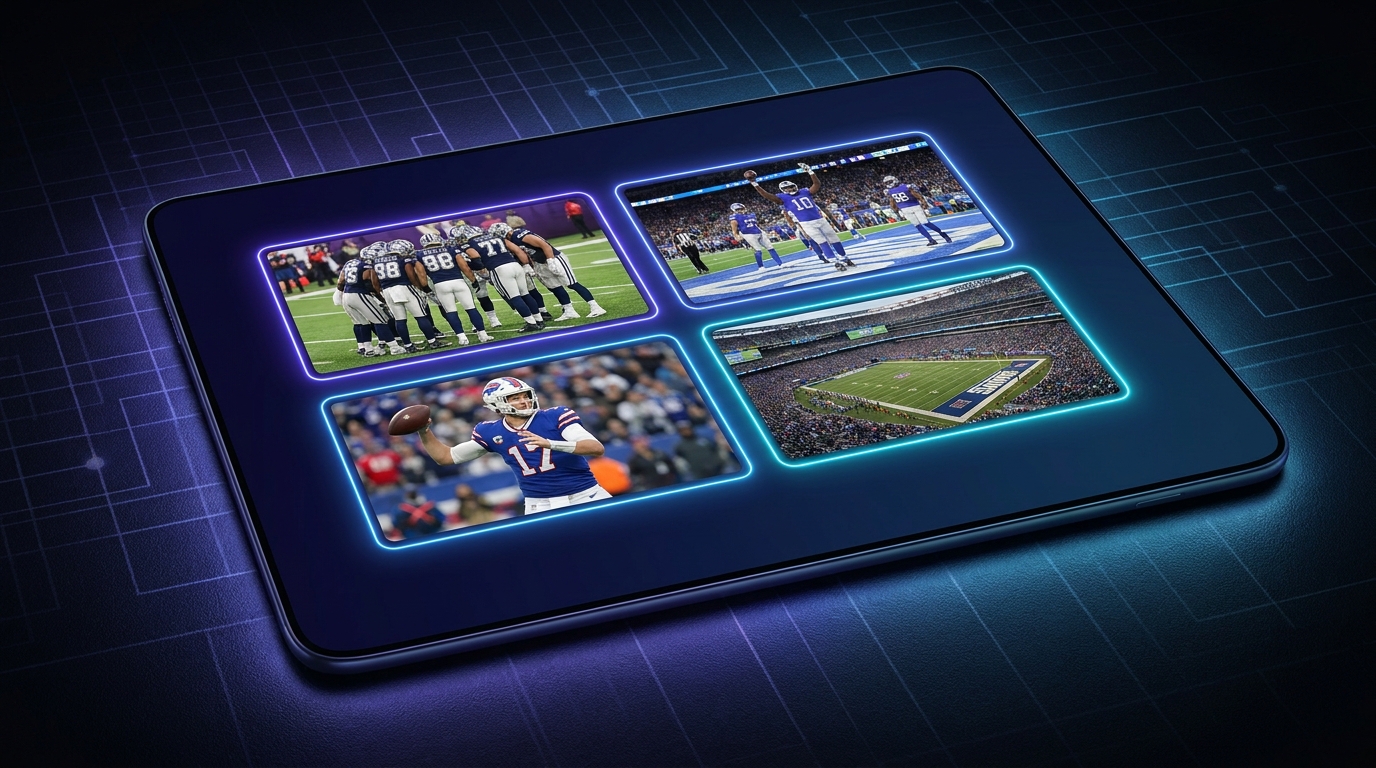
Alright, so picture this: it’s Sunday, 1 PM Eastern, and the glorious symphony of NFL action is kicking off. You’ve got your fantasy team in three different leagues, a parlay bet riding on four games, and your favorite team playing a crucial divisional matchup. Sounds familiar? Yeah, that's my life every single fall weekend. And for years, it was a constant battle. Flipping channels like a madman, trying to catch every big play, screaming at the TV when the RedZone cut away just as my guy was about to score. It was chaos – glorious, beautiful chaos, but chaos nonetheless.
But what if I told you there’s a better way? A way to keep tabs on all the action, to genuinely watch nfl multiple games at the same time, without missing a beat? That’s what we’re diving into today: the art and science of multi-streaming your NFL Sunday. Trust me, once you go multi-screen, you won't go back. It's like upgrading from dial-up to fiber optic – a whole new world opens up.
The Sunday Dilemma: Too Many Games, Too Little Screen
Let’s be real, NFL Sundays are a national treasure. The anticipation leading up to that 1 PM kickoff is palpable, isn't it? But then the reality hits. There are, what, seven or eight games all starting at the same time? And you’re just one person, with usually just one main screen in the living room. Maybe you’ve got a second TV in the man cave (or woman cave, let’s be inclusive here), but that’s still only two games. What about the rest?
For the longest time, my routine involved a complex dance between the main TV, my laptop, and my phone. I’d have my beloved Philadelphia Eagles on the big screen, RedZone on the laptop for all the highlight plays, and then some random game on my phone — usually whichever one had a player I was tracking for fantasy or a particularly spicy rivalry. But even with that setup, it felt... fragmented. I was constantly splitting my attention, trying to process three different audio feeds, and inevitably missing some critical moment from one game because I was focused on another. It was like trying to conduct an orchestra with three different sheet music stands and only two hands.
And let’s not even talk about the agony of seeing a notification pop up on my phone, "So-and-so scores a touchdown!" only to realize I was watching a different game entirely. The frustration was real. It wasn't just about catching the scores; it was about the experience of watching the play unfold, the build-up, the commentary. That's what makes football, well, football. I really wanted to watch nfl multiple games properly, to immerse myself in the day's action without feeling like I was constantly playing catch-up. This yearning, this desire to truly dominate my Sunday viewing, is what eventually led me down the glorious path of multi-streaming. It's not just for hardcore streamers or esports pros anymore; it's for anyone who truly loves sports and wants to get the most out of their viewing experience.
Your Arsenal for Multi-Game Domination
Alright, so you’re ready to ascend to multi-streaming nirvana. Excellent choice! But before you can start throwing streams onto multiple screens, you need the right tools. Think of it like a general preparing for battle – you wouldn’t send your troops out with sticks and stones, would you? No, you need some serious firepower. And for watch nfl multiple games simultaneously, that means a solid setup.
Hardware Essentials
First things first, let's talk about the physical stuff. The gear.
Screens, Screens, Screens: This is probably the most obvious, but also the most impactful. You don’t need* four identical ultrawide monitors, though if you have them, more power to you! I started with my main 32-inch monitor and an old 24-inch one I had lying around. Now, I've got a triple-monitor setup – a 34-inch ultrawide as my main, flanked by two 27-inchers. It's glorious. You can also hook up a laptop to your main TV, or use an iPad as a secondary screen. The key is finding a combination that gives you enough real estate to display multiple streams without them feeling cramped or unwatchable. More pixels usually means a better experience here. Think about what resolution your monitors support; 1080p is usually fine for a few streams, but 1440p or even 4K can make a huge difference if you're trying to display four or more games at once.
* Computing Power: This isn’t the 90s; you can’t just open 10 tabs on an old Pentium and expect it to work. Streaming is resource-intensive, especially multiple streams in high definition. You’ll want a decent CPU (an Intel i5/Ryzen 5 or better, ideally i7/Ryzen 7) and a good amount of RAM – I’d say 16GB is the minimum you should aim for, 32GB is even better. A dedicated GPU helps too, even a mid-range one, as it offloads some of the video decoding from your CPU. If you’re trying to do this on a basic office laptop, you're gonna have a bad time. Expect buffering, stuttering, and maybe even a complete system crash right as your team is driving for the game-winning field goal. Trust me, I've been there, and it's not pretty.
Internet Connection: This is non-negotiable. You’re asking your connection to download multiple video feeds simultaneously. Each 1080p stream can chew up anywhere from 5-10 Mbps. So, if you want to watch, say, four games in decent quality, you’re looking at needing a minimum of 20-40 Mbps dedicated download speed* just for those streams. And that’s before anyone else in your house starts streaming Netflix, playing online games, or downloading big files. I usually aim for at least 100 Mbps download speed as a baseline for my multi-stream setup, just to be safe. If you can hardwire your streaming PC directly into your router with an Ethernet cable, do it. Wi-Fi is convenient, but it’s inherently less stable and often slower than a wired connection, especially when you’re pushing it to its limits.
* Sound Solution: This one is tricky. Do you want the roar of the crowd from all games? Or focus on one? For me, I usually have the main game’s audio coming through my speakers, and then I’ll have a second game’s audio subtly playing through a headphone earbud, or just rely on visual cues for the secondary screens. You can get fancy with multiple sound cards or USB audio devices if you really want distinct audio channels for each stream, but for most people, a good pair of headphones and the ability to mute/unmute individual browser tabs is sufficient. This is where a good ViewGrid multi-stream viewer comes in handy, as it usually offers individual audio controls for each player.
Software & Services
Once you’ve got the hardware sorted, it's time to gather your digital tools. These are the subscriptions and platforms that will bring those games to your screens.
Live TV Streaming Services: This is your bread and butter for NFL. You'll likely need access to channels like CBS, FOX, NBC, ESPN, and NFL Network. Services like YouTube TV, Sling TV, FuboTV, Hulu + Live TV, or DIRECTV Stream are your best bets. Each has its pros and cons, and pricing varies, so check which one carries the channels you need in your area. For example, if you want to catch Sunday Night Football, you'll need NBC. Thursday Night Football is now exclusive to Amazon Prime Video, and some Monday Night Football* games are simulcast on ESPN and ABC. Paramount+ often carries CBS games, and Peacock sometimes has exclusive games too. It's a bit of a maze, isn't it? But you gotta navigate it to get the goods. My hot take? The fragmentation of NFL broadcasting rights is getting out of hand. It's a huge pain for fans who just want to watch nfl multiple games without subscribing to five different services.
* Browser-Based Multi-Stream Platforms: And this, my friends, is where ViewGrid.tv shines. Instead of trying to open four separate browser windows and manually arrange them, platforms like ours allow you to paste multiple stream URLs into one interface. Then, it handles the layout, resizing, and often the individual audio controls. It makes the whole process so much cleaner and more efficient. Seriously, it's a lifesaver. You can even combine different sources – maybe you have a game on YouTube TV, another on Amazon Prime, and a pre-game show on a Twitch channel. A good multi-stream tool can pull them all together.
* VPNs (Optional, but Handy): For those out-of-market games, or if you're traveling, a Virtual Private Network (VPN) can be your best friend. It allows you to appear as if you're browsing from a different geographic location, potentially unlocking games that are blacked out in your area. Just make sure you’re using a reputable VPN service, and always be aware of the terms of service for your streaming providers. While VPNs are perfectly legal tools for privacy and security, some streaming services aren't huge fans of people using them to bypass regional restrictions. Use responsibly, you know?
Crafting Your Ultimate NFL Multi-Stream Setup
Okay, you’ve got your gear, you’ve got your subscriptions. Now for the fun part: putting it all together to truly watch nfl multiple games like a pro. This is where the magic happens, where you transform from a casual channel-flipper into a multi-stream maestro.
Basic Multi-Screen Strategy
How you arrange your screens is key. It's not just about throwing streams up randomly; there's an art to it.
* The Main Event + Side Dishes: My go-to strategy is to designate one primary screen (or the largest window on my ultrawide) for the game I care about most – usually my Eagles. That’s where my primary audio comes from. Then, around it, I’ll arrange two, three, or even four smaller windows for other games. These are the games with fantasy implications, crucial divisional matchups, or just ones I want to keep an eye on for betting purposes. I can glance at these, see the score, catch a big play, and still keep my main focus on my team.
* The 2x2 Grid: If you have two large monitors, or one ultrawide, a 2x2 grid is fantastic. You get four equally sized windows, giving you a comprehensive view of everything. This is great for those intense 1 PM slates where every game feels important. You can easily switch which game has audio focus depending on the action. This setup is particularly effective for watch multiple sports streams in general, like during a big esports tournament weekend where multiple matches are happening concurrently.
Audio Prioritization: This is often the trickiest part. You cannot* have four different commentators yelling at you at once. Your brain will melt. My solution:
1. Main Game Audio: Always through your main speakers or primary headphones.
2. Mute the Rest: Mute all other stream windows initially.
3. Strategic Unmuting: When a secondary game goes to commercial, or if you see something interesting developing (like a team entering the red zone), briefly unmute that stream for a few seconds to catch the commentary, then mute it again. This takes practice, but it's a skill you'll master. Many browsers and multi-stream apps let you mute individual tabs or players, which is essential.
Using ViewGrid for Seamless Multi-Streaming
This is where ViewGrid.tv really shines. It takes a lot of the headache out of managing multiple browser tabs and windows. Here’s a quick step-by-step on how I get my NFL Sunday setup going:
- Fire Up ViewGrid.tv: Head over to our site. It's designed to be super intuitive, so you'll immediately see where to start.
- Gather Your Stream URLs: This is crucial. Before kickoff, I usually have a list of URLs ready. These could be direct links to games on YouTube TV, Sling, Amazon Prime, or even official pre-game shows on Watch multiple Twitch streams or Watch multiple YouTube streams. Sometimes I even pull up a Watch multiple Kick streams channel if a buddy is co-streaming a game or running a watch party.
- Paste and Add: On ViewGrid, you'll find input fields to paste your URLs. Just drop each link in, one by one. Our platform quickly processes them and starts loading the players.
- Arrange Your Layout: This is where the magic happens. ViewGrid gives you several pre-set layout options (grid, main + side, etc.), but you can also drag and drop the individual stream windows to arrange them exactly how you like. I usually opt for a custom layout that puts my main game front and center, with smaller windows around it.
- Manage Audio: Each stream player on ViewGrid has its own volume control and mute button. This is paramount! I'll crank up the volume on my main game, and keep the others muted, occasionally unmuting if I see a big play developing.
- Customize and Save: You can often save your multi-stream layout for future use, which is a huge time-saver for recurring events like NFL Sundays.
It really is that simple. No more wrestling with browser windows, trying to resize them just right, or dealing with inconsistent playback. ViewGrid handles the heavy lifting, allowing you to focus on the game – or rather, games. It’s not just for NFL either. I use it to [Watch multiple esports streams] during major tournaments, keeping an eye on different matches simultaneously, or even for [Watch multiple sports streams] like NBA and NHL during busy nights. If there's breaking news and I want to compare coverage, I'll even use it to Watch multiple news channels side-by-side. It's surprisingly versatile.
Beyond the NFL: Expanding Your Multi-Stream Horizons
While NFL Sundays are my primary reason for embracing multi-streaming, it’s far from the only application. Once you get a taste of this power, you’ll find yourself looking for excuses to use it for everything. And honestly, why wouldn't you? It's like having a superpower for media consumption.
Think about other sports. College Football Saturdays are just as wild as NFL Sundays, if not wilder, with games kicking off from morning till late night across dozens of channels. Trying to keep track of rankings, upsets, and Heisman hopefuls in real-time is an absolute nightmare with a single screen. But with a multi-stream setup, you can have your top 25 matchups all visible, switching audio focus as the drama unfolds. I use my ViewGrid setup extensively for college football, probably even more so than the NFL, because of the sheer volume of important games happening simultaneously. It’s the only way to genuinely feel like you're on top of everything.
And then there's the world of esports. Oh man, esports. Major tournaments often have multiple matches happening at the same time, sometimes across different stages or even different games entirely. During a big Valorant Champions event, or a League of Legends Worlds weekend, I’m often running two or three streams side-by-side. One for the main broadcast, maybe another for a specific player's POV stream, and a third for a co-streamer providing alternative commentary. It truly enhances the viewing experience when you can catch all the nuances. You can really dive deep into the strategic elements, or just enjoy the different perspectives. That's why we've made sure our platform supports sources like Watch multiple Twitch streams and Watch multiple YouTube streams so seamlessly, as those are the epicenters for competitive gaming.
It's not just competitive events either. Last week, I was trying to follow the stock market while also keeping up with some breaking news. I had CNBC, Bloomberg, and Fox News all running in separate windows on ViewGrid. Being able to compare their headlines, their talking points, and their live reports side-by-side gave me a much more comprehensive understanding of the situation than if I had just been flipping between them. It eliminates the feeling of missing out on crucial details. The ability to customize my layout and easily manage audio for these different news channels was incredibly helpful. It really opened my eyes to how versatile this setup could be beyond just sports.
So yeah, while we’re talking about NFL today, remember that the skills and setup you develop for watch nfl multiple games will serve you well across a huge spectrum of content. It's a valuable skill to master, making you a more informed and engaged viewer, no matter what you're watching.
Common Pitfalls and How to Tackle Them
Okay, so multi-streaming isn’t all sunshine and touchdowns. There are a few hurdles you might encounter. But don't worry, I've tripped over most of them already, so I can help you avoid the same faceplants.
Buffering Blight: This is probably the most common and most frustrating issue. You’ve got all your games perfectly aligned, the action is heating up, and BAM! One stream starts buffering. Or worse, all of them. Usually, this points to your internet connection. Is it strong enough? Are you on Wi-Fi? Are there a dozen other devices on your network hogging bandwidth?
Solution: First, run a speed test. If your download speed is consistently below what you need (remember, 20-40+ Mbps for 4 streams), you might need to upgrade your internet plan. Second, hardwire your streaming device with an Ethernet cable if at all possible. It’s far more reliable than Wi-Fi. Third, try to limit other internet usage in your household during peak streaming times. You might also try lowering the quality of some of your less-critical streams from 1080p to 720p or even 480p, especially if they're in smaller windows. Every little bit helps.
The Cacophony of Commentary: As I mentioned earlier, multiple audio feeds are a recipe for sensory overload. It’s like being trapped in a sports bar where every TV is on a different game at full volume. Your brain just can’t process it.
Solution: Prioritize. Decide which game gets the main audio. Mute all other streams. Use ViewGrid's individual volume controls. If you really want to hear snippets from other games, consider using headphones for a secondary audio feed, or just quickly unmuting a window when you see a big play. Resist the urge to have everything at once. Your sanity will thank you.
Finding Your Streams (and Region Locks): With so many different services broadcasting NFL games, just finding the right stream can be a pain. And then you run into those pesky region locks or blackouts. You're trying to watch nfl multiple games but your local market decided you must watch the Jets game. Ugh.
Solution: Plan ahead. Check reliable sports news sites like ESPN or CBS Sports for the weekly broadcast schedules. Know which games are on which channels and which services. For region locks, a VPN can help, but again, use with caution and awareness of terms of service. Sometimes, a legal alternative like NFL Sunday Ticket (now on YouTube TV) is the only truly reliable way to get all out-of-market games, but it comes at a premium price. For broadcast schedules, a good external resource is the official NFL broadcast map each week, often found on sites like 506sports.com or directly from the networks.
"Streamer Burnout" (aka Sensory Overload): Yes, it’s a thing. You get so much information, so many visuals, so many potential big plays, that your brain just gets tired. It’s exciting, but it can be exhausting. I’ve definitely felt myself zoning out after a few hours of intense multi-streaming.
Solution: Take breaks. Even a 5-minute walk away from the screens during commercials can help. Don't feel like you have to watch every single second of every single game. Focus on your priorities. Sometimes, less is more. Maybe instead of four games, you just have two or three. It's about enhancing your experience, not overwhelming it. Also, ensure your room lighting is good – too dark or too bright can contribute to eye strain.
My Personal Setup & Why ViewGrid Is My MVP
So, how do I conquer NFL Sunday? Well, my setup has evolved over time. Currently, I'm running a PC with a Ryzen 7 processor, 32GB of RAM, and a decent Nvidia RTX 3070 graphics card. This powerhouse drives my three monitors: a 34-inch ultrawide (where the main action lives), and two 27-inch 1440p monitors flanking it vertically. My internet connection is a solid 300 Mbps fiber optic, hardwired directly to my PC. No Wi-Fi for critical multi-streaming, thank you very much!
When 1 PM EST hits, here’s my typical ViewGrid play-by-play:
I open ViewGrid.tv. My main screen, the ultrawide, gets split. On the left side, I'll have my Eagles game – that's non-negotiable. On the right side of the ultrawide, I'll usually put the RedZone channel. That's my big picture. Then, on my left 27-inch monitor, I'll typically have two other games in a stacked vertical layout. These are usually high-stakes games for my fantasy team, or divisional rivals I need to keep an eye on. On my right 27-inch monitor, I might have a single stream for another critical game, or maybe even a live stats page or Twitter feed for real-time updates.
The reason ViewGrid is my Most Valuable Player in this setup is simple: ease of use and customization. I don't want to spend precious minutes before kickoff wrestling with browser tabs or trying to perfectly align windows. With ViewGrid, I just paste my URLs, drag the windows where I want them, and adjust the audio. It saves my layout, so the next Sunday, it’s just a click away. The individual audio controls are a godsend – I can quickly mute or unmute a stream if I hear a crowd roar from a game I’m just casually monitoring.
It also means I can combine streams from different sources effortlessly. One game on YouTube TV, another on Peacock, RedZone from Sling, and maybe a buddy's pre-game analysis from Watch multiple Twitch streams – ViewGrid pulls them all into one unified interface. This is crucial for me because I subscribe to multiple services to cover all my bases, and bouncing between browser tabs for each one is just clunky. Being able to consolidate everything into one powerful ViewGrid multi-stream viewer is what truly elevates the experience of trying to watch nfl multiple games. It’s not just a tool; it's the command center for my entire NFL Sunday.
Ready to try multi-stream viewing?
Watch YouTube, Twitch, Kick & more — all on one screen.
Open ViewGridRelated Articles
Valorant Champions 2026: Every Angle, One Screen
Get ready for Valorant Champions 2026! Learn how to set up your ultimate multi-stream command center to catch every player POV, watch party, and official broadcast moment for VCT Champions 2026.
streaming guideUS Open 2026: Multi-Stream Every Match & Court
Don't miss a single volley at the US Open 2026! Learn how to multi-stream every match and court with ViewGrid.tv, your ultimate tennis multi-view solution. Get ready to watch multiple courts simultaneously.
streaming guideVCT Masters Madrid 2026: Unify Every Stream with ViewGrid
Don't miss a single clutch play at VCT Masters Madrid 2026. Learn how ViewGrid's multi-stream viewer lets you combine official broadcasts, co-streams, and player POVs for the ultimate Valorant tournament multi-view.
streaming guideGamescom 2026: Watch Every Official Live Stream at Once with ViewGrid
Gamescom 2026 is a multi-stream event — here's how to watch every official live stream at once in one grid.