5 Unique Stream Pairings for Deeper Gaming Immersion
Tired of missing out? Dive into 5 unique stream pairings for gaming immersion! Learn how to combine pro POVs, speedruns, mod showcases, and chill streams on ViewGrid.tv for a truly next-level gaming experience. Get ready to elevate your viewing!
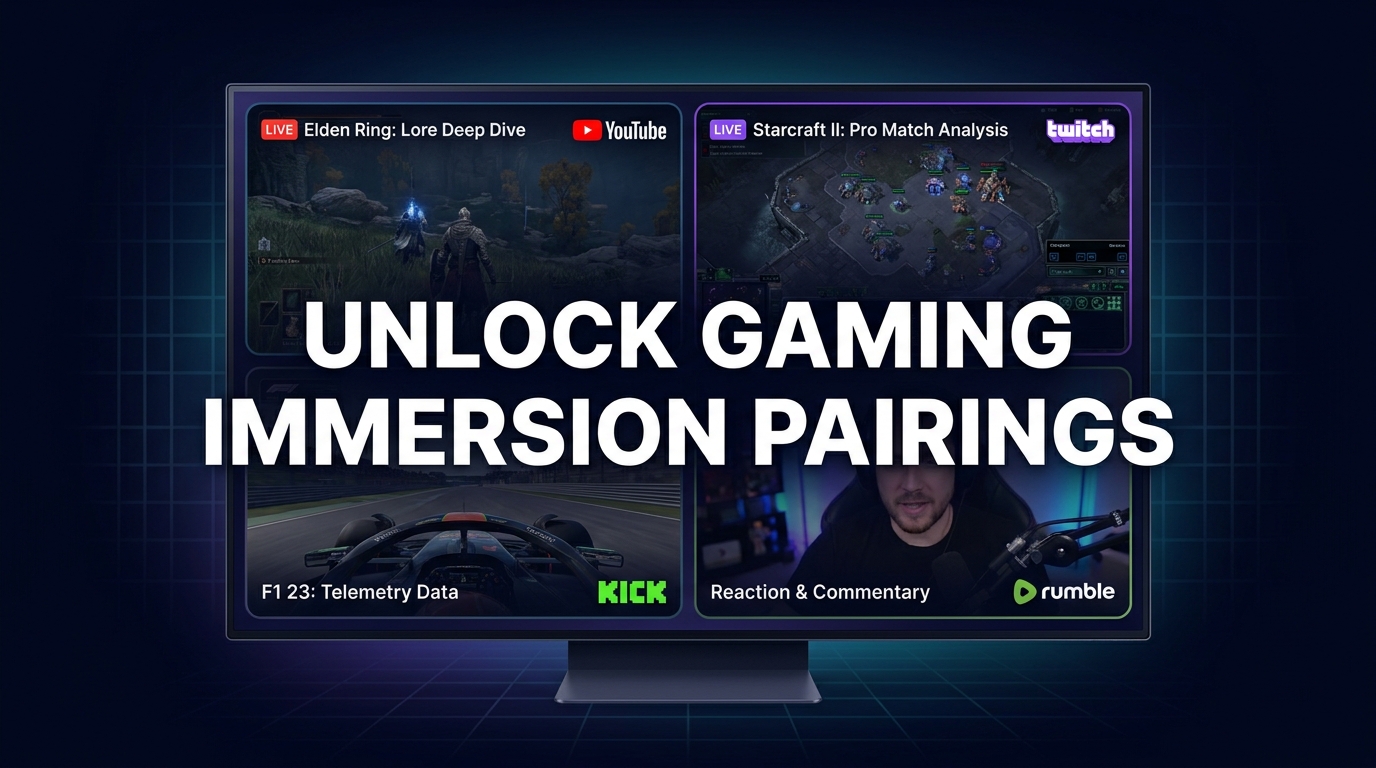
Alright, let's get into it. You know that feeling, right? You're watching a stream, and it's good, but you can't help but wonder what's going on elsewhere. Maybe another player's perspective in the same game, or some expert analysis you're missing, or just something completely different to chill out to. For ages, I used to just flip between tabs, missing crucial moments, getting annoyed by loading screens. It was a nightmare. But then, multi-streaming became a real thing, and honestly, it changed my entire viewing habit. We're not just talking about having two Twitch windows open, no, no. We're talking about crafting specific, unique stream pairings gaming experiences that fundamentally change how you engage with your favorite content.
It's about depth, about context, about soaking up the atmosphere from every angle. I mean, I'm usually glued to my screen for several hours a day, whether it's esports, a new single-player RPG, or just someone building something ridiculous in Minecraft. And over time, I've developed some pretty specific habits and — dare I say — a few strong opinions on how to get the absolute most out of watching streams. This isn't just about entertainment anymore; it's about optimizing the experience. So, let's talk about some of the wild and wonderful ways you can combine streams to really amp up your gaming immersion.
The "Why" of Multi-Streaming: Beyond Just More Screens
You might be thinking, "Why bother? Isn't one stream enough?" And sure, sometimes it is. A solo player diving into a story-rich game, for example, is often best enjoyed on its own. But for so many other scenarios, especially in gaming, a single stream feels like looking through a keyhole when you could be watching through an open door. It's not just about having more information; it's about having better information, different perspectives, and often, a richer emotional connection to what's happening.
Think about it: have you ever been watching a massive esports tournament, say, the Valorant Champions Tour, and the broadcast switches away from your favorite player at a critical moment? You see the team fight unfold, but you don't get that raw, first-person tension, the quick flicks, the comms. Or maybe you're watching someone struggle through a notoriously difficult boss fight in a new Soulslike, and you're screaming advice at your screen, wishing you could see how a speedrunner would handle it, or what a lore expert has to say about the boss's backstory. Those moments, those gaps in the experience, are exactly where multi-streaming shines. It fills in the blanks. It builds context. It makes you feel like you're truly there.
For me, it started during the 2022 League of Legends World Championship. I wanted to watch T1, specifically Faker, but I also needed the main broadcast to understand the overall game state and the caster's hype. Flipping tabs was driving me insane. I missed so many crucial plays because I was always a second too late. That's when I finally committed to finding a proper solution, something that let me pull multiple streams into one cohesive view. It wasn't just about convenience; it was about finally getting the deeper gaming experience I craved. And it's not just for competitive gaming, either. I've found it invaluable for casual playthroughs, creative builds, and even just background noise while I'm working. It's a fundamental shift in how you consume content, opening up so many possibilities. I've even used it to watch my local football team play on one stream, while having a gaming stream (maybe a chill Stardew Valley playthrough) on another, just to unwind after a tense match. ViewGrid makes it super easy to do this, whether it's watching multiple esports streams or even watching multiple sports streams alongside your gaming content. The versatility is really what makes it such a powerful tool.
My Top 5 Unique Stream Pairings for Deeper Gaming Immersion
Alright, enough preamble. Let's get to the good stuff. These are some of my go-to unique stream pairings gaming strategies that I've refined over countless hours. They're designed to give you that layered, rich experience that a single stream just can't deliver.
Pairing 1: The "Pro Player POV + Caster Analysis" Combo - The Tactical Deep Dive
This is probably the most obvious, but also the most impactful, especially for esports fans. We've all been there: the main tournament broadcast is fantastic, with slick production, replays, and expert casters breaking down the overall strategy. But what about the individual brilliance? The micro-decisions? The sheer mechanical skill? You miss that when the camera isn't on your chosen player.
My favorite way to deploy this is during major events like the aforementioned League of Legends Worlds, or the Valorant Masters Copenhagen that happened last year. I'll have the official tournament stream, usually from Riot Games on YouTube, taking up the main, larger window on my ViewGrid setup. This gives me the broad strokes, the teamfights, the objective control, and the invaluable insights from guys like Azael or CaptainFlowers. Their energy is infectious, and they provide that high-level strategic overview you can't get anywhere else.
Then, in a smaller, but still prominent, window right next to it, I'll pull up the individual player's POV stream. For Valorant, this might be someone like TenZ when he's playing in a pro match, or maybe s0m if he's doing a co-stream with his squad. The beauty here is getting to see their crosshair placement, their utility usage, and maybe even hear their comms if they're allowed to stream their personal feed. It's a completely different rhythm. You get to see the game through their eyes, feel the pressure they're under, and marvel at their reflexes. You see them react to every sound cue, every mini-map ping. It really hammers home just how demanding these games are at the highest level.
Last year, during a crucial match, I watched Faker's POV on one screen while the main LCK English broadcast played on another. The casters were hyping up a teamfight around Baron Nashor, detailing the team compositions and win conditions. Simultaneously, I could watch Faker meticulously position himself as Ahri, landing charm after charm, sidestepping skillshots with inhuman precision. It wasn't just watching a game; it was dissecting it in real-time. You learn so much about decision-making, about spacing, about the sheer mental fortitude required. This particular setup is a must for anyone serious about understanding competitive gaming on a deeper level. You can easily set this up by grabbing the Twitch URL for your favorite player and the YouTube URL for the official broadcast, then dropping them into your ViewGrid multi-stream viewer. It's a pro-level viewing setup for anyone, and it really elevates that deeper gaming experience.
Pairing 2: "Speedrun Attempt + Live Commentary/Reaction" - The 'Behind the Scenes' View
Speedrunning is an art form. It's about precision, planning, and often, insane amounts of practice. Watching a speedrunner absolutely fly through a game you know and love, breaking it in ways you never thought possible, is mesmerizing. But sometimes, just watching the gameplay, while impressive, can leave you with questions. Why did they do that? What glitch was that? How did they save those 0.2 seconds?
This is where the pairing comes in. I'll typically have the actual speedrun attempt as the primary stream. This could be someone like Zfg1 or Savestate_ playing Ocarina of Time during a GDQ event, or even a smaller runner tackling a niche game. You get the raw, unedited run – the movement, the menuing, the skips. It's pure, focused execution.
Alongside that, I'll often pull up a secondary stream. This could be one of two things:
1. A co-stream from another knowledgeable runner or community member. They'll be watching the primary run and offering live analysis, explaining the tech, pointing out specific tricks, and generally providing context that you wouldn't get from just the gameplay. They might even share their own past experiences with the same category, offering insight into the runner's mindset.
2. A "reaction" stream from a popular gaming personality. While less analytical, these streams can add a layer of shared excitement. Watching someone like Northernlion react with genuine disbelief as a difficult trick is pulled off, or letting out a collective groan when a small mistake occurs, makes the experience feel more communal. It's like watching with a really engaged friend.
I remember watching the Hades speedrun during Summer Games Done Quick (SGDQ) last year. On one screen, I had the runner absolutely tearing through the Underworld, making split-second choices for boons and weapons. On another, I had a commentator who was himself a Hades speedrunner, explaining the probability of certain boon spawns, the optimal pathing for that particular weapon, and even the subtle audio cues the runner was listening for. It wasn't just a display of skill; it was a masterclass in game design exploitation and strategic thinking. This kind of setup provides fantastic multi-stream gaming tips not just for speedrunning, but for understanding game mechanics on a much deeper level. You can catch so many incredible speedrunners on Twitch, so it's a great platform to experiment with this combo.
Pairing 3: "Community Playthrough + Modder's Showcase" - The Enhanced Experience
Let's be real: sometimes, vanilla gaming just isn't enough. The modding community breathes new life into games, adding content, fixing bugs, or completely transforming the experience. And watching streamers play heavily modded games is often way more entertaining than watching the base game. But what if you could see how those mods work, or even how they were made, in real-time?
My favorite application of this pairing is with games like Skyrim or Grand Theft Auto V RP. For Skyrim, I'll have a streamer (maybe one of those folks doing a 1000+ modded playthrough, like ESO or a similar creator) exploring a brand new quest mod or showcasing a massive graphics overhaul. The visual fidelity and added content are often breathtaking.
Simultaneously, I'll open a secondary stream from a mod developer or a dedicated modding channel. This might be someone demonstrating their latest creation, walking through the technical aspects of how they built a custom armor set, or even providing tips for optimization. For GTA RP, it gets even better. Imagine watching a huge RP server stream, maybe from a popular personality like Summit1g or xQc, participating in an elaborate scenario on Kick. The storytelling, the character interactions, the sheer chaos — it's all there.
On my second screen, I might have a developer from the actual FiveM community, or a smaller streamer who focuses on creating custom assets and scripts for RP servers. They could be showcasing a new vehicle model they just imported, or demonstrating a custom heist mechanic they coded into the server. It gives you this incredible behind-the-curtain look at how these massive, dynamic experiences are built and maintained. You're not just a passive viewer; you're gaining insight into the craftsmanship and the technology that makes it all possible. It’s an incredibly rich way to experience games, providing a deeper gaming experience by understanding the underlying creative process. It really makes you appreciate the incredible talent within these communities. This is another area where you'll find great content on YouTube, with channels dedicated to modding tutorials and showcases.
Pairing 4: "Competitive Ladder Climb + Relaxation/Chill Stream" - The Mental Reset
Okay, this one might seem a little counter-intuitive at first, but trust me, it’s a lifesaver. Watching someone grind ranked ladders in games like League of Legends, Apex Legends, or Overwatch can be incredibly intense. The highs are exhilarating, the lows are brutal. It's a rollercoaster of emotions, both for the streamer and for you, the viewer. Sometimes, you need a palate cleanser. You need something to balance out the stress and the constant pressure.
This is my personal "unwind" setup. I'll have the main competitive stream going—a high-elo player trying to hit Radiant in Valorant, or a Challenger player pushing for top rank in League. I love the intensity, the clutch plays, the strategic thinking. But sometimes, when things get too heated, or the streamer is clearly tilted, I need a break for my own brain.
That's where the second stream comes in. This is always something completely, utterly chill. My go-to is usually a lo-fi music stream – there are tons of fantastic ones on YouTube, often with animated scenes of studies or rainy cityscapes. Or sometimes, I'll pull up a Bob Ross painting compilation, or even a stream of someone just quietly tending to their virtual farm in Stardew Valley or Animal Crossing. The point is, it's something visually pleasant and aurally soothing, with absolutely zero stakes.
It creates this really interesting dynamic. You get the adrenaline rush from the competitive game, but then you have this calming, ambient background that prevents you from getting completely swept away by the tension. It's like a mental reset button. When the competitive streamer loses a tough match, I can glance over at the lo-fi stream, take a deep breath, and remember that it's just a game. It's a fantastic way to enjoy high-octane content without burning yourself out. It's all about finding that balance for a truly deeper gaming experience, and sometimes, that means stepping away without actually stepping away. And hey, sometimes I even use this slot for something completely different, like watching multiple news channels if I want to catch up on headlines without fully committing to a news broadcast. It’s all about finding your personal zen.
Pairing 5: "New Game First Playthrough + Developer Dev Diary/News Stream" - Unpacking the New Release
The launch of a brand new, highly anticipated game is always an event. Everyone rushes to play it, or at least watch their favorite streamers dive in. But in the rush to experience the game, a lot of the context, the developer's vision, or even critical background information can get lost. This pairing is all about filling in those gaps and truly understanding a new release from multiple angles.
I love this one for big RPGs, open-world games, or anything with a rich story or unique mechanics. Imagine Palworld when it first launched, or a new Zelda game. I'd have a streamer, perhaps someone like moistcr1tikal or xQc, doing their first impressions playthrough. Their raw reactions, their struggles, their discoveries – that's the immediate, visceral experience. You're exploring the game alongside them, sharing in the novelty.
In my secondary window, I'd pull up a developer diary, a "making of" video, or a gaming news stream that's providing deep dives and analysis of the game. For Palworld, this could have been an interview with the Pocketpair developers about their design philosophy, or a gaming news channel like IGN or Gamespot doing a breakdown of its early access roadmap and future features. If it's a game with a strong narrative, I might even seek out a lore-focused video or a discussion about the game's inspirations.
This combination creates an incredibly rich tapestry of understanding. You're seeing the game played in real-time, experiencing its ups and downs through a streamer's eyes. But you're also getting the background, the context, the "why" behind certain design choices, and the critical reception. It helps you form a much more informed opinion about the game, beyond just "is it fun to watch?" You appreciate the nuances, the challenges the developers faced, and the broader impact of the game on the industry. It's a fantastic way to ensure you're getting a deeper gaming experience with every new title, making sense of the hype and the reality simultaneously. It's truly a next-level approach to consuming new content.
Setting Up Your Dream Multi-Stream Combo with ViewGrid.tv
Okay, so you're probably thinking, "This sounds amazing, but also kinda complicated." And honestly, without the right tools, it can be a pain. Trying to manage multiple tabs, deal with audio conflicts, and resize windows manually is a nightmare. That's where ViewGrid.tv comes in. It's genuinely the easiest way I've found to build these viewgrid gaming combos and get that seamless, integrated multi-stream experience.
Let me walk you through it. It's shockingly simple, honestly.
- Gather Your URLs: First things first, figure out which streams you want to watch. Go to Twitch, YouTube, Kick, whatever platforms host your chosen content. Grab the direct URL for each stream. Just copy the link from your browser's address bar. For example, if you want to watch Ninja on Twitch, you'd copy
https://www.twitch.tv/ninja. If it's a YouTube video, grab that link. Super straightforward. - Head to ViewGrid.tv: Open your browser and navigate directly to ViewGrid multi-stream viewer. You'll see a clean interface with input fields.
- Paste and Add: In the main input box, paste the URL of your first stream. Hit 'Add Stream'. A video player will pop up.
- Repeat for More Streams: Do the same for your second, third, or even fourth stream. Just paste the URL into the input box and hit 'Add Stream' again. Each time, a new player will appear on your screen.
- Arrange and Resize: This is where the magic happens. ViewGrid automatically tries to arrange them, but you have full control. You can drag and drop the video players to any position on your screen. Want one stream to be huge and central, and another tiny in the corner? No problem. Just click and drag the edges of the video player to resize it. You can create custom layouts that fit your specific needs, whether you're trying to watch multiple Twitch streams or a mix of platforms.
- Manage Audio: This is crucial. By default, ViewGrid usually mutes all but one stream to avoid an echo chamber of sound. You'll see audio controls on each player. Click the speaker icon on the stream you want to hear primarily. If you want to hear two at once, you can adjust volumes individually. Sometimes I'll have the main competitive stream's audio up, and a lo-fi stream's audio very low in the background, just for ambiance.
- Share Your Layout (Optional): One of my favorite features! Once you've got your perfect setup, look for the 'Share' button or the generated URL. You can save this link, or send it to friends. The next time you open that link, your exact stream pairing and layout will be there, ready to go. It's fantastic for event-specific setups, like during a big tournament.
It really is that simple. I've been using it for a while now, and it's become an essential part of my streaming toolkit. No more juggling browser tabs, no more missed plays. Just seamless, customizable multi-view goodness.
My Personal Hot Takes and Future Multi-Streaming Thoughts
Alright, let's get a little spicy, shall we? I have a few strong opinions on this whole multi-streaming thing. First off, I think if you're not exploring these kinds of unique stream pairings gaming setups, you're missing out on a huge chunk of what streaming has to offer. Seriously. It's like only ever listening to the melody of a song when there's an entire orchestra playing. The depth you gain, the context, the sheer immersion – it's transformative.
My mild hot take: the current single-stream "default" for platform UIs is actually holding back the potential of live content. We're in an era where people consume media in so many concurrent ways. Why should live streaming be confined to a single window? I think platforms like Twitch and YouTube should integrate better multi-view features natively, making it even easier for viewers to create these kinds of dynamic setups. Sure, they have co-streaming, but that's not the same as a viewer curating their own experience from any set of available streams.
One thing that still bugs me sometimes is audio mixing. Even with ViewGrid's excellent controls, getting the perfect balance between two or three streams, especially if they have wildly different production values, can be a challenge. Sometimes I wish there was a "focus" button that intelligently ducked the background audio when the main stream had a sudden spike in dialogue or action. Just a little quality of life thing.
Looking ahead, I think we'll see more creators designing content specifically for multi-stream viewing. Imagine a streamer playing a new game, and simultaneously running a separate "lore channel" stream providing background info, character bios, and historical context as they progress. Or an esports team running separate POV streams for every player, knowing that viewers will combine them with the main broadcast. That's where the real innovation lies – creators and platforms embracing this multifaceted viewing experience. It would unlock an even deeper gaming experience for everyone involved. I'm excited to see where it goes.
ViewGrid.tv: Your Gateway to Next-Level Viewing
So, there you have it. Five distinct, powerful ways to supercharge your gaming immersion using unique stream pairings gaming on ViewGrid.tv. From dissecting pro-level plays with caster commentary to finding your zen amidst competitive chaos, the possibilities are genuinely endless. It's not just about consuming more content; it's about consuming it smarter, with more context, more insight, and ultimately, more enjoyment.
I've seen firsthand how these viewgrid gaming combos can elevate a casual viewing session into something truly engaging, something that makes you feel more connected to the games and the communities you love. So, next time you're settling in for a long watch session, don't just open a single tab. Think about what other angles you could explore. What other streams could add a layer of depth, humor, or insight? Head over to ViewGrid multi-stream viewer, play around with it, and discover your own perfect pairings. Your eyes – and your brain – will thank you.
Ready to try multi-stream viewing?
Watch YouTube, Twitch, Kick & more — all on one screen.
Open ViewGridRelated Articles
Esports Multi-Stream: Master Pro Play & Gain the Edge
Ready to level up your esports viewing? Learn how multi-stream viewing helps you master pro play, catch all the action, and gain an edge. I'll share my setup, tips, and how ViewGrid.tv makes it easy to watch multiple Twitch, YouTube, and Kick streams.
how toMaster Streamer Collabs: Multi-Stream Every POV
Tired of missing out on streamer collab POVs? Learn how to multi-stream your favorite creators from Twitch, YouTube, and Kick to get the full story. Your ultimate streamer event multi view guide is here!
comparisonMulti-Stream: Browser Extension or Web App?
Which is better for multi-streaming? We break down the multi-stream browser extension vs web app debate, highlighting performance, flexibility, and why web apps win for serious streamers.
comparisonTwitch Squad or ViewGrid? Why Cross-Platform Wins
Tired of missing out? This post breaks down the limitations of Twitch Squad Stream and reveals why ViewGrid offers true cross-platform multi-stream power, letting you watch any stream, from any platform, all at once. The ultimate twitch squad alternative!