ViewGrid.tv
how to19 min read·July 15, 2026

WC 2026: Watch Multiple Twitch Watch Parties Live

Get ready for World Cup 2026! Discover how to watch multiple Twitch watch parties simultaneously, manage audio, and never miss a reaction with ViewGrid.tv's multi-stream viewer.

World Cup 2026Twitch watch partiesmulti-view footballstreaming tipsViewGrid
WC 2026: Watch Multiple Twitch Watch Parties Live

Alright, picture this: it's the 2026 World Cup. The air is absolutely buzzing. You've got your snacks, your drink, your team jersey on. The game is about to kick off, but you're faced with a monumental decision. Do you watch the official broadcast, soaking in the polished commentary? Or do you jump into a Twitch watch party, riding the wave of hype with thousands of other fans and a streamer you love? It's a tough call, right? Because both options offer something totally unique.

But what if I told you you don't have to choose? What if you could have your cake, eat it, and then steal a slice from your neighbor too? That's what we're talking about today: how to supercharge your World Cup 2026 viewing experience by learning how to watch multiple Twitch streams simultaneously, especially when those streams are glorious, chaotic watch parties. I'm telling you, once you try it, you'll wonder how you ever survived a major sporting event with just one screen, one perspective. It's a game-changer, but not in the "AI-cliché" way – more in the "this actually makes my life better" way.

Last World Cup, in 2022, I remember desperately trying to keep up with xQc's reactions while also having the official game audio on in the background. It was a mess. Browser tabs everywhere, constantly muting and unmuting, my CPU fan sounding like a jet engine taking off. I missed so many amazing moments from other streamers, too. Like when Kai Cenat went absolutely ballistic after a goal, or HasanAbi's surprisingly insightful (and hilarious) takes on tactical decisions. You just can't get that full picture, that full vibe, from one window. The FOMO was real. This time around, for WC 2026, we're not just surviving; we're thriving. We're orchestrating a symphony of reactions, all from the comfort of our couches.

The Glorious Chaos of World Cup Watch Parties

Okay, let's be real. Official sports broadcasts are great for, you know, watching the actual sport. The commentators are usually pros, the graphics are slick, and you get all the angles. But sometimes, especially during massive events like the World Cup, that polished, almost sterile experience just doesn't cut it. You want the raw, unfiltered emotion. You want to feel like you're in a crowded pub with your mates, even if you're actually sitting in your PJs. That's where Twitch watch parties step in.

Think about it. When Argentina won in 2022, everyone on Twitch went wild. xQc was a human meme machine, Kai Cenat was screaming, Ibai in Spain was losing his mind in Spanish. The energy was electric. It wasn't just about the game; it was about the communal experience of sharing that peak emotion with thousands, sometimes hundreds of thousands, of people. For World Cup 2026, with games being played across North America – the USA, Canada, and Mexico – the hype is going to be absolutely unprecedented. This isn't just a sporting event; it's a cultural phenomenon, and Twitch will be at the heart of the digital side of it.

And the beauty of watch parties? The sheer variety. You've got your massive streamers like xQc or Kai Cenat, who bring an audience of hundreds of thousands, creating this almost concert-like atmosphere. Then there are the more niche football streamers, maybe former players or analysts, who break down the tactics with a critical eye, offering insights you won't get from the mainstream broadcast. There's also the comedy stream, the chill stream, the stream where everyone's just there for good vibes. My point is, there's a flavor for everyone. But how do you capture all those flavors without your head spinning? That's the challenge. It’s like being at a buffet and only being allowed one plate. Unacceptable.

The Art of the Reaction Shot: Who to Watch

Choosing who to watch is half the fun, honestly. It’s not just about picking the biggest names; it’s about curating your own personal panel of experts and entertainers. For the World Cup 2026, I'm already mentally drafting my multi-stream lineup.

You've got your pure hype machines. Think someone like Kai Cenat, or xQc, whose energy is infectious, whose screams and frantic reactions become instant memes. They’re amazing for those clutch moments, the goals, the red cards, the penalty shootouts. Their chat moves at a million miles an hour, but the shared excitement is palpable. You don't necessarily go to them for deep tactical analysis, but for the raw, unadulterated passion.

Then you have your more analytical, commentary-driven streamers. Maybe someone like HasanAbi, who often brings a thoughtful, sometimes cynical, political-economic lens to major events, but also has genuine love for the sport and can be hilarious. Or you might find smaller, dedicated football streamers who used to play semi-pro, or have a deep understanding of formations and player roles. They’re fantastic for understanding why things are happening on the pitch, not just what. I usually keep one of these analytical types in my multi-view grid to balance out the pure chaos.

And don't forget the wildcard. The streamer who might be entirely new to football but is experiencing it for the first time, bringing a fresh, often comedic, perspective. Or maybe a beloved gaming streamer who's dipping their toes into sports for the World Cup. These provide a different kind of entertainment, a sense of shared discovery. The first time I tried watching a major event with multiple watch parties, I realized the magic wasn't just the game, but how different personalities framed it. It was like having the best sports talk show panel, custom-built by me.

Why You NEED to Watch Multiple Twitch Streams for WC 2026

Alright, let's get down to brass tacks. Why is this even a thing? Why complicate your life by trying to watch multiple Twitch streams when you could just pick one and chill? Because, my friend, the World Cup isn't just a game; it's the game. It's a global spectacle, and the reactions to it are just as diverse and compelling as the matches themselves.

Imagine this: a controversial penalty call. On one stream, you have a streamer absolutely losing their mind, screaming conspiracy. On another, a more composed analyst is calmly explaining the VAR rules and why the call was technically correct, even if it feels harsh. On a third, a comedian is making jokes about the referee's eyesight. All happening simultaneously. Which single stream gives you that full picture, that rich tapestry of human response? None of them. Only a multi-view setup can deliver that.

It's also about capturing the cultural zeitgeist. When something huge happens in a World Cup match – a stunning upset, a legendary goal, a heartbreaking miss – it instantly becomes the moment everyone is talking about. And on Twitch, that conversation explodes across dozens of channels. If you're only focused on one stream, you're missing out on a huge chunk of that collective energy. You're missing how different communities react, how different parts of the internet digest and memeify the moment. It's like only reading one newspaper when the whole world is reacting to a breaking story. You need more data points, more perspectives.

The fear of missing out (FOMO) is a real motivator here. I've been there. You pick one streamer, you're enjoying their reactions, but then you see clips pop up on Twitter later, or your friends are talking about how another streamer reacted to the exact same moment, and you just think, "Damn, I wish I'd seen that live." With a robust multi-view setup, that feeling becomes a distant memory. You're in on all the action, all the takes. You're not just a viewer; you're a conductor, orchestrating your own personal World Cup experience.

The Downside of DIY Multi-View (and Why It's Worth Avoiding)

Now, I'm sure some of you are thinking, "Okay, cool, I'll just open a bunch of tabs in Chrome." And bless your optimistic hearts, but no. Just, no. I've tried this. We've all tried this. It's a path to frustration, dropped frames, and a computer that sounds like it's about to achieve liftoff.

Here's the brutal truth about the "bunch of tabs" approach:

CPU and RAM Usage: Each Twitch tab is essentially a full web page, running video, chat, emotes, ads – it's a resource hog. Open three or four, and your browser quickly becomes a sluggish mess. Your computer will slow to a crawl, your fan will scream, and your streams will start buffering or dropping frames. Not exactly the seamless multi-view football experience you're dreaming of.
Audio Hell: This is the big one. How do you manage audio from four different streams? You're constantly muting and unmuting, trying to catch a specific reaction, then accidentally unmuting the wrong one and getting an echo chamber of conflicting sounds. It's a headache, pure and simple. You miss key moments because you're fumbling with volume sliders.
Layout and Control: You're stuck with whatever layout your browser gives you. Tiling windows manually is clunky. Resizing is a pain. You can't easily swap a primary stream to a bigger window or focus on one chat. It's like trying to build a complex Lego set with oven mitts on.
Sync Issues: Sometimes, streams can be slightly out of sync. It's not a huge deal for casual viewing, but when you're watching a live football match and trying to compare reactions, a 5-second delay on one stream can be incredibly jarring and confusing.

I remember last week, trying to watch a couple of different Valorant tournaments simultaneously – the VCT Masters Shanghai and some regional Challengers league. I thought, "Hey, I'll just use two browser windows." Within 15 minutes, my primary stream started lagging, my secondary stream froze, and I spent more time trying to fix things than actually watching the games. It's not efficient. It's not enjoyable. It takes away from the whole point of multi-viewing – enhancing your experience, not detracting from it.

Your Playbook for Multi-View Football: A Step-by-Step Guide

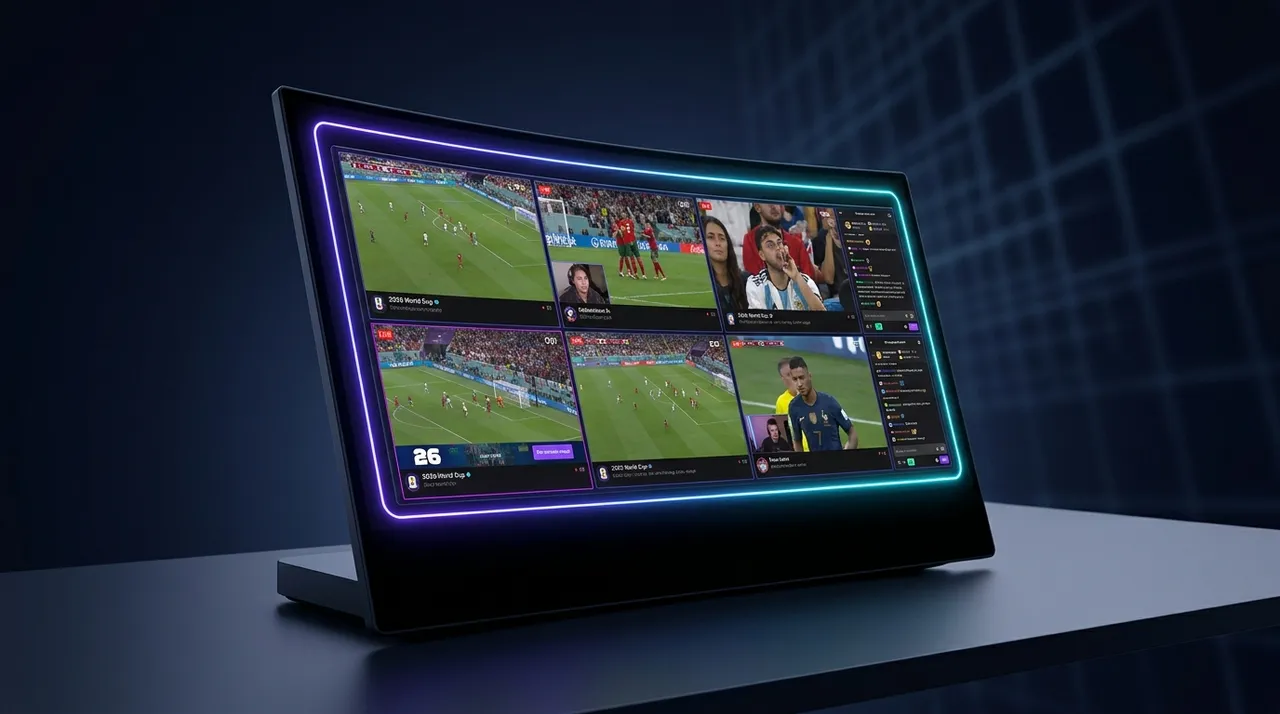
Alright, enough with the horror stories. Let's talk solutions. This is where ViewGrid.tv comes in, and specifically, our dedicated ViewGrid multi-stream viewer. It's designed to cut through all that browser tab chaos and give you a sleek, controlled, and actually enjoyable way to watch multiple Twitch streams (or YouTube, or Kick, or whatever you want, really).

Here's a simple, straightforward guide to getting your WC 2026 multi-stream setup rolling:

  1. Step 1: Pick Your Streamers (and the Main Game, of course).
  2. This is the fun part! Before the game, or even during the first few minutes, decide which Twitch watch parties you want to include. Maybe you want xQc for the pure energy, HasanAbi for the commentary, and a smaller, dedicated football streamer for genuine insights. Don't forget the official match stream itself, if you want that as your primary. You can also mix and match with other platforms – perhaps a YouTube stream of post-game analysis or a Kick streamer's take.
  1. Step 2: Grab Those Stream Links.
  2. Head over to Twitch (or YouTube, or Kick) and find the live streams you want to watch. Copy the full URL from your browser's address bar for each stream. For example, it might look like https://www.twitch.tv/xqcow. You'll need one link for each stream you want in your multi-view. Keep them handy, maybe in a notepad.
  1. Step 3: Head to ViewGrid.tv.
  2. Open your browser and navigate directly to ViewGrid multi-stream viewer. This is your command center for multi-view football. You'll see a clean interface, probably a big empty space, and an input field for pasting URLs.
  1. Step 4: Paste and Arrange.
  2. This is where the magic happens. Paste your first stream link into the input field and hit enter (or click the 'Add Stream' button). The stream will appear on your grid. Repeat this for all the streams you've chosen. As you add more, ViewGrid will automatically tile them for you.
  3. * Customization: See those streams? You can drag and drop them to rearrange their positions. Click and drag the corners to resize them. Want one stream to be bigger? Make it so! You're in control of your layout.
  1. Step 5: Master Your Audio.
  2. This is crucial. You'll notice each stream has its own volume control right there on the player. You can mute individual streams, adjust their volume independently, or even set one as the "master" audio source. My usual strategy is to pick one primary watch party or the official match stream for main audio, then keep the others muted or at a very low volume, ready to un-mute if something interesting happens. It's a seamless way to toggle between reactions without having to fumble with browser tabs.
  1. Step 6: Dive into the Multi-View Football Experience.
  2. That's it! You're now a multi-stream maestro. Enjoy the game, the goals, the drama, and all the simultaneous reactions. No more tab management, no more CPU meltdown. Just pure, unadulterated World Cup excitement from every angle. It's a game-changer for big events like this.

Beyond Watch Parties: Other Multi-Stream Possibilities for WC 2026

While Twitch watch parties are definitely going to be the main event for many, the beauty of a multi-stream setup like ViewGrid is its versatility. The World Cup 2026 is more than just the games themselves; it's a global event with analysis, news, and cultural commentary happening around the clock.

Consider these ideas to further enhance your WC 2026 viewing:

Official Broadcast + Watch Party: Keep the official game feed as your main focus, with a watch party running alongside it for those sudden bursts of community energy.
Multiple Language Commentaries: If you speak more than one language, or just want to hear different perspectives, you could have the English broadcast alongside a Spanish, Portuguese, or French commentary stream. It's fascinating how different cultures cover the same event.
Pre-Game Analysis & Post-Game Debates: Before a major match, you could have two or three different sports channels or dedicated football content creators doing their pre-game analysis. As soon as the final whistle blows, switch one of your screens to a post-game debate panel on YouTube. You can even watch multiple YouTube streams easily on ViewGrid.
News Coverage: On days without big matches, or during intense tournament moments, you might want to track how different news outlets are covering the event. Imagine having BBC News, Sky Sports News, and maybe a local US news channel (since the tournament is there) all running side-by-side. You can watch multiple news channels to get a truly global perspective.
Other Sports/Esports: Okay, maybe not during* a critical World Cup match, but what if there's a big esports tournament happening simultaneously? Or another major sporting event? ViewGrid doesn't care what kind of stream it is. You can mix and match. Perhaps a bit of Wimbledon in the corner while you wait for the World Cup final to kick off. You can even set up multiple sports streams on one grid. The flexibility is genuinely powerful. Don't forget, if you're a fan of the purple platform, you can always link directly to watch multiple Twitch streams, or if you're checking out the newer players, watch multiple Kick streams too!

Optimizing Your Setup for the Ultimate WC 2026 Experience

Having the right software is key, but a little hardware optimization can take your multi-view football experience from great to legendary. You don't need to break the bank, but a few considerations can make a big difference, especially for a demanding event like the World Cup.

First up, internet connection. This is non-negotiable. Streaming multiple high-quality videos simultaneously eats bandwidth like crazy. If your internet is flaky, you're going to have a bad time. Aim for a stable, fast connection – fiber optic if you can get it. Ethernet is always going to be more reliable than Wi-Fi for sustained streaming, especially if you have other devices on your network.

Then there's your monitor setup. While ViewGrid works perfectly well on a single monitor, having two or even three screens truly unlocks the potential of multi-streaming. I usually have my main monitor dedicated to my ViewGrid layout, giving me a large, clear view of all my chosen streams. My secondary monitor might have Discord open for chatting with friends, or Twitter for real-time reactions and memes. It keeps the main viewing experience clean and focused. If you're on a single monitor, just make sure you maximize your browser window to give yourself the most screen real estate possible.

Audio management is probably the trickiest part of a multi-stream setup, even with ViewGrid's individual volume controls. For the best experience, a good pair of headphones is essential. This helps isolate the audio from your chosen primary stream and lets you clearly hear any secondary audio you might have at a lower volume. If you're really serious, a simple audio mixer (even a software one like VoiceMeeter Banana) can give you granular control over multiple audio sources, letting you fade between watch parties seamlessly. I personally just rely on ViewGrid's sliders and a good pair of over-ear headphones, which does the trick for me about 90% of the time.

And what about chat? This is a personal preference. Some people love having all the chats open, even if they're moving at light speed. Others find it distracting. I usually pick one primary watch party whose chat I'll engage with, and keep the others minimized or closed. The beauty of multi-view is that you're getting the visual reactions from multiple streamers, which often conveys more emotion than the text chat anyway. Don't feel pressured to keep up with every single chat. Focus on the content.

Finally, consider your device. While a desktop PC or a powerful laptop will give you the best performance for watching multiple Twitch streams, ViewGrid is browser-based, meaning it can work on tablets or even phones. However, the smaller screen size makes multi-viewing less practical and more cramped. Stick to larger screens for the optimal experience. My personal setup involves a 34-inch ultrawide monitor running ViewGrid, with a second 27-inch monitor for Discord, Twitter, and anything else. It's an immersive setup that makes me feel like I'm in a mission control center for the World Cup.

Looking Ahead: The Future of Live Sports and Twitch Watch Parties

The landscape of live sports viewing has changed dramatically, and platforms like Twitch, alongside innovative tools like ViewGrid, are leading the charge. The traditional, single-channel broadcast is no longer the only, or even necessarily the preferred, way for many people to consume major events. The World Cup 2026 is going to be a monumental benchmark for this shift.

We're moving towards a future where live sports are deeply integrated with community interaction and personalized viewing experiences. Twitch watch parties aren't just a fad; they're a fundamental evolution of how fans engage with the games they love. They offer a sense of camaraderie, an unfiltered emotional connection, and a level of interactive commentary that official broadcasts simply can't replicate. The ability to watch a global superstar react in real-time to a game-winning goal, alongside thousands of their fans, creates a shared moment that transcends the screen.

And this trend is only going to accelerate. As streaming technology improves, and as more people discover the power of tools that let you customize your viewing experience, multi-viewing will become the standard, not the exception, for major events. Imagine the Olympics, the Super Bowl, the NBA Finals – all elevated by a personalized grid of your favorite streamers, analysts, and friends. It's about giving the power back to the viewer, letting you curate your ultimate viewing party.

The demand for this kind of flexible, community-driven content is clear. Streamers are pouring resources into making their watch parties bigger and better, and platforms are starting to recognize the value. The symbiotic relationship between official broadcasters and community streamers is also evolving, with more partnerships and licensed content. It's an exciting time to be a sports fan and a streaming enthusiast. The communal experience, even if you're alone in your living room, is more vibrant than ever.

Why ViewGrid.tv is Your MVP for WC 2026

So, as we gear up for the World Cup 2026, don't get caught in the old ways of watching. Don't settle for just one perspective, one reaction, one limited window into the biggest sporting event on the planet. Embrace the future. Embrace the chaos, the community, and the sheer variety that Twitch watch parties offer.

ViewGrid.tv isn't just a tool; it's your personal command center for this new era of live viewing. It's what I use every single day to juggle my favorite streamers, esports events, and yes, even my news updates. It cuts through the technical headaches, letting you focus on what truly matters: the excitement of the game and the incredible reactions surrounding it. Whether you're trying to [watch multiple Twitch streams], catch up on [multiple YouTube streams], or even explore what's happening on [multiple Kick streams], ViewGrid makes it effortless.

You can customize your layout, manage your audio with precision, and seamlessly switch between different perspectives without missing a beat. It's designed by streamers for streamers, and by fans for fans. Don't just watch the World Cup – experience it from every angle. Check out our ViewGrid multi-stream viewer now and start planning your ultimate WC 2026 setup. Your future self will thank you when that winning goal hits, and you've got five different epic reactions playing simultaneously. Trust me on this one.

Ready to try multi-stream viewing?

Watch YouTube, Twitch, Kick & more — all on one screen.

Open ViewGrid

Related Articles