ViewGrid.tv
how to18 min read·July 13, 2026

Fantasy Football Prep: Watch Multiple NFL Streams

Ready to dominate your fantasy football league? Learn how to watch NFL multiple games live, track players, spot waiver wire gems, and optimize your draft prep with multi-streaming setups.

NFL StreamingFantasy FootballMulti-StreamViewGridSports BettingHow-To
Fantasy Football Prep: Watch Multiple NFL Streams

Alright, let's talk football. Specifically, how to absolutely crush your fantasy league by leveraging the power of multi-streaming. Forget scrambling for a single TV or endlessly flipping channels — that's ancient history. If you're serious about nfl fantasy football, if you want to be the one who snags that waiver wire gem everyone else missed, then you need to learn how to watch nfl multiple games simultaneously. Trust me, it's a total game-changer, and I'm going to walk you through exactly how I do it.

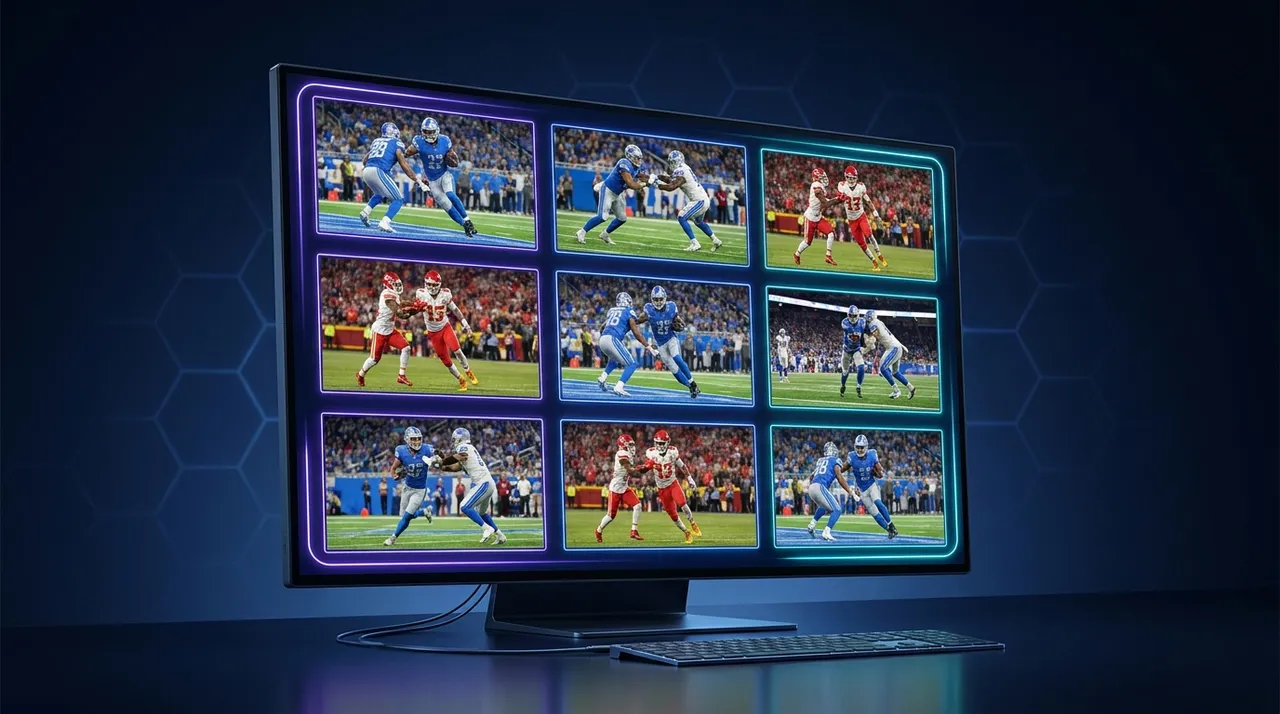
Every Sunday during the NFL season, my desk transforms into a command center. I've got my main monitor showing RedZone, sure, but then I've got another screen, sometimes even a third, split into multiple feeds. One might be a specific game I'm intensely tracking for a player's snap count, another could be a fantasy analyst stream giving real-time advice, and often, a third is just another key matchup. It's intense, it's a little chaotic, but it gives you an edge – a serious edge. This isn't just about entertainment; it's about intelligence gathering.

The Fantasy Football Edge: Why Multi-Streaming Isn't Just for Pros

Look, we've all been there. You're watching your main game, your star running back is on a different field, and you get a notification that he just scored. Great! But what if he also tweaked his ankle on the play? Or what if his backup just broke a 60-yard run, signaling a potential shift in usage? Relying on highlights or delayed notifications means you're always a step behind. To truly dominate your league, especially when it comes to nfl fantasy football, you need live, unfiltered access. That's where knowing how to multi stream nfl games comes in.

Real-time Player Analysis: Tracking Every Snap

This is the bread and butter. Imagine you have a rookie wide receiver, a deep sleeper, playing in an early game. You've got him stashed on your bench, but you're curious about his potential. Instead of waiting for a recap, you can have that game pulled up on one of your smaller screens. You're watching his targets, his routes, his chemistry with the quarterback. Is he getting looks in the red zone? Is he dropping easy passes? You'll see it as it happens. Last season, I was doing exactly this with Puka Nacua in Week 1. Everyone was talking about Cooper Kupp, but I had the Rams game up, and I watched Nacua get target after target, making crazy catches. That immediate visual confirmation gave me the confidence to pick him up right after the game – before the hype train truly left the station. Most of my league mates were still trying to figure out who he even was. That's the power.

Waiver Wire Wizardry: Spotting Breakouts Before Everyone Else

This ties directly into real-time analysis. The waiver wire is where leagues are often won and lost. You need to identify emerging talent, or even just a temporary fill-in, faster than anyone else. Think about it: a starting running back goes down with an injury in the 1 PM ET slate. If you're watching that specific game live, you see the backup come in, you see his first few carries, you notice if the offensive line is still blocking well for him. You're not just waiting for Adam Schefter to tweet about it an hour later. You're assessing the situation in real-time. You can then quickly cross-reference with other games to see if there are any other unexpected developments. Being able to quickly pivot and put in a waiver claim the moment the game ends, sometimes even before the post-game analysis even begins, can mean the difference between getting that player or losing them to a higher waiver priority. It's about being proactive, not reactive.

Draft Day Domination: Prepping with a Full Picture

The off-season, especially the pre-season, is absolutely critical for fantasy football draft prep. This isn't just about reading articles or listening to podcasts – though those are great, don't get me wrong. It's about seeing it with your own eyes. Pre-season games are notoriously tricky to interpret, but if you can watch multiple games at once, you can identify trends. Is a particular team running a lot of two-tight end sets? Is a rookie quarterback showing poise or is he constantly under pressure? Are they featuring a new gadget player? You can track how a team uses its personnel, how offensive coordinators are experimenting. I remember one pre-season, I had four games going, spread across two monitors. I wasn't just looking for touchdowns; I was looking for opportunity. Target shares, snap counts, who was getting reps with the first team in critical situations. This kind of granular observation helps you build a more robust draft strategy, identifying potential busts before they sink your team and finding those undervalued players who could be league winners. It's all about gathering as much raw data as possible.

The Old Ways vs. The New Ways to Watch NFL Multiple Games

For years, we fantasy enthusiasts cobbled together solutions. We've tried everything, haven't we?

Channel Flipping Nightmares: The Classic Struggle

Remember those days? You'd have your TV remote clutched in your hand, frantically switching between CBS and FOX every time you heard the roar of the crowd or saw a score update for a different game. It was a dizzying, frustrating dance. You'd miss crucial plays trying to switch, you'd constantly lose track of what was happening where. And if you had multiple players in the same time slot, forget about it. You were always just getting snippets, never the full picture. My fingers still ache thinking about the sheer effort involved in trying to keep up with, say, five different player situations across three different broadcast networks. It was a workout, and not the good kind.

RedZone and Beyond: Great, But Not Enough for Deep Analysis

NFL RedZone is, without a doubt, a fantastic product. Scott Hanson is a legend, zipping us from touchdown to critical play, ensuring we "whip around" to every score. It's perfect for casual viewing, for the overall excitement. But for the serious fantasy manager, it falls short. Why? Because RedZone gives you highlights. It gives you the outcome. It doesn't give you the process. You don't see the full drive that led to the touchdown. You don't see the two boneheaded drops before the receiver finally made a big play. You don't see the defensive scheme that's stifling your running back. RedZone is like reading the headlines; multi-streaming is like reading the entire newspaper, front to back, including the small print. It's a fantastic supplementary tool, absolutely. I still have it on one of my screens. But it can't be your only tool if you want that competitive edge for nfl fantasy football.

Enter Multi-Streaming: The Real Solution

This is where dedicated multi-streaming platforms, like the ViewGrid multi-stream viewer, step in. Instead of flipping, you're viewing. Instead of missing, you're observing. You're building your own personalized Sunday Ticket experience, tailored precisely to your fantasy roster and your league's needs. You decide which games are most important to you, which analyst streams provide the best insight, and you arrange them all on your screen, simultaneously. It's liberating. You gain control over your viewing experience, making it a powerful tool for information gathering rather than just passive entertainment. This is how you move from just watching football to analyzing football in real-time.

Building Your Ultimate NFL Multi-Stream Setup

Getting started with multi-streaming for NFL Sundays isn't as complicated as it sounds. You don't need a dedicated server room or a trading floor setup. Most of us can get by with what we already have, maybe with one small addition.

Sources You'll Need: Broadcasts, Official Streams, Fantasy Analysis Streams

First things first: your sources. You need feeds. For the actual games, you've got a few options:

Official Broadcasts: If you have cable or a live TV streaming service (like YouTube TV, Hulu + Live TV, Sling, etc.), you'll get access to CBS, FOX, NBC, and ESPN. These are your primary game feeds.
NFL+ Premium: This is your best bet for mobile viewing of out-of-market games, but it's often restricted on larger screens for live games. Still, it's great for replays.
NFL Sunday Ticket (YouTube TV): This is the gold standard for out-of-market games if you want all the action. It's not cheap, but for the serious fantasy player who wants to watch nfl multiple games without restrictions, it's often a worthy investment.
Specific Network Apps/Websites: Sometimes you can stream directly from CBS.com or FOXSports.com if you have a cable login.
Fantasy Analysis Streams: This is huge. On platforms like Twitch and YouTube, you'll find tons of fantasy football content creators who go live on Sundays. Folks like FantasyPros, The Fantasy Footballers, or even smaller, independent analysts provide incredible real-time insights, injury updates, and waiver wire advice during* the games. I usually have one of these up and running on a smaller tile – it's like having a co-pilot. I particularly like the energy of some of the independent guys on YouTube, they're often more raw and responsive to what's happening on the field. You can watch multiple Twitch streams or watch multiple YouTube streams easily with ViewGrid, mixing and matching your preferred analysts with the live game action.

Hardware Considerations: Monitors, Internet Speed

You don't need a supercomputer, but a decent setup helps.

Multiple Monitors: This is the biggest upgrade you can make. One large monitor (27-inch or bigger) works, but two monitors are even better. My current setup is a 34-inch ultrawide main monitor and a 27-inch secondary. The ultrawide lets me tile three or four streams comfortably, and the second monitor handles RedZone or an analyst stream. If you're really hardcore, three monitors are glorious.
Internet Speed: This is non-negotiable. You're pulling down multiple high-definition video feeds simultaneously. You need robust, stable internet. I'd recommend at least 100 Mbps download speed, but honestly, more is better. Nothing is worse than pixelated streams or buffering when your star player is about to score. Check your provider's speed, maybe even consider an upgrade if you're serious about this. And for the love of all that is holy, use an Ethernet cable if you can. Wi-Fi is fine for one stream, but for three or four, a wired connection will save you so much grief.
* Decent PC/Laptop: Your computer needs enough processing power and RAM to handle all those browser tabs or application windows. An i5 or i7 processor (or AMD equivalent) with 16GB of RAM is a solid baseline. My current machine has 32GB, and it handles everything without a hiccup.

Software That Makes It Happen: ViewGrid.tv, Browser Tabs

While you could open a dozen browser tabs and try to manage them, it's a nightmare. The audio control alone will drive you mad. This is where dedicated multi-streaming tools shine.

ViewGrid.tv: This is what I use, and it's built for exactly this purpose. You paste your stream URLs, and it arranges them into a customizable grid. The key features are the ability to control audio for each stream independently, resize windows, and save layouts. It makes the entire process incredibly smooth.
Other Browser Extensions/Tools: There are some browser extensions that offer basic tiling, but they rarely have the robust audio control or layout saving features of a dedicated platform. Plus, they can sometimes be flaky. For something as critical as fantasy football, you want reliability.

How to Set Up Your ViewGrid Multi-Stream for NFL Sundays (Step-by-Step)

Okay, let's get practical. Here's how I usually set up my multi-stream command center before kickoff. This is your fantasy football draft prep in action, even during the season.

  1. Identify Your Key Games/Streams:
  2. * Prioritize: Which games have your starting QB, RB, WRs? Which games feature waiver wire candidates you're watching? Which one is your "home team" if you care about that?
  3. * Fantasy Analyst Streams: Pick one or two reliable fantasy analysts you like. For example, on YouTube, you might queue up the Fantasy Football Advice channel, or on Twitch, maybe a smaller streamer you follow.
  4. * Official News/Stat Tracker (Optional): Sometimes I'll even have a static webpage with a live stat tracker (like NFL.com's Game Center) open on a smaller tile, just for quick reference.
  1. Gather Your Stream URLs:
  2. * This is crucial. Before kickoff, navigate to your various streaming services (YouTube TV, NFL Sunday Ticket, Twitch, YouTube, Kick, etc.) and get the direct URLs for each game or analyst stream you want to watch. Copy them into a simple text file for easy access. Remember, ViewGrid can handle streams from Watch multiple Twitch streams, Watch multiple YouTube streams, and even Watch multiple Kick streams if there's NFL content there.
  1. Open ViewGrid.tv and Start Adding Streams:
  2. * Go to ViewGrid.tv.
  3. * You'll see a clean interface. Paste your first URL into the input box and click "Add Stream."
  4. * Repeat this for all your desired streams. As you add them, ViewGrid will automatically arrange them in a grid. Don't worry about the layout yet, you can adjust that.
  1. Arrange and Resize Your Grid:
  2. * Now, the fun part: customization. Drag and drop the individual stream windows to arrange them how you like.
  3. * Resize them. Make your most important game (e.g., your QB's game) larger, perhaps in the top-left quadrant. Your secondary games can be smaller. Your analyst stream might be a thin vertical bar on the side.
  4. * ViewGrid lets you save these layouts! So once you find a setup you love, you can save it and load it instantly next week. This is a massive time-saver for your multi stream nfl setup.
  1. Master Your Audio:
  2. * This is where ViewGrid truly shines over just opening multiple browser tabs. Each stream window has its own volume control.
  3. * Primary Audio: Pick one stream to be your primary audio source. This is usually RedZone, or the game that has the most players you're tracking.
  4. * Mute/Low Volume Others: Mute all other game streams. You don't want a cacophony of commentators.
  5. * Analyst Stream Audio: If you have an analyst stream, you might keep its volume low in the background or mute it until a specific play happens you want commentary on. The ability to quickly solo audio or adjust volumes on the fly is essential. Last season, I was watching the Bills game primarily, but I had a smaller screen with a game featuring a waiver wire target. When the analyst I was listening to mentioned a potential injury in that secondary game, I could instantly unmute and listen to the broadcast team's update. It's incredibly responsive.
  1. Chat Management (Optional):
  2. * If you're watching Twitch or YouTube streams, the chat can be a source of information (or distraction!). Decide if you want to keep the chat visible. Sometimes, other viewers will point out something you missed or offer interesting takes. I often keep it minimized but available for quick glances.

ViewGrid Pro Tip: Don't forget to use the Solo Audio button on ViewGrid! It's a lifesaver. If something big happens in a game you have muted, just click the speaker icon on that stream's window, and ViewGrid will automatically mute everything else and bring that stream's audio to the foreground. Once you're done, click it again to go back to your previous audio setup. It’s fluid.

Beyond Sunday: Using Multi-Streaming for Year-Round NFL Fantasy Football

The utility of multi-streaming isn't limited to Sunday afternoon chaos. It's a year-round tool for the dedicated fantasy manager, especially for fantasy football draft prep.

Pre-Season Scrutiny: Catching Hidden Gems

Pre-season games are often dismissed as meaningless, but for fantasy, they're goldmines for specific insights. Rookies, players returning from injury, position battles – these are all storylines best observed live. I'm not just looking at the box score after the fact; I'm watching the process. Is that third-string running back getting goal-line carries? Is the rookie wideout dropping easy passes or showing good separation? Is the offensive line gelling? By having two or three pre-season games going on my ViewGrid setup, I can cross-reference what I'm seeing against what I expected to see, based on camp reports. This helps me identify those late-round flyers or potential undrafted free agents who might surprise everyone. It's not about winning your league in August, but it's about setting the groundwork.

Off-Season Analysis: News, Rumor Mills, Draft Analysis

Even outside of live games, multi-streaming can be incredibly useful. During the NFL Draft, for instance, I'll have the main broadcast (ESPN/NFL Network) on my big screen, but then I'll have a few different YouTube or Twitch channels running on ViewGrid. Someone like Daniel Jeremiah on NFL Network provides excellent analysis, but then you might have a dedicated fantasy channel like The Fantasy Footballers doing their live reaction, or even a beat reporter for a specific team on Twitter Space providing instant local insight. Being able to compare these perspectives simultaneously gives you a much richer understanding of player landing spots and their fantasy implications. The same goes for free agency, or even just daily news. I'll often have a watch multiple news channels layout on ViewGrid during big news days, combining a national sports news channel with a more fantasy-focused podcast or live stream. It's about being immersed in the information flow.

My Personal Approach: What I Track

My tracking goes beyond just fantasy points. When I'm watching my multi-stream setup on a Sunday, here's what's often going through my head, informing my decisions:

Snap Counts: Is my player (or a potential waiver target) on the field for a high percentage of snaps? Are they coming off the field in specific situations (e.g., two-minute drill, run vs. pass plays)?
Target Share/Opportunity: For receivers and tight ends, how many times is the ball coming their way? Are they getting red zone targets?
Routes Run: Are they running a full route tree, or mostly short, simple routes? This indicates their role.
Eye Test for Talent: Does the player look good? Are they making defenders miss? Are they breaking tackles? Is the quarterback looking their way often, even when covered?
Offensive Line Play: How is the O-line holding up? A struggling line can drag down even elite RBs and QBs.
Defensive Matchup (Live): How is the opposing defense actually playing today? Sometimes a "bad" defense has a surprisingly good day, or vice-versa.

It's a lot, I know. But having multiple feeds means you can keep an eye on these details across different games without constantly switching context. It's like being an air traffic controller for your fantasy team.

My Hot Take on the Future of NFL Viewing

Honestly, I think single-screen viewing for anything as dynamic as the NFL, especially for fantasy purposes, is on its way out. The younger generation, raised on Twitch and TikTok, thrives on multiple inputs. They don't just want to watch a game; they want to watch the best parts of all the games, plus their favorite streamer reacting to it, plus a stat overlay. This kind of fragmented, personalized consumption is becoming the norm. For traditional broadcasters, this is a huge challenge – how do you keep eyes on your single feed when someone can curate their own experience? I think we'll see more official multi-view options from the leagues themselves, maybe even integrated fantasy data directly into the broadcast. But until then, tools like ViewGrid are bridging that gap. It's not just about watch nfl multiple games; it's about watching your version of NFL Sunday. And frankly, if you're not doing it, you're leaving a huge competitive edge on the table for your nfl fantasy football league. It's like going to a gunfight with a knife. You might win, but why risk it?

Why ViewGrid.tv is Your MVP for Fantasy Football Prep

At the end of the day, you want a tool that gets out of your way and lets you focus on the action. That's what I love about ViewGrid.tv. It's intuitive, it's reliable, and it's built for exactly this kind of intense, multi-source viewing. Whether you're trying to track every snap for your nfl fantasy football team, get a jump on the waiver wire, or just really want to watch nfl multiple games because you're a glutton for football, ViewGrid simplifies the process. It takes the frustration out of juggling tabs and lets you create your own personalized, information-rich NFL Sunday experience. Give it a shot this season. Your fantasy team, and your sanity, will thank you.

Ready to try multi-stream viewing?

Watch YouTube, Twitch, Kick & more — all on one screen.

Open ViewGrid

Related Articles